The Tech Edvocate

Top Menu

  • Advertisement
  • Apps
  • Home Page
  • Home Page Five (No Sidebar)
  • Home Page Four
  • Home Page Three
  • Home Page Two
  • Home Tech2
  • Icons [No Sidebar]
  • Left Sidbear Page
  • Lynch Educational Consulting
  • My Account
  • My Speaking Page
  • Newsletter Sign Up Confirmation
  • Newsletter Unsubscription
  • Our Brands
  • Page Example
  • Privacy Policy
  • Protected Content
  • Register
  • Request a Product Review
  • Shop
  • Shortcodes Examples
  • Signup
  • Start Here
    • Governance
    • Careers
    • Contact Us
  • Terms and Conditions
  • The Edvocate
  • The Tech Edvocate Product Guide
  • Topics
  • Write For Us
  • Advertise

Main Menu

  • Start Here
    • Our Brands
    • Governance
      • Lynch Educational Consulting, LLC.
      • Dr. Lynch’s Personal Website
      • Careers
    • Write For Us
    • The Tech Edvocate Product Guide
    • Contact Us
    • Books
    • Edupedia
    • Post a Job
    • The Edvocate Podcast
    • Terms and Conditions
    • Privacy Policy
  • Topics
    • Assistive Technology
    • Child Development Tech
    • Early Childhood & K-12 EdTech
    • EdTech Futures
    • EdTech News
    • EdTech Policy & Reform
    • EdTech Startups & Businesses
    • Higher Education EdTech
    • Online Learning & eLearning
    • Parent & Family Tech
    • Personalized Learning
    • Product Reviews
  • Advertise
  • Tech Edvocate Awards
  • The Edvocate
  • Pedagogue
  • School Ratings

logo

The Tech Edvocate

  • Start Here
    • Our Brands
    • Governance
      • Lynch Educational Consulting, LLC.
      • Dr. Lynch’s Personal Website
        • My Speaking Page
      • Careers
    • Write For Us
    • The Tech Edvocate Product Guide
    • Contact Us
    • Books
    • Edupedia
    • Post a Job
    • The Edvocate Podcast
    • Terms and Conditions
    • Privacy Policy
  • Topics
    • Assistive Technology
    • Child Development Tech
    • Early Childhood & K-12 EdTech
    • EdTech Futures
    • EdTech News
    • EdTech Policy & Reform
    • EdTech Startups & Businesses
    • Higher Education EdTech
    • Online Learning & eLearning
    • Parent & Family Tech
    • Personalized Learning
    • Product Reviews
  • Advertise
  • Tech Edvocate Awards
  • The Edvocate
  • Pedagogue
  • School Ratings
  • A Visitors Guide to Santa Maria, Brazil

  • Uncovering the Truth: This Salmonella Outbreak Sprouts Warning You Can’t Ignore

  • This One Flaw Just Melted an RTX 5090 — What Happens Next?

  • This Startup Just Raised $40 Million to Revolutionize Women’s Health

  • This AI Coding Startup Just Tripled Its Value to $5 Billion Overnight

  • The Blood Of Dawnwalker: 10 Burning Questions After Its Console Demo Scandal

  • Gamers vs. Critics: Why Wolverine Game Reviews Are Sparking a Culture War

  • AI-Generated Content Is Flooding Social Media, Research Shows

  • Florida’s Latest Education Scandal: The Climate Change Curriculum You Won’t Believe

  • Millions Face a Brutal Student Loan Payment Hike — What You MUST Do Now

Digital & Mobile Technology
Home›Digital & Mobile Technology›How to Find Your Chromebook’s MAC Address

How to Find Your Chromebook’s MAC Address

By Matthew Lynch
June 9, 2023
0
Spread the love

A Media Access Control (MAC) address is a unique identifier assigned to a network interface controller. It is a string of six pairs of hexadecimal digits separated by colons, such as 00:11:22:33:44:55. Every device on a network has a unique MAC address, allowing it to be identified and communicated with by other devices.

If you are using a Chromebook, you may need to know your MAC address for various reasons, such as configuring network settings, setting up parental controls, or troubleshooting network issues. Here’s how to find your Chromebook’s MAC address.

Method 1: Settings app

The easiest way to check your Chromebook’s MAC address is through the Settings app.

1. Click on the clock in the bottom right corner of your screen.
2. Click on the gear icon to open the Settings app.
3. Scroll down to the bottom and click on Advanced.
4. Scroll down to the bottom again and click on System.
5. Under “Device,” click on “About Chrome OS.”
6. In the “Network” section, you’ll see your MAC address listed under “Wi-Fi.”

Method 2: Terminal app

If you prefer using the command line, you can also find your Chromebook’s MAC address through the Terminal app.

1. Press the Search key on your keyboard (or the Launcher key on some Chromebooks) to open the app launcher.
2. Type “Terminal” and press Enter to open the Terminal app.
3. Type “ifconfig | grep HWaddr” and press Enter. This will display your Ethernet MAC address (if your Chromebook has an Ethernet port) and your Wi-Fi MAC address.
4. Look for the line that says “ether” followed by six pairs of hexadecimal digits. This is your MAC address.

Method 3: Router admin page

Another way to find your Chromebook’s MAC address is through your router’s admin page.

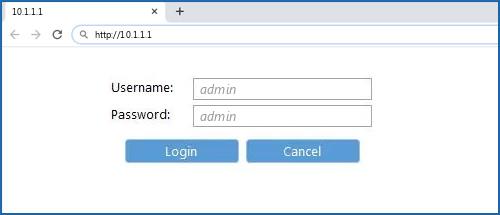
1. Open your web browser and type your router’s IP address into the address bar. This is usually something like 192.168.1.1 or 192.168.0.1. If you’re not sure, check the documentation that came with your router or contact your ISP.
2. Log in to your router’s admin page using your username and password. If you haven’t changed these, they may be the default credentials written on the router itself or in the documentation.
3. Look for a section called “Attached Devices,” “Device List,” or similar. This should show a list of all devices connected to your network.
4. Find your Chromebook’s name or IP address in the list and look for the corresponding MAC address.

Once you have found your Chromebook’s MAC address, you can use it for various purposes, such as configuring port forwarding, filtering MAC addresses, or setting up a static IP address. Keep in mind that MAC addresses can be spoofed or cloned, so they are not a foolproof security measure. However, they can be useful for identifying and managing network devices.


Previous Article

Sony’s Official (PlayStation 3) PS3 Launch Titles ...

Next Article

Excel Multi-Cell Array Formulas

Matthew Lynch

Related articles More from author

  • Digital & Mobile Technology

    What is Cache Memory?

    May 5, 2023
    By Matthew Lynch
  • Digital & Mobile Technology

    What Are Live Service Games and How Do They Work?

    August 3, 2023
    By Matthew Lynch
  • Digital & Mobile Technology

    Why the Contribution of Parents is Essential for a Successful BYOD Program

    May 12, 2021
    By Matthew Lynch
  • Digital & Mobile Technology

    What Is the Roman Type Classification?

    June 22, 2023
    By Matthew Lynch
  • Digital & Mobile Technology

    How to Make a Healing Potion (Instant Health) in Minecraft

    May 31, 2023
    By Matthew Lynch
  • Digital & Mobile Technology

    How to Install Z Shell (Zsh) and Oh My Zsh on Linux

    September 8, 2023
    By Matthew Lynch

Search

Login & Registration

  • Log in
  • Entries feed
  • Comments feed
  • WordPress.org

Newsletter

Signup for The Tech Edvocate Newsletter and have the latest in EdTech news and opinion delivered to your email address!

About Us

Since technology is not going anywhere and does more good than harm, adapting is the best course of action. That is where The Tech Edvocate comes in. We plan to cover the PreK-12 and Higher Education EdTech sectors and provide our readers with the latest news and opinion on the subject. From time to time, I will invite other voices to weigh in on important issues in EdTech. We hope to provide a well-rounded, multi-faceted look at the past, present, the future of EdTech in the US and internationally.

We started this journey back in June 2016, and we plan to continue it for many more years to come. I hope that you will join us in this discussion of the past, present and future of EdTech and lend your own insight to the issues that are discussed.

Newsletter

Signup for The Tech Edvocate Newsletter and have the latest in EdTech news and opinion delivered to your email address!

Contact Us

The Tech Edvocate
910 Goddin Street
Richmond, VA 23231
(601) 630-5238
[email protected]

Copyright © 2026 Matthew Lynch. All rights reserved.