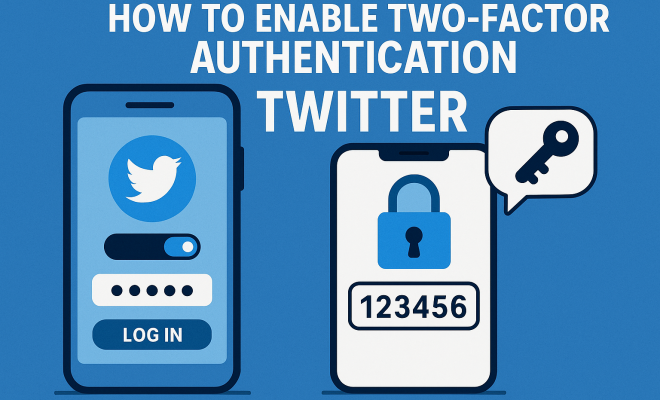
How to enable twofactor authentication Twitter
“`html
In today’s digital age, protecting your online accounts has never been more critical. Twitter, with its vast user base, has become a prime target for cybercriminals. One effective way to enhance your account security is to enable two factor authentication on Twitter. This guide will walk you through everything you need to know about this essential security feature, from its background and benefits to a detailed step-by-step process on how to set it up.
1. Understanding Two Factor Authentication
Two Factor Authentication (2FA) is a security mechanism that requires two forms of identification before granting access to an account. Typically, it involves something you know (like your password) and something you have (like your phone). This dual-layered approach makes it significantly harder for unauthorized users to gain access, even if they have your password.
With cyber threats on the rise, implementing 2FA is no longer a luxury but a necessity. Twitter offers this feature to protect user accounts from hacking attempts and unauthorized access. By enabling two factor authentication on Twitter, you are taking a proactive step toward safeguarding your personal information and conversations.
2. The Importance of Enabling Two Factor Authentication on Twitter
Cybersecurity experts unanimously agree that enabling two factor authentication on Twitter—and other social media platforms—is essential for several reasons. First and foremost is the protection of personal data. Your Twitter account may contain sensitive information, private messages, and contacts that could be exploited if your account is compromised.
Additionally, Twitter accounts can be used to spread misinformation or harmful content if hacked. This can lead to reputational damage not only for the user but also for businesses and organizations associated with that account. By enabling 2FA, you’re not just protecting yourself; you’re also contributing to a more secure online environment.
Statistics from recent cybersecurity reports indicate that accounts with 2FA enabled are significantly less likely to be hacked. In fact, a study shows that accounts using 2FA are 99.9% less likely to be compromised, highlighting the profound impact this feature can have on your security.
Furthermore, in a world where digital identities are increasingly intertwined with personal and professional lives, the implications of a hacked account can be severe. A breach can lead to identity theft, financial loss, and damage to personal relationships and professional reputations. This underscores the importance of enabling two factor authentication on Twitter as a vital protective measure.
3. How to Enable Two Factor Authentication on Twitter: A Step-by-Step Guide
Now that you understand the importance of two factor authentication, let’s get into the nuts and bolts of how to enable it on Twitter. Follow these simple steps to ensure your account is well-protected:
- Step 1: Log into Your Twitter Account
Start by logging into your Twitter account on either the mobile app or the desktop site. - Step 2: Access Account Settings
Click on your profile icon or the menu icon in the top corner, then select “Settings and Privacy” from the dropdown menu. - Step 3: Navigate to Security and Account Access
In the settings menu, find the “Security and account access” section. Click on “Security.” - Step 4: Enable Two Factor Authentication
You’ll see an option for “Two-factor authentication.” Click on it to begin the setup process. - Step 5: Choose Your 2FA Method
Twitter provides several options: you can receive a verification code via SMS, use an authentication app, or utilize a security key. Choose the method that works best for you. - Step 6: Follow the Prompts
Depending on the method you chose, Twitter will walk you through the process of linking your phone number or authentication app, and you’ll be asked to verify your choice. - Step 7: Confirm Your Settings
Once set up, you’ll be prompted to enter a verification code the next time you log in. Make sure to confirm your settings are saved correctly.
That’s it! You’ve successfully enabled two factor authentication on Twitter, adding an important layer of security to your account.
4. Methods of Two Factor Authentication on Twitter
Twitter offers various methods for two factor authentication, allowing users to choose the one that fits best with their lifestyle and security needs. Here’s a closer look at each option: (See: Understanding two factor authentication.)
- SMS Authentication: You can opt to receive a one-time code via text message whenever you attempt to log in. This method is straightforward but can be vulnerable to SIM-swapping attacks, where an attacker takes control of your phone number.
- Authentication Apps: Using an app like Google Authenticator or Authy provides a more secure option. These apps generate time-sensitive codes that are harder for hackers to intercept.
- Security Keys: These are physical devices that connect to your computer or mobile device, providing an added layer of security. While they may be more cumbersome, they offer the highest level of protection against unauthorized access.
Choosing the right method is crucial. If you’re concerned about SMS vulnerabilities, consider using an authentication app or a security key for maximum protection.
5. Common Challenges and Troubleshooting Tips
While enabling two factor authentication on Twitter is generally straightforward, users may encounter some challenges during the process. Here are a few common issues and how to troubleshoot them:
- Not Receiving SMS Codes: If you’re not receiving the verification codes via SMS, ensure that your phone number is entered correctly in your account settings. Check your phone’s signal and ensure you’re not experiencing carrier issues.
- Authentication App Issues: If you’re using an authentication app and it’s not generating codes, make sure your phone’s time settings are accurate. The time on your device should match the time settings of the authentication app.
- Lost Access to Your 2FA Method: If you lose access to your phone or authentication method, you may have difficulty logging in. Twitter provides backup codes when you set up 2FA. Keep these codes in a safe place so you can use them if needed.
By being aware of these common issues, you can troubleshoot effectively and maintain access to your account.
6. The Impact of Two Factor Authentication on User Experience
While enabling two factor authentication on Twitter increases security, it can also affect your user experience. The extra step of entering a verification code can be seen as a hassle, especially for those who value convenience. However, this minor inconvenience is worth the enhanced security it offers.
Studies show that users who implement 2FA feel more secure and are less likely to fall for phishing attempts. It encourages a more mindful approach to online security, reminding users to be vigilant about their information. Over time, as you adjust to the extra step, it becomes second nature, making your overall Twitter experience safer.
Interestingly, a survey conducted among Twitter users revealed that 76% of respondents felt more secure knowing they had enabled two factor authentication. This highlights the psychological benefits of using 2FA in addition to the tangible security advantages.
7. Staying Updated on Twitter Security Features
Twitter is continually working to enhance its security features. It’s crucial for users to stay informed about any updates or changes that may impact their account security. Regularly check the Twitter Help Center or follow Twitter’s official blog for announcements regarding new security measures.
Additionally, consider educating yourself on other security practices, such as recognizing phishing attempts and using strong, unique passwords for your accounts. The more you know, the better equipped you’ll be to protect your online presence.
8. Encouraging Others to Enable Two Factor Authentication
As you take steps to enhance your own security, consider encouraging others to do the same. Share your journey of enabling two factor authentication on Twitter with friends and family. Discuss the importance of online security and why 2FA can make a significant difference.
By fostering a culture of cybersecurity awareness, you can help create a safer digital space for everyone. Encourage discussions about best practices and share resources that can assist others in enabling two factor authentication on their accounts.
Creating community awareness is essential. You might start a conversation in your social circles or even share informative posts on other platforms that highlight the significance of 2FA. The more you talk about it, the more likely people will feel motivated to take action. (See: Importance of two factor authentication.)
9. The Evolution of Two Factor Authentication
Two factor authentication has come a long way since its inception. Originally, it was primarily seen in banking and government applications, but as cyber threats have increased, the adoption of 2FA has expanded into everyday applications, including social media platforms like Twitter.
In recent years, many companies have begun implementing more user-friendly 2FA options, recognizing that the security measures must be both effective and easy for users to engage with. For instance, biometric verification methods such as fingerprint scanning and facial recognition have become popular, providing seamless ways to authenticate without the need for a code.
As technology continues to advance, new forms of authentication are on the horizon. These may include behavioral biometrics, where systems analyze user behavior patterns, or even device-based authentication, which could reduce the need for traditional passwords altogether.
10. Future of Cybersecurity and Social Media
Looking ahead, the landscape of cybersecurity, particularly for social media platforms like Twitter, is likely to undergo significant changes. As cyber threats continue to evolve, so too must the methods for protecting user accounts. This means that practices like enabling two factor authentication will become standard for anyone wanting to maintain a secure online presence.
Experts predict that the integration of artificial intelligence will play a crucial role in developing smarter security measures. Machine learning algorithms could potentially identify and mitigate threats in real-time, enhancing overall security for users without adding cumbersome processes.
Additionally, as users become more aware of the importance of their data privacy and security, demand for enhanced features will likely push platforms to innovate further. We may see more customizable security features that allow users to choose their preferred methods of authentication based on their needs and comfort levels.
11. Frequently Asked Questions (FAQ)
What is Two Factor Authentication?
Two factor authentication (2FA) is a security process that requires two different forms of identification before granting access to an account. This typically involves something you know (password) and something you have (a phone or security token).
Why should I enable two factor authentication on Twitter?
Enabling two factor authentication on Twitter drastically increases your account security. It helps protect your account from being hacked, even if someone knows your password.
What happens if I lose my phone with 2FA enabled?
If you lose your phone, you can use the backup codes provided when you set up 2FA. These codes can be used to log in to your account if you cannot receive SMS or use your authentication app.
Can I use multiple methods of two factor authentication?
Yes, Twitter allows you to set up multiple methods of two factor authentication. You can use both SMS and an authentication app, but you need to select one as your primary method. (See: Cybersecurity and authentication methods.)
How can I disable two factor authentication if I change my mind?
To disable two factor authentication, log into your Twitter account, go to the “Security and account access” section, and uncheck the “Two-factor authentication” option.
Are there any risks associated with two factor authentication?
While two factor authentication significantly increases security, it’s not bulletproof. If you’re using SMS for authentication, you may be vulnerable to SIM-swapping attacks. Always consider using an authentication app or security key for added protection.
How can I secure my Twitter account further?
In addition to enabling two factor authentication, ensure your password is strong and unique. Regularly update your password and be cautious of phishing attempts that could compromise your account.
How does two factor authentication affect third-party applications?
If you’re using third-party applications that access your Twitter account, enabling two factor authentication may require you to create app passwords specifically for those applications to continue using them without interruption.
Can two factor authentication be bypassed?
While two factor authentication is designed to be a strong security measure, it can be bypassed if an attacker has access to both factors. This can happen if a user is tricked into providing their second factor through social engineering tactics or if their device is compromised. Always stay vigilant about securing your devices.
12. Conclusion: A Small Step for a Safer Future
Enabling two factor authentication on Twitter is a small step that can lead to a much safer online experience. By following the steps outlined in this guide, you can significantly reduce the risk of unauthorized access to your account. Remember, in the ever-evolving landscape of cybersecurity, taking proactive measures is essential.
As you enhance your security, consider how you can advocate for others to do the same. The more users who enable two factor authentication, the harder it becomes for cybercriminals to exploit vulnerabilities. Let’s work together to create a more secure online environment.
“`
Trending Now
Frequently Asked Questions
How do I enable two-factor authentication on Twitter?
To enable two-factor authentication on Twitter, go to your account settings, select 'Security and account access', then 'Security'. From there, choose 'Two-Factor Authentication' and follow the prompts to set it up using either a text message or an authentication app.
What is two-factor authentication and why is it important?
Two-factor authentication (2FA) is a security feature that requires two forms of identification before accessing your account. It is crucial because it adds an extra layer of protection, making it significantly harder for unauthorized users to access your Twitter account, even if they have your password.
What are the benefits of using two-factor authentication on Twitter?
The benefits of using two-factor authentication on Twitter include enhanced account security, protection of personal data, and prevention of unauthorized access. This safeguard helps to protect sensitive information and reduces the risk of hacking attempts, ensuring a safer online experience.
Can I use an authentication app for Twitter two-factor authentication?
Yes, you can use an authentication app for Twitter's two-factor authentication. When setting up 2FA, you can choose to receive codes via an authentication app like Google Authenticator or Authy, which can provide a more secure method compared to SMS.
What happens if I lose access to my two-factor authentication method?
If you lose access to your two-factor authentication method, such as your phone or authentication app, you may have difficulty accessing your Twitter account. It’s essential to keep backup codes generated during the 2FA setup, as they can be used to regain access to your account.
What’s your take on this? Share your thoughts in the comments below — we read every one.