The Tech Edvocate

Top Menu

  • Advertisement
  • Apps
  • Home Page
  • Home Page Five (No Sidebar)
  • Home Page Four
  • Home Page Three
  • Home Page Two
  • Home Tech2
  • Icons [No Sidebar]
  • Left Sidbear Page
  • Lynch Educational Consulting
  • My Account
  • My Speaking Page
  • Newsletter Sign Up Confirmation
  • Newsletter Unsubscription
  • Our Brands
  • Page Example
  • Privacy Policy
  • Protected Content
  • Register
  • Request a Product Review
  • Shop
  • Shortcodes Examples
  • Signup
  • Start Here
    • Governance
    • Careers
    • Contact Us
  • Terms and Conditions
  • The Edvocate
  • The Tech Edvocate Product Guide
  • Topics
  • Write For Us
  • Advertise

Main Menu

  • Start Here
    • Our Brands
    • Governance
      • Lynch Educational Consulting, LLC.
      • Dr. Lynch’s Personal Website
      • Careers
    • Write For Us
    • The Tech Edvocate Product Guide
    • Contact Us
    • Books
    • Edupedia
    • Post a Job
    • The Edvocate Podcast
    • Terms and Conditions
    • Privacy Policy
  • Topics
    • Assistive Technology
    • Child Development Tech
    • Early Childhood & K-12 EdTech
    • EdTech Futures
    • EdTech News
    • EdTech Policy & Reform
    • EdTech Startups & Businesses
    • Higher Education EdTech
    • Online Learning & eLearning
    • Parent & Family Tech
    • Personalized Learning
    • Product Reviews
  • Advertise
  • Tech Edvocate Awards
  • The Edvocate
  • Pedagogue
  • School Ratings

logo

The Tech Edvocate

  • Start Here
    • Our Brands
    • Governance
      • Lynch Educational Consulting, LLC.
      • Dr. Lynch’s Personal Website
        • My Speaking Page
      • Careers
    • Write For Us
    • The Tech Edvocate Product Guide
    • Contact Us
    • Books
    • Edupedia
    • Post a Job
    • The Edvocate Podcast
    • Terms and Conditions
    • Privacy Policy
  • Topics
    • Assistive Technology
    • Child Development Tech
    • Early Childhood & K-12 EdTech
    • EdTech Futures
    • EdTech News
    • EdTech Policy & Reform
    • EdTech Startups & Businesses
    • Higher Education EdTech
    • Online Learning & eLearning
    • Parent & Family Tech
    • Personalized Learning
    • Product Reviews
  • Advertise
  • Tech Edvocate Awards
  • The Edvocate
  • Pedagogue
  • School Ratings
  • Can Kayak book directly

  • How to list hotel on Booking.com

  • How to optimize Airbnb listing

  • How to get more bookings on Booking.com

  • How accurate is Kayak price forecast

  • How does Hopper app work

  • Travelocity vs Hotels.com comparison

  • Is Kayak a booking site or search engine

  • Can Google Flights find error fares

  • How to bundle flights and hotels Travelocity

Digital & Mobile Technology
Home›Digital & Mobile Technology›How to Enable JavaScript in Chrome

How to Enable JavaScript in Chrome
By Matthew Lynch
June 23, 2023
0
Spread the love

JavaScript is a programming language that is used extensively across the internet. It adds interactivity and advanced functionality to web pages, making them more engaging for users. To enable JavaScript in Google Chrome, follow the steps outlined below.

Step 1: Open Chrome Settings

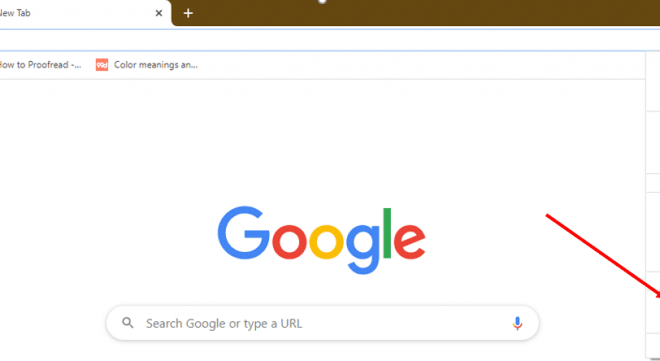
To start, open the Chrome browser on your computer. Then, click the three vertical dots icon in the top right corner of the window to open the Chrome menu. From there, select the “Settings” option to open the Chrome Settings page.

Step 2: Navigate to the Advanced Settings

Scroll down the settings page and click on the “Advanced” option at the bottom of the page. This will open a new section of the settings page, where you will find additional settings options for Chrome.

Step 3: Enable JavaScript

In the “Privacy and security” section, click on the “Content settings” option. This will open a new page with more options. Scroll down to the “JavaScript” section and click on it. From there, you can toggle the switch to enable or disable JavaScript.

If the toggle switch is blue, then JavaScript is enabled. If the toggle switch is greyed out, then JavaScript is disabled. Make sure the toggle switch is blue, then close the settings page.

Step 4: Confirm That JavaScript is Enabled

To confirm that JavaScript is now enabled on your Chrome browser, go to a web page that uses JavaScript. A common test is to go to the Google homepage, move your mouse over the logo and watch as it animates.

If the animation works, then JavaScript is enabled on your browser. If not, then you may need to refresh the page or follow the steps above again to make sure that JavaScript is properly enabled.

Previous Article

The Best Time Blocking Apps to Supercharge ...

Next Article

Fast and Quick Mobile Games to Kill ...

Matthew Lynch

Related articles More from author

  • Digital & Mobile Technology

    Netflix Error Codes: How to Fix Them

    June 10, 2023
    By Matthew Lynch
  • Digital & Mobile Technology

    What Are APN Settings? How Can They Fix Data Issues on a Prepaid Phone?

    June 14, 2023
    By Matthew Lynch
  • Digital & Mobile Technology

    The Funniest Stand-Up Comedy Videos on YouTube

    June 12, 2023
    By Matthew Lynch
  • Digital & Mobile Technology

    Steps to Fix Amazon Prime Video When It’s Not Working

    August 5, 2023
    By Matthew Lynch
  • Digital & Mobile Technology

    What is an Impact Printer?

    May 5, 2023
    By Matthew Lynch
  • Digital & Mobile Technology

    How to Automate Outlook Emails With Python

    August 3, 2023
    By Matthew Lynch

Search

Login & Registration

  • Log in
  • Entries feed
  • Comments feed
  • WordPress.org

Newsletter

Signup for The Tech Edvocate Newsletter and have the latest in EdTech news and opinion delivered to your email address!

About Us

Since technology is not going anywhere and does more good than harm, adapting is the best course of action. That is where The Tech Edvocate comes in. We plan to cover the PreK-12 and Higher Education EdTech sectors and provide our readers with the latest news and opinion on the subject. From time to time, I will invite other voices to weigh in on important issues in EdTech. We hope to provide a well-rounded, multi-faceted look at the past, present, the future of EdTech in the US and internationally.

We started this journey back in June 2016, and we plan to continue it for many more years to come. I hope that you will join us in this discussion of the past, present and future of EdTech and lend your own insight to the issues that are discussed.

Newsletter

Signup for The Tech Edvocate Newsletter and have the latest in EdTech news and opinion delivered to your email address!

Contact Us

The Tech Edvocate
910 Goddin Street
Richmond, VA 23231
(601) 630-5238
[email protected]

Copyright © 2026 Matthew Lynch. All rights reserved.