The Tech Edvocate

Top Menu

  • Advertisement
  • Apps
  • Home Page
  • Home Page Five (No Sidebar)
  • Home Page Four
  • Home Page Three
  • Home Page Two
  • Home Tech2
  • Icons [No Sidebar]
  • Left Sidbear Page
  • Lynch Educational Consulting
  • My Account
  • My Speaking Page
  • Newsletter Sign Up Confirmation
  • Newsletter Unsubscription
  • Our Brands
  • Page Example
  • Privacy Policy
  • Protected Content
  • Register
  • Request a Product Review
  • Shop
  • Shortcodes Examples
  • Signup
  • Start Here
    • Governance
    • Careers
    • Contact Us
  • Terms and Conditions
  • The Edvocate
  • The Tech Edvocate Product Guide
  • Topics
  • Write For Us
  • Advertise

Main Menu

  • Start Here
    • Our Brands
    • Governance
      • Lynch Educational Consulting, LLC.
      • Dr. Lynch’s Personal Website
      • Careers
    • Write For Us
    • The Tech Edvocate Product Guide
    • Contact Us
    • Books
    • Edupedia
    • Post a Job
    • The Edvocate Podcast
    • Terms and Conditions
    • Privacy Policy
  • Topics
    • Assistive Technology
    • Child Development Tech
    • Early Childhood & K-12 EdTech
    • EdTech Futures
    • EdTech News
    • EdTech Policy & Reform
    • EdTech Startups & Businesses
    • Higher Education EdTech
    • Online Learning & eLearning
    • Parent & Family Tech
    • Personalized Learning
    • Product Reviews
  • Advertise
  • Tech Edvocate Awards
  • The Edvocate
  • Pedagogue
  • School Ratings

logo

The Tech Edvocate

  • Start Here
    • Our Brands
    • Governance
      • Lynch Educational Consulting, LLC.
      • Dr. Lynch’s Personal Website
        • My Speaking Page
      • Careers
    • Write For Us
    • The Tech Edvocate Product Guide
    • Contact Us
    • Books
    • Edupedia
    • Post a Job
    • The Edvocate Podcast
    • Terms and Conditions
    • Privacy Policy
  • Topics
    • Assistive Technology
    • Child Development Tech
    • Early Childhood & K-12 EdTech
    • EdTech Futures
    • EdTech News
    • EdTech Policy & Reform
    • EdTech Startups & Businesses
    • Higher Education EdTech
    • Online Learning & eLearning
    • Parent & Family Tech
    • Personalized Learning
    • Product Reviews
  • Advertise
  • Tech Edvocate Awards
  • The Edvocate
  • Pedagogue
  • School Ratings
  • Toxic Pills: This Supplement Scandal Puts Millions at Risk

  • Urgent Dog Supplement Recall: This Stealthy Threat Could Be Hiding in Your Pantry!

  • Staggering: Climate Tech Fundraising Collapses — Is AI to Blame?

  • Global AI stocks tumble as industry’s biggest names sound alarm – The Straits Times

  • Sony’s Controversial Move: Why the Last of Us Part II Multiplayer Mod Got Axed

  • Trump’s Wild AI Claims: Is There a ‘Sick Conspiracy’ Against Tech?

  • This One Thing Is Turning Classrooms Into Culture War Battlegrounds

  • Your AI Detector Is Useless: Why Universities Are Scrapping ‘Catch & Ban’ for This

  • Terrifying: AI Is About to Break Cybersecurity – And No One Is Ready

  • Volkswagen’s Staggering Miscalculation: 50,000 Jobs Vanish as EV Dream Sours

Digital & Mobile Technology
Home›Digital & Mobile Technology›How to Digitize Old Slides, Negatives, and Photos

How to Digitize Old Slides, Negatives, and Photos
By Matthew Lynch
June 6, 2023
0
Spread the love

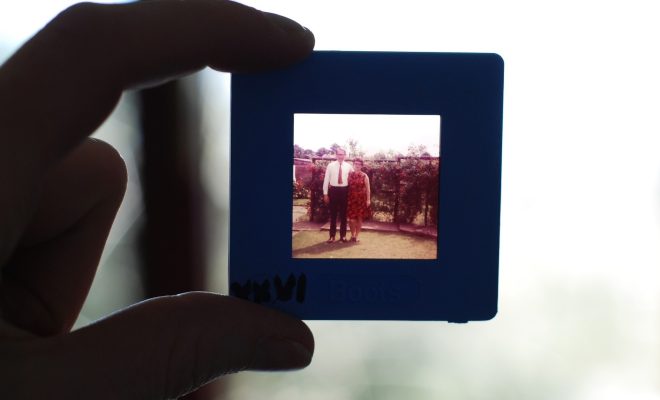
In recent years, technology has advanced significantly in the field of photography. What once required film and a dark room can now be accomplished with a digital camera and a computer. But for those with boxes of old slides, negatives, and prints, the process of digitizing these precious memories can seem daunting. The good news is that it’s easier than you might think. Below are some steps to help you get started.

1. Choose your equipment: First things first, you’ll need the right gear to digitize your old media. Depending on the format, you may need a scanner, a slide scanner, or a film scanner. There are a variety of brands and models available, so do some research to find the one that best fits your budget and needs.

2. Prep your media: Before you begin scanning your old media, take some time to clean and organize it. Remove any dust or debris from slides or negatives using a soft brush or cloth. For prints that are stuck together, try separating them by placing them in a plastic bag and freezing them for a few hours. This should make them easier to pull apart without causing damage.

3. Scan your media: Once you’ve prepped your media, it’s time to start scanning. Follow the instructions that came with your scanner, but here are a few tips to keep in mind:

– Use a high resolution: The higher the resolution, the better the quality of the digital image. Aim for at least 300 DPI for prints and 2400 DPI for slides and negatives.

– Save your files as TIFFs: TIFF files are uncompressed and therefore maintain higher quality than JPEGs, which compress the file and can result in a loss of quality.

– Correct color and exposure: Many scanners will have an option to auto-correct color and exposure settings. This can save a lot of time, but make sure to double-check the results to ensure they’re accurate.

4. Edit your images: Once you have your digital files, it’s time to edit them. There are a variety of photo editing software options available, but some commonly-used ones include Adobe Photoshop and Lightroom, or even free alternatives like GIMP. Common edits include cropping, adjusting exposure, and correcting color balance.

5. Backup your files: Finally, make sure to backup your newly digitized media. Keep multiple copies of your files on external hard drives and consider using a cloud storage service like Google Drive or Dropbox.


Previous Article

Best Free Karaoke Apps

Next Article

How Many Miles Does a Tesla Last ...

Matthew Lynch

Related articles More from author

  • Digital & Mobile Technology

    Is T-Mobile Down… Or Is It Just You?

    July 31, 2023
    By Matthew Lynch
  • Digital & Mobile Technology

    The Best CD Recorders and Recording Systems of 2023

    June 12, 2023
    By Matthew Lynch
  • Digital & Mobile Technology

    How to Fix the YouTube “429 Too Many Requests” Error on Windows

    August 5, 2023
    By Matthew Lynch
  • Digital & Mobile Technology

    Can You Trace a Fake Number From a Text App?

    June 23, 2023
    By Matthew Lynch
  • Digital & Mobile Technology

    How to Pair Samsung Galaxy Buds to Any Device

    June 22, 2023
    By Matthew Lynch
  • Digital & Mobile Technology

    Amazon Alexa Auto Tech: The Ultimate Guide to Alexa in Your Car

    June 13, 2023
    By Matthew Lynch

Search

Login & Registration

  • Log in
  • Entries feed
  • Comments feed
  • WordPress.org

Newsletter

Signup for The Tech Edvocate Newsletter and have the latest in EdTech news and opinion delivered to your email address!

About Us

Since technology is not going anywhere and does more good than harm, adapting is the best course of action. That is where The Tech Edvocate comes in. We plan to cover the PreK-12 and Higher Education EdTech sectors and provide our readers with the latest news and opinion on the subject. From time to time, I will invite other voices to weigh in on important issues in EdTech. We hope to provide a well-rounded, multi-faceted look at the past, present, the future of EdTech in the US and internationally.

We started this journey back in June 2016, and we plan to continue it for many more years to come. I hope that you will join us in this discussion of the past, present and future of EdTech and lend your own insight to the issues that are discussed.

Newsletter

Signup for The Tech Edvocate Newsletter and have the latest in EdTech news and opinion delivered to your email address!

Contact Us

The Tech Edvocate
910 Goddin Street
Richmond, VA 23231
(601) 630-5238
[email protected]

Copyright © 2026 Matthew Lynch. All rights reserved.