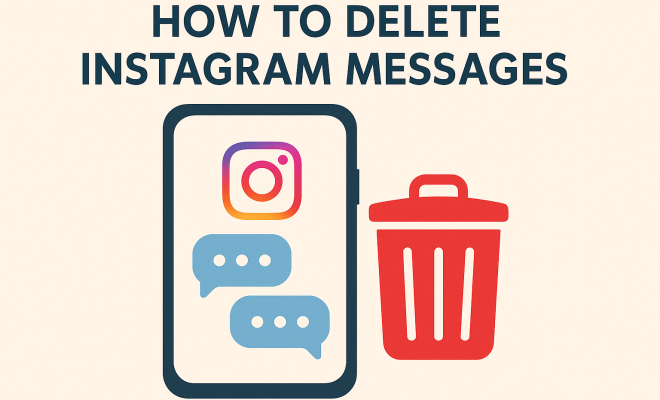
How to delete Instagram messages
“`html
Instagram has become one of the most popular social media platforms worldwide, with over a billion active users. Among its many features, direct messaging allows users to communicate privately. However, there may come a time when you want to delete Instagram messages for various reasons: cleaning up your inbox, protecting your privacy, or simply starting fresh. In this comprehensive guide, we’ll explore everything you need to know about deleting Instagram messages, why it matters, and practical tips to manage your conversations effectively.
1. Understanding Instagram Direct Messaging
Instagram Direct Messaging (DM) was introduced in 2013, providing a platform for users to send private messages, photos, and videos to each other. This feature allows for more personal interactions, making it easier to communicate with friends, family, and followers. However, as the number of conversations grows, so does the clutter in your inbox.
Understanding how messages work is crucial. Each conversation is stored in a chat thread that you can access by tapping on the paper airplane icon in the top right corner of the Instagram home screen. From here, you can see all your active conversations. As you engage with more users, it can become challenging to manage everything effectively, which is why learning how to delete Instagram messages becomes essential.
2. Reasons to Delete Instagram Messages
There are several reasons why you might consider deleting messages on Instagram. First, privacy is a significant concern. Sensitive information or personal conversations may need to be removed to protect your data. By deleting messages, you reduce the risk of this information being exposed to others.
Secondly, decluttering your inbox can enhance user experience. Having too many messages can make it difficult to find important conversations. Lastly, some users may want to erase any trace of past relationships or interactions that no longer serve them. Whatever your reasons, knowing how to delete Instagram messages is critical for maintaining control over your digital footprint.
3. The Process: How to Delete Instagram Messages
Deleting Instagram messages is a straightforward process, but the steps differ slightly depending on whether you’re using the mobile app or the web version. Below, we’ll walk you through both methods.
On the Mobile App:
- Open the Instagram app.
- Tap on the paper airplane icon to access your DMs.
- Select the conversation you want to delete messages from.
- Press and hold the message you wish to delete.
- Tap on “Delete” from the options that appear.
On the Web:
- Go to the Instagram website and log into your account.
- Click on the paper airplane icon at the top right of the page.
- Open the conversation containing the messages you want to delete.
- Hover over the message and click the three dots that appear to the right.
- Select “Delete” from the menu.
It’s that easy! However, remember that this action is permanent and cannot be undone.
4. Deleting Entire Conversations
In addition to deleting individual messages, you may want to delete entire conversations. This is particularly useful for removing all messages from a specific user without having to go through each one individually. (See: Instagram overview and features.)
To delete an entire conversation on the mobile app, follow these steps:
- Open Instagram and go to your DMs.
- Locate the conversation you want to delete.
- Swipe left (iOS) or tap and hold (Android) on the conversation.
- Tap on the “Delete” option that appears.
For the web version, the process is similar:
- Log into Instagram on your web browser.
- Open the DM section and find the conversation.
- Click on the three dots next to the conversation.
- Select “Delete” from the dropdown menu.
Once confirmed, the conversation will be permanently removed from your inbox.
5. What Happens When You Delete Messages?
When you delete Instagram messages, they are permanently removed from your account. This means that neither you nor the recipient will have access to those messages anymore. It’s crucial to understand that deleting a message does not notify the other person involved in the conversation; they will not be informed that a message has been deleted.
This aspect of Instagram’s messaging system can be useful for maintaining discretion. However, it also means that if you accidentally delete something important, you won’t have a way to retrieve it. Hence, it’s advisable to double-check before confirming any deletions.
6. Archiving Messages: An Alternative to Deletion
If you’re hesitant to delete messages permanently, consider archiving them instead. Archiving allows you to hide conversations from your main inbox without permanently deleting them. This way, you can declutter your messaging area while still keeping the option to revisit those conversations later.
To archive a conversation, follow similar steps as deleting. On the mobile app, swipe left on the conversation and select “Archive.” On the web, click the three dots next to the conversation and choose “Archive.” Remember, archived conversations can be accessed by tapping on the “Archived Chats” option in your DMs, ensuring you don’t lose any important communications.
7. Managing Your Instagram Privacy
Deleting messages is just one aspect of maintaining a clean and private Instagram experience. It’s essential to review your privacy settings regularly. Adjusting who can send you messages and view your content can significantly enhance your safety and comfort on the platform.
To manage your privacy settings, go to your profile, tap on the three lines in the top right corner, and navigate to “Settings.” From there, you can control who can contact you, how your account is viewed, and whether you want to limit interactions from users you don’t know. This proactive approach can minimize unwanted messages and enhance your overall Instagram experience.
8. Staying Updated on Instagram Features
Instagram is constantly evolving, introducing new features and updating existing ones. Staying informed about these changes can help you make the most of your messaging experience and ensure you know the best options for managing your conversations.
Follow Instagram’s official blog and other reputable tech news sources to keep up with the latest updates. Engaging with community forums and social media groups can also provide practical insights and tips from other users navigating similar issues. This way, you’ll not only learn how to delete Instagram messages effectively but also discover new ways to enhance your communication on the platform.
9. Statistics on Instagram Messaging
Instagram messaging is not just about casual conversations; it plays a significant role in how businesses and individuals communicate. Here are some notable statistics that shed light on messaging trends: (See: CDC Youth Risk Behavior Survey.)
- According to a report by Sprout Social, 90% of Instagram users follow at least one business account, and many of these users prefer to communicate via direct messages.
- A study by Hootsuite indicates that 50% of users are more likely to purchase from a brand that they can message directly on Instagram.
- Instagram has seen a 50% increase in messaging volume since 2020, highlighting the growing reliance on direct communications through the platform.
- Over 70% of millennials and Gen Z users prefer to communicate through direct messaging rather than traditional email or phone calls.
These statistics illustrate the importance of understanding how to manage your messages, including knowing how to delete Instagram messages when needed.
10. Expert Perspectives on Digital Communication Etiquette
Experts in social media communication emphasize the need for mindful interactions on platforms like Instagram. Here are some key points they often raise:
- Digital clutter can lead to overwhelming feelings. Regularly deleting or archiving messages can help maintain a streamlined communication experience, according to Dr. Emma T. Wright, a digital communication expert.
- Dr. Alex M. Jenkin, a psychologist specializing in social media dynamics, suggests that maintaining privacy through message deletion is essential for mental well-being. He notes that “the less emotional baggage we carry in our digital spaces, the clearer our mental space becomes.”
- Social media strategist Laura N. Carter recommends setting aside time weekly to review and manage your messages. “Just like you would organize your physical space, your digital space deserves the same attention,” she advises.
11. Common FAQs About Deleting Instagram Messages
Understanding how to manage your messages can be tricky, so here are some frequently asked questions to help clarify the process:
1. Can I recover deleted Instagram messages?
Unfortunately, once you delete Instagram messages, they cannot be recovered. It’s essential to think carefully before deleting anything important.
2. If I delete a message, will it delete for the other person too?
No, deleting a message on your end will not delete it for the other person. They will still have access to any messages you delete from your inbox.
3. Can I delete messages from a group conversation?
Yes, you can delete messages from a group conversation, but keep in mind that this will only remove the message for you and not for others in the group.
4. Is there a way to delete all messages at once?
Currently, there’s no feature on Instagram that allows you to delete all messages at once. You have to delete them one by one or delete entire conversations.
5. What should I do if someone is harassing me through Instagram messages?
If someone is harassing you, you can block them and report the messages to Instagram. This will prevent them from contacting you further and help keep the platform safe for everyone.
6. Does archiving messages delete them?
No, archiving messages will not delete them; it will only hide them from your main inbox. You can access archived messages anytime by selecting the archived chats option.
12. Best Practices for Managing Your Instagram Messages
To ensure a smooth and enjoyable messaging experience on Instagram, follow these best practices: (See: New York Times on social media privacy.)
- Regular Maintenance: Dedicate some time regularly to manage your messages. This can help prevent your inbox from becoming overwhelming.
- Utilize Archiving: If you’re unsure about deleting a conversation, use the archiving feature to hide it for future reference without losing the content.
- Be Mindful: Consider the implications of what you say in messages. While you can delete conversations, being mindful of your communication can prevent the need for deletion in the first place.
- Stay Informed: Keep an eye on new updates and features that Instagram rolls out, as they can often provide better ways to manage your conversations.
- Set Boundaries: It’s okay to establish boundaries with others regarding your messaging preferences, especially if you’re feeling overwhelmed.
13. The Impact of Social Media Messaging on Relationships
Instagram messaging can significantly impact personal and professional relationships. With the rise of digital communication, understanding how to navigate these conversations is crucial. Whether it’s a quick chat with a friend or a discussion about business with a potential client, the way you manage your interactions can shape perceptions and foster connections.
Research indicates that individuals often feel more comfortable expressing feelings and ideas through text than in face-to-face conversations. This can lead to stronger connections but also misunderstandings, as tone and intent can be lost in translation. Regularly deleting messages might help in refreshing these connections by clearing out old interactions that no longer represent your current relationship status.
14. The Role of Messaging in Brand Building
For businesses, managing Instagram messages effectively is essential for brand building. Engaging with customers through direct messages can enhance customer loyalty and trust. Brands that respond promptly to inquiries often see a significant increase in sales. In fact, 60% of users expect a response within an hour when they reach out to a brand via social media.
To capitalize on this expectation, businesses should ensure their messaging inbox is organized and that staff is trained to handle inquiries professionally. Deleting irrelevant messages and keeping only constructive conversations can help maintain a focus on customer engagement and satisfaction.
15. How to Handle Sensitive Conversations on Instagram
When communicating sensitive information on Instagram, it’s essential to approach the conversation with care. Whether it’s discussing personal matters or professional issues, the way you manage these conversations can affect your relationships. If sensitive topics arise, consider the following tips:
- Use Direct Messaging Wisely: For sensitive matters, direct messaging can be more personal, but ensure both parties are open to it.
- Be Clear and Respectful: Miscommunication can lead to issues; clarify your points and be respectful of the other person’s feelings.
- Consider Timing: Choose the right time to engage in sensitive discussions to help ensure that the conversation goes smoothly.
- Know When to Delete: If you feel a conversation has taken a negative turn or if the information shared is no longer relevant, don’t hesitate to delete messages as necessary.
16. Future of Instagram Messaging Features
As Instagram continues to evolve, the messaging features are likely to see enhancements aimed at improving user experience. Potential future updates could include:
- Improved Search Functionality: Users may soon have the ability to search their message history more effectively, making it easier to find specific conversations or messages.
- Message Recall Options: Similar to some other messaging platforms, Instagram could introduce options to recall messages or unsend them after they’ve been sent.
- Integration with Other Services: Future updates may see better integration with other platforms and services, allowing seamless communication across different apps.
- Enhanced Privacy Settings: As privacy concerns grow, Instagram might introduce more robust privacy controls for messages, giving users greater assurance about their data security.
In summary, whether you’re looking to clear out old conversations, protect your privacy, or simply streamline your messaging experience, knowing how to delete Instagram messages is an essential skill. By following the steps outlined in this guide, you can take control of your digital interactions and optimize your use of Instagram’s messaging capabilities. From understanding the importance of decluttering your inbox to engaging in meaningful conversations, effective messaging can enhance not just personal interactions but also professional relationships and brand experiences.
“`
Trending Now
Frequently Asked Questions
How do I delete a message on Instagram?
To delete a message on Instagram, open the direct message thread, tap and hold the message you want to delete, then select 'Unsend.' This removes the message from both your chat and the recipient's chat.
Can you delete Instagram messages permanently?
Yes, when you unsend a message on Instagram, it is permanently deleted from both your inbox and the recipient's inbox, ensuring that it can no longer be accessed.
Why should I delete my Instagram messages?
Deleting Instagram messages can help protect your privacy, declutter your inbox for better organization, and allow you to erase past conversations that no longer serve you.
Can I delete all messages on Instagram at once?
No, Instagram does not currently offer a feature to delete all messages at once. You will need to delete each message individually by unsending them in the chat.
What happens when I unsend a message on Instagram?
When you unsend a message on Instagram, it is removed from the conversation for both you and the recipient, effectively making the message disappear from both inboxes.
Have you experienced this yourself? We’d love to hear your story in the comments.