Mass Delete Emails: Reclaim Your Inbox Today!
“`html
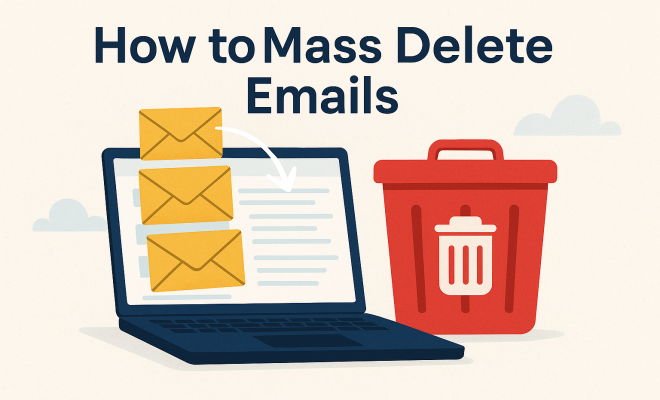
We’ve all been there: an inbox overflowing with emails, unread newsletters piling up like a mountain, and countless promotions from stores you haven’t shopped at in ages. It’s overwhelming, isn’t it? If you’re looking for a way to mass delete emails and reclaim your inbox, you’ve landed in the right place. In this article, we’ll dive into the best techniques, tools, and tips for effectively cleaning up your email account without losing your mind.
1. Understanding Email Overload
Before we get into the nuts and bolts of how to mass delete emails, let’s talk about why email overload happens in the first place. According to a report by the Radicati Group, the average office worker receives around 121 emails daily. That’s a staggering number! Many of these emails are non-essential, ranging from promotional content to unnecessary updates from services you might not even remember signing up for.
As emails accumulate, they can create a sense of anxiety and distraction. A cluttered inbox not only hampers productivity but also can lead to missing important communications. Understanding the impact of email overload can motivate you to take action toward a cleaner inbox.
2. Choosing the Right Email Client
Your email client plays a significant role in how easily you can mass delete emails. Different platforms offer varying functionalities. For instance, Gmail provides powerful filtering tools that can help you sort through your emails quickly. On the other hand, Outlook has its own unique features designed for bulk actions. Here’s a quick rundown of popular email clients:
- Gmail: Offers labels, powerful search, and filters for organizing and deleting emails.
- Outlook: Features the Clean Up tool to automatically delete redundant emails in threads.
- Yahoo Mail: Has a simple interface for bulk actions but fewer advanced features compared to Gmail.
- Apple Mail: Provides smart mailboxes and rules for managing emails effectively.
Depending on your needs and preferences, choosing an email client that allows for quick, efficient mass deletion can save you time. Experiment with different platforms to find the one that works best for you.
3. Utilizing Filters and Search Functions
One of the most effective ways to mass delete emails is by utilizing filters and search functions. Most email clients come equipped with robust search capabilities that allow you to find and select multiple emails at once. For example, you can search by sender, subject line, or even keywords within the emails.
In Gmail, for instance, you can type “from:[email protected]” to find all emails from a specific sender. Once displayed, you can easily select all of them for deletion. Many email platforms also allow you to create filters to automatically manage incoming emails, sending unwanted ones directly to the trash, saving you time and effort in the future.
4. Using Email Unsubscribe Tools
Before you go on a mass deletion spree, it might be worth addressing the root of the problem: unsolicited newsletters and promotional emails. Luckily, there are a variety of email unsubscribe tools available that can help you clean up your inbox without having to manually sift through each email.
Tools such as Unroll.me allow you to view all your subscriptions in one place and easily unsubscribe with a single click. This not only clears your inbox but also prevents new unwanted emails from entering your account. By taking this proactive approach, you can maintain a cleaner inbox for the long haul.
5. Batch Deletion Strategies
Now that you’ve got a handle on the tools available, let’s dive into some effective batch deletion strategies. You don’t want to be stuck deleting emails one-by-one — that’s a time-consuming nightmare! Here are some methods to consider: (See: Associated Press on email overload.)
- Select All: Most email clients have a “select all” feature that allows you to select all visible emails. You can then delete the selected emails in one go.
- By Date: If you’re looking to delete older emails, consider sorting your emails by date. For example, you might decide to delete anything older than a year.
- By Conversation: Some email platforms allow you to delete entire email threads, which can be a huge time saver.
Implementing these batch deletion strategies can expedite the process and make it far less burdensome. The key is to be proactive and disciplined in your approach.
6. Maintaining a Clean Inbox
After successfully executing your mass email deletion strategy, it’s crucial to establish a system for maintaining a clean inbox moving forward. Here are some practical tips to keep your inbox organized:
- Set Email Limits: Decide how many emails you want to keep in your inbox. When you reach that limit, proactively delete or archive older emails.
- Schedule Regular Clean-Ups: Allocate time weekly or monthly to manage your inbox. Treat it like any other chore that requires consistency.
- Use Folders and Labels: Organize your emails into folders or labels for easier retrieval. This reduces clutter and makes it easier to find important messages.
Creating a routine will help you avoid falling back into the chaos of an overflowing inbox. Developing these habits can save you stress and time in the long run.
7. Exploring Third-Party Email Management Tools
If you’re still feeling overwhelmed after mass deleting emails, it might be worth considering third-party email management tools. These applications can automate and streamline your email processes significantly. Here are a few to check out:
- Cleanfox: Automatically detects and helps you delete unwanted emails and newsletters while tracking your email usage.
- SaneBox: Prioritizes your most important emails and automatically sorts the rest, allowing you to focus on what matters.
- Mailstrom: Provides powerful filtering and bulk actions to help you quickly manage your inbox.
Using these tools can take some of the burdens off your shoulders and help you maintain an organized inbox effortlessly. They often come with features that work intelligently to keep your inbox under control.
8. Understanding the Psychological Impact of Email Overload
Email overload not only hampers productivity but can also lead to increased stress and anxiety. Studies suggest that constantly checking a cluttered inbox can become a source of chronic distraction. A cluttered inbox acts as visual noise, making it harder to concentrate on tasks that require focus. Recent research published in the Journal of Applied Psychology found a direct correlation between email overload and increased feelings of burnout among employees.
Managing your inbox can lead to improved mental health. Having a clean inbox can create feelings of control and satisfaction, making you feel more productive and less stressed. Implementing a strategy for mass deleting emails can serve not only as a practical solution but also as a mental health boost.
9. Expert Tips on Email Management
Experts in productivity and time management have shared valuable insights into effective email management. Here are some strategies they recommend:
- The Two-Minute Rule: If you can respond to or deal with an email in two minutes or less, do it immediately. This helps to prevent backlogs.
- Limit Your Email Checks: Schedule specific times during the day to check your email rather than constantly monitoring it. This can significantly enhance your focus on other tasks.
- Use the “Inbox Zero” Method: Aim to keep your inbox empty by processing each email to completion before moving on. This may involve deleting, delegating, or responding to each message as it arrives.
By adopting these expert-approved strategies, you can create a healthier relationship with your inbox and further streamline your email management efforts.
10. Statistics on Email Usage
Understanding the broader statistics on email usage can provide context to your own email habits. Here are some compelling statistics:
- According to Statista, the number of global email users is expected to reach 4.6 billion by 2025.
- Data from a McKinsey report indicates that employees spend an average of 28% of their workweek managing email.
- The average person checks their email 15 times per day, which can add up to a significant amount of time lost each week.
These numbers highlight that you’re not alone in facing email overload; it’s a widespread issue affecting millions. Recognizing this may motivate you to take effective action, such as mass deleting emails, to reclaim your time. (See: CDC on coping with email overload.)
11. Frequently Asked Questions (FAQ)
What should I do before mass deleting emails?
Before mass deleting emails, consider reviewing important conversations and files that you might need in the future. Use search functions to identify critical emails that require responses or follow-up.
Can I mass delete emails from a specific sender?
Yes! Most email platforms allow you to filter emails by sender. By searching for a specific email address, you can easily select all emails from that sender and delete them in bulk.
How often should I clean my inbox?
It’s good practice to clean your inbox regularly. Consider doing a deep clean monthly while setting aside a few minutes each week for quick maintenance to prevent buildup.
Do any tools help with mass deletion?
Absolutely! Email clients often have built-in features for bulk deleting. Additionally, third-party tools like Cleanfox and Mailstrom can help you quickly manage unwanted emails and automate future cleaning processes.
Is it possible to recover deleted emails?
Most email providers have a trash or bin folder where deleted emails are stored temporarily. You can usually recover emails from this folder within a specific timeframe before they are permanently deleted.
12. Creating a Long-Term Email Management Strategy
After taking steps to mass delete emails, it’s crucial to develop a long-term strategy for managing your inbox. Start by evaluating your current habits and identifying patterns that contribute to email overload. Create rules for yourself, such as limiting subscriptions, setting up filters, and establishing a routine for email organization.
Consider integrating these strategies into your daily workflow. For example, allocate specific times during the day for checking and responding to emails. Use tools like calendar reminders to keep you accountable. Over time, these habits will become second nature, leading to a significantly more manageable inbox.
13. Email Organization Techniques
Aside from mass deletion, organizing your emails can lead to better management. Here are a few techniques to help you keep your inbox sorted:
- Priority Inbox: Use features in your email client that allow you to set priority levels for incoming messages. This way, you can focus on what’s most important and remove distractions.
- Archiving: Instead of deleting, consider archiving emails that you may not need immediately but want to keep for future reference. This can declutter your inbox without losing essential information.
- Color Coding: Some email clients allow you to color-code messages or threads. Assign colors based on urgency or category, which makes identifying emails at a glance easier.
Finding a system that works for you can make a significant difference in how you manage and respond to emails. (See: New York Times on managing email.)
14. How Email Culture Affects Productivity
Email culture varies widely across different workplaces and can significantly impact productivity. In some organizations, constant email communication is expected, leading to what’s termed “email fatigue.” This can manifest as a decrease in employee engagement and overall job satisfaction. A study by Harvard Business Review suggests that employees who experience high email overload are more likely to report feelings of burnout.
Being aware of how the email culture in your workplace affects your productivity can help you advocate for healthier communication norms. Encourage practices such as using subject lines effectively, summarizing information in clear and concise formats, and setting expectations around response times.
15. Future Trends in Email Management
As technology evolves, so does email management. Here are some trends to keep an eye on:
- AI-Powered Tools: Artificial intelligence is being integrated into email management tools to help prioritize emails, suggest responses, and automate repetitive tasks.
- Enhanced Security Features: With rising concerns over data privacy, email providers are increasingly introducing features like encryption and advanced spam filters to protect users.
- Integration with Other Apps: Email clients are merging with project management and communication apps, allowing for seamless workflow management and reducing the need to toggle between multiple platforms.
Staying updated on these trends can help you remain efficient and adapt quickly to new tools that can simplify email management.
16. Real-Life Case Studies on Email Management
To illustrate the effectiveness of email management strategies, let’s look at a few real-life examples:
- Corporate Case Study: At a major tech firm, employees implemented a policy to limit email use to certain hours of the day. As a result, productivity increased by 15%, and there was a noticeable reduction in stress levels reported by staff.
- Freelancer Success Story: A freelance graphic designer struggled with managing client emails. By using an automated email sorting tool, they were able to categorize incoming messages by client and project, allowing for more efficient workload management. This led to increased client satisfaction and repeat business.
These examples highlight how adopting effective email management strategies can lead to tangible improvements in productivity and satisfaction.
17. Conclusion
Mass deleting emails doesn’t have to be a daunting task. By understanding the sources of email overload, utilizing built-in tools, and adopting effective strategies, you can transform your inbox into a manageable space. It requires an investment of time upfront, but the payoff is a clutter-free inbox that allows you to focus on what really matters — meaningful communication. So, roll up your sleeves and get ready to take control of your digital life!
“`
Trending Now
Frequently Asked Questions
How do I mass delete emails in Gmail?
To mass delete emails in Gmail, use the search bar to filter specific emails, select the checkbox at the top left to choose all emails on the page, then click on 'Select all conversations that match this search' if needed. Finally, click the trash icon to delete them.
What is the easiest way to clean up my inbox?
The easiest way to clean up your inbox is to utilize the filtering and sorting features of your email client. Tools like Gmail's labels and Outlook's Clean Up tool can help you quickly identify and delete non-essential emails, reducing clutter effectively.
Can I delete multiple emails at once on Outlook?
Yes, you can delete multiple emails at once on Outlook. Simply select the emails you want to delete by holding the Ctrl key and clicking on each email, or use the 'Select All' option. Then, click the delete button to remove them all at once.
Is there a way to unsubscribe from multiple emails at once?
Yes, you can use services like Unroll.me to unsubscribe from multiple email lists at once. These services scan your inbox for subscription emails and allow you to easily manage and unsubscribe from those you no longer wish to receive.
How do I find and delete old emails?
To find and delete old emails, use the search function in your email client to filter emails by date. For example, in Gmail, you can type 'before:YYYY/MM/DD' to find emails older than a specific date. Once identified, you can select and delete them in bulk.
Agree or disagree? Drop a comment and tell us what you think.