Permanently Delete Your Discord Account: A 2024 Guide
“`html
Discord has emerged as one of the most popular communication platforms, particularly among gamers and online communities. Its versatile features allow users to communicate through text, voice, and video, creating a rich social experience. However, there are valid reasons for wanting to leave this platform, ranging from privacy concerns to digital detoxes. If you’ve decided it’s time to move on, you might be wondering how to delete your Discord account. In this guide, we’ll cover everything you need to know about the process, the implications of account deletion, and some alternatives to consider before making your decision.
1. Understanding Discord: A Brief Background
Launched in 2015, Discord has rapidly gained traction, boasting over 150 million monthly active users by 2021. Initially designed for gamers, it has expanded to serve various communities, including educational groups, hobbyists, and professional organizations. Its user-friendly interface and robust community tools have made it a favorite for real-time communication.
Discord allows users to create servers, join various channels, and communicate seamlessly with others. However, with such a large user base, concerns about privacy, data security, and mental well-being have surfaced. Users may find themselves overwhelmed or exposed to toxic environments, prompting them to seek ways to delete their Discord account.
2. Reasons to Delete Your Discord Account
There are multiple reasons why you might want to delete your Discord account. One common issue is the overwhelming nature of online communication. Notifications can become intrusive, leading to distractions that impact productivity and mental health. Some users might also find that the community dynamics on certain servers can be toxic, prompting a need to withdraw from the space.
Privacy concerns are another critical factor. Discord collects user data, which can lead to apprehensions about how that information might be used or shared. Additionally, users may simply outgrow the platform as their interests evolve or choose to engage in alternative, less demanding social platforms. Whatever your reasons, it’s essential to weigh your options before making the final decision.
3. Temporary Deactivation vs. Permanent Deletion
Before you proceed with deleting your Discord account, it’s worth considering whether a temporary deactivation might suffice. Discord allows users to deactivate their accounts, which means your profile, messages, and servers will become invisible to other users without permanently removing your data.
This option can be useful if you’re unsure about leaving the platform permanently or if you want to take a break without losing your account and connections. If you find you still want to delete your Discord account after a period of inactivity, you can always return to this guide and follow the steps for permanent deletion.
4. How to Delete Your Discord Account: Step-by-Step Guide
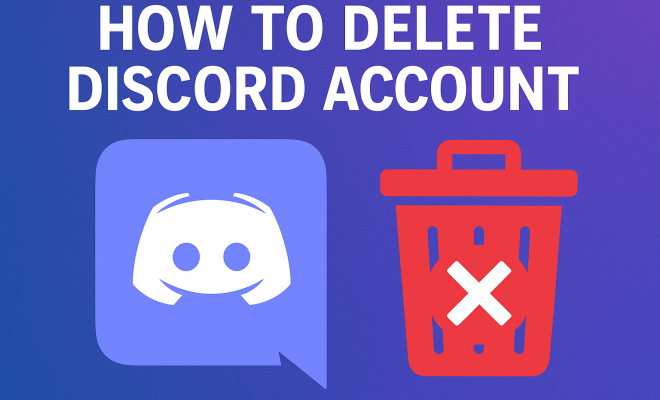
Deleting your Discord account is a straightforward process. Here’s a step-by-step guide to help you:
- Step 1: Log into Discord – Open the Discord app or website and log in with your credentials.
- Step 2: Go to User Settings – Click on the gear icon located at the bottom left corner of the screen to access User Settings.
- Step 3: Navigate to the My Account section – In the User Settings menu, find and click on the “My Account” tab.
- Step 4: Delete Account – Scroll down to the bottom of the My Account section. You will see a red “Delete Account” button. Click on it.
- Step 5: Verification – Discord will prompt you to verify your decision. You may need to enter your password or complete a CAPTCHA to confirm.
- Step 6: Final Confirmation – After verification, your account will be scheduled for deletion. You may receive an email confirming the deletion process.
It’s important to remember that once you delete your account, you cannot recover your data, messages, or friends list. Ensure that you’ve backed up any important information before proceeding.
5. Things to Consider Before Deleting Your Account
Before you hit that delete button, take a moment to reflect on your decision. Think about the connections you’ve made on Discord and whether these relationships are worth maintaining. Consider whether you can adjust your notification settings or take a break instead of permanently leaving.
You should also weigh the implications of losing your data. All the messages, images, and shared content will be gone, including any servers you may have created or managed. If you’ve invested time and energy into your Discord presence, ask yourself if there’s a way to retain that without needing to delete your account entirely. (See: Wikipedia page on Discord software.)
6. What Happens After Deleting Your Discord Account?
Once you’ve completed the account deletion process, your user profile will be removed from Discord, and you will no longer have access to any of your previous data. Friends will not be able to see you online, and your messages will be deleted, making it impossible to retrieve any communication you had during your time on Discord.
However, your server history may still be accessible to others unless you also delete any servers you’ve created or are an admin of. If you want to ensure that everything is wiped clean, consider transferring ownership of your servers or deleting them before deleting your account.
7. Alternatives to Deleting Your Discord Account
If you’re hesitant about deleting your account, there are several alternatives that you can consider. For instance, adjusting your settings can help manage notifications and reduce distractions. You can set specific statuses or roles on servers to minimize unwanted interactions. Additionally, consider muting notifications for channels that are particularly active.
Another option is to take a temporary break by deactivating your account. This way, you can return whenever you want without the hassle of starting over. Lastly, explore the idea of limiting your engagement to just a few communities that align with your interests, allowing you to enjoy the positives of Discord without the negatives.
8. Recovering a Deleted Discord Account: Is It Possible?
If you’ve deleted your Discord account and now regret your decision, the unfortunate reality is that recovery is not possible. Once you confirm the deletion, your data is permanently erased from the platform. It’s a final step, and the developers at Discord do not provide any method for recovering deleted accounts.
This is why it’s crucial to carefully consider your choice before proceeding with the deletion. If you think you might return, opting for deactivation instead can save you from losing your connections and data permanently.
9. Final Thoughts on Deleting Your Discord Account
Deleting your Discord account is a significant decision that should not be taken lightly. Whether it’s due to privacy concerns, a desire for digital detox, or toxicity in certain communities, understanding the implications of your choice is vital. Take the time to reflect on whether you genuinely want to leave or if adjustments can be made to improve your experience.
Whether you ultimately decide to delete your Discord account or take a break, knowing the options available to you can empower your decision-making process. Remember, your online presence is a personal choice, and it’s okay to prioritize your mental well-being over your digital engagements. If you do decide to leave, we hope this guide serves you well in navigating the process.
10. Statistics on Online Communication and Mental Health
Understanding the impact of platforms like Discord on mental health can be enlightening. A study by the Pew Research Center found that 36% of adults report feeling overwhelmed by the amount of digital communication they encounter daily. With platforms like Discord facilitating constant interactions, it’s no surprise that many users experience a sense of digital fatigue.
Furthermore, a survey conducted by the American Psychological Association revealed that 63% of respondents felt that social media use negatively affected their mental health. The study highlighted the pressure to stay connected and the overwhelming nature of continuous notifications, which can lead to anxiety and stress.
These statistics underline the importance of recognizing when it might be time to step back from platforms like Discord, whether temporarily or permanently.
11. Expert Perspectives on Digital Detox
Many mental health experts advocate for regular digital detoxes to combat the stress associated with constant connectivity. Dr. Cal Newport, author of “Digital Minimalism,” suggests that taking breaks from online platforms can help individuals recalibrate their social interactions and improve their mental well-being. He emphasizes the importance of intentionality in how we use technology, urging users to weigh the benefits against the potential downsides.
Similarly, psychologist Dr. Sherry Turkle highlights the emotional toll of being perpetually connected. In her book “Alone Together,” she argues that while digital communication has its advantages, it can also lead to feelings of isolation and disconnection from the real world. For those struggling with the effects of online platforms, her advice is clear: take time away from the screen to reconnect with yourself and your immediate surroundings. (See: CDC resources on mental health apps.)
12. Common Misconceptions About Deleting Discord Accounts
Many users hold misconceptions about what it means to delete a Discord account. One common belief is that deleting your account will erase all traces of your messages on servers. In reality, while your profile will disappear, messages sent in public channels or group chats will remain visible to others. Understanding this can help users make more informed decisions about whether they truly want to delete their accounts.
Another misconception is that deleting your account will remove you from all servers immediately. In fact, if you’re a server owner or admin, you must take separate steps to delete or transfer ownership of those servers. This process can add complexity to the decision to delete your account, and it’s worth considering the implications for the communities you’ve built or participated in.
13. Frequently Asked Questions (FAQ)
Q1: Will I lose all my messages if I delete my Discord account?
A1: Yes, your messages will no longer be accessible, but they will still be visible to other users on the servers where you posted them. If you want to remove your messages entirely, consider deleting them before you delete your account.
Q2: Can I reactivate my account after deleting it?
A2: No, once your account is deleted, it cannot be reactivated. You will need to create a new account if you wish to use Discord again.
Q3: Is my personal information safe if I only deactivate my account?
A3: When you deactivate your account, your personal information is not visible to other users. However, Discord retains your data in accordance with their privacy policy, and it can be reactivated later whenever you choose.
Q4: What should I do if I’m experiencing harassment on Discord?
A4: If you’re facing harassment, it’s crucial to report the user and block them. Discord has community guidelines that prohibit harassment and bullying, and they take these reports seriously. You can also consider leaving the server or adjusting your privacy settings.
Q5: Are there any age restrictions on Discord?
A5: Yes, Discord requires users to be at least 13 years old to create an account. For users under 18, parental consent is advised to ensure a safe online experience.
Q6: What can I do if I forgot my Discord password?
A6: If you’ve forgotten your password, you can click on the “Forgot your password?” link on the login page. Discord will send you an email with instructions to reset your password.
Q7: Can I delete a Discord account created on a server?
A7: Yes, if you’ve created an account on a server, you can delete that account following the same steps outlined in this guide. Just be aware that your participation in that server will also end.
Q8: What if I want to delete a server I own?
A8: To delete a server you own, go to the server settings, click “Delete Server” at the bottom of the settings menu, and confirm your decision. Make sure you transfer ownership if you want to hand over responsibility to another user.
14. Understanding Discord’s Privacy Policy
Before deciding to delete your Discord account, it’s essential to familiarize yourself with their privacy policy. Discord collects various types of data, including your username, message activity, IP address, and payment information if you’ve made purchases. This information is used to improve their services, but it’s understandable to be concerned about how your data is stored and used. (See: New York Times article on Discord.)
Discord has made efforts to increase transparency about user data, implementing features like user-controlled privacy settings. For instance, users can manage who can send them direct messages and see their online status. Taking time to explore these settings can help you regain control over your privacy without needing to delete your account.
15. How to Secure Your Discord Account Before Deleting
If you’re worried about your data security while using Discord, you can take several precautions before deciding to delete your account. Enabling two-factor authentication (2FA) adds an important layer of security. This way, even if someone obtains your password, they won’t be able to access your account without the second form of verification.
Be mindful of the permissions you grant to third-party bots and integrations. These often have access to your server data and personal information. Regularly review the bots on your servers and remove any that you no longer use or trust.
Additionally, periodically reviewing your friend list and server memberships can help you manage your online presence. Remove contacts or leave servers that no longer bring you joy or value, which can lead you to a healthier Discord experience without having to delete your account.
16. Community Reactions to Deleting Accounts
When users announce their decision to delete their Discord accounts, the community’s reactions can vary significantly. Some users express understanding and respect, often sharing similar experiences that led them to take a break or leave the platform entirely. Others may feel a sense of loss, especially if the individual played an integral role within community discussions or events.
In many cases, users who return after a break speak highly of the benefits of stepping away, citing improved mental clarity and a better balance between online and offline interactions. This community feedback can be motivating for others who are contemplating similar actions.
17. Final Reflections on Your Digital Footprint
Ultimately, the decision to delete your Discord account should be grounded in self-awareness and personal priorities. Consider how your online interactions align with your overall well-being and what steps you can take to create a digital footprint that serves you best. Engaging thoughtfully with online communities can lead to enriching experiences, but it’s crucial to recognize when it’s time for a change.
As you weigh your options, remember that your well-being should take precedence. Whether you decide to delete your account, deactivate it, or make adjustments to your settings, make sure it reflects the digital environment you want to cultivate. Your online presence should enhance your life, not detract from it.
“`
Trending Now
Frequently Asked Questions
How do I permanently delete my Discord account?
To permanently delete your Discord account, go to User Settings, select 'My Account', and click on 'Delete Account'. You may need to transfer ownership of any servers you own before proceeding. Follow the prompts to confirm the deletion, and your account will be permanently removed.
What happens when I delete my Discord account?
When you delete your Discord account, all your messages, direct messages, and server memberships will be permanently erased. You will lose access to any servers you were a part of, and your username will no longer be associated with any content on the platform.
Can I recover my Discord account after deletion?
No, once you delete your Discord account, it cannot be recovered. All associated data, including messages and server memberships, will be permanently lost. It’s important to consider this decision carefully before proceeding with the deletion.
Why would someone want to delete their Discord account?
Users may want to delete their Discord account for various reasons, including privacy concerns, overwhelming notifications, toxic community dynamics, or the need for a digital detox. Many find that stepping away from the platform helps improve their mental well-being.
Is there a way to temporarily deactivate my Discord account?
Discord does not offer a temporary deactivation option. However, you can choose to simply log out and stop using the app, or mute notifications to take a break without deleting your account. This way, your data remains intact if you decide to return later.
What did we miss? Let us know in the comments and join the conversation.