How to customize Shopify theme
“`html
If you’ve just launched your e-commerce store on Shopify, congratulations! You’re on the path to creating a thriving online business. But before you dive headlong into selling your products, there’s a crucial aspect you need to focus on: customizing your Shopify theme. A well-customized theme not only enhances your brand identity but also improves user experience and can significantly boost conversion rates. In this guide, we’ll explore the critical steps to customize your Shopify theme effectively.
1. Understanding Shopify Themes
Shopify themes dictate the look and feel of your online store. They are essentially pre-designed templates that you can use to create your website without needing extensive coding knowledge. Shopify offers a wide range of themes, both free and paid, catering to various industries and styles. Understanding the basics of how these themes work is the first step towards customizing your Shopify theme successfully.
Each theme comes with its own set of features and functionalities, including customizable elements like fonts, colors, and layouts. The two primary methods for customization are through the Shopify Theme Editor and by editing the theme code (using Liquid and HTML/CSS). Depending on your comfort level with coding, you can choose the method that suits you best. Familiarizing yourself with your chosen theme’s capabilities will allow you to make the most of its features.
2. Choosing the Right Theme
Before you customize your Shopify theme, you must first choose the right one. Shopify’s Theme Store boasts hundreds of themes, and selecting one that aligns with your brand identity is essential. Consider factors like aesthetics, functionalities, and user reviews when making your decision. Look for themes that are mobile-responsive, fast-loading, and compatible with apps you plan to use.
Think about your target audience and what kind of shopping experience you want to provide them. If you’re selling fashion, for instance, you might prioritize clean, minimalist designs that highlight your products. On the other hand, if you’re in the tech niche, you may prefer a theme that emphasizes functionality and user experience. Don’t forget to preview and test themes before finalizing your choice, as this will give you insight into how your products will be displayed.
Another useful tip is to look for themes that come with demos or trials. Taking the time to explore these demos can provide you with immediate insights into the theme’s features and layout. This way, you can envision how your products will be displayed and how your branding will come through.
3. Accessing the Theme Editor
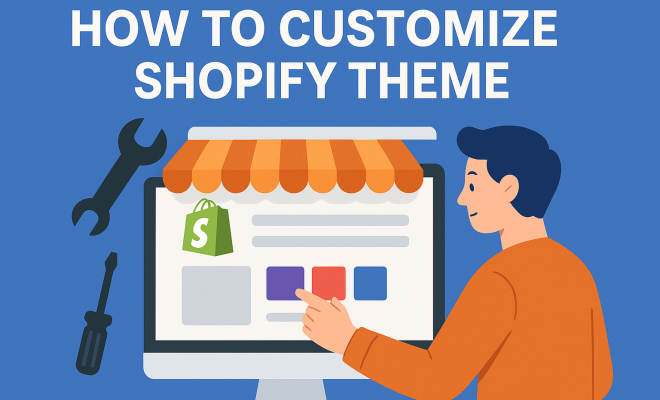
Once you’ve selected your theme, the next step is accessing the Shopify Theme Editor. From your Shopify admin panel, go to the ‘Online Store’ section and click on ‘Themes.’ Under your current theme, click on ‘Customize’ — this will take you to the Theme Editor. Here, you can modify various aspects of your theme such as layout, colors, fonts, and sections of your homepage.
The Theme Editor offers a preview of your store on the right-hand side, allowing you to see changes in real time. Explore different options and get familiar with the interface. It’s a user-friendly tool, but understanding its capabilities will help you make the most out of your customization process.
Additionally, make use of the “Sections” feature in the Theme Editor. This allows you to add, remove, or rearrange sections on your homepage or any other page, giving you flexibility in how your content is organized. You can create a unique homepage experience for visitors that highlights special offers, best sellers, or new arrivals.
4. Customizing Colors and Fonts
Color and typography play a significant role in brand recognition. When customizing your Shopify theme, ensure that your color palette aligns with your brand identity. Use your brand colors consistently across the website to create a cohesive look. This can be done easily within the Theme Editor by selecting the ‘Colors’ section and choosing your desired colors for various UI elements like buttons, backgrounds, and text.
Similarly, typography impacts readability and user engagement. Choose fonts that are both aesthetically pleasing and legible. Shopify’s Theme Editor allows you to select from a variety of Google Fonts or even upload your custom fonts if needed. Make sure to maintain a hierarchy in your typography — for instance, using larger, bolder fonts for headings and smaller, lighter fonts for body text. This will provide a clean and organized appearance to your content. (See: New York Times on Shopify's impact.)
Don’t hesitate to do some A/B testing with different color schemes and font styles to see what resonates most with your audience. Tools like Google Optimize can help you track user interactions and preferences, giving you data to back up your design choices. Creating a visually appealing site can lead to higher engagement and lower bounce rates.
5. Modifying Layouts and Sections
The layout of your online store can significantly affect user navigation and overall experience. In the Theme Editor, you can customize various sections of your homepage, such as headers, footers, and product displays. Adding or removing sections can help highlight your best-selling products or promotional banners effectively.
Consider the flow of information on your homepage. A well-structured layout should guide visitors naturally through your offerings. Utilize features like sliders or galleries for visual impact, and ensure that all essential elements—like the shopping cart and contact information—are easily accessible. Preview different layouts to determine which arrangement best enhances your site’s usability.
Additionally, think about incorporating user-generated content (UGC) into your layout. Showcasing customer reviews, testimonials, or social media posts can create a sense of community around your brand, enhancing trust and encouraging new visitors to engage. You could also dedicate a section for blog posts or articles related to your products, which can help improve your store’s SEO as well.
6. Adding Custom Pages and Navigation
Creating custom pages, such as an About Us or FAQ page, can enhance your store’s credibility and provide additional information to your customers. Within the Shopify admin, you can easily add new pages under the ‘Online Store’ section. Use these pages to share your brand story, return policy, and other relevant details that can help build trust with your audience.
Additionally, customizing your navigation is key to improving user experience. A clear and intuitive menu will help customers find products quickly. Make use of drop-down menus for product categories and ensure that your most important links are easy to find. Test your navigation on different devices to ensure it performs well across all platforms.
Implementing a search bar can also significantly improve navigation. Customers often appreciate having the ability to search for specific products or information quickly. Ensure that the search bar is prominently placed and easy to access. You can even enhance its functionality with apps that provide suggested searches or filters based on user behavior.
7. Integrating Apps for Enhanced Functionality
Shopify’s App Store is filled with tools that can enhance your store’s capabilities. From email marketing to inventory management, integrating apps can improve functionality without extensive coding. When customizing your Shopify theme, consider which apps can directly support your goals, whether it’s increasing sales or improving customer engagement.
For instance, apps like Oberlo can help with dropshipping, while Klaviyo aids in email marketing. Ensure that any apps you choose are compatible with your theme. Many apps offer customizable features that can fit seamlessly into your design, enhancing the overall user experience.
Look for apps that provide analytics and insights. Understanding customer behavior and engagement can help you make informed decisions about your store’s layout and offerings. This data can guide you in tweaking your theme to better align with what your customers are looking for, ultimately boosting your sales performance.
8. Editing Theme Code for Advanced Customization
If you have some coding knowledge (or are willing to learn), editing your theme’s code can unlock additional customization options. Shopify themes use Liquid, a templating language, along with HTML and CSS. You can access your theme code by going to ‘Actions’ next to your theme in the Themes section and selecting ‘Edit Code.’
While modifying code provides greater control over your design, it’s essential to proceed with caution. Always back up your theme before making any changes. Consider creating a duplicate of your theme for testing purposes. Familiarize yourself with the structure of Liquid files; knowing where to find templates for sections like headers or product pages can give you the flexibility to create a truly unique site.
Additionally, if you’re looking for specific features not available through the default settings, you can consider hiring a Shopify expert to help. They can efficiently implement advanced customizations that might be beyond your coding skills. Having a professional touch can often elevate your theme to the next level, enhancing both design and functionality. (See: Harvard University resources.)
9. Testing and Fine-Tuning Your Theme
After customizing your Shopify theme, it’s vital to test everything thoroughly. Navigate through your store as if you were a customer, checking for any issues in usability or appearance. Pay attention to how fast your pages load, as a slow-loading site can deter potential customers. Use tools like Google PageSpeed Insights to analyze your site’s performance.
Also, seek feedback from trusted friends or colleagues. They can provide insights on user experience that you might overlook. Make any necessary adjustments based on this feedback. A well-optimized theme not only enhances the shopping experience but also plays a critical role in your overall branding and sales strategy.
Consider using heatmaps to understand where users are clicking and spending their time. Tools like Hotjar or Crazy Egg can provide valuable insights that help you identify which areas of your site are performing well and which may require adjustments. Continuous testing and fine-tuning should be part of your ongoing strategy to maintain an engaging and effective online store.
10. Frequently Asked Questions (FAQ)
How do I choose the best Shopify theme for my store?
The best Shopify theme aligns with your brand identity, caters to your target audience, and suits your product offerings. Look for mobile responsiveness, speed, and positive reviews. Testing themes through demos can also help you make the right choice.
Can I change my Shopify theme after launching my store?
Absolutely! You can change your Shopify theme at any time without losing your existing products or data. However, you may need to reconfigure your customizations to fit the new theme.
Is it necessary to hire a developer for customizing my Shopify theme?
Not necessarily! Many users successfully customize their themes using the Theme Editor and available apps. If you want advanced customizations and are not comfortable with code, hiring a developer can be beneficial.
What are some recommended apps for enhancing my Shopify store?
There are numerous apps available on the Shopify App Store. Some popular ones include Oberlo for dropshipping, Klaviyo for email marketing, and Yotpo for customer reviews. Choose apps that align with your business goals.
How often should I update my theme?
It’s a good practice to review and update your theme regularly, especially when Shopify releases updates or new features. Regular checks can also help you stay on top of evolving design trends and user preferences.
11. Future-Proofing Your Shopify Theme
As your business grows, so might your needs for customization. Future-proofing your Shopify theme involves not only keeping up with design trends but also ensuring your theme is adaptable. Here are a few strategies to consider:
- Responsive Design: Ensure your theme is mobile-friendly. A design that works well on various devices is essential for capturing mobile traffic.
- Regular Updates: Stay updated with Shopify’s platform changes. Regular updates help maintain compatibility and security.
- Scalability: Choose elements that can grow with your business. Will the theme support additional products, categories, or sales features as you expand?
By planning for future needs, you can save time and resources, ensuring that your store remains competitive in the dynamic world of e-commerce.
12. Examples of Successful Shopify Theme Customizations
Many successful e-commerce brands have effectively customized their Shopify themes to create a unique shopping experience. For inspiration, let’s take a look at a few examples:
- Gymshark: This fitness apparel brand uses a sleek, modern theme with high-quality images and a user-friendly layout. They highlight best-selling products and customer testimonials prominently, which adds credibility.
- Allbirds: Known for their eco-friendly shoes, Allbirds uses a minimalist theme that emphasizes storytelling. Their homepage features compelling visuals and a clear call-to-action, guiding visitors seamlessly through their product offerings.
- Beardbrand: Specializing in men’s grooming products, Beardbrand utilizes a custom Shopify theme that reflects their brand personality. The use of vibrant colors and engaging content keeps visitors involved and encourages social sharing.
These brands illustrate how a well-customized Shopify theme can enhance user experience, showcase products effectively, and convey brand values. Consider what elements you can draw from these examples to inspire your own theme customization.
13. Statistics on E-commerce and Theme Customization
Customization can have a significant impact on your e-commerce success. Here are some statistics that underline the importance of a well-designed and customized Shopify theme:
- According to HubSpot, 94% of first impressions are design-related, which means that your Shopify theme can greatly influence a visitor’s perception of your brand.
- A study by Adobe found that 38% of people will stop engaging with a website if the content/layout is unattractive. This highlights the importance of aesthetics in retaining customer interest.
- Research from the Nielsen Norman Group suggests that users form an opinion about a website within 50 milliseconds. Customizing your theme to make it appealing can significantly improve user engagement and conversion rates.
These figures illustrate that investing time in customizing your Shopify theme not only creates a more enjoyable shopping experience but can also lead to increased sales and customer loyalty.
14. Expert Perspectives on Shopify Theme Customization
Industry experts often emphasize the importance of user experience (UX) in e-commerce. According to Shopify’s own research, seamless navigation, fast loading times, and visually appealing designs can lead to higher conversion rates. Here’s what some experts have to say:
“A well-designed Shopify store can drastically reduce bounce rates. Customers are likely to abandon sites that don’t clearly communicate their brand or provide a poor user experience.” – Sarah Johnson, E-commerce UX Specialist
“Personalization, which can often be achieved through theme customization, is key. Shoppers want to feel that the store understands and caters to their individual needs.” – Mark Thompson, E-commerce Consultant
These insights reiterate that taking the time to customize your Shopify theme can lead to meaningful improvements in customer satisfaction and sales.
Customizing your Shopify theme may seem daunting at first, but by following these steps and best practices, you can create a unique online store that stands out. Remember, your theme is an extension of your brand; invest the time and effort to make it reflect your vision. Happy customizing!
“`
Trending Now
- this guide on 7 proven strategies to boost your brand visibility in chatgpt for 2026
- Are You Missing Out? Top 10 Amazon AI Tools for Sellers in 2026
- Why Official Development Assistance Is More…
- Why Iran Oil Prices Aren’t Spiking: The Market’s Surprising Reaction Explained
- The Hidden Importance of Legal Disclaimers:…
Frequently Asked Questions
How do I customize my Shopify theme?
To customize your Shopify theme, start by accessing the Shopify Theme Editor, where you can modify elements like fonts, colors, and layouts. If you're comfortable with coding, you can also edit the theme code using Liquid and HTML/CSS for more advanced customizations.
What are the best Shopify themes for e-commerce?
The best Shopify themes for e-commerce vary based on your brand identity and target audience. Look for themes that are mobile-responsive, fast-loading, and have good user reviews. Shopify’s Theme Store offers a wide range of both free and paid options to choose from.
Can I change my Shopify theme after launching?
Yes, you can change your Shopify theme at any time after launching your store. Simply navigate to the Themes section in your Shopify admin, select a new theme from the Theme Store, and customize it to fit your brand before publishing.
What should I consider when choosing a Shopify theme?
When choosing a Shopify theme, consider aspects like aesthetics, functionalities, mobile responsiveness, and compatibility with the apps you plan to use. It's also important to think about your target audience and the shopping experience you wish to create.
Is coding required to customize a Shopify theme?
No, coding is not required to customize a Shopify theme. You can use the Shopify Theme Editor for basic customizations. However, if you want more control over your design, you can edit the theme code using Liquid and HTML/CSS.
Agree or disagree? Drop a comment and tell us what you think.