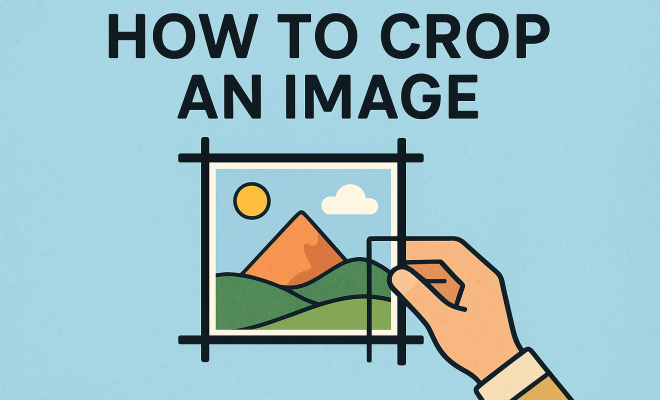
How to crop image
“`html
In the digital age, visuals play a crucial role in communication, whether for social media, marketing, or personal projects. Knowing how to crop an image effectively can elevate your content, making it more engaging and visually appealing. This article will walk you through various techniques and tools for cropping images, helping you understand when and how to apply them to achieve the best results.
1. Understanding Image Cropping
Image cropping involves removing portions of an image to improve its framing, composition, or focus. This technique allows you to cut out unwanted elements, enhance the subject, or adjust the aspect ratio. Cropping is not just a technical skill; it’s an artistic one. Every crop has the potential to change the narrative of an image.
When learning how to crop an image, it’s essential to consider the purpose behind the crop. Are you trying to emphasize a subject? Or perhaps creating a specific format for social media? Understanding these goals will guide your cropping decisions.
2. The Importance of Aspect Ratios
Aspect ratio refers to the proportional relationship between an image’s width and height. Different platforms and uses may require specific aspect ratios. For instance, Instagram posts typically favor a 1:1 square format, while stories often utilize a 9:16 vertical format.
When you learn how to crop an image, you should first check the required aspect ratio for your project. Maintaining the correct ratio ensures that your image displays correctly and fits within the intended format, avoiding awkward stretching or distortion.
3. Using Software for Cropping
Various software options are available for cropping images, from advanced tools like Adobe Photoshop to free options like GIMP and online services like Canva. Each offers unique features and functionalities, allowing you to crop images with precision.
For beginners, user-friendly programs like Canva provide straightforward cropping tools. You can easily drag the corners of your image to crop. However, for those interested in more advanced techniques, Photoshop offers grid overlays, angle adjustments, and presets for different aspect ratios, giving you greater control over the final look.
4. Basic Cropping Techniques
Mastering the basics of cropping is essential in your journey of learning how to crop an image. There are several fundamental techniques you should know:
- Freeform Cropping: Allows complete freedom in selecting the area to keep.
- Fixed Aspect Ratio Cropping: Maintains a specific ratio while cropping, useful for social media.
- Grid Method: Utilizes a grid overlay to align elements within your image based on the rule of thirds or other compositional guides.
These techniques can significantly affect how your final image conveys its message, so it’s worth spending time practicing each method.
5. Advanced Cropping Techniques
For those looking to take their cropping skills to the next level, advanced techniques offer exciting possibilities. One such technique is the content-aware crop, found in programs like Photoshop. This function allows you to extend the background intelligently while cropping, maintaining a cohesive look.
Another advanced method is the use of layer masks, which lets you crop non-destructively. This means you can adjust your crop later without losing any original image data. Understanding these methods expands your creative options and enhances your overall image-editing capabilities.
6. Common Mistakes to Avoid
As you learn how to crop an image, it’s important to be aware of common pitfalls. One frequent mistake is cropping too tightly around the subject, which can make the image feel cramped. Always leave a little breathing room around your subject.
Another error is not considering the image’s original quality. Cropping an image significantly can lead to loss of resolution, resulting in a pixelated final product. Always keep an eye on the image quality when making significant adjustments. (See: Understanding image cropping techniques.)
7. Cropping for Specific Platforms
Different platforms have varying requirements for image sizes and aspects. Learning how to crop an image specifically for each platform can ensure your images look their best. For example, Facebook covers require a 820×312 pixels resolution, while Pinterest thrives on vertical images with an aspect ratio of 2:3.
Take the time to research the ideal image specifications for each platform. This preparation will prevent issues like pixelation or awkward cropping that can detract from your professional image.
8. The Psychological Impact of Cropping
Cropping is not just a technical task; it’s a matter of visual storytelling. The way you crop an image can evoke different emotions and reactions. For instance, a close crop on a person’s face can create intimacy and connection, while a wide crop may evoke feelings of isolation.
Understanding the psychological impact of your cropping choices can enhance your ability to communicate effectively through visuals. Consider what feelings you want to evoke and adjust your cropping technique accordingly.
9. Practical Applications of Cropping
Cropping images holds significant relevance across various fields, from marketing to journalism. In marketing, effective cropping can make a product stand out, drawing potential customers’ eyes to specific details. In journalism, cropping can help highlight crucial moments in a photo, ensuring the most impactful elements are front and center.
As you practice how to crop an image, think about its applications in your specific field. Whether you are improving your social media presence or enhancing a portfolio, mastering cropping will enhance the visual quality and storytelling power of your images.
10. How to Crop an Image Using Various Tools
When it comes to cropping images, the method you choose can greatly influence the results. Here’s a more detailed look at how to crop images using some of the most popular tools:
10.1 Using Photoshop
Photoshop is the industry standard for image editing, offering a robust set of features. To crop an image in Photoshop, select the Crop Tool from the toolbar or press the ‘C’ key. You can drag the corners of the crop box to your desired size. Use the options bar at the top to set a specific aspect ratio or rotate the crop box. Once satisfied, hit ‘Enter’ to apply.
Photoshop also allows you to use guides and grids, which can help align your images according to the rule of thirds or other compositional guidelines. This precision can elevate the overall quality of your images.
10.2 Using GIMP
GIMP is a free alternative to Photoshop with many similar features. After opening your image, select the Crop Tool from the toolbox or use the shortcut ‘Shift + C’. Click and drag to create a cropping area. You can adjust the edges as needed. When finished, press ‘Enter’ to apply the crop.
GIMP also supports layers, meaning you can work non-destructively. This is particularly useful if you want the option to revert back to the original image later.
10.3 Using Online Tools
If you’re looking for a quick solution, online tools like Canva and Fotor make cropping simple and accessible. After uploading your image, you can select the cropping option, and then adjust the frame as desired. These tools often include preset aspect ratios for social media, making it easy to crop images specifically for platforms like Instagram or Facebook.
11. Image Cropping for Social Media
Social media platforms often have specific requirements for image sizes and aspect ratios. For instance, Instagram posts thrive on square images (1:1), while stories typically favor a vertical format (9:16). Knowing how to crop an image for these dimensions can significantly impact engagement and visibility.
Consider creating multiple versions of an image tailored to different platforms. For example, you might crop a beautiful landscape photo into a square for Instagram and a wider format for your blog. This not only maximizes your content’s reach but also keeps your branding consistent across channels. (See: Image editing tips from The New York Times.)
12. Examples of Effective Cropping
Examples can be a powerful way to understand cropping’s impact. A well-cropped image can transform an ordinary photograph into a stunning visual. Below are some scenarios that illustrate effective cropping:
- Product Photography: In e-commerce, cropping tightly around a product can eliminate distractions and draw attention to the item for sale. Consider how many online retailers use simple white backgrounds with a close crop to focus on their products.
- Portraits: In portrait photography, cropping to highlight facial expressions can evoke emotion. A tight crop that centers the face can create a more personal connection with viewers.
- Landscape Photography: Cropping to follow the rule of thirds can enhance the composition of landscapes by placing the horizon on a third line rather than the center, inviting viewers to explore the image more fully.
13. Statistics on Image Engagement
Visual content is known to drive engagement, but how does cropping influence this? According to studies:
- Images that are optimized for social media yield up to 94% more views than those that aren’t.
- Posts with images receive 650% higher engagement than text-only posts.
- Visual storytelling enhances brand retention by 65%, making cropping an essential skill for marketers.
These statistics show that taking the time to crop your images thoughtfully can pay off significantly in terms of audience engagement and brand recognition.
14. Expert Perspectives on Cropping
To gain deeper insights, let’s consider expert perspectives on cropping:
- Photographer Jane Doe: “Cropping is an art. It’s not just about cutting out distractions; it’s about enhancing the story you want to tell through your image. I always encourage photographers to consider how each crop alters the narrative.”
- Graphic Designer John Smith: “In design, cropping can balance elements within a layout. A well-cropped image can guide the viewer’s eye and establish a focal point, making the overall design more effective.”
These perspectives remind us that cropping is not merely a technical task but rather a fundamental component of visual communication.
15. Frequently Asked Questions about Cropping Images
15.1 What is the best aspect ratio for cropping images?
The best aspect ratio depends on your intended use. For social media, common ratios include 1:1 for Instagram posts and 16:9 for YouTube thumbnails. Always check platform specifications!
15.2 Can I crop an image without losing quality?
Yes, you can crop images without losing quality by using non-destructive editing methods like layer masks in Photoshop or GIMP. This allows you to make adjustments without permanently altering the original image.
15.3 How do I know if my crop is effective?
An effective crop typically enhances the subject of the image and follows compositional guidelines like the rule of thirds. If you feel that the focus is clear and the image conveys the intended message, your crop is likely effective.
15.4 What tools can I use to crop images on my phone?
Most smartphones come with built-in photo editing apps that include cropping tools, such as Apple Photos on iOS and Google Photos on Android. Additionally, apps like Snapseed and Adobe Lightroom mobile offer advanced cropping features.
15.5 Is it better to crop during the shooting process or in post-production?
While it’s often best to frame your shot correctly during shooting to minimize cropping later, post-production cropping allows for greater flexibility. Always aim to capture the best composition possible, but don’t be afraid to make adjustments afterward.
16. The Role of Cropping in Storytelling
Cropping can dramatically alter the story conveyed in an image. For example, a wide shot may depict a large, bustling market scene, while a tightly cropped image may focus on a single vendor’s expression, conveying emotion and individual experience. This shift in focus can guide viewers’ interpretations, making cropping an essential tool in visual storytelling.
When you think about how to crop an image, consider the narrative you want to share. Do you want to showcase the context or emphasize specific emotions? Your cropping choice can direct the viewer’s attention and create a more impactful story. (See: Scientific insights on image cropping.)
17. Color Correction and Cropping
Once you’ve cropped your image, consider how color correction can enhance the result. Brightness, contrast, and saturation adjustments can help the cropped image pop. For instance, if you crop an image to focus on a vibrant flower, enhancing the colors can draw more attention and create a striking visual.
Tools like Photoshop and Lightroom offer advanced color correction features, allowing you to fine-tune the appearance of your cropped images. Always test different adjustments to see how they complement your cropping decisions.
18. Understanding Resolution and Cropping
Resolution is a critical factor when cropping images. Higher resolution images allow for more flexibility in cropping without losing quality. For instance, a high-resolution photograph taken with a DSLR can be cropped significantly while still maintaining detail, whereas a low-resolution image may become pixelated even with minor adjustments.
When planning for cropping, always consider the original resolution and how much you plan to crop. This foresight will help maintain image quality and ensure that your final product is visually appealing.
19. Tips for Cropping on Different Devices
Besides software, the device you use can affect your cropping process. Here are some tips for cropping on various devices:
- Desktop Computers: Use powerful editing software that allows for precise cropping and greater control over adjustments.
- Tablets: Utilize stylus capabilities for more accurate cropping, especially in apps like Procreate or Affinity Photo.
- Smartphones: Take advantage of built-in editing tools that often include preset aspect ratios and intuitive touch controls.
Each device has its strengths, so leverage those to enhance your cropping experience.
20. The Future of Cropping Techniques
As technology evolves, so do cropping techniques. Emerging tools powered by AI offer automatic cropping suggestions based on the content of your images. These smart tools analyze the image and propose crops that maintain focus on the most significant elements, streamlining your workflow.
Staying updated with these advancements can give you an edge in image editing. Keep experimenting with new software and techniques to find what works best for your style and needs.
By exploring these dimensions of cropping, you’re not just learning how to crop an image; you’re mastering a skill that can transform how you communicate visually. Whether for professional or personal use, understanding cropping can significantly enhance your image quality and storytelling capabilities.
“`
Trending Now
Frequently Asked Questions
What is the best way to crop an image?
The best way to crop an image depends on your purpose. Consider what you want to emphasize, the aspect ratio required for your project, and the software you are comfortable using. Popular options include Adobe Photoshop for advanced users and Canva for beginners due to its user-friendly interface.
How do I crop an image for social media?
To crop an image for social media, first check the required aspect ratio for the platform. For instance, Instagram prefers a 1:1 square format for posts and 9:16 for stories. Use cropping tools in software like Canva or Photoshop to adjust your image accordingly, ensuring it fits perfectly.
Why is aspect ratio important when cropping images?
Aspect ratio is crucial as it defines the proportional relationship between an image's width and height. Maintaining the correct aspect ratio ensures your image displays correctly on various platforms, avoiding distortion or awkward stretching that can detract from visual appeal.
What tools can I use to crop images?
There are various tools available for cropping images, including advanced software like Adobe Photoshop, free options like GIMP, and online services like Canva. Each offers unique features, allowing you to crop images with precision based on your skill level and needs.
Can cropping change the meaning of an image?
Yes, cropping can significantly change the narrative of an image. By removing unwanted elements and focusing on the subject, you can alter the viewer's perception and enhance the overall impact of the visual. Understanding your cropping goals is essential for effective storytelling.
What did we miss? Let us know in the comments and join the conversation.