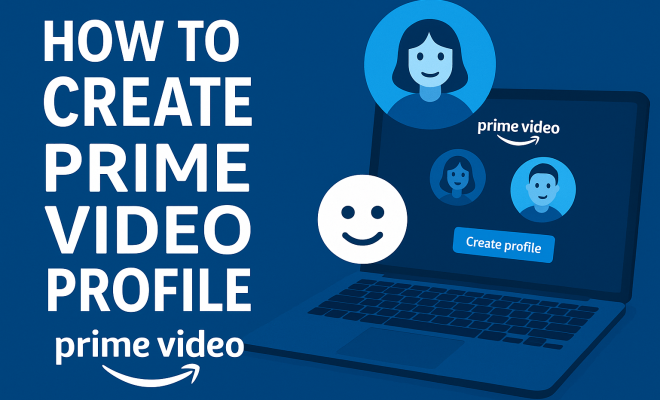
How to create Prime Video profile
“`html
Amazon Prime Video has rapidly become a go-to streaming service for millions, thanks to its extensive library of movies, television shows, and original content. One of its most appealing features is the ability to create individual profiles, allowing each user to cultivate their own viewing experience. If you’re looking to create a Prime Video profile that suits your preferences or those of your family members, you’re in the right place. Here’s a detailed guide breaking down everything you need to know.
1. Understanding the Basics of Prime Video Profiles
Profiles in Prime Video are designed to enhance user experience by allowing for personalized recommendations, watch histories, and settings. This feature is particularly useful in households where different family members have varying taste in movies and shows. By setting up distinct profiles, users can avoid the confusion of mixed watch lists and recommendations that don’t align with their interests.
Each Prime Video account can support multiple profiles, typically allowing up to six. This means that everyone in your household can have their personalized viewing experiences without interfering with one another’s preferences. From kids’ profiles with age-appropriate content to adult profiles tuned for specific genres, creating a Prime Video profile is an essential step to maximizing your streaming experience.
2. How to Create Your Prime Video Profile: A Step-by-Step Guide
Creating a Prime Video profile is a straightforward process. Here’s how you can do it in just a few minutes:
- Step 1: Start by logging into your Amazon Prime Video account on your preferred device. You can do this on a smart TV, streaming device, computer, or mobile app.
- Step 2: On the home screen, navigate to the “Profile” icon. This is usually located in the upper-right corner of the screen.
- Step 3: Click on the “Add New Profile” option. You’ll see a prompt asking for a name for the new profile and an option to set it as a “Kids” profile if desired.
- Step 4: Enter the name and make any necessary selections regarding age restrictions or content filtering.
- Step 5: Save your profile. You’ll now be able to switch between profiles whenever you log in.
This five-step process allows you to quickly set up a profile tailored to your unique preferences. If you’re creating a profile for a child, remember to enable the appropriate settings to restrict access to mature content. It’s an essential feature that ensures a safe viewing experience for younger audiences.
3. Customizing Your Profile Settings
Once you’ve created your Prime Video profile, it’s time to customize it. This customization can significantly enhance your user experience by tailoring recommendations and parental controls, ensuring that you get the most out of your Prime Video experience.
To customize your profile, go back to the “Profile” section and select the profile you want to modify. Here you can adjust settings such as:
- Profile Name: Change the profile name at any time.
- Watch History: View and manage your watch history, giving you the option to remove titles that might skew recommendations.
- Parental Controls: Set up restrictions and PIN codes on the kids’ profiles to limit access to certain content.
By taking the time to customize your profile settings, you can enhance your viewing habits and ensure that each user’s experience is catered to their preferences. This means more of what you love and less of what you don’t!
4. Switching Between Profiles: A Seamless Experience
With multiple profiles set up, switching between them is a seamless experience. This is especially handy for families where different members might want to view content simultaneously. Here’s how to switch between profiles: (See: Amazon Prime Video overview.)
- Step 1: Click on the profile icon at the top right corner of the screen.
- Step 2: Select the profile you wish to switch to from the dropdown menu.
Once you select a different profile, the app will load that user’s personalized settings, watch list, and recommendations. This feature makes it convenient for different users to enjoy Prime Video without hassle. Just remember that you can only watch from one profile at a time, so if someone else is logged into one, you might have to wait your turn.
5. Managing Profiles: Deleting and Editing
As your viewing preferences evolve, you may find the need to clean up your profiles. Luckily, managing profiles is quite simple. Whether you want to delete an unused profile or edit existing ones, here’s how you can do it:
- To delete a profile: Navigate back to the profile settings, select the profile you want to remove, and look for the delete option. Follow the prompts to confirm the deletion.
- To edit a profile: Similar to creating a profile, select the profile you want to edit from the main profile section, make your adjustments, and save your changes.
Regularly managing your profiles ensures that your Prime Video experience stays relevant and personalized. If there are profiles for family members who have moved out or lost interest, it’s best to delete those to keep things tidy.
6. Understanding Viewing Restrictions and Parental Controls
For families, parental controls are a vital aspect of managing Prime Video profiles. Since the platform hosts a wide range of content, it’s essential to ensure that younger viewers are kept safe from inappropriate material.
When you create a Prime Video profile for children, you can enable a variety of restrictions. This includes:
- Age Restrictions: Limit the content accessible to certain age groups.
- PIN Protection: Set up a PIN that must be entered to access adult profiles or specific shows.
- Watch Restrictions: Track what kids are watching and limit how much time they spend viewing content.
These tools are designed to create a secure viewing environment, allowing parents to feel comfortable letting their children explore content on the platform. It’s a proactive approach to ensuring that kids are only exposed to age-appropriate material.
7. Troubleshooting Common Profile Issues
Even with user-friendly platforms like Prime Video, you might run into some common issues when managing your profiles. Whether it’s trouble logging in or not being able to switch profiles, here are some tips to troubleshoot:
- Profile Not Loading: If a profile isn’t loading properly, try logging out and back in or clearing your app cache.
- Forgotten Passwords: If you can’t access a profile, use the password recovery option to reset your credentials.
- Parental Controls Not Working: Double-check that you’ve correctly set up any restrictions. Sometimes, toggling the settings off and then back on can resolve issues.
These simple troubleshooting steps can save you time and frustration. Regularly updating the app and ensuring you’re logged into the correct account can also help mitigate these issues.
8. The Benefits of Having Multiple Profiles
Creating multiple profiles on Prime Video isn’t just about convenience; it comes with a plethora of benefits that enhance the overall streaming experience. Here are a few key advantages:
- Personalized Recommendations: Each profile provides tailored suggestions based on viewing history, making it easier to discover new content you’ll love.
- Distinct Watch Lists: No more scrolling through a jumbled list of shows and movies. Each profile maintains its own watch list, simplifying the process of tracking what you want to see.
- Enhanced Family Viewing: Families can enjoy movies and shows suited to their tastes without interference from one another, which is especially helpful during family movie nights.
Overall, multiple profiles ensure that everyone in your household has a delightful streaming experience. It encourages exploration of different genres and styles, enhancing the potential for shared family time without the clutter. (See: importance of personalized profiles.)
9. Advanced Features: Using Profile Features to Your Advantage
Beyond the basics of creating and managing profiles, there are advanced features that can enhance your Prime Video experience. Here are some tips for using these features to your advantage:
- Profile-Specific Watchlists: Each profile allows you to maintain its own watchlist. When you find a movie or series you want to catch later, simply add it to your profile’s watchlist. This keeps your curated list more organized and relevant to your tastes.
- Content Ratings: Prime Video uses a rating system that can be helpful when deciding what to watch. Each profile tracks what you rate shows and movies, which helps refine the recommendations further.
- Shared Viewing: If you and someone else in your household share similar interests, you can choose to watch together by sharing profiles occasionally. This can lead to discovering new shows or movies that you both will enjoy.
Leveraging these advanced features enhances the personalization of your streaming experience. It encourages users to maximize the platform’s capabilities while still catering to individual preferences.
10. Exploring Profile Performance: What the Data Says
It’s interesting to note how Amazon tracks profile usage and the impact of personalized profiles on viewing habits. According to recent studies, users who create individual profiles are more likely to engage with the platform regularly compared to those who share a single account. In fact, Amazon reported that users with personalized profiles watched 30% more content than those with no separation.
This data not only emphasizes the importance of creating a Prime Video profile but also highlights how targeted recommendations can keep viewers engaged. Profiles help in curating a viewing experience that resonates with the user, resulting in longer watch times and more satisfaction with the service.
Furthermore, the introduction of features such as user feedback on recommendations allows Amazon to refine its algorithms continuously. The more you interact with your profile, the more tailored your viewing experience becomes, showcasing a cycle of engagement that benefits both the user and Amazon.
11. Comparing Prime Video Profiles with Other Streaming Services
When considering how Prime Video’s profile system stacks up against other streaming services, there are several factors to consider. Services like Netflix, Hulu, and Disney+ also offer profile features, but each has its own strengths and weaknesses.
- Netflix: Netflix allows for up to five profiles per account, much like Prime Video. One notable feature is the ability to create a ‘Kids’ profile’ that restricts content based on a child’s age. However, Netflix does not offer the same level of granular parental controls that Prime Video does.
- Hulu: While Hulu allows you to create profiles, it is more restrictive with content access based on subscription plans. For instance, profiles on Hulu do not allow for individualized recommendations if you’re on the ad-supported plan.
- Disney+: Disney+ allows for creating profiles but also heavily emphasizes family-friendly content. This makes it a great option for families, but users looking for a wider range of genres may find it limiting compared to the diversity offered by Prime Video.
Overall, while many streaming services offer profile features, Prime Video’s combination of personalization, parental controls, and user engagement tools sets it apart, making it a strong choice for families and individual users alike.
12. Frequently Asked Questions
As users navigate the process of creating and managing profiles on Prime Video, several common questions arise. Here’s a breakdown of some frequently asked questions: (See: how Prime Video profiles work.)
- Can I create a Prime Video profile without an Amazon Prime membership?
No, creating a Prime Video profile requires an active Amazon Prime membership. - How many profiles can I create on Prime Video?
You can create up to six profiles on a single Amazon Prime Video account. - Is it possible to transfer my watch history to a new profile?
Unfortunately, watch history is tied to each individual profile and cannot be transferred between profiles. - Can I restrict specific shows on a kids’ profile?
Yes, you can use parental controls to restrict access to specific shows or movies based on their ratings. - What if I forget my PIN for the kids’ profile?
You can reset your PIN by following the prompts in the parental controls settings. - Do profiles affect my subscription plan?
No, the number of profiles does not impact the subscription plan; however, certain features might be limited based on your plan. - Can I change my profile settings after creating it?
Absolutely! You can modify settings at any time, including watch history and parental controls.
These FAQs can help clarify any confusion and ensure you make the most out of your Prime Video profile experience.
13. Tips for Optimizing Your Prime Video Profile
To really maximize your Prime Video experience, here are some additional tips for getting the most out of your profiles:
- Regularly Update Preferences: Make a habit of checking and updating your preferences every few months. As your tastes evolve, so should your profile settings.
- Explore New Genres: Don’t be afraid to step outside your comfort zone! Use your profile to explore new genres or show recommendations that you might not typically watch.
- Utilize Watch Parties: If you have friends or family who are also Prime Video users, consider utilizing the Watch Party feature. This allows you to enjoy movies or shows together, regardless of distance.
- Engage with Content: Rate the shows and movies you watch. This feedback helps Prime Video refine future recommendations, tailoring them closer to your specific interests.
14. Upcoming Features for Profiles in Prime Video
Amazon is continually evolving its Prime Video platform, and future updates may enhance profile features even further. Some upcoming features that users can look forward to include:
- Improved Recommendation Algorithms: Amazon is working on refining its algorithms to provide even more personalized recommendations based on viewing habits across multiple profiles.
- Shared Profile Recommendations: There are talks about features that would allow profiles to suggest content to one another, building a more communal viewing experience within families.
- Expanded Parental Controls: Future updates may include more detailed parental controls, giving parents greater oversight of what their children are watching.
Keeping an eye on these developments can help users stay informed about how to enhance their Prime Video experience even further.
15. Conclusion: Embrace a Customized Viewing Experience
Creating a Prime Video profile is an essential step toward optimizing your streaming habits. With the ability to personalize settings, manage viewing restrictions, and easily switch between profiles, you can ensure that every member of your household has a tailored experience. Whether you’re looking to restrict content for your kids or simply want to keep track of your favorite genres, setting up profiles is a game-changer.
So why not take advantage of this feature? With just a few clicks, you can create a Prime Video profile that enhances your viewing experience and keeps your streaming organized. Happy watching!
“`
Trending Now
Frequently Asked Questions
How do I create a new profile on Prime Video?
To create a new profile on Prime Video, log into your account, navigate to the 'Profile' icon in the upper-right corner, and select 'Add New Profile.' You will be prompted to enter a name for the profile and customize settings as needed.
Can I have multiple profiles on Amazon Prime Video?
Yes, Amazon Prime Video allows you to create multiple profiles—up to six per account. This feature enables different users in a household to enjoy personalized recommendations and watch histories.
What are the benefits of creating profiles on Prime Video?
Creating profiles on Prime Video enhances the viewing experience by providing personalized recommendations, keeping separate watch histories, and allowing users to tailor settings based on individual preferences.
Is it easy to switch between profiles on Prime Video?
Yes, switching between profiles on Prime Video is simple. Just click on the profile icon and select the profile you wish to switch to. This allows you to quickly access your personalized content.
Can I delete a profile on Prime Video?
Yes, you can delete a profile on Prime Video. Go to the 'Profile' settings, select the profile you want to remove, and choose the option to delete it. This helps you manage profiles as preferences change.
Agree or disagree? Drop a comment and tell us what you think.