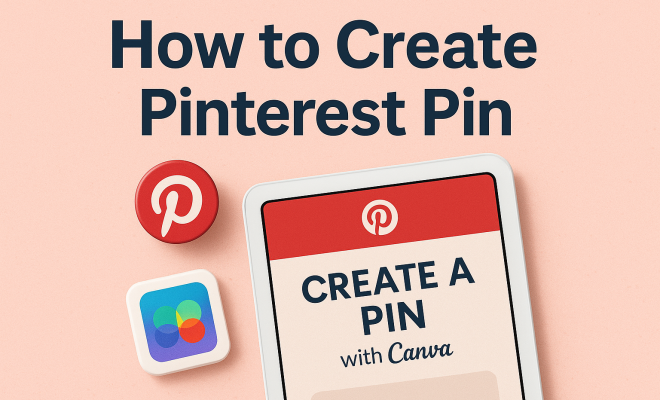
How to create Pinterest pin
“`html
Creating visually appealing content is crucial in the age of social media, and Pinterest stands out as a platform designed specifically for sharing compelling visuals. If you’re looking to draw attention and increase your reach, understanding how to create a Pinterest pin effectively is your first step. In this article, we’ll explore the best practices and practical insights to ensure your pins not only capture attention but also drive engagement.
1. Understanding the Basics of Pinterest
Pinterest is often referred to as a visual discovery engine, where users can find inspiration for everything from home décor to fashion trends. Founded in 2010, Pinterest allows users to create boards and add pins, which are essentially bookmarks for web pages or images. With over 450 million active users, the platform has evolved into a powerful marketing tool for businesses and individuals alike.
The unique aspect of Pinterest is its focus on visuals. Unlike other social media platforms, highly visual content tends to perform better. Users often browse Pinterest not just for browsing but with the intent to discover ideas, making it essential for anyone who wishes to create Pinterest pins to understand its audience and algorithms.
2. Defining Your Target Audience
Before you create a Pinterest pin, it’s vital to know who your target audience is. Understanding their interests, demographics, and behaviors can help tailor your content to meet their preferences. Research shows that 70% of Pinterest users are women, and they often seek inspiration for their hobbies, fashion, food, and wellness.
To gain insights about your audience, consider conducting surveys or using Pinterest Analytics if you have a business account. This tool provides data about who is engaging with your content, what they like, and how they interact with your pins. By identifying your audience’s needs and desires, you can create Pinterest pins that resonate and inspire action.
3. Choosing the Right Dimensions for Your Pins
One of the first steps to create a Pinterest pin is to select the appropriate size. Pinterest pins are predominantly vertical, and the recommended dimensions are 1000 x 1500 pixels. This aspect ratio of 2:3 not only captures more visual real estate on users’ feeds but also aligns with Pinterest’s algorithm, promoting better reach.
It’s also important to maintain a balance between visuals and text. While imagery attracts users, adding text overlay can help clarify the message of your pin. Keep in mind that the text should be legible, so using contrasting colors can enhance visibility. In addition, maintaining a consistent visual style across your pins can strengthen your brand identity.
4. Creating Eye-Catching Visual Content
The visuals you use in your Pinterest pins are crucial for engagement. Quality images that are bright, clear, and directly related to the content will draw more attention. You can use tools like Canva or Adobe Spark to create stunning graphics, even if you lack design skills. These platforms offer templates tailored specifically for Pinterest pins.
Consider using high-resolution photos or illustrations that align with your brand’s aesthetic. Additionally, adding elements like patterns or textures can make your pins stand out. Remember, the goal is to create Pinterest pins that are not only attractive but also convey a clear message about what users can expect when they click through.
5. Writing Compelling Descriptions
Once your pin’s visual is ready, the next step is crafting an engaging description. A well-thought-out description not only informs users about the content but also includes relevant keywords—this is where you can naturally integrate the phrase ‘create Pinterest pin.’ A strong description can significantly impact your pin’s visibility in search results.
Your description should be concise yet informative, ideally between 100-200 characters. Incorporating keywords that align with users’ searches will help your pin appear in search engine results. Also, consider adding a call-to-action to encourage users to click through, such as “Read more for tips on…” or “Discover our complete guide on…”.
6. Leveraging Hashtags Effectively
Hashtags play an essential role in enhancing the discoverability of your pins. Pinterest allows users to add up to 20 hashtags to a pin, but it’s wise to be selective. Use hashtags that are relevant to your content and popular among your target audience. A mix of broad and niche hashtags can help you reach a wider audience while still attracting the right users. (See: Wikipedia page on Pinterest.)
For instance, instead of just using #food, consider adding a more specific tag like #healthyrecipes or #easymealprep. This strategy can help your creation stand out in a sea of content. Remember to research trending hashtags related to your niche to increase your chances of being discovered by users interested in your content.
7. Analyzing Performance and Iterating
Creating a Pinterest pin is only the beginning; analyzing its performance is crucial to improving future content. Pinterest Analytics provides insights into how many people are engaging with your pins, what actions they’re taking (like clicks and saves), and which pins are performing best. This data is invaluable as it can inform your strategy for future pins.
Take note of which visuals, descriptions, or hashtags led to higher engagement rates. This analysis allows you to refine your approach continually. Don’t hesitate to tweak your content style or focus based on what resonates with your audience. Remember, the key to success on Pinterest is not just to create but to adapt and evolve as you learn what works best.
8. Incorporating Seasonal Trends
Another strategy to enhance your Pinterest presence is to align your content with seasonal trends and events. Users often turn to Pinterest for seasonal inspiration, whether it’s Halloween decorations or summer recipes. By creating Pinterest pins that timely correlate with these trends, you can significantly boost your visibility and engagement.
Planning your content calendar around holidays or seasonal events allows you to produce relevant and engaging pins. For instance, if you run a baking blog, creating pins for holiday-themed recipes in advance can help capture the festive spirit. Utilizing Pinterest Trends can help you identify popular topics and incorporate them into your strategy.
9. Utilizing Rich Pins
Rich Pins provide more context about an idea because they include extra information directly on the pin itself. There are several types of Rich Pins, including Product Pins, Recipe Pins, and Article Pins, each designed to enhance the user experience and provide more comprehensive content. If you want to create Pinterest pins that offer immediate value, consider applying for Rich Pins.
For example, if you’re sharing a recipe, a Recipe Rich Pin will include ingredients, cooking times, and serving sizes directly on the pin. This extra information not only attracts more clicks but also encourages users to save your pins for later. By utilizing Rich Pins, you elevate your content and improve user engagement.
10. Creating Pinterest Pins for Different Niches
Different niches require tailored strategies when it comes to creating Pinterest pins. Whether you’re in fashion, food, home décor, or DIY crafts, understanding the unique aspects of your niche can drive better engagement. For example, fashion pins may benefit from showcasing outfits in real-life scenarios, while food pins should emphasize vibrant imagery of the finished dish alongside cooking steps.
Consider the audience in your niche: what are their preferences and what kind of content resonates best with them? For instance, if you’re in the health and wellness space, testimonials or before-and-after visuals may work effectively. Conducting research on successful pins within your niche can provide insights into effective approaches.
11. Examples of High-Performing Pinterest Pins
When trying to create Pinterest pins that stand out, looking at examples of high-performing pins can provide valuable insight. Successful pins typically have bold, high-quality images, concise and informative text overlays, and a clear call-to-action. For example, a popular DIY pin might showcase a step-by-step image collage that visually guides users through a project.
Another example would be a travel pin that features a stunning landscape photo with tips on how to experience that destination. Pins like these gain traction because they are aesthetically pleasing and provide useful information. Analyze these examples to understand which elements contribute to their success and apply similar tactics in your pin designs.
12. Statistics and Trends in Pinterest Marketing
Understanding Pinterest’s demographic and usage statistics can guide your content strategy. Recent studies show that 83% of weekly Pinners have made a purchase based on content they saw from brands on Pinterest. Additionally, 98% of users have tried something they found on the platform, highlighting its effectiveness as a discovery tool for products and ideas.
Another important statistic is that video content is rapidly gaining popularity on Pinterest. Users are more likely to engage with video pins, which introduce a personalized touch to your content. As you create Pinterest pins, incorporating video can not only broaden your reach but also enhance user experience, considering that video pins are 6x more likely to result in re-pins compared to static images. (See: CDC on youth and social media.)
13. Tips for Consistent Posting
Consistency is key when it comes to creating Pinterest pins and maintaining engagement. Developing a posting schedule that aligns with user activity can significantly improve your pin’s visibility. Tools like Tailwind or Buffer can help automate the scheduling process, allowing you to focus on creating quality content.
It’s also helpful to analyze when your target audience is most active on Pinterest. By posting during peak times, you’re more likely to have your pins seen and engaged with. Keeping track of your pin’s performance over time will allow you to adjust your posting frequency and timing based on what works best for your audience.
14. Frequently Asked Questions (FAQ)
What are the best times to create Pinterest pins?
While timing can vary based on your specific audience, general trends suggest that evenings and weekends tend to see more engagement on Pinterest. Analyzing your audience’s activity through Pinterest Analytics can help pinpoint more specific times.
How often should I create Pinterest pins?
Regularly creating and posting pins is ideal for maintaining engagement. Aim for a consistent schedule, such as several pins a week, but ensure that quality is not sacrificed for quantity.
Can I promote my Pinterest pins?
Yes, Pinterest offers paid advertising options, such as Promoted Pins, which can boost the visibility of your content. This is a great way to reach a larger audience and drive more traffic to your website or blog.
How can I use Pinterest for business?
Pinterest can serve as an effective marketing tool by showcasing your products or services visually. By creating pins that highlight your offerings and linking them back to your website, you can drive traffic and conversions.
Are there tools for creating Pinterest pins?
Absolutely! Tools like Canva, Adobe Spark, and Piktochart provide templates and design options specifically for Pinterest. These platforms are user-friendly and accessible for those who may not have graphic design experience.
What should I avoid when creating Pinterest pins?
When creating Pinterest pins, avoid using low-quality images, cluttered designs, or overly lengthy descriptions. Always ensure your pins are visually appealing and that the text is concise and to the point.
15. Understanding Pinterest SEO
To maximize the reach of your pins, you need to grasp the principles of Pinterest SEO. This involves using relevant keywords strategically throughout your pins, boards, and profile descriptions. Think about what users might search for when looking for content similar to yours. The more you align your keywords with user intent, the better your chances of ranking higher in searches.
Additionally, consider using Pinterest’s search bar to find trending keywords related to your niche. Typing in a keyword will show you suggestions that users frequently search for—these can be goldmines for your SEO strategy. By incorporating these keywords into your pin descriptions, you enhance the visibility of your content.
16. The Importance of A/B Testing
A/B testing is a powerful technique for optimizing the performance of your Pinterest pins. By creating two versions of the same pin with slight variations—such as different images, text placements, or descriptions—you can observe which one resonates more with your audience. This data will allow you to refine your approach and create more effective pins in the future. (See: Research on visual content engagement.)
Start with a few pins and monitor their performance over a few weeks. Look for metrics like saves, clicks, and engagement to determine which variation is more successful. A/B testing helps you understand user preferences, ensuring that you continually improve your content strategy.
17. Engaging with the Community
Engagement goes beyond just creating pins. Interacting with other users’ content can significantly enhance your visibility. Pinning others’ content, leaving thoughtful comments, and following relevant accounts not only creates goodwill but also encourages users to reciprocate. Building a network of followers can amplify your reach and establish your presence in your niche.
Consider joining group boards related to your niche—these can be treasure troves of collaborative pinning opportunities. Group boards allow you to share your content with a larger audience, significantly increasing your chance of being discovered by new users.
18. Visual Branding for Your Pins
Visual branding is an essential aspect of creating Pinterest pins that stand out. Consistency in colors, fonts, and imagery can help establish a strong brand identity, making your pins recognizable at a glance. Users are more likely to engage with pins that have a cohesive look and feel, as it portrays professionalism and trustworthiness.
Consider creating a style guide for your pins. This might include specific colors that align with your brand, preferred fonts for text overlays, and guidelines for photography or graphics. A well-defined visual identity can set you apart from competitors and help users immediately associate your pins with your brand.
19. Utilizing Pinterest Trends for Content Ideas
Pinterest Trends is a valuable tool that allows you to track what users are currently interested in. By analyzing trending topics, you can create Pinterest pins that cater to what’s hot in your niche. This can lead to higher engagement, as your content is aligned with current user interests.
Explore the trends section regularly and brainstorm how you can incorporate these into your content. Whether it’s a seasonal trend, a viral challenge, or trending DIY projects, tapping into Pinterest Trends can help keep your content fresh and relevant.
20. Conclusion
Mastering how to create a Pinterest pin involves understanding your audience, focusing on quality visuals, and continuously optimizing your approach based on performance metrics. By following these steps and incorporating the additional insights provided, you’ll position yourself to effectively leverage Pinterest as a powerful tool for inspiration and discovery. Whether you’re promoting a business or sharing personal projects, these insights will help you create engaging content that resonates with the Pinterest community.
“`
Trending Now
Frequently Asked Questions
What are the best practices for creating a Pinterest pin?
To create an effective Pinterest pin, focus on high-quality visuals, use vertical images, and incorporate text overlays for clarity. Additionally, ensure your pins are optimized with relevant keywords and descriptions to enhance discoverability. Engaging and original content is crucial for capturing user attention.
How do I know my target audience on Pinterest?
Understanding your target audience on Pinterest involves researching their interests and demographics. Utilize tools like Pinterest Analytics to gather insights about who engages with your content. Surveys can also help gather information on user preferences, allowing you to tailor your pins accordingly.
What type of content performs well on Pinterest?
Visually appealing content tends to perform best on Pinterest. Categories like home décor, fashion, food, and wellness attract significant engagement. Creating pins that inspire and provide valuable ideas or solutions will resonate with users, encouraging them to save and share your content.
How can I increase engagement on my Pinterest pins?
To boost engagement on your Pinterest pins, focus on creating visually striking images, using clear and concise descriptions, and incorporating relevant keywords. Additionally, promoting pins through collaborations and joining group boards can help increase visibility and interaction with your content.
What is the importance of visuals on Pinterest?
Visuals are paramount on Pinterest because the platform is designed for visual discovery. High-quality, compelling images are essential for capturing users' attention, as they often browse with the intent to find inspiration. Engaging visuals can significantly enhance user interaction and pin performance.
What’s your take on this? Share your thoughts in the comments below — we read every one.