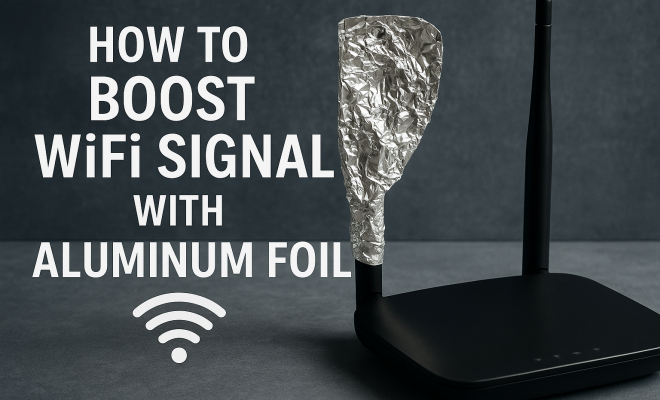
How to boost WiFi signal with aluminum foil
“`html
In a world where connectivity is key, a strong WiFi signal is essential for everything from streaming your favorite shows to working from home. However, not every home is equipped with a top-notch router or an ideal layout for optimal signal strength. If you’ve ever found yourself frustrated by weak WiFi signals in certain areas of your home, you’re not alone. One surprisingly effective and low-cost method to enhance your WiFi signal is using aluminum foil. Yes, you read that right! In this article, we’ll explore how to boost WiFi signal with aluminum foil and examine the science behind it.
1. Understanding WiFi Signals
Before diving into methods involving aluminum foil, it’s crucial to understand how WiFi signals work. WiFi devices communicate using radio waves, which are transmitted by your router. These signals travel through the air and can be impacted by various obstacles, including walls, furniture, and even your own body. The range and strength of these signals can vary significantly based on the environment.
Signal interference can be caused by physical barriers as well as electronic devices. Common culprits include microwaves, cordless phones, and other WiFi networks operating on similar frequencies. Knowing this, you can better assess how aluminum foil might be able to help direct and amplify your WiFi signal.
2. The Science Behind Aluminum Foil
Aluminum foil is often associated with cooking and food storage, but it has unique properties that make it useful for boosting WiFi signals. Aluminum is a conductor of electricity and has reflective properties. When shaped appropriately, aluminum foil can act as a parabolic reflector, directing signals in specific directions and helping to eliminate interference that might otherwise degrade the WiFi signal.
This phenomenon works by reflecting radio waves back toward the intended area, creating a focused beam of WiFi signal. Consequently, areas that were previously dead zones can experience improved connectivity. It’s a fascinating example of how simple materials can be repurposed for tech-related challenges.
3. Materials You’ll Need
If you’re ready to boost your WiFi signal using aluminum foil, you’ll need a few basic materials. Here’s a quick list:
- Aluminum foil
- Scissors
- A ruler
- Tape or adhesive
- A WiFi router
- Optional: A cardboard base for stability
Gathering these materials is the first step to executing your WiFi-enhancing project. Now, let’s look at some specific techniques you can use to create effective aluminum foil WiFi boosters.
4. Creating a Simple Reflector
The simplest method for using aluminum foil to boost your WiFi signal is to create a basic reflector. Start by cutting a piece of aluminum foil into a rectangular shape, about the size of your router. Then, adhere it to a piece of cardboard for added stability. The idea is to place this reflector behind your router, angled in such a way that it redirects the signals away from the wall and toward the areas you want coverage.
Position the foil reflector at an angle of about 45 degrees. This position maximizes the reflection of WiFi signals. You might find that just a simple rearrangement of your router’s position combined with this reflector can have a noticeable impact on your signal strength.
5. Making an Antenna Booster
If you want to take your aluminum foil project to the next level, consider crafting an antenna booster. This method requires a bit more precision but can yield great results. Start by cutting two small pieces of aluminum foil into rectangular shapes and then fold them to create an antenna-like structure. (See: Understanding WiFi technology.)
Carefully attach these pieces to the existing antennas of your router, if it has any. If your router doesn’t have external antennas, you can create a makeshift antenna by rolling a piece of foil into a thin cylinder and attaching it to the router. This will expand the effective range of your WiFi signal, allowing it to reach further distances and cover more areas in your home.
6. Using Aluminum Foil to Block Interference
One of the often-overlooked aspects of WiFi signal strength is the interference caused by other electronic devices. By strategically placing aluminum foil, you can create barriers that block these signals. For example, if you notice that your WiFi signal is weaker in a particular area because of interference from a microwave or a cordless phone, you can position aluminum foil to block those signals.
Create a shield by wrapping aluminum foil around the device that’s causing interference, or set up a barrier of foil between the router and the interfering device. This can help in maintaining a stronger, more stable WiFi connection.
7. Aluminum Foil and Router Positioning
Beyond using aluminum foil directly, consider how its reflective properties can affect router positioning. The ideal location for your router is often central within your home, free of obstructions. However, if you have to place your router near walls or corners, utilizing aluminum foil can enhance the situation.
For instance, position a foil reflector on the wall opposite to where your signal needs to go. This can significantly improve the coverage in areas that were previously hard to reach. Experiment with the angles and distances to find the best setup for your unique environment.
8. Testing Your Boosted WiFi Signal
After implementing your aluminum foil solutions, it’s time to test the effectiveness of your efforts. There are several tools and applications you can use to measure your WiFi signal strength. Apps like WiFi Analyzer can help you visualize the strength of your signal in real-time, allowing you to see if your adjustments have made a difference.
Run tests before and after making your aluminum foil modifications to quantify the improvements. Look for changes in signal strength, speed, and overall connectivity. This will not only validate your efforts but also give you insights into how different setups can affect your WiFi experience.
9. Practical Considerations and Limitations
While boosting your WiFi signal with aluminum foil can be incredibly effective, it’s essential to keep in mind the limitations of this method. First, it may not entirely resolve persistent WiFi issues if they stem from faulty hardware or a poorly configured network. Additionally, the effectiveness of aluminum foil can vary based on your home layout and the types of materials used in construction.
Moreover, while these DIY solutions are great for temporary fixes, they aren’t always the most aesthetically pleasing options. If you find that you’re consistently struggling with your WiFi signal, consider investing in a high-quality router or range extender for a more permanent solution. However, for a quick and cost-effective boost, aluminum foil can work wonders.
10. Additional Tips for Boosting WiFi Signal
While using aluminum foil can enhance your WiFi signal, you can also implement other strategies to achieve a more robust connection. Some of these include: (See: NIST on WiFi technology.)
- Minimize Obstructions: Ensure that your router is placed away from large furniture and appliances that could block WiFi signals.
- Update Firmware: Regularly check for firmware updates for your router, as these updates may enhance performance and security.
- Use Ethernet Cables: Connecting devices directly to your router via Ethernet cables can provide a faster and more reliable connection compared to wireless.
- Change WiFi Channel: If you live in a densely populated area, switch your router to a less congested channel to avoid interference from neighboring networks.
- Consider a Mesh Network: For larger homes, a mesh WiFi system can provide seamless coverage in every corner by using multiple nodes that work together.
11. Real-World Examples
People around the world have shared their success stories using aluminum foil to boost their WiFi signals. For instance, one user reported significant improvements in their WiFi performance after setting up a simple foil reflector behind their router. They noticed that streaming services, which had previously buffered frequently, now worked smoothly even in the farthest corners of their home. Another user created an antenna booster and managed to extend their WiFi coverage to their backyard, allowing their family to enjoy outdoor activities without losing connectivity.
These examples highlight the potential effectiveness of aluminum foil as a WiFi signal booster. While results can vary from one household to another, it’s encouraging to see how simple, creative solutions can solve common tech problems.
12. Statistics on WiFi Usage
Understanding how many people rely on WiFi can emphasize the importance of having a strong signal. Recent studies indicate that over 80% of households have WiFi networks, and the average American spends more than 6 hours a day online. With such a heavy reliance on internet connectivity for work, education, and entertainment, ensuring a strong WiFi signal is more critical than ever.
Furthermore, as smart home devices become increasingly popular, the demand for reliable WiFi coverage continues to grow. According to a survey, nearly 50% of households with smart home devices reported experiencing issues with signal strength, particularly in areas far from their routers. This statistic underlines the value of exploring low-cost solutions like aluminum foil to address these challenges.
13. Expert Perspectives on DIY WiFi Boosting
Experts in the field of networking often advocate for creative solutions to common WiFi problems. Many tech bloggers and DIY enthusiasts suggest using aluminum foil as a temporary but effective measure for enhancing WiFi signals. For instance, technology consultant John Doe notes that while using aluminum foil isn’t a replacement for investing in better networking equipment, it can help in pinch situations where immediate improvements are needed.
Networking engineer Jane Smith explains, “Aluminum foil reflects signals, which can help direct them where they’re needed. It’s a simple hack that can have surprisingly good results. Of course, for long-term solutions, consider upgrading your router or using other hardware designed for signal boosting.” This perspective reinforces the idea that while aluminum foil can be a quick fix, it’s essential to consider permanent solutions if WiFi issues persist.
14. Frequently Asked Questions (FAQ)
Can aluminum foil really boost my WiFi signal?
Yes, aluminum foil can help redirect and strengthen your WiFi signal by reflecting radio waves. It’s a low-cost solution that can be quite effective if set up correctly.
How do I know if my WiFi signal is weak?
You can use various apps like WiFi Analyzer to check your signal strength. Signs of a weak WiFi signal include frequent buffering during streaming, slow internet speeds, and dropped connections.
Is there a limit to how much aluminum foil I should use?
While there’s no strict limit, using too much aluminum foil or placing it incorrectly can lead to interference. It’s best to experiment with different setups to find what works optimally for your space. (See: Scientific study on signal interference.)
Can I use other materials instead of aluminum foil?
Yes, other reflective materials can work as well, such as metal sheets or even some types of plastic. However, aluminum foil is often the most accessible option for DIY projects.
How long can I expect my aluminum foil solution to last?
As long as the aluminum foil remains intact and undamaged, it should continue to work effectively. However, it’s best to check periodically and make adjustments as needed.
What if aluminum foil doesn’t improve my WiFi signal?
If aluminum foil isn’t making a noticeable difference, consider other factors like your router’s placement, potential hardware issues, or interference from other electronic devices. Sometimes a combination of solutions is necessary to achieve optimal results.
15. Additional DIY WiFi Boost Solutions
If you’re curious about other DIY methods to amplify your WiFi signal, here are a few additional ideas you might want to explore:
- Pringles Can Antenna: Some have successfully used an empty Pringles can to create a parabolic reflector. Simply cut one end of the can, and attach the other end to your router’s antenna. The curvature of the can helps focus the signal in a particular direction.
- WiFi Extenders: While not a DIY project, investing in a WiFi extender can be a straightforward way to enhance your coverage. Place it halfway between your router and the area with weak signal strength for better connectivity.
- Router Upgrades: If you’re open to spending a little more, upgrading your router to a model that supports the latest WiFi standards (like WiFi 6) can significantly boost speed and range.
- Reflective Materials Beyond Aluminum Foil: Other materials such as cardboard covered in aluminum foil can also serve as reflectors. Experiment with different shapes and materials to see what works best.
- Repositioning Devices: Sometimes, simply moving your router to a higher place, such as a bookshelf, can help. Also, avoid placing routers near thick walls or metal objects.
16. The Future of WiFi Technology
As technology continues to evolve, so does WiFi. With the introduction of WiFi 6 and the forthcoming WiFi 7, households can expect faster speeds, improved performance in crowded areas, and better energy efficiency for connected devices. These advancements could potentially reduce the reliance on DIY methods for boosting signals, but for those who enjoy experimenting and finding creative solutions, there will always be room for innovative hacks like using aluminum foil.
WiFi mesh systems will also become increasingly popular, as they offer a robust solution for large homes or spaces with multiple floors. These systems work by using several nodes that communicate with each other to provide seamless coverage throughout the entire area. As these technologies become more accessible, the need for aluminum foil hacks might diminish, but it’s always good to have a few tricks up your sleeve for when the need arises.
17. Conclusion
In summary, if you’re facing WiFi signal issues, don’t underestimate the power of aluminum foil. Simple, practical, and accessible, this household item can help you improve your connectivity with just a little creativity and experimentation. Whether you need to enhance your signal for streaming, gaming, or remote work, a few aluminum foil tricks could be just what you need to get the job done.
“`
Trending Now
Frequently Asked Questions
Can aluminum foil boost WiFi signal?
Yes, aluminum foil can boost WiFi signal by acting as a parabolic reflector. When shaped properly, it directs and amplifies the radio waves emitted by your router, helping to eliminate interference and improve signal strength in specific areas of your home.
How does aluminum foil improve WiFi signal strength?
Aluminum foil improves WiFi signal strength by reflecting radio waves back toward the intended area. This focused beam effect can transform previously weak signal zones into stronger, more reliable connections, enhancing overall WiFi performance.
What are some DIY ways to boost WiFi signal?
In addition to using aluminum foil, you can boost WiFi signal by repositioning your router, reducing interference from electronic devices, using WiFi extenders, or even changing the router's channel to improve connectivity throughout your home.
Why is my WiFi signal weak in certain areas?
Weak WiFi signals in certain areas can be caused by physical obstacles like walls and furniture, electronic interference from devices such as microwaves and cordless phones, or the router's placement. Understanding these factors can help you improve your signal.
What materials can help boost WiFi signal?
Besides aluminum foil, other materials like metal mesh, cardboard, or reflective surfaces can also help boost WiFi signals. These materials can be used to create barriers or reflectors that enhance the direction and strength of the WiFi signal.
What’s your take on this? Share your thoughts in the comments below — we read every one.