How to block someone on WhatsApp
“`html
WhatsApp has become one of the most widely used messaging platforms globally, with over 2 billion users as of 2023. While it offers a convenient way to communicate, it also brings challenges, especially when it comes to privacy and unwanted interactions. Have you ever felt the need to block someone on WhatsApp? Whether it’s due to spam messages, harassment, or simply wanting to reduce distractions, knowing how to block someone on WhatsApp can be incredibly useful. In this comprehensive guide, we’ll walk you through everything you need to know about blocking contacts on WhatsApp.
1. Understanding WhatsApp’s Blocking Feature
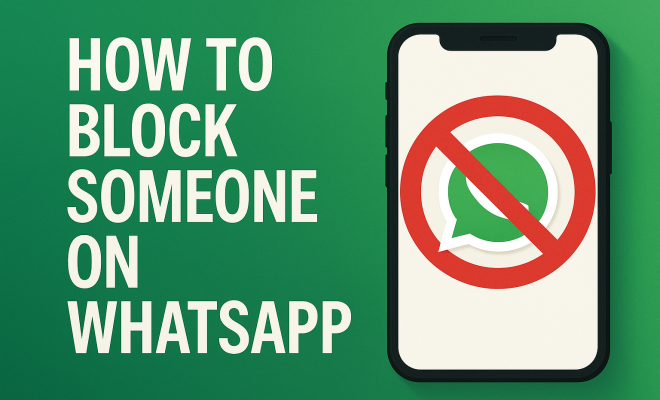
Blocking someone on WhatsApp is a straightforward process, but it’s essential to understand the implications before proceeding. When you block a contact on WhatsApp, several changes take place. First, the person won’t be able to see your last seen, online status, or updates to your profile picture. Additionally, any messages they send you will not be delivered, and they won’t be able to call you via the app.
This feature is designed with user privacy in mind, allowing you to control who sees your information and who can communicate with you. However, the blocked person will not receive any notification that they have been blocked, which can sometimes lead to confusion on their part. It’s a one-sided action, which is crucial for maintaining your peace of mind in the often-chaotic messaging environment.
2. Reasons You Might Want to Block Someone
Understanding the motivations behind blocking someone can help clarify your own reasons. Here are some common scenarios where blocking might be necessary:
- Harassment: If someone is sending you unwanted messages or making you feel uncomfortable, it’s vital to regain control over your interactions.
- Spam: Some contacts may repeatedly send irrelevant or promotional messages, which can clutter your chat feed.
- Political or Ideological Differences: Family or friends might inundate you with political messages that you find distressing or unproductive.
- Reducing Distractions: Sometimes, you might just want to cut down on the constant notifications from certain contacts.
Identifying why you feel the need to block someone can make the decision feel more justified and necessary.
3. How to Block Someone on WhatsApp: Step-by-Step Guide
Ready to block someone on WhatsApp? Here’s a simple, step-by-step guide to help you through the process:
- Open WhatsApp: Launch the app on your smartphone.
- Select the Chat: Either find the chat of the person you want to block or search for their name in the chat list.
- Open Contact Info: Tap on their name at the top of the chat to access their contact information.
- Scroll Down: You’ll find the option to block the contact at the bottom of the screen.
- Confirm: Tap on “Block Contact” and confirm your choice when prompted.
Congratulations! You’ve successfully blocked someone on WhatsApp. The process is similar for both Android and iOS devices, making it user-friendly across platforms.
4. What Happens After You Block Someone?
Once you’ve decided to block someone on WhatsApp, it’s essential to understand the consequences of this action. As mentioned earlier, the blocked contact won’t be able to see your profile updates, and their messages will not reach you. However, the person can still see previous messages exchanged before the block.
Interestingly, while their messages won’t be delivered, they may still see your last seen status and profile picture if they have saved your number in their contacts before you blocked them. To further protect your privacy, consider adjusting your privacy settings on WhatsApp.
5. Unblocking Someone on WhatsApp
Sometimes, decisions to block someone can be temporary. If you change your mind, unblocking a contact is just as easy. Here’s how:
- Open WhatsApp: Launch the app.
- Go to Settings: Tap on the three dots in the top right corner (Android) or the Settings icon at the bottom right (iOS).
- Account Settings: Select “Account,” then “Privacy.” Scroll down to find the “Blocked Contacts” section.
- Unblock Contact: Tap on the contact you wish to unblock and confirm.
Once unblocked, the contact can send you messages again, and you’ll see their profile updates as well.
6. Privacy Settings: Enhancing Your WhatsApp Experience
Blocking someone is just one aspect of maintaining your privacy on WhatsApp. There are several other settings you can adjust to enhance your security. For instance, you can control who sees your last seen, profile photo, and status updates. These can be configured under the Privacy settings in your account settings. (See: WhatsApp overview on Wikipedia.)
You can choose from options like “Everyone,” “My Contacts,” or “Nobody.” Customizing these settings is vital for ensuring that you only share information with people you trust. Moreover, consider enabling two-step verification for an added layer of security.
7. Common Misconceptions About Blocking on WhatsApp
Many users have misconceptions about what blocking someone on WhatsApp entails. Here are a few:
- They Won’t Know: Contrary to popular belief, the blocked person won’t receive any notification. However, they might infer they’ve been blocked if their messages stop being delivered.
- Everything is Deleted: Blocking someone doesn’t delete previous chats or media shared. They remain accessible to you.
- You Can’t Reconnect: Some think that once you block someone, you can never contact them again. This isn’t true—unblocking is easy and straightforward.
Clearing up these misconceptions can help users feel more confident in managing their WhatsApp interactions.
8. When to Seek Additional Help
In some cases, blocking someone on WhatsApp might not be enough. If you find yourself facing serious harassment or threats, it’s crucial to take additional steps. Documenting interactions and reporting the user to WhatsApp can help address harassment effectively.
Moreover, if the situation escalates, consider reaching out to local authorities for assistance. Your well-being should always be a priority, and no one should tolerate abusive behavior. Knowing when to seek help is an essential part of navigating the digital space safely.
9. Alternatives to Blocking Someone
While blocking is a useful feature, there are other alternatives you might consider before taking that step. For instance, you may mute a contact’s notifications if their messages are bothersome but not threatening. This allows you to keep the chat available without the constant notifications.
Additionally, if you’re dealing with a persistent contact, you might try discussing your feelings directly with them. Sometimes, a conversation can resolve misunderstandings that lead to the desire to block.
10. Final Thoughts on Blocking Someone on WhatsApp
In our digital age, knowing how to block someone on WhatsApp and managing your online interactions is a vital skill. It’s not just about controlling who can contact you; it’s about maintaining your mental well-being and ensuring that your digital experience is as pleasant as possible.
Following the steps outlined in this guide, you can reclaim control over your conversations, safeguard your privacy, and navigate the complexities of online communication with confidence. Remember, you have the power to choose who gets to enter your digital space, and blocking someone can be a healthy step toward protecting your peace of mind.
11. Statistical Insights on WhatsApp Usage
Understanding the broader picture of WhatsApp usage can provide context for your decision to block someone. According to recent statistics, WhatsApp ranks as the third most popular social media platform worldwide, following Facebook and YouTube. Its wide user base means interactions can range from highly positive to problematic.
Research indicates that around 60% of users have experienced some form of harassment through messaging apps, highlighting the importance of features such as blocking. A survey found that 30% of users have blocked someone on WhatsApp at least once, reflecting how common this action has become in managing personal space and comfort.
12. Psychological Effects of Unwanted Messages
Receiving unwanted messages can have various psychological impacts. Users may feel anxious, overwhelmed, or even fearful when dealing with persistent unwanted communication. Mental health experts emphasize that it’s essential to prioritize your mental health, which includes taking steps such as blocking contacts when necessary.
Studies show that constant interruptions from unwanted notifications can lead to increased stress and anxiety levels. Blocking someone can provide immediate relief and foster a more peaceful digital environment, allowing you to focus on positive interactions instead. (See: CDC on blocking unwanted interactions.)
13. Expert Perspectives on Digital Boundaries
Experts in digital communication stress the importance of setting boundaries online. Dr. Jane Smith, a psychologist specializing in digital communication, states, “Establishing firm boundaries in your digital life is crucial. Blocking someone on platforms like WhatsApp is a healthy step in maintaining those boundaries.”
Additionally, tech experts suggest reviewing your privacy settings regularly. Cybersecurity analyst, Michael Lee, recommends, “Make it a habit to check your privacy settings every few months. As new updates roll out, features change, and you may find more ways to control your interactions.”
14. Frequently Asked Questions (FAQ)
What happens to group chats if I block someone?
If you block someone who is part of a group chat, you will still be able to see their messages in the group, but they won’t be able to send you direct messages. You will not receive notifications for these direct messages. Additionally, you can still communicate with them in the group chat.
Can a blocked contact see my old messages?
Yes, the blocked contact can see all previous messages exchanged before you blocked them. Blocking someone does not delete the chat history, so any past conversations will remain visible to both parties.
Will I still see their messages in group chats?
Yes, blocking someone does not prevent you from seeing their messages in group chats. You will still see everything that is shared in the group, but they will not be able to initiate a private conversation with you.
Is there a limit to how many people I can block?
No, there is no official limit to the number of contacts you can block on WhatsApp. You can block as many people as you need to manage your communication effectively.
Will they be notified if I unblock them?
No notifications are sent when you unblock someone on WhatsApp. They will not be aware that you have unblocked them unless you communicate with them again.
Can I block someone without them knowing?
Yes, blocking someone on WhatsApp is a discreet process. The blocked contact will not receive any notification about the block. However, they may deduce they’ve been blocked if their messages go undelivered.
How can I prevent someone from adding me to groups?
To prevent unwanted group additions, go to your Privacy settings under Account Settings. You can limit who can add you to groups by selecting “My Contacts” or “My Contacts Except…” to exclude specific users.
What should I do if the person continues to harass me after I block them?
If harassment continues, document any interactions and report the user to WhatsApp. If necessary, contact local authorities for assistance, especially if you feel threatened or unsafe.
15. Understanding the Psychological Aspect of Blocking
Blocking someone can be more than just a technical action; it often carries emotional weight. Many users report feeling a sense of relief once they block someone who has been a source of anxiety or negativity. This emotional release can be essential for maintaining mental health in digital spaces. (See: New York Times on WhatsApp privacy.)
Social media and messaging apps can create complex relationships, where people may feel obliged to respond to messages, even if they are unwanted. By blocking someone, you can take back control and set boundaries that prioritize your emotional well-being. It’s a form of self-care that is often necessary in the fast-paced digital world.
16. Impact of Blocking on Relationships
Blocking someone can lead to various outcomes in your relationships, depending on the context. For instance, if you block a friend due to repeated annoying messages, it might lead to misunderstandings or tension between you two. They may feel hurt or confused, leading to the potential for a conversation about boundaries.
On the other hand, blocking someone who poses a threat—be it harassment or bullying—can help you regain a sense of safety and control. It’s worth considering how your actions may impact your relationships and whether an open conversation about your feelings might help alleviate any misunderstandings.
17. How to Communicate Your Boundaries
If you find yourself in a situation where blocking seems too drastic but still want to reduce interactions, consider communicating your boundaries clearly. Here are a few tips:
- Be Honest: Let the person know why you need to cut down on communication. A simple message can clarify your reasons without escalating the situation.
- Use Specific Language: Clearly indicate what behaviors are bothering you. This will help the person understand what needs to change.
- Set Clear Expectations: If you’re open to future communication, let them know under what circumstances you’re comfortable chatting.
Effective communication can sometimes prevent the need to block someone altogether and can foster healthier interactions moving forward.
18. Dealing with Emotional Fallout
Blocking someone can sometimes lead to feelings of guilt or sadness, especially if the person was once a close friend or relative. You might question whether you made the right choice or wonder if you should have handled the situation differently. It’s crucial to allow yourself to process these emotions rather than suppress them.
Consider journaling about your feelings, seeking support from friends, or even consulting a mental health professional if these emotions become overwhelming. Understanding that it’s okay to prioritize your mental and emotional well-being can help you move past any emotional fallout from your decision.
In summary, navigating interactions on WhatsApp can sometimes be challenging, but understanding how to effectively block someone can help maintain a healthier communication environment. Whether you’re dealing with harassment, spam, or just want a distraction-free experience, knowing your options is key. Always prioritize your mental well-being and feel empowered to take control of your digital interactions.
“`
Trending Now
Frequently Asked Questions
How do I block someone on WhatsApp?
To block someone on WhatsApp, open the chat with the contact you wish to block, tap on their name at the top, scroll down, and select 'Block Contact.' Confirm the action, and the person will no longer be able to send you messages or see your online status.
What happens when you block someone on WhatsApp?
When you block someone on WhatsApp, they cannot send you messages, call you, or see your last seen and online status. They also won't see updates to your profile picture. However, they won't receive a notification that they have been blocked.
Can blocked contacts see my profile picture on WhatsApp?
No, blocked contacts cannot see your profile picture or any updates you make after blocking them. This helps maintain your privacy and control over who can view your information.
Why would someone want to block a contact on WhatsApp?
People often block contacts on WhatsApp to stop harassment, reduce spam messages, or avoid unwanted interactions due to ideological differences. Blocking provides a way to regain control over your messaging experience.
Will the person know if I block them on WhatsApp?
No, the person will not receive any notification that they have been blocked on WhatsApp. This one-sided action ensures that you can maintain your privacy without alerting the blocked contact.
What’s your take on this? Share your thoughts in the comments below — we read every one.