How to block number on iPhone
“`html
1. Understanding the Need to Block Numbers
In a world where communication is instantaneous, unwanted calls and messages can be a significant source of frustration. Whether it’s persistent telemarketers, annoying robocalls, or an ex who just won’t take the hint, knowing how to block a number on iPhone can save you from these disturbances. Unwanted calls can disrupt your day, invade your privacy, and even lead to unwanted conversations that you’d rather avoid entirely.
Blocking numbers on your iPhone isn’t just about finding peace; it’s also about controlling your digital environment. As we rely more on our smartphones for personal and professional communication, managing who can reach us is essential. The iPhone offers several user-friendly methods to block unwanted callers, allowing you to take charge of your communication.
2. Built-in Features for Blocking Numbers
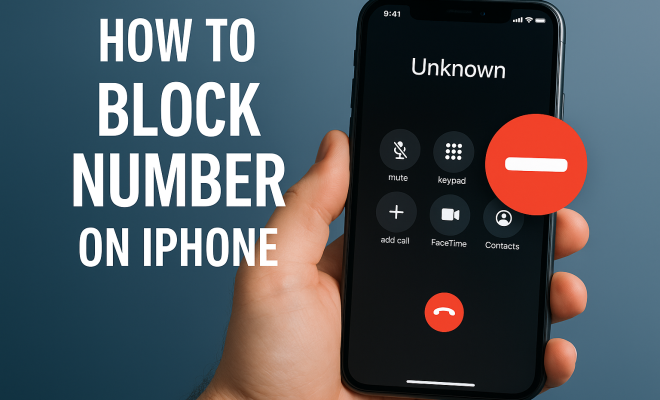
Apple has integrated various features in the iPhone to help users block numbers seamlessly. The most direct method is through the Phone app. Here’s how it works: When you receive a call from a number you want to block, you can easily add that number to your blocked list. This method is straightforward and effective, ensuring that the blocked number cannot contact you again.
Additionally, you can also block numbers from your recent call list. After viewing your call history, simply tap the “i” icon next to the number you wish to block, scroll down, and tap “Block this Caller.” This feature ensures that blocking a number is quick and efficient, catering to users who might be dealing with a barrage of unwanted communications.
3. Blocking Numbers via Text Messages
Text messages can be just as intrusive as phone calls, especially when they come from numbers you don’t recognize. Fortunately, blocking a number from your Messages app is just as easy as blocking a caller. When you receive an unwanted text, simply open the conversation, tap on the sender’s name or number at the top of the screen, then tap the “info” icon. From there, you’ll see the option to “Block this Caller.”
This method is particularly useful for those who may receive spam messages or unwanted communications from unknown numbers. Blocking through the Messages app helps to ensure that your message inbox remains clutter-free and that you’re not overwhelmed by unwanted texts.
4. Using Do Not Disturb for Enhanced Control
If you’re looking for an even broader approach to managing who can contact you, consider using the Do Not Disturb feature on your iPhone. This feature allows you to silence calls, alerts, and notifications while your phone is locked. However, you can customize the settings to allow calls from only your contacts or favorites, thereby blocking any unknown numbers without having to block them individually.
To activate Do Not Disturb, go to Settings, tap on “Do Not Disturb,” and customize your preferences. This feature can be especially handy during meetings, family time, or when you’re simply trying to enjoy some peace and quiet without constant interruptions.
5. Blocking Contacts through Settings
If you have multiple contacts to block, doing so through the Settings app can be the most efficient way. Navigate to Settings, scroll down to “Phone,” then tap on “Blocked Contacts.” Here, you can add new numbers directly to your blocked list. This centralized approach is not only convenient but also ensures you can manage all your blocked contacts in one place. (See: how to block telemarketers effectively.)
To add a number, tap “Add New,” search for the contact you wish to block, and confirm. This method is particularly useful for users who find themselves dealing with numerous unwanted contacts, ensuring that your phone remains a tool for connection rather than a source of stress.
6. Managing Blocked Numbers: What Happens When You Block a Number?
Understanding what happens when you block a number on your iPhone can help you feel more confident about using this feature. When you block a number, the caller is unable to reach you through calls, texts, or FaceTime. They won’t receive any indication that they’ve been blocked; instead, their calls will go directly to your voicemail, which you can choose to ignore.
It’s essential to note that blocking a number doesn’t delete the communication history. You can still see missed calls and texts from blocked numbers in your call log; they just won’t reach you. This feature allows you to maintain a record of who has tried to contact you, should you need it in the future.
7. Additional Tips for Managing Unwanted Communications
While knowing how to block a number on iPhone is vital, there are additional strategies to further manage unwanted calls and messages. You might consider utilizing third-party applications that specialize in call and message blocking. These apps can identify spam calls and warn you before you answer them, adding an extra layer of protection against unsolicited communications.
Furthermore, regularly reviewing your blocked contacts list can help you stay organized. If you find that you no longer need to block certain numbers, you can easily unblock them through the same settings. Staying proactive about your communication preferences ensures that your iPhone serves as a productive tool rather than a source of annoyance.
8. Why You Should Consider Blocking Numbers
Blocking numbers isn’t just a matter of annoyance; it can also have serious implications for your mental well-being. Studies show that constant interruptions from unwanted messages and calls can lead to increased stress and decreased productivity. By taking this simple step, you’re not only protecting your peace but also enhancing your overall quality of life.
It’s also worth noting the role of mental health in today’s fast-paced society. Research indicates that managing digital communication effectively can reduce feelings of anxiety and overwhelm. When you can control who reaches you, it can create a more serene and focused environment, allowing you to engage fully in your personal and professional life.
9. Statistics on Unwanted Calls
According to the Federal Communications Commission (FCC), Americans received over 48 billion robocalls in 2018 alone. That number has continued to rise, with millions of complaints filed regarding unwanted communications. Such statistics highlight the importance of knowing how to effectively manage and block unwanted contact.
Furthermore, a survey conducted by YouMail indicated that in 2020, Americans received an average of 14 spam calls per month. This overwhelming amount of unsolicited calls underscores the necessity for effective blocking mechanisms like those found on the iPhone.
10. Expert Perspectives on Phone Etiquette
Communication experts emphasize the importance of setting boundaries in our digital lives. Dr. Karen Swanson, a psychologist specializing in digital communication, states, “It’s crucial to establish boundaries with communication technologies. This not only protects your time but also fosters healthier relationships.” By blocking unwanted numbers, you’re taking a key step toward establishing those boundaries.
Additionally, tech experts recommend regularly reviewing your blocked contacts list and keeping your communication preferences updated. “Your phone should serve you, not the other way around,” says tech analyst Sam Rivera. “If a number is bothering you enough to consider blocking it, don’t hesitate. It’s your device, and you should control it.” (See: FTC's guide on blocking unwanted calls.)
11. FAQs About Blocking Numbers on iPhone
Can I block numbers without the person knowing?
Yes, when you block a number on your iPhone, the caller will not receive any notification that they’ve been blocked. They will simply be unable to contact you through calls, texts, or FaceTime.
What happens to my missed calls from blocked numbers?
Missed calls from blocked numbers will still appear in your recent calls list. However, you won’t receive any notifications for calls or texts from those numbers.
Can blocked numbers leave voicemail?
Blocked callers can still leave voicemails, but these will be placed in a separate folder, which you can review if needed.
Is there a limit to how many numbers I can block?
No, there is no specific limit on how many numbers you can block on your iPhone. You can block as many numbers as you need to maintain your peace.
Can I unblock a number easily?
Absolutely! You can unblock a number by going to Settings, then Phone, and accessing the Blocked Contacts list. From there, you can easily remove numbers from the blocked list.
Do blocking options vary by iPhone model?
Generally, the blocking features remain consistent across iPhone models. However, newer models may include additional features or updates that enhance the blocking experience.
12. Understanding Spam and Scams
In addition to blocking numbers, it’s crucial to be aware of the types of spam and scams that are prevalent today. These can range from phishing attempts, where scammers try to gain personal information, to aggressive telemarketing tactics. Recognizing what constitutes these unwanted communications can help you make informed decisions about when to block a number.
For instance, if you receive a call claiming to be from your bank asking for personal details, it’s essential to hang up and contact your bank directly using a number you trust. This will help protect your sensitive information and ensure you’re not falling victim to a scam.
13. Maintaining Your Privacy
Blocking numbers is an essential step in maintaining your privacy. When you block a number, you’re not just preventing unwanted contact; you’re actively protecting your personal space. In a time when data breaches and privacy concerns are prevalent, controlling who can communicate with you is paramount.
Consider using privacy settings on your iPhone to further enhance your security. Features like hiding your caller ID can deter unwanted callers, as many spam calls rely on the idea that people will answer if they see a number on their screen. By masking your number, you might avoid unwanted outreach in the first place.
14. Utilizing Third-Party Applications
While iPhone’s built-in features are robust, there are numerous third-party applications that can help you manage unwanted calls and texts even more effectively. Apps like Truecaller, Hiya, and RoboKiller offer advanced features to identify and block spam calls in real time. These platforms utilize large databases of known spam numbers, improving their effectiveness over time.
For instance, RoboKiller uses machine learning to identify spam and robocalls, blocking them before your phone even rings. These apps can further enhance your ability to maintain a peaceful communication environment.
15. Taking Actions Against Persistent Spam
If you find yourself facing persistent spam calls from the same numbers, consider reporting them. In the United States, you can file a complaint with the Federal Trade Commission (FTC) to alert authorities about troublesome numbers. Reporting spam not only helps protect you but also assists in the fight against widespread scams and spam operations.
16. Conclusion: Take Control of Your Communication
Learning how to block a number on your iPhone is a simple yet powerful way to take back control of your communication. With these built-in features and tips, you can ensure that your device remains a haven of productivity and peace. Remember, it’s not just about blocking unwanted calls; it’s about creating a digital environment that works for you.
By actively managing who can contact you, you can enhance your productivity and reduce the stress that often accompanies unwanted communications. Embrace these tools, and reclaim your peace of mind in today’s fast-paced digital world.
“`
Trending Now
Frequently Asked Questions
How do I block a number on my iPhone?
To block a number on your iPhone, open the Phone app, find the number you want to block in your call history, tap the 'i' icon, scroll down, and select 'Block this Caller.' This will prevent the blocked number from contacting you again.
Can I block numbers from text messages on iPhone?
Yes, you can block numbers from text messages on your iPhone. Open the Messages app, select the conversation with the unwanted sender, tap their name or number at the top, and choose 'Block this Caller' to stop receiving messages from them.
What happens when you block a number on iPhone?
When you block a number on your iPhone, calls and messages from that number will no longer come through. The blocked caller will not be notified that they have been blocked and will go straight to voicemail if they try to call.
How to unblock a number on iPhone?
To unblock a number on your iPhone, go to Settings, tap on Phone, then Blocked Contacts. Find the number you want to unblock, swipe left on it, and select 'Unblock' to allow calls and messages from that contact again.
Why should I block unwanted numbers on my iPhone?
Blocking unwanted numbers on your iPhone helps reduce interruptions from telemarketers, robocalls, or unwanted contacts. It allows you to regain control over your communications and maintain your privacy without distractions.
What did we miss? Let us know in the comments and join the conversation.