The Tech Edvocate

Top Menu

  • Advertisement
  • Apps
  • Home Page
  • Home Page Five (No Sidebar)
  • Home Page Four
  • Home Page Three
  • Home Page Two
  • Home Tech2
  • Icons [No Sidebar]
  • Left Sidbear Page
  • Lynch Educational Consulting
  • My Account
  • My Speaking Page
  • Newsletter Sign Up Confirmation
  • Newsletter Unsubscription
  • Our Brands
  • Page Example
  • Privacy Policy
  • Protected Content
  • Register
  • Request a Product Review
  • Shop
  • Shortcodes Examples
  • Signup
  • Start Here
    • Governance
    • Careers
    • Contact Us
  • Terms and Conditions
  • The Edvocate
  • The Tech Edvocate Product Guide
  • Topics
  • Write For Us
  • Advertise

Main Menu

  • Start Here
    • Our Brands
    • Governance
      • Lynch Educational Consulting, LLC.
      • Dr. Lynch’s Personal Website
      • Careers
    • Write For Us
    • The Tech Edvocate Product Guide
    • Contact Us
    • Books
    • Edupedia
    • Post a Job
    • The Edvocate Podcast
    • Terms and Conditions
    • Privacy Policy
  • Topics
    • Assistive Technology
    • Child Development Tech
    • Early Childhood & K-12 EdTech
    • EdTech Futures
    • EdTech News
    • EdTech Policy & Reform
    • EdTech Startups & Businesses
    • Higher Education EdTech
    • Online Learning & eLearning
    • Parent & Family Tech
    • Personalized Learning
    • Product Reviews
  • Advertise
  • Tech Edvocate Awards
  • The Edvocate
  • Pedagogue
  • School Ratings

logo

The Tech Edvocate

  • Start Here
    • Our Brands
    • Governance
      • Lynch Educational Consulting, LLC.
      • Dr. Lynch’s Personal Website
        • My Speaking Page
      • Careers
    • Write For Us
    • The Tech Edvocate Product Guide
    • Contact Us
    • Books
    • Edupedia
    • Post a Job
    • The Edvocate Podcast
    • Terms and Conditions
    • Privacy Policy
  • Topics
    • Assistive Technology
    • Child Development Tech
    • Early Childhood & K-12 EdTech
    • EdTech Futures
    • EdTech News
    • EdTech Policy & Reform
    • EdTech Startups & Businesses
    • Higher Education EdTech
    • Online Learning & eLearning
    • Parent & Family Tech
    • Personalized Learning
    • Product Reviews
  • Advertise
  • Tech Edvocate Awards
  • The Edvocate
  • Pedagogue
  • School Ratings
  • Why Millions Are Ditching Degrees for These Microcredential Programs

  • The Astonishing Truth: Why Microcredentials Could Be Your Career’s Secret Weapon

  • Why Employers Are Paying 15% More for This One Credential – Not Your Degree

  • 7 Critical Steps to Safeguard Students When Implementing AI in Your Classroom

  • The Astonishing Truth: Your School’s Data Security Might Be a Time Bomb – 7 LMS Platforms That Are Actually Safe for K-12

  • The Troubling Truth: AI in Education Could Be Compromising Your Child’s Privacy

  • Revealed: The Brutal Truth About IronCircle vs Other Cybersecurity Boot Camps

  • This One Thing About University Boot Camps Is Infuriating — Don’t Fall For It

  • Revealed: The Brutal Truth About University Boot Camp Debt

  • Revealed: The 7 Tools EdTech Pros Are Using to Dominate Remote Work in 2026

Digital & Mobile Technology
Home›Digital & Mobile Technology›Dark Windows Themes & Skins to Reduce Eye Strain

Dark Windows Themes & Skins to Reduce Eye Strain
By Matthew Lynch
June 12, 2023
0
Spread the love

Spending extended periods in front of your screen can cause eye strain and fatigue, leading to headaches, blurriness, dryness, and even long-term vision problems.

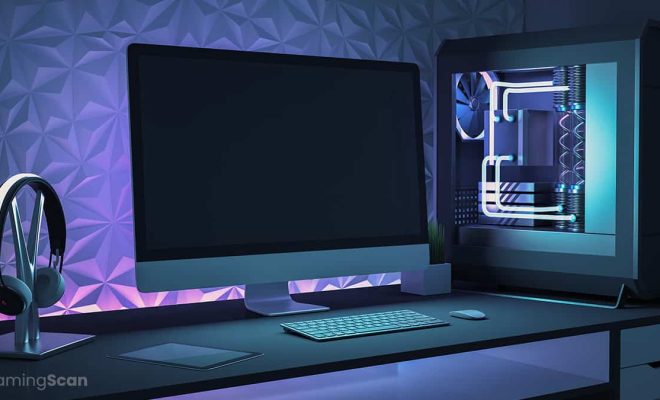
One possible solution is using dark windows themes and skins. These can help reduce glare and brightness, making it easier on your eyes, especially if you tend to work in low-light environments.

Here are some popular dark windows themes and skins that you can try:

1. Dark Theme for Windows 10

Windows 10 comes with a built-in dark theme that you can activate under Settings > Personalization > Colors. It makes the taskbar, start menu, and other elements darker, reducing the amount of white light that hits your eyes. You can pair it with dark mode in apps like Chrome, Visual Studio Code, and more.

2. Gray10

Gray10 is a free dark theme for Windows 10 that features a minimalist, flat design with gray and black colors. It works well for productivity apps like Word, Excel, or PowerPoint, but it may not look the best on multimedia software with vibrant colors.

3. Nocturnal W10

Nocturnal W10 is another free dark windows theme for Windows 10 that emphasizes blue tones, making it easy on the eyes during nighttime. It has a nice blend of dark and light elements, providing contrast and readability without being too harsh on your retinas.

4. High Contrast Theme

If you have trouble seeing small text or icons on your screen, the High Contrast theme may help. It’s a built-in Windows theme that replaces most colors with black and white or high-contrast hues, providing an easy-to-read display.

5. Stardock Fences

Stardock Fences is not exactly a dark theme, but it lets you organize your desktop icons and files in a clutter-free way. You can create fenced areas to group related items, and adjust the transparency, color, and look of the fences to match your preferences.

Conclusion

Using dark windows themes and skins can be a simple and effective way to prevent eye strain and improve your visual comfort. These themes reduce brightness, glare, and blue light emissions, promoting better sleep and less visual fatigue. Try them out and find the ones that work best for you.


Previous Article

What Are Browser-Based Tools and Applications?

Next Article

How to Convert Legacy BIOS to UEFI ...

Matthew Lynch

Related articles More from author

  • Digital & Mobile Technology

    How to Restore the Factory Settings in XP Without a CD

    May 5, 2023
    By Matthew Lynch
  • Digital & Mobile Technology

    How to Set Live Wallpapers & Animated Desktop Backgrounds in Windows 10

    June 6, 2023
    By Matthew Lynch
  • Digital & Mobile Technology

    Correct Poor White Balance in Photos With GIMP

    July 4, 2023
    By Matthew Lynch
  • Digital & Mobile Technology

    How to Fix It When a Lenovo Laptop Camera Is Not Working

    June 12, 2023
    By Matthew Lynch
  • Digital & Mobile Technology

    The Best Apps for Car Maintenance and Tips

    June 12, 2023
    By Matthew Lynch
  • Digital & Mobile Technology

    How to Protect Your Snapchat Posts With “My Eyes Only”

    September 8, 2023
    By Matthew Lynch

Search

Login & Registration

  • Log in
  • Entries feed
  • Comments feed
  • WordPress.org

Newsletter

Signup for The Tech Edvocate Newsletter and have the latest in EdTech news and opinion delivered to your email address!

About Us

Since technology is not going anywhere and does more good than harm, adapting is the best course of action. That is where The Tech Edvocate comes in. We plan to cover the PreK-12 and Higher Education EdTech sectors and provide our readers with the latest news and opinion on the subject. From time to time, I will invite other voices to weigh in on important issues in EdTech. We hope to provide a well-rounded, multi-faceted look at the past, present, the future of EdTech in the US and internationally.

We started this journey back in June 2016, and we plan to continue it for many more years to come. I hope that you will join us in this discussion of the past, present and future of EdTech and lend your own insight to the issues that are discussed.

Newsletter

Signup for The Tech Edvocate Newsletter and have the latest in EdTech news and opinion delivered to your email address!

Contact Us

The Tech Edvocate
910 Goddin Street
Richmond, VA 23231
(601) 630-5238
[email protected]

Copyright © 2026 Matthew Lynch. All rights reserved.