The Tech Edvocate

Top Menu

  • Advertisement
  • Apps
  • Home Page
  • Home Page Five (No Sidebar)
  • Home Page Four
  • Home Page Three
  • Home Page Two
  • Home Tech2
  • Icons [No Sidebar]
  • Left Sidbear Page
  • Lynch Educational Consulting
  • My Account
  • My Speaking Page
  • Newsletter Sign Up Confirmation
  • Newsletter Unsubscription
  • Our Brands
  • Page Example
  • Privacy Policy
  • Protected Content
  • Register
  • Request a Product Review
  • Shop
  • Shortcodes Examples
  • Signup
  • Start Here
    • Governance
    • Careers
    • Contact Us
  • Terms and Conditions
  • The Edvocate
  • The Tech Edvocate Product Guide
  • Topics
  • Write For Us
  • Advertise

Main Menu

  • Start Here
    • Our Brands
    • Governance
      • Lynch Educational Consulting, LLC.
      • Dr. Lynch’s Personal Website
      • Careers
    • Write For Us
    • The Tech Edvocate Product Guide
    • Contact Us
    • Books
    • Edupedia
    • Post a Job
    • The Edvocate Podcast
    • Terms and Conditions
    • Privacy Policy
  • Topics
    • Assistive Technology
    • Child Development Tech
    • Early Childhood & K-12 EdTech
    • EdTech Futures
    • EdTech News
    • EdTech Policy & Reform
    • EdTech Startups & Businesses
    • Higher Education EdTech
    • Online Learning & eLearning
    • Parent & Family Tech
    • Personalized Learning
    • Product Reviews
  • Advertise
  • Tech Edvocate Awards
  • The Edvocate
  • Pedagogue
  • School Ratings

logo

The Tech Edvocate

  • Start Here
    • Our Brands
    • Governance
      • Lynch Educational Consulting, LLC.
      • Dr. Lynch’s Personal Website
        • My Speaking Page
      • Careers
    • Write For Us
    • The Tech Edvocate Product Guide
    • Contact Us
    • Books
    • Edupedia
    • Post a Job
    • The Edvocate Podcast
    • Terms and Conditions
    • Privacy Policy
  • Topics
    • Assistive Technology
    • Child Development Tech
    • Early Childhood & K-12 EdTech
    • EdTech Futures
    • EdTech News
    • EdTech Policy & Reform
    • EdTech Startups & Businesses
    • Higher Education EdTech
    • Online Learning & eLearning
    • Parent & Family Tech
    • Personalized Learning
    • Product Reviews
  • Advertise
  • Tech Edvocate Awards
  • The Edvocate
  • Pedagogue
  • School Ratings
  • Republic TV Live Broadcast: A Snapshot of Global Events on March 16, 2026

  • Switzerland’s Surprising Decision Sends Shockwaves Through U.S. Military Strategy

  • Tragic Death of Afghan Asylum-Seeker Highlights Concerns Over ICE Custody

  • Tensions Escalate: U.S. Officials Anticipate Swift Conclusion to Iran Conflict as Tehran Remains Resolute

  • The Sun’s Journey: How It and Its Twins Escaped the Galactic Core

  • NASA’s Artemis II Moon Rocket Returns to VAB for Critical Repairs Ahead of Historic Lunar Mission

  • Unveiling the Brightest Fast Radio Burst: A New Chapter in Cosmic Exploration

  • Exploring the Spanish Dancer Galaxy: NGC 1566 and Its Cosmic Wonders

  • Exploring the Evening Sky: Canis Minor and Cosmic Alignments for March 16, 2026

  • Feathers and Fame: A Look at the 2026 Oscars Red Carpet Phenomenon

Digital & Mobile Technology
Home›Digital & Mobile Technology›Best Ways to Take Screenshots on Android Phones

Best Ways to Take Screenshots on Android Phones
By Matthew Lynch
August 5, 2023
0
Spread the love

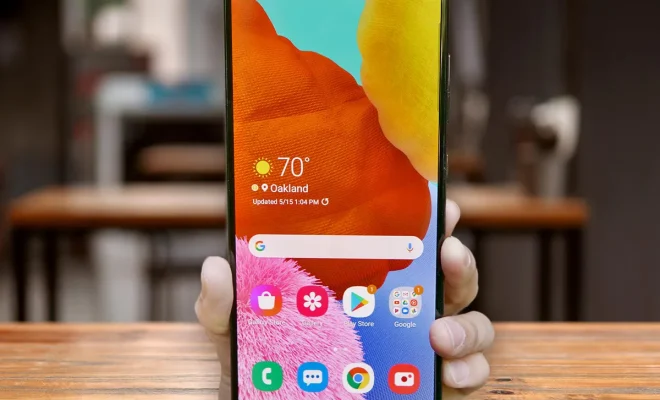
Taking screenshots on Android phones is an essential feature that allows users to capture what’s on their screen at any given time. From important messages to memes, screenshots can be used for a variety of purposes. However, not everyone knows the best ways to take screenshots on their Android phones. Here are some of the best ways to take screenshots on Android phones.

1. Using the Device’s Built-In Functionality

Most Android devices come with a built-in screenshot functionality that you can use to capture images of your phone screen. To use this feature, find the power button and the volume down button on your phone. Press the power and volume down buttons simultaneously for a few seconds until you hear a sound or see an animation. The screenshot will then automatically be saved to your photo gallery.

2. Using a Third-Party App

If your Android phone doesn’t have built-in screenshot functionality, or if you prefer a more advanced screenshot functionality, you can use third-party apps. There are many screenshot apps available in the Google Play Store, such as Screenshot Easy and Screenshot Touch. These apps allow you to capture screenshots that you can edit and save in various formats.

3. Using Google Assistant

If you have Google Assistant enabled on your device, you can use it to take screenshots. To do this, say “Hey Google” or press the Google Assistant button on your device, then say “Take a screenshot.” You’ll hear a sound, and a screenshot will be saved to your photo gallery.

4. Using Gestures

Some Android devices also offer gesture-based screenshot functionality. For example, on Samsung devices, you can take a screenshot by swiping your palm across the screen. On OnePlus devices, you can take a screenshot by drawing an “O” on the screen with your finger. To see if your device has gesture-based screenshot functionality, check the settings or user manual.

Previous Article

Best Free Music Download Sites to Legally ...

Next Article

Best Free Movie Apps to Watch Movies ...

Matthew Lynch

Related articles More from author

  • Digital & Mobile Technology

    Really Useful Google Widgets to Add to Your Android Home Screen

    June 14, 2023
    By Matthew Lynch
  • Digital & Mobile Technology

    Should You Buy an iPhone From Apple or Your Carrier?

    August 5, 2023
    By Matthew Lynch
  • Digital & Mobile Technology

    Reasons Why You Shouldn’t Use Spotify

    June 14, 2023
    By Matthew Lynch
  • Digital & Mobile Technology

    What Is POST (Power-on Self Test)?

    June 22, 2023
    By Matthew Lynch
  • Digital & Mobile Technology

    How to Fix Sleep Mode Not Working on Windows

    May 28, 2023
    By Matthew Lynch
  • Digital & Mobile Technology

    How to Force-Quit or Close an iPad App

    June 3, 2023
    By Matthew Lynch

Search

Login & Registration

  • Register
  • Log in
  • Entries feed
  • Comments feed
  • WordPress.org

Newsletter

Signup for The Tech Edvocate Newsletter and have the latest in EdTech news and opinion delivered to your email address!

About Us

Since technology is not going anywhere and does more good than harm, adapting is the best course of action. That is where The Tech Edvocate comes in. We plan to cover the PreK-12 and Higher Education EdTech sectors and provide our readers with the latest news and opinion on the subject. From time to time, I will invite other voices to weigh in on important issues in EdTech. We hope to provide a well-rounded, multi-faceted look at the past, present, the future of EdTech in the US and internationally.

We started this journey back in June 2016, and we plan to continue it for many more years to come. I hope that you will join us in this discussion of the past, present and future of EdTech and lend your own insight to the issues that are discussed.

Newsletter

Signup for The Tech Edvocate Newsletter and have the latest in EdTech news and opinion delivered to your email address!

Contact Us

The Tech Edvocate
910 Goddin Street
Richmond, VA 23231
(601) 630-5238
[email protected]

Copyright © 2025 Matthew Lynch. All rights reserved.