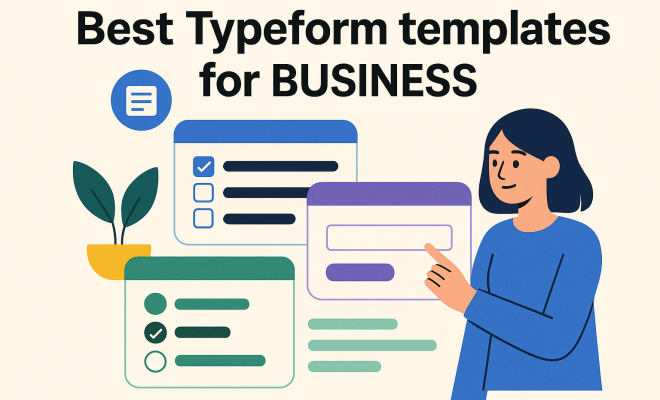
Best Typeform templates for business
“`html
When you’re running a business, getting meaningful data from your customers, clients, or even your own team can feel like pulling teeth. Traditional surveys often suffer from dismal completion rates and leave respondents feeling like they’ve just filled out another tedious tax form. This is where Typeform steps in, completely changing the game. Known for its elegant, one-question-at-a-time interface, Typeform transforms mundane data collection into an engaging conversation. It’s not just about collecting answers; it’s about crafting an experience that encourages participation and delivers richer insights.
But building a great Typeform from scratch can still take time. That’s why leveraging Typeform templates for business is such a powerful strategy. These pre-designed forms aren’t just pretty faces; they’re meticulously crafted by experts to address common business needs, from gathering feedback to generating leads. They provide a solid foundation, saving you countless hours of design and setup, while ensuring your data collection efforts are professional, effective, and, most importantly, user-friendly. Let’s dive into some of the most impactful Typeform templates you should consider integrating into your business operations.
1. Customer Satisfaction Survey Template: Understanding Your Audience
No business can thrive without a deep understanding of its customers. Are they happy with your product or service? What are their pain points? Where can you improve? A well-structured customer satisfaction survey is your direct line to these crucial insights. The Typeform customer satisfaction survey template goes beyond simple star ratings, allowing you to ask open-ended questions, gauge sentiment with emoji scales, and even collect Net Promoter Score (NPS) data – a key metric for predicting growth.
What makes this template particularly effective is its conversational flow. Instead of overwhelming users with a long list of questions, it presents them one by one, making the process feel less like an interrogation and more like a casual chat. This approach significantly boosts completion rates compared to traditional survey tools. You’ll gain qualitative feedback that helps you pinpoint specific areas for improvement, identify your most loyal advocates, and ultimately, build stronger customer relationships.
2. Lead Qualification Form Template: Streamlining Your Sales Funnel
Generating leads is one thing; generating *qualified* leads is another entirely. Your sales team’s time is valuable, and chasing after prospects who aren’t a good fit can be a huge drain on resources. The lead qualification form template for Typeform is designed to help you pre-screen potential clients, ensuring that only the most promising ones make it into your sales pipeline.
This template typically includes questions that help you understand a prospect’s needs, budget, timeline, and decision-making authority. By asking these questions upfront in an engaging format, you can filter out unqualified leads automatically. Imagine someone landing on your website, interested in your services. Instead of a generic contact form, they encounter an interactive Typeform that walks them through a series of relevant questions. This not only provides you with actionable data but also creates a more professional and personalized first impression, setting the stage for a more productive sales conversation. For more on this, see transform your business journey.
3. Event Registration Form Template: Making Sign-Ups a Breeze
Planning an event, whether it’s a webinar, a workshop, or a large conference, involves a lot of moving parts. One of the most critical is registration. A clunky, outdated registration process can deter potential attendees and create a frustrating experience from the get-go. The event registration form template from Typeform solves this by offering a sleek, intuitive, and mobile-friendly way for people to sign up.
These Typeform templates for business allow you to collect all necessary information—names, contact details, dietary restrictions, session preferences—in a visually appealing manner. You can incorporate logic jumps, meaning the form adapts based on previous answers, making it highly personalized. For example, if someone selects ‘vegetarian,’ the form might then ask about specific allergies. This level of customization makes the registration process feel efficient and considerate, reducing drop-off rates and ensuring you gather all the data you need to make your event a success.
4. Job Application Form Template: Enhancing Your Recruitment Process
Recruitment is a competitive landscape, and attracting top talent requires more than just posting a job ad. The candidate experience starts the moment they interact with your application process. A cumbersome application form can put off even the most enthusiastic applicants. The job application form template in Typeform is a fantastic tool for creating a modern, engaging, and efficient application experience.
This template allows you to collect essential information like contact details, work history, education, and even portfolio links in a dynamic, step-by-step format. You can integrate screening questions to filter candidates early on, saving your HR team valuable time. Moreover, Typeform’s visual appeal reflects positively on your company culture, signaling that you’re forward-thinking and value good design. It can help you stand out from competitors who are still using antiquated, text-heavy forms, ultimately attracting a higher caliber of applicant.
5. Feedback Form Template: Gathering Internal and External Insights
Feedback is the lifeblood of continuous improvement, both within your organization and from your external stakeholders. Whether it’s post-project feedback from a client, an employee pulse survey, or suggestions for a new product feature, having a streamlined way to collect this information is paramount. The general feedback form template from Typeform is incredibly versatile, adaptable to almost any scenario where you need structured input.
These Typeform templates for business are designed to be concise and easy to complete, encouraging respondents to share their thoughts without feeling burdened. You can use rating scales, multiple-choice questions, and open text fields to capture both quantitative and qualitative data. For instance, after a team meeting, you could send out a quick Typeform to gauge its effectiveness. Or, after launching a new service, you could solicit detailed opinions from early adopters. The ease of use means you’ll get more responses, leading to a richer understanding of what’s working and what needs adjustment. (See: Youth Risk Behavior Survey data.)
6. Product Research Survey Template: Informing Development Decisions
Before investing significant resources into developing a new product or feature, it’s critical to validate your ideas with your target market. Guessing what customers want is a recipe for disaster. The product research survey template in Typeform provides a structured way to gather insights directly from potential users, guiding your development efforts with real data.
This template can help you explore market demand, test pricing strategies, understand feature preferences, and even collect feedback on prototypes or mock-ups. By presenting questions in an interactive way, you can keep respondents engaged through what might otherwise be a lengthy questionnaire. For example, you might show different product images and ask for immediate reactions, or present feature sets and ask users to rank their importance. This direct feedback is invaluable, helping you make informed decisions that lead to products people actually want and are willing to pay for.
7. Quiz Template: Engaging Your Audience and Educating Prospects
Quizzes aren’t just for entertainment; they’re incredibly powerful tools for engagement, lead generation, and even educating your audience. The quiz template from Typeform transforms this often-underestimated format into a strategic asset for your business. Whether you’re assessing product knowledge, recommending personalized solutions, or simply driving traffic and capturing leads, a well-designed quiz can achieve multiple objectives.
These Typeform templates for business allow you to create interactive quizzes that provide instant feedback, score results, and even offer personalized recommendations based on the user’s answers. Imagine a quiz that helps prospects determine which of your services is the best fit for their specific needs, ending with a tailored recommendation and a call to action. Or a knowledge test that demonstrates your expertise while subtly educating users about your industry. The engaging nature of quizzes means higher completion rates and a more memorable interaction with your brand, making them an excellent tool for both marketing and sales. They add an element of fun and personalization that traditional forms simply can’t match.
8. Customer Onboarding Survey Template: Ensuring a Smooth Start
The onboarding process is critical for new customers. A rough start can lead to early churn and a negative brand impression. A well-designed customer onboarding survey template from Typeform helps you understand how new users are experiencing your product or service right from the beginning. This isn’t just about satisfaction; it’s about identifying friction points before they become major issues.
This template allows you to ask targeted questions about their initial setup, ease of understanding, and whether they feel they have the resources they need to succeed. You can use it to gauge their initial perception of value, identify common stumbling blocks, and even gather suggestions for improving documentation or support. By making this survey conversational and easy to complete, you’re more likely to get honest, actionable feedback that lets you proactively address problems, leading to higher retention rates and happier customers in the long run. It’s about turning initial interactions into long-term loyalty.
9. Employee Engagement Survey Template: Building a Stronger Team
Your employees are your greatest asset, and understanding their morale, satisfaction, and areas of concern is vital for a healthy, productive workplace. Traditional annual surveys often feel sterile and don’t always capture the nuances of employee sentiment. The employee engagement survey template from Typeform changes that, making it easier to collect honest and thoughtful feedback from your team.
This template lets you ask about job satisfaction, work-life balance, management effectiveness, opportunities for growth, and overall company culture. By presenting these questions one by one in a non-intimidating format, employees feel more comfortable sharing their true feelings. You can use rating scales, open-ended questions for qualitative insights, and even anonymous options to encourage candor. Regularly deploying such Typeform templates for business helps you identify areas where your organization excels and, more importantly, where improvements are needed to foster a more engaged, motivated, and loyal workforce. It’s a proactive way to build a positive company culture.
10. Order Form Template: Simplifying Purchases and Payments
While not every business uses Typeform for direct sales, its order form template can be incredibly useful for specific scenarios, especially for digital products, event tickets, subscriptions, or custom service packages. It offers a more engaging and less intimidating alternative to typical e-commerce checkout pages for certain types of transactions.
This Typeform template allows you to list products or services, specify quantities, calculate totals, and collect payment information securely through integrations with platforms like Stripe or PayPal. The conversational interface guides customers through their choices, making the purchasing process feel straightforward and pleasant. For example, if you’re selling a limited-edition product or a customized service, this template can provide a streamlined way to manage orders, collect necessary details (like personalization requests), and process payments, all within a beautifully designed, mobile-friendly experience. It reduces friction at the point of purchase, which can directly translate to higher conversion rates.
Why Typeform’s Approach Matters for Business Growth
The underlying philosophy of Typeform – making data collection human and engaging – is precisely why its templates are so effective for businesses. In an era where attention spans are short and consumers are bombarded with information, standing out requires more than just good content; it requires a superior experience. Typeform delivers this by prioritizing design, conversational flow, and user experience, transforming what was once a chore into an pleasant interaction.
Think about it: when you complete a Typeform, it rarely feels like you’re filling out a form. It feels more like a chat, a guided conversation. This subtle yet profound difference dramatically impacts completion rates and the quality of data you receive. People are more likely to provide thoughtful, honest answers when they feel respected and engaged, not just processed.
The Psychology Behind Typeform’s Effectiveness
The success of Typeform isn’t accidental; it’s rooted in several psychological principles: (See: Associated Press news articles.)
- One Question at a Time (Chunking): Our brains process information better in smaller chunks. Presenting one question at a time reduces cognitive load and makes the survey feel less daunting. This is a classic cognitive psychology principle called “chunking.”
- Conversational UI: Humans are wired for conversation. Typeform mimics this natural interaction style, making respondents feel like they’re talking to someone rather than filling out a form. This rapport encourages more open and honest responses.
- Visual Appeal and Branding: A well-designed, branded form conveys professionalism and trustworthiness. When a form looks good and aligns with a company’s aesthetic, respondents are more likely to complete it and take it seriously.
- Progress Indicators: Seeing a clear progress bar or knowing how many steps are left provides a sense of control and accomplishment, motivating users to continue to the end.
- Gamification Elements: While not overtly a game, the interactive nature, instant feedback in quizzes, and clear progression can tap into elements of gamification, making the process more enjoyable.
Implementing Typeform Templates: Best Practices
While Typeform templates give you a fantastic head start, simply using them out-of-the-box isn’t enough. To truly maximize their potential, you need to customize them to fit your specific brand voice, objectives, and target audience. Here are a few best practices:
Tailor the Language and Tone
Every business has a unique voice. Ensure the language in your Typeform templates for business reflects your brand. Is your brand playful and casual, or formal and authoritative? Adjust the wording of questions and welcome screens accordingly. This consistency builds trust and reinforces your brand identity.
Utilize Logic Jumps and Branching
One of Typeform’s most powerful features is its ability to create dynamic, personalized paths through a form using logic jumps. Don’t ask questions that aren’t relevant to a respondent. If someone indicates they don’t have a specific problem, don’t then ask them to elaborate on that problem. Use logic to skip irrelevant questions and guide them to questions that are pertinent to their previous answers. This keeps the form concise and prevents user fatigue.
Integrate with Your Existing Tools
Typeform integrates seamlessly with hundreds of other business tools, from CRM systems like Salesforce and HubSpot to email marketing platforms like Mailchimp and analytics tools like Google Analytics. Make sure you connect your Typeforms to your existing tech stack to automate workflows, enrich customer profiles, and ensure data flows effortlessly where it needs to go. This integration is key to making the data collected actionable.
Keep It Concise and Focused
Even with Typeform’s engaging interface, long forms can still lead to drop-offs. Be ruthless in eliminating unnecessary questions. Every question should serve a clear purpose. If you can get the same information more efficiently, do so. Aim for the shortest possible form that still gathers all the essential data you need.
Test, Test, Test!
Before launching any Typeform to your audience, test it thoroughly. Fill it out yourself multiple times, try different answer paths, and have colleagues test it too. Check for typos, broken logic, and any points of confusion. Ensure it looks good on both desktop and mobile devices. A smooth, error-free experience is crucial for good data collection.
Advanced Customization Techniques for Typeform Templates
Beyond the basics, Typeform offers deeper customization options that can truly elevate your data collection efforts. These techniques help you get even more granular with your forms and the data they collect.
Hidden Fields for Contextual Data
Hidden fields are a game-changer. These allow you to pre-populate information into a Typeform without the respondent ever seeing it. For example, if you’re embedding a customer satisfaction survey on a specific product page, you can use a hidden field to automatically capture the product ID. Or, if a user clicks a link from a specific email campaign, you can pass the campaign name into a hidden field. This enriches your data with valuable context without adding extra questions for the user, making your analysis much more powerful.
Variables and Recall Information
Typeform’s ability to “recall” information allows you to personalize questions based on previous answers. For instance, if a respondent enters their name on the first screen, you can use a variable to address them by name in subsequent questions (“Thanks, [Name]! Now tell us…”). This personal touch makes the experience even more conversational and engaging, reinforcing that you’re paying attention to their input.
Custom End Screens and Redirects
The experience doesn’t have to end when the form is submitted. Typeform allows you to create custom end screens that provide personalized messages, offer additional resources, or present a clear call to action. You can also set up redirects based on specific answers. For example, if a lead is highly qualified, you might redirect them directly to a sales booking page. If they’re not ready, you might redirect them to a blog post about your services. This ensures the user’s journey continues seamlessly and relevantly after their submission.
Image and Video Integration
Text-only forms can be dry. Typeform lets you embed images and videos directly into your questions, making your forms more visually engaging and informative. This is particularly useful for product research surveys (showing mock-ups), event registrations (showcasing speakers or venues), or quizzes (using visual questions). Visuals break up the text, aid comprehension, and generally make the form more appealing. (See: New York Times insights on customer feedback.)
The Future of Data Collection with Typeform
As businesses continue to operate in an increasingly digital and experience-driven world, the way we collect data will only become more important. Generic, uninspired forms are rapidly becoming obsolete. Typeform, with its focus on human-centric design, is at the forefront of this evolution. By leveraging its powerful templates and customizing them thoughtfully, businesses can not only collect better data but also create more meaningful interactions with their audience.
Ultimately, these Typeform templates for business aren’t just about saving time; they’re about elevating your brand’s presence, improving customer relationships, and making smarter, data-driven decisions. They empower you to move beyond basic data entry and engage in genuine conversations that provide deeper insights and foster stronger connections. So, if you haven’t explored the wealth of options Typeform offers, now’s the time to discover how these templates can transform your data collection strategy.
Frequently Asked Questions About Typeform Templates for Business
Q1: Are Typeform templates free to use?
A1: Typeform offers a free plan with limited features, which includes access to some basic templates. To unlock the full suite of premium templates, advanced features like logic jumps, hidden fields, and integrations, you’ll need a paid subscription. The paid plans offer significantly more flexibility and power for businesses.
Q2: Can I customize the design and branding of Typeform templates?
A2: Absolutely! This is one of Typeform’s major strengths. All templates are fully customizable. You can change colors, fonts, background images, and even add your company’s logo. This ensures your Typeforms consistently reflect your brand identity and provide a professional experience to respondents.
Q3: How do Typeform templates help with data analysis?
A3: Typeform provides robust analytics for all your forms. Once respondents complete a template, you can view summary reports, individual responses, and even track completion rates and drop-off points. The data is presented clearly, and you can export it in various formats (CSV, Excel) for deeper analysis or integrate directly with tools like Google Sheets, HubSpot, or Salesforce for automated reporting and lead management.
Q4: Are Typeform templates mobile-friendly?
A4: Yes, every Typeform template is inherently designed to be fully responsive and mobile-friendly. They look great and function perfectly on any device, whether it’s a desktop computer, tablet, or smartphone. This is crucial for maximizing completion rates, as a significant portion of internet users access forms on mobile devices.
Q5: Can I embed Typeform templates on my website?
A5: Yes, Typeform makes it incredibly easy to embed your forms directly into your website. You can choose from various embed options, including full-page, standard embed, pop-up, or even a chat-style widget. This allows you to integrate data collection seamlessly into your existing web presence without redirecting users to a different page.
Q6: How secure is the data collected through Typeform templates?
A6: Typeform takes data security and privacy very seriously. They are GDPR compliant, offer SSL encryption for all data in transit, and implement various security measures to protect your information. They also allow you to control data access and retention settings within your account. For sensitive data, always review Typeform’s security documentation and ensure your usage complies with relevant regulations.
“` (top financial calculators)
Trending Now
Frequently Asked Questions
What are Typeform templates used for in business?
Typeform templates are pre-designed forms that help businesses gather data from customers, clients, or teams efficiently. They are crafted to address common business needs, such as customer feedback, lead generation, and satisfaction surveys, making data collection engaging and user-friendly.
How can Typeform improve survey completion rates?
Typeform enhances survey completion rates by using a one-question-at-a-time interface, transforming traditional surveys into engaging conversations. This design minimizes overwhelm and encourages respondents to participate, leading to richer insights and more meaningful data collection.
What is a customer satisfaction survey template?
A customer satisfaction survey template is a Typeform tool designed to assess how satisfied customers are with a business's products or services. It allows for open-ended feedback, emoji sentiment ratings, and Net Promoter Score (NPS) collection, providing crucial insights into customer experiences.
Why should businesses use pre-designed Typeform templates?
Businesses should use pre-designed Typeform templates to save time and ensure professionalism in their data collection efforts. These templates are crafted by experts to meet common business needs, allowing for effective and user-friendly forms without the need for extensive design work.
What features make Typeform effective for data collection?
Typeform's effectiveness in data collection comes from its conversational flow, visually appealing design, and interactive elements. Features like emoji scales, open-ended questions, and the ability to collect various metrics, such as NPS, make it a powerful tool for engaging users.
What's your take on this? Share your thoughts in the comments below — we read every one.