The Tech Edvocate

Top Menu

  • Advertisement
  • Apps
  • Home Page
  • Home Page Five (No Sidebar)
  • Home Page Four
  • Home Page Three
  • Home Page Two
  • Home Tech2
  • Icons [No Sidebar]
  • Left Sidbear Page
  • Lynch Educational Consulting
  • My Account
  • My Speaking Page
  • Newsletter Sign Up Confirmation
  • Newsletter Unsubscription
  • Our Brands
  • Page Example
  • Privacy Policy
  • Protected Content
  • Register
  • Request a Product Review
  • Shop
  • Shortcodes Examples
  • Signup
  • Start Here
    • Governance
    • Careers
    • Contact Us
  • Terms and Conditions
  • The Edvocate
  • The Tech Edvocate Product Guide
  • Topics
  • Write For Us
  • Advertise

Main Menu

  • Start Here
    • Our Brands
    • Governance
      • Lynch Educational Consulting, LLC.
      • Dr. Lynch’s Personal Website
      • Careers
    • Write For Us
    • The Tech Edvocate Product Guide
    • Contact Us
    • Books
    • Edupedia
    • Post a Job
    • The Edvocate Podcast
    • Terms and Conditions
    • Privacy Policy
  • Topics
    • Assistive Technology
    • Child Development Tech
    • Early Childhood & K-12 EdTech
    • EdTech Futures
    • EdTech News
    • EdTech Policy & Reform
    • EdTech Startups & Businesses
    • Higher Education EdTech
    • Online Learning & eLearning
    • Parent & Family Tech
    • Personalized Learning
    • Product Reviews
  • Advertise
  • Tech Edvocate Awards
  • The Edvocate
  • Pedagogue
  • School Ratings

logo

The Tech Edvocate

  • Start Here
    • Our Brands
    • Governance
      • Lynch Educational Consulting, LLC.
      • Dr. Lynch’s Personal Website
        • My Speaking Page
      • Careers
    • Write For Us
    • The Tech Edvocate Product Guide
    • Contact Us
    • Books
    • Edupedia
    • Post a Job
    • The Edvocate Podcast
    • Terms and Conditions
    • Privacy Policy
  • Topics
    • Assistive Technology
    • Child Development Tech
    • Early Childhood & K-12 EdTech
    • EdTech Futures
    • EdTech News
    • EdTech Policy & Reform
    • EdTech Startups & Businesses
    • Higher Education EdTech
    • Online Learning & eLearning
    • Parent & Family Tech
    • Personalized Learning
    • Product Reviews
  • Advertise
  • Tech Edvocate Awards
  • The Edvocate
  • Pedagogue
  • School Ratings
  • A Visitors Guide to Pittsburgh (PA), United States

  • A Visitors Guide to Colorado Springs (CO), United States

  • 5 Pairs of Shoes That Will Instantly Step Your Shoe Game Up

  • Radiant Youthful Skin is the Perfect Christmas Gift

  • Give Your Loved One the Gift of Youthful, Radiant Skin this Christmas

  • Give Your Loved One the Gift of a Restful Night Sleep this Christmas

  • Nex Playground’s Holiday Sales Bring Active Play Indoors This Seaso

  • A Visitors Guide to Louisville (KY), United States

  • A Visitor’s Guide to Nashville-Davidson (TN), United States

  • A Visitors Guide to Portland (OR), United States

Digital & Mobile Technology
Home›Digital & Mobile Technology›Best Microsoft Office Alternatives

Best Microsoft Office Alternatives
By Matthew Lynch
June 2, 2023
0
Spread the love

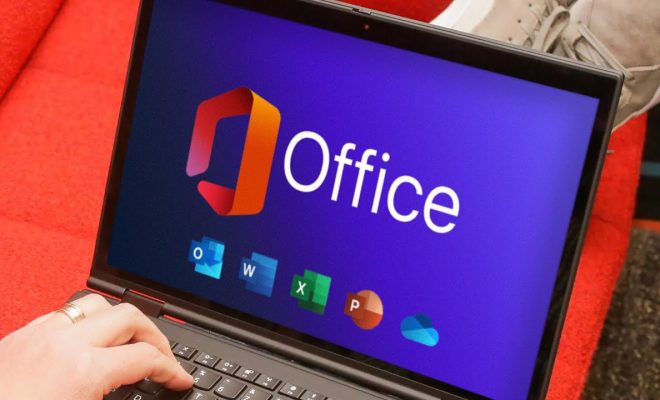
Microsoft Office has been the go-to productivity suite for several years. It provides users with essential tools for creating documents, spreadsheets, and presentations, among other things. However, not everyone can afford Microsoft Office’s monthly or yearly subscription fee, and some prefer alternatives to Microsoft Office. In this article, we’ll look at the best Microsoft Office alternatives that can help users save money and still obtain productivity tools that might be lacking in their operating system office programs.

Google Workspace

Google Workspace delivers an online office suite powered by Google’s cloud technologies. It includes familiar applications like Google Docs, Sheets, and Slides, which serves as its answer to Microsoft Word, Excel, and PowerPoint, respectively. Although Google’s applications lack the depth that the Office Suite offers, they can be useful for simple words and data processing by many users. The upside to using Google Workspace is that it’s free for non-commercial use, and commercial users can access the workspace at the fraction of the cost of Microsoft Office.

LibreOffice

LibreOffice is a free, open-source, cross-platform productivity suite that incorporates six different apps for tasks like word processing, spreadsheets, presentations, diagrams and databases. LibreOffice is very similar to Microsoft Office, so it’s effectively a drop-in replacement, which makes it an easy switch for Microsoft Office users. LibreOffice also isn’t tied to any subscription model and versions can be downloaded free of charge on multiple devices.

WPS Office

WPS Office is an office suite created by Chinese software developer Kingsoft. The software is available for Windows, Mac, Linux, iOS, and Android, and has been designed to emulate the Office Suite user interface. WPS Office delivers a similar set of features as Microsoft Office and includes its own alternatives to Word, Excel and PowerPoint. The free version includes advertising, and some of the features are disabled. But WPS Office’s premium version is comparatively affordable, more affordable than Microsoft Office by quite a margin.

iWork

iWork is Apple’s answer to the Microsoft Office Suite, only it’s available exclusively for Mac and iOS. iWork consists of Pages, Keynote and Numbers, and is widely recognized for simplicity and ease-of-use. In general, iWork aims to be a personal productivity suite for Mac users who don’t need the depth and complexity of Microsoft Office programs. Pages is a word processing app, Numbers is a spreadsheet app, and Keynote is a presentation app. Like LibreOffice, iWork is completely free to use, and Apple users can access it via iCloud.

In conclusion, all four software suites highlighted above compare with Microsoft Office in one way, shape or form. They offer users some or all the features that the Office Suite provides, but provides it for free or at a considerably low cost compared to Microsoft Office. While there may be some downsides to each software suite, they are excellent alternatives and may be perfect for people who need to maintain productivity while minimizing cost.


Previous Article

How to Stop a Download on Android

Next Article

How to Map a Network Drive on ...

Matthew Lynch

Related articles More from author

  • Digital & Mobile Technology

    How to Resize a Picture for iPhone Wallpaper

    May 4, 2023
    By Matthew Lynch
  • Digital & Mobile Technology

    Ways to Create Multiple Folders at Once in Windows 10 & 11

    June 15, 2023
    By Matthew Lynch
  • Digital & Mobile Technology

    VidCon 2023: Dates, News, Rumors, and Everything Else to Know

    June 8, 2023
    By Matthew Lynch
  • Digital & Mobile Technology

    The RAM Types That Run Today’s Computers

    June 8, 2023
    By Matthew Lynch
  • Digital & Mobile Technology

    Best Ways to Fix a Computer Stuck on Restarting

    June 7, 2023
    By Matthew Lynch
  • Digital & Mobile Technology

    iOS 17’s Best New Features: StandBy Mode, Custom Message Stickers

    January 31, 2024
    By Matthew Lynch

Search

Login & Registration

  • Register
  • Log in
  • Entries feed
  • Comments feed
  • WordPress.org

Newsletter

Signup for The Tech Edvocate Newsletter and have the latest in EdTech news and opinion delivered to your email address!

About Us

Since technology is not going anywhere and does more good than harm, adapting is the best course of action. That is where The Tech Edvocate comes in. We plan to cover the PreK-12 and Higher Education EdTech sectors and provide our readers with the latest news and opinion on the subject. From time to time, I will invite other voices to weigh in on important issues in EdTech. We hope to provide a well-rounded, multi-faceted look at the past, present, the future of EdTech in the US and internationally.

We started this journey back in June 2016, and we plan to continue it for many more years to come. I hope that you will join us in this discussion of the past, present and future of EdTech and lend your own insight to the issues that are discussed.

Newsletter

Signup for The Tech Edvocate Newsletter and have the latest in EdTech news and opinion delivered to your email address!

Contact Us

The Tech Edvocate
910 Goddin Street
Richmond, VA 23231
(601) 630-5238
[email protected]

Copyright © 2025 Matthew Lynch. All rights reserved.