Best Mailchimp tips for beginners
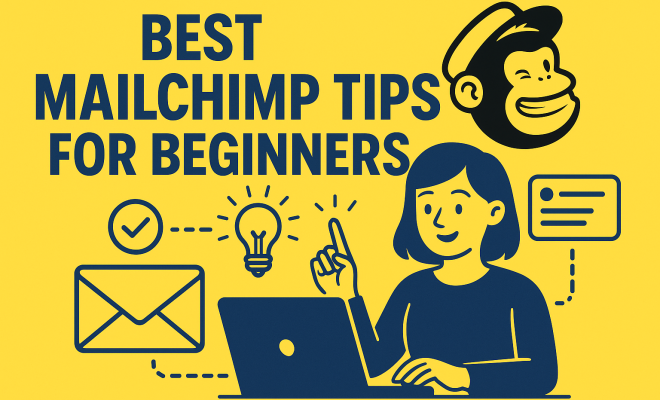
So, you’ve decided to dip your toes into the vast ocean of email marketing, and like millions before you, Mailchimp is your chosen vessel. Smart move! It’s one of the most popular platforms out there for a reason, offering a powerful suite of tools that can help businesses, big and small, connect with their audience. But let’s be honest, staring at that dashboard for the first time can feel a bit like trying to read ancient hieroglyphs. Where do you even begin? What are the crucial first steps? Don’t sweat it. As an experienced marketer, I’ve seen countless beginners stumble and then soar. The trick isn’t just knowing *what* Mailchimp can do, but *how* to use it effectively from the get-go. These Mailchimp tips for beginners are designed to cut through the noise and get you building meaningful connections without the usual headaches.
Email marketing isn’t just about sending out newsletters; it’s about building relationships, nurturing leads, and driving conversions. Mailchimp provides the infrastructure, but your strategy and execution make all the difference. We’re going to dive deep into seven fundamental areas that will not only demystify the platform but also set you on a path to genuine success. Forget the overwhelming feeling; by the end of this, you’ll have a clear roadmap to leverage Mailchimp’s capabilities like a seasoned pro.
1. Master Your Audience (List) Management: The Foundation of Your Success
Think of your audience in Mailchimp not just as a list of emails, but as the living, breathing heart of your email marketing efforts. This is arguably the most critical starting point for any beginner. Many people just import a bunch of emails and call it a day, but that’s a huge missed opportunity. Mailchimp calls these ‘Audiences,’ and effectively segmenting and tagging them is like giving yourself superpowers. Instead of blasting every email to every single subscriber, you can tailor your messages to specific groups, making them far more relevant and impactful. This dramatically improves open rates, click-through rates, and overall engagement.
For instance, if you run an e-commerce store selling clothing, you wouldn’t send an email about new men’s shirts to a segment of your audience who only buys women’s accessories, would you? That’s a recipe for unsubscribes and low engagement. Mailchimp allows you to create segments based on a myriad of criteria: purchase history, geographic location, engagement level (did they open your last 5 emails?), or even custom data fields you collect. Tags are even more flexible, letting you label subscribers with specific interests or behaviors. Are they interested in ‘early bird discounts’? Tag them. Did they attend your last webinar? Tag them. This granular approach ensures your messages resonate deeply, transforming generic emails into highly personalized conversations. It’s one of the most powerful Mailchimp tips for beginners that often gets overlooked.
2. Craft Compelling Sign-Up Forms: Grow Your Audience Organically
So, you’ve got your audience structure down, but how do you get people to join it? That’s where sign-up forms come in. These aren’t just technical necessities; they’re your storefront for attracting new subscribers. Mailchimp offers various types of forms, from embedded forms you can place directly on your website to pop-up forms, landing pages, and even Facebook integration. The key here is not just to have a form, but to have an *effective* form.
An effective sign-up form does two things exceptionally well: it makes it easy for people to subscribe, and it clearly communicates the value they’ll receive. Don’t just say ‘Sign up for our newsletter.’ Instead, promise something tangible: ‘Get exclusive weekly tips to boost your productivity,’ or ‘Be the first to know about our new product launches and receive a 10% discount.’ Consider the design too. Mailchimp’s form builder is intuitive, allowing you to customize colors, fonts, and fields to match your brand. Keep forms concise; only ask for the information you genuinely need. The more fields you include, the higher the friction, and the lower your conversion rate. Remember, the goal is to get their email address first, then nurture the relationship.
3. Design Engaging Email Campaigns: Stand Out in a Crowded Inbox
This is where the creative fun begins! Once you have subscribers, you need to send them something worth opening and reading. Mailchimp’s campaign builder is incredibly robust, offering a drag-and-drop interface that makes designing professional-looking emails accessible to everyone, even those with zero design experience. But don’t just pick a template and fill it with text.
The subject line is your first and often only chance to grab attention. Make it catchy, clear, and compelling. Use emojis sparingly but effectively. Inside the email, focus on readability. Break up long blocks of text with headings, bullet points, and images. Mailchimp provides a vast library of free stock photos and allows you to easily upload your own. Crucially, always include a clear call to action (CTA). What do you want your reader to do next? ‘Shop Now,’ ‘Read More,’ ‘Download Your Guide’ – make it prominent and easy to click. Test different designs and CTAs to see what resonates best with your audience. Remember, a beautiful email that doesn’t drive action is just a pretty picture.
4. Leverage Automation (Customer Journeys): Work Smarter, Not Harder
One of Mailchimp’s most powerful features, and a game-changer for any Mailchimp beginner, is its automation capabilities, now called ‘Customer Journeys.’ This allows you to set up automated email sequences that trigger based on specific actions or events. Think of it as having a tireless marketing assistant working for you 24/7. The most common and effective automation is a welcome series.
When someone new subscribes, they shouldn’t just sit there waiting for your next newsletter. Immediately send them a welcome email, then perhaps a second email two days later introducing your best content or products, and a third a few days after that offering a special discount. Other powerful automations include abandoned cart reminders for e-commerce, birthday emails, or re-engagement campaigns for subscribers who haven’t opened an email in a while. These automated sequences nurture your leads, build trust, and can significantly boost conversions without you lifting a finger after the initial setup. They transform a transactional interaction into an ongoing, valuable relationship. (See: Email marketing overview on Wikipedia.) (video email marketing insights)
5. Analyze Your Reports: Learn, Adapt, and Optimize
Sending emails is only half the battle; understanding how they perform is the other, equally critical half. Mailchimp’s reporting dashboard is a treasure trove of insights, but many beginners only glance at the open rate. You need to go deeper. Pay attention to your open rate, yes, but also your click-through rate (CTR), unsubscribe rate, and bounce rate. A high bounce rate might indicate issues with your list quality, while a low CTR suggests your content or CTA isn’t resonating.
Mailchimp also shows you who opened your email, what links they clicked, and even where they are geographically. This data is invaluable for refining your strategy. Did a specific subject line perform exceptionally well? Use that style again. Did a particular segment of your audience ignore an email? Perhaps your messaging wasn’t relevant to them, or you need to try a different approach next time. A/B test different elements – subject lines, sender names, content blocks, CTAs – to continually optimize your campaigns. The more you analyze, the smarter your email marketing becomes.
6. Integrate with Other Platforms: Expand Your Reach and Efficiency
Mailchimp isn’t an island; it plays nicely with a vast ecosystem of other tools and platforms, and leveraging these integrations is a fantastic Mailchimp tip for beginners looking to streamline their operations. Whether you’re running an e-commerce store, managing a CRM, or using a specific landing page builder, chances are Mailchimp has a direct integration or connects via a tool like Zapier.
For example, if you use Shopify, integrating it with Mailchimp allows you to automatically sync customer data, segment based on purchase history, and set up abandoned cart automations seamlessly. Connecting with your CRM (like Salesforce or HubSpot) ensures your customer data is consistent across all your marketing and sales efforts. Social media integrations let you promote your sign-up forms directly on Facebook or Instagram. These connections save you time, reduce manual data entry, and create a more holistic view of your customer journey, ensuring your email marketing efforts are aligned with your broader business goals.
7. Prioritize Deliverability and Compliance: Get into the Inbox, Stay Out of Trouble
You can craft the most beautiful email in the world, but if it doesn’t land in the inbox, it’s all for nothing. Deliverability is paramount, and it’s something many Mailchimp beginners overlook. Mailchimp has robust systems in place to ensure good deliverability, but you also have a role to play. First, always use a reputable email domain and authenticate it within Mailchimp. This tells internet service providers (ISPs) that your emails are legitimate and not spam.
Secondly, never, ever buy email lists. These lists are notorious for containing spam traps and inactive addresses, which will severely damage your sender reputation and lead to your emails being flagged as spam. Always get explicit permission from subscribers. This ties into compliance with regulations like GDPR and CAN-SPAM. Mailchimp helps you stay compliant by including opt-out links and requiring physical addresses, but it’s your responsibility to understand and adhere to these laws. Regularly clean your list by removing inactive subscribers; this improves your open rates and tells ISPs you’re sending to an engaged audience, further boosting your deliverability. Ultimately, respecting your subscribers’ inboxes is the best way to ensure your emails consistently land where they belong.
Getting Started with Mailchimp: Your First Steps
Now that we’ve covered the core areas, let’s talk about those critical first actions. For any Mailchimp beginner, the initial setup can feel daunting, but breaking it down makes it much more manageable. Your absolute first step, even before importing contacts, should be to verify your email domain within Mailchimp. This is a technical but crucial step that tells email providers you are who you say you are, significantly improving your chances of hitting the inbox instead of the spam folder. Without this, many of your emails might not even get a chance to be seen.
Next, create your first audience. Give it a clear name that reflects its purpose. Don’t worry about creating multiple audiences just yet; you can always segment within one main audience later. Then, design a basic, branded sign-up form. Start with an embedded form for your website and a simple landing page form. Focus on clear messaging and a strong value proposition for joining your list. Once these foundational elements are in place, you’re ready to start thinking about your first campaign.
Crafting Your First Campaign: Beyond the Welcome Email
While a welcome email automation is a must, what about your first general campaign? Don’t overthink it. Your first email doesn’t have to be a groundbreaking masterpiece. It should, however, be consistent with your brand and provide genuine value. A great starting point for a Mailchimp beginner is a ‘getting to know you’ email. Share a little about your brand’s story, what subscribers can expect from your emails, and perhaps a link to your most popular blog post or product category. Keep the tone friendly and conversational.
When you’re designing it, resist the urge to cram too much information in. Less is often more. Focus on one primary message and one clear call to action. Use Mailchimp’s pre-built templates as a starting point, then customize them with your logo, colors, and fonts. Before you hit send, always, always send a test email to yourself and a colleague. Check for broken links, typos, and ensure it renders correctly on both desktop and mobile devices. This simple step can save you a lot of embarrassment and ensure a professional first impression. (See: CDC's guide on health communication marketing.)
Advanced Mailchimp Tips for Beginners: Beyond the Basics
Once you’re comfortable with the fundamentals, there are a few slightly more advanced Mailchimp tips for beginners that can really supercharge your efforts. Consider using merge tags to personalize your emails beyond just the recipient’s first name. You can use merge tags to insert custom data like their last purchase, a discount code, or even their city, making your emails feel incredibly tailored. This requires a bit more effort in collecting and managing custom fields, but the engagement boost is often worth it.
Another powerful, yet often underutilized, feature is A/B testing beyond just subject lines. Mailchimp allows you to test different content blocks, images, or even send times to a small portion of your audience, then automatically sends the winning version to the rest. This data-driven approach removes guesswork and ensures you’re continually optimizing for what works best with *your* specific audience. Don’t be afraid to experiment; that’s how you discover what truly resonates and drives results.
Common Pitfalls to Avoid
As you embark on your Mailchimp journey, there are a few common traps that beginners often fall into. The biggest one? Neglecting list hygiene. Sending to disengaged subscribers hurts your sender reputation and wastes your time. Regularly archive or remove subscribers who haven’t opened an email in six months to a year. Mailchimp offers tools to help you identify these inactive contacts.
Another pitfall is focusing solely on sales. While email marketing certainly drives revenue, consistently bombarding your audience with sales pitches will lead to fatigue and unsubscribes. Aim for a balance of valuable content, educational resources, and occasional promotional offers. Think of the 80/20 rule: 80% value, 20% promotion. Finally, don’t be afraid to ask for feedback. Encourage replies, run polls, or send surveys. Your subscribers are a direct source of information on what they want to see more (or less) of in their inbox.
Expert Insights: The Power of Personalization at Scale
Many beginners think personalization just means using someone’s first name. That’s a good start, but modern email marketing, especially with a tool like Mailchimp, allows for so much more. True personalization means delivering content that feels custom-made for each individual, even when you’re sending to thousands. Beyond merge tags for basic data, consider behavioral personalization. For example, if someone clicks on a link related to ‘beginner photography tips’ in one of your emails, Mailchimp can tag them as interested in that topic. Then, your next email can automatically include a section or even an entire article focused on beginner photography. This level of relevance is what turns casual readers into loyal customers.
Industry statistics back this up: personalized emails generate 6x higher transaction rates and revenue per email than non-personalized emails. You can achieve this by setting up more complex customer journeys. For instance, if a subscriber downloads a specific guide, trigger a follow-up journey that provides related resources or products. If they visit a particular product page on your website but don’t buy, set up an automation that reminds them about the item and perhaps offers a small incentive. This isn’t just about being polite; it’s about being strategic and providing real value at every touchpoint.
The Future of Email Marketing with Mailchimp
Email marketing isn’t static; it’s constantly evolving. What should Mailchimp beginners keep an eye on for the future? Artificial intelligence (AI) is already playing a role in optimizing send times and subject lines, and its capabilities will only grow. Mailchimp is integrating more AI features to help you predict what content will resonate, suggest optimal segmentations, and even help generate compelling copy. Stay open to these innovations, but remember that the core principles of delivering value and building relationships will always remain central.
Another trend is the shift towards interactive emails. Think surveys, quizzes, or even embedded mini-games directly within the email. While Mailchimp’s drag-and-drop builder focuses on traditional content, its custom HTML blocks allow for more advanced users to experiment. For beginners, the takeaway is to always be thinking about how to make your emails more engaging and less passive. Don’t be afraid to experiment with video thumbnails, animated GIFs, or even just asking a direct question that encourages a reply.
Mailchimp and SEO: A Complementary Relationship
While Mailchimp focuses on email marketing, it has a surprisingly complementary relationship with your search engine optimization (SEO) efforts. How? First, your email list is a direct channel to drive traffic back to your website, boosting engagement signals that search engines notice. If you send an email promoting a new blog post, the immediate surge in traffic can signal to Google that your content is relevant and valuable. This can indirectly help your SEO rankings. (See: Email marketing research on ScienceDirect.)
Second, the insights you gain from Mailchimp’s reports can inform your content strategy. If a particular email campaign featuring a certain topic gets high open and click rates, it’s a strong indicator that your audience is interested in that topic. You can then create more blog posts, videos, or resources around that theme, knowing there’s a proven audience for it. This data-driven content creation is a powerful way to ensure your SEO efforts are focused on topics that genuinely resonate with your target market. Finally, Mailchimp’s landing page builder allows you to create SEO-friendly pages that can rank for specific keywords, further expanding your online visibility and subscriber growth potential.
FAQs for Mailchimp Beginners
Q: Is Mailchimp truly free forever, or are there hidden costs?
A: Mailchimp offers a free plan, often referred to as ‘Free Forever,’ for users with up to 500 contacts and 1,000 email sends per month. This plan has some feature limitations, like fewer audience segmentation options and no A/B testing. Once you exceed these limits or need more advanced features, you’ll need to upgrade to a paid plan. So, it’s free to start, but scales with your needs.
Q: I have an existing list from another platform. How do I import it to Mailchimp?
A: Mailchimp makes importing easy. You can upload a CSV file, copy and paste from a spreadsheet, or even import directly from other services like Salesforce. When importing, you’ll map your existing fields (like ‘First Name,’ ‘Email Address’) to Mailchimp’s fields. Remember to clean your list before importing to avoid bringing over old or inactive contacts.
Q: What’s the difference between an audience, segments, and tags?
A: An ‘Audience’ is your main list of subscribers in Mailchimp. ‘Segments’ are dynamic groups within an audience based on specific conditions (e.g., “all subscribers who opened my last email” or “subscribers in California”). They update automatically. ‘Tags’ are static labels you apply to subscribers for organization or to mark specific interests (e.g., “VIP customer,” “webinar attendee”). You can use both segments and tags to send highly targeted campaigns.
Q: How often should I send emails?
A: There’s no magic number, but consistency is key. Daily might be too much for most businesses, while monthly might be too little. A good starting point is weekly or bi-weekly. Monitor your unsubscribe rates and engagement metrics. If unsubscribes spike, you might be sending too often. If engagement drops, you might not be sending enough or your content isn’t relevant. A/B testing different frequencies can also give you insights.
Q: My emails are going to spam. What can I do?
A: This is a common issue. First, ensure your email domain is authenticated in Mailchimp. Avoid using spammy words in subject lines or email content (e.g., “free,” “winner,” excessive exclamation marks). Make sure you’re only sending to people who explicitly opted in. Regularly clean your list of inactive subscribers. A high bounce rate or complaints from recipients can also hurt your sender reputation, so address those immediately.
Mailchimp is an incredibly powerful tool, but like any instrument, its effectiveness depends on how well you learn to play it. By focusing on these core Mailchimp tips for beginners – mastering your audience, crafting compelling forms, designing engaging campaigns, leveraging automation, analyzing reports, integrating with other tools, and prioritizing deliverability – you’ll not only navigate the platform with confidence but also build an email marketing strategy that genuinely connects with your audience and drives real results. It’s not just about sending emails; it’s about starting conversations that matter.
Trending Now
Frequently Asked Questions
What are some Mailchimp tips for beginners?
For beginners, focus on mastering audience management, segmenting your lists effectively, and personalizing your emails. Start by understanding your audience rather than just importing emails. Utilize Mailchimp's features to tailor messages, ensuring they resonate with specific groups and drive better engagement.
How do I manage my audience in Mailchimp?
Managing your audience in Mailchimp involves segmenting and tagging your subscribers. This allows you to organize your contacts into specific groups based on their interests or behaviors, enabling you to send targeted messages that are more relevant and engaging, ultimately improving your email marketing outcomes.
What should I know about email marketing with Mailchimp?
Email marketing with Mailchimp requires understanding your audience, planning your campaigns, and using the platform's tools effectively. Focus on building relationships through personalized content and strategic segmentation to nurture leads and drive conversions, rather than just sending out newsletters.
How can I improve my email marketing strategy?
To improve your email marketing strategy, start by segmenting your audience, personalizing your messages, and analyzing campaign performance. Use Mailchimp's analytics to understand what works and refine your approach continually. Building strong relationships with your subscribers is key to driving engagement and conversions.
What features of Mailchimp should beginners focus on?
Beginners should focus on Mailchimp's audience management features, campaign creation tools, and analytics dashboard. Learning to segment your audience and personalize your emails can significantly enhance engagement. Additionally, familiarize yourself with automation options to streamline your email marketing efforts.
Have you experienced this yourself? We'd love to hear your story in the comments.