The Tech Edvocate

Top Menu

  • Advertisement
  • Apps
  • Home Page
  • Home Page Five (No Sidebar)
  • Home Page Four
  • Home Page Three
  • Home Page Two
  • Home Tech2
  • Icons [No Sidebar]
  • Left Sidbear Page
  • Lynch Educational Consulting
  • My Account
  • My Speaking Page
  • Newsletter Sign Up Confirmation
  • Newsletter Unsubscription
  • Our Brands
  • Page Example
  • Privacy Policy
  • Protected Content
  • Register
  • Request a Product Review
  • Shop
  • Shortcodes Examples
  • Signup
  • Start Here
    • Governance
    • Careers
    • Contact Us
  • Terms and Conditions
  • The Edvocate
  • The Tech Edvocate Product Guide
  • Topics
  • Write For Us
  • Advertise

Main Menu

  • Start Here
    • Our Brands
    • Governance
      • Lynch Educational Consulting, LLC.
      • Dr. Lynch’s Personal Website
      • Careers
    • Write For Us
    • The Tech Edvocate Product Guide
    • Contact Us
    • Books
    • Edupedia
    • Post a Job
    • The Edvocate Podcast
    • Terms and Conditions
    • Privacy Policy
  • Topics
    • Assistive Technology
    • Child Development Tech
    • Early Childhood & K-12 EdTech
    • EdTech Futures
    • EdTech News
    • EdTech Policy & Reform
    • EdTech Startups & Businesses
    • Higher Education EdTech
    • Online Learning & eLearning
    • Parent & Family Tech
    • Personalized Learning
    • Product Reviews
  • Advertise
  • Tech Edvocate Awards
  • The Edvocate
  • Pedagogue
  • School Ratings

logo

The Tech Edvocate

  • Start Here
    • Our Brands
    • Governance
      • Lynch Educational Consulting, LLC.
      • Dr. Lynch’s Personal Website
        • My Speaking Page
      • Careers
    • Write For Us
    • The Tech Edvocate Product Guide
    • Contact Us
    • Books
    • Edupedia
    • Post a Job
    • The Edvocate Podcast
    • Terms and Conditions
    • Privacy Policy
  • Topics
    • Assistive Technology
    • Child Development Tech
    • Early Childhood & K-12 EdTech
    • EdTech Futures
    • EdTech News
    • EdTech Policy & Reform
    • EdTech Startups & Businesses
    • Higher Education EdTech
    • Online Learning & eLearning
    • Parent & Family Tech
    • Personalized Learning
    • Product Reviews
  • Advertise
  • Tech Edvocate Awards
  • The Edvocate
  • Pedagogue
  • School Ratings
  • The Hidden Cost of EVs: Why Your Battery Could Cost More Than Your Car in 2026

  • Jensen Huang’s Shock Exit: This Unbelievable Scandal Just Rocked Nvidia and the AI World

  • Big Walk developer House House Confirms ‘Sparing’ Use of Gen AI – Press Start

  • Baffling: How a Cyber Breach at South Korea’s Top Security Watchdog Exposed Millions

  • Wenn Ordnung den Bildschirm beruhigt: Warum klare Abläufe Casino-Unterhaltung einladender machen

  • Reddit AI Reviews: The Quiet Reshaping of Online Opinion

  • The Chilling Truth: Iran Cyberattacks Europe’s Food and Blood Supplies

  • Anthropic’s $3.4 Billion Bet on Gas: The Unseen Cost of AI’s Future

  • Tribit FlyBuds C3 Earbuds: Premium Features at a Budget-Friendly Price

  • Is AuraCam Pro’s Emotional AI a Privacy Nightmare or Security Breakthrough?

Digital & Mobile Technology
Home›Digital & Mobile Technology›Ways to Get a Live Wallpaper for Your Mac: It’s Easier Than You Think

Ways to Get a Live Wallpaper for Your Mac: It’s Easier Than You Think
By Matthew Lynch
June 6, 2023
0
Spread the love

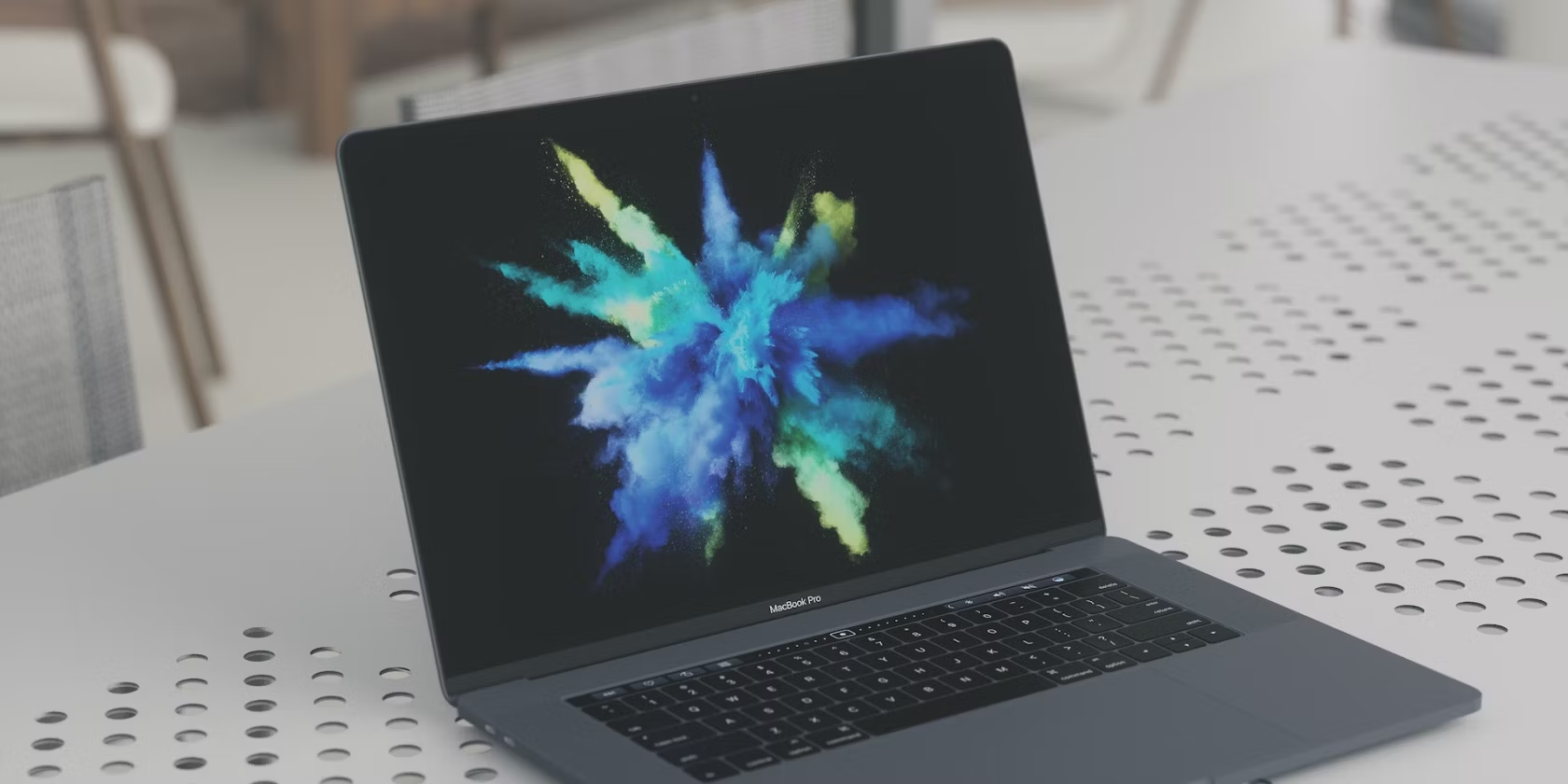
As a Mac user, you may find yourself looking for new ways to customize your desktop. One way to achieve this is by using a live wallpaper. Live wallpapers are interactive backgrounds that give your desktop a dynamic feel. There are numerous ways to get a live wallpaper for your Mac, and it’s easier than you think.

Here are some ways to get a live wallpaper for your Mac:

1. Use built-in macOS dynamic wallpapers

macOS Mojave and Catalina come with built-in dynamic wallpapers, which change throughout the day based on your location. To activate these wallpapers, go to System Preferences > Desktop & Screen Saver > Desktop. From there, you can choose the dynamic wallpaper of your choice.

2. Use third-party apps

There are numerous third-party apps that offer live wallpapers for your Mac. Some popular options include Live Wallpaper HD, Wallpaper Wizard 2, and Deskscapes. These apps offer a wide variety of live wallpapers, and you can choose the one that suits your style.

3. Create your own live wallpaper

If you’re feeling creative, you can create your own live wallpaper. Tools like Pro Motion, GIMP, and Photoshop allow you to create animated images that you can use as your live wallpaper. Once you’ve created the image, you can set it as your desktop background.

4. Use websites that offer live wallpapers

There are websites that offer free live wallpapers that you can download and use on your Mac. Some popular options include Dynamic Wallpaper Club, Wallpaper Engine, and Wallpaper Abyss. These websites offer a wide variety of live wallpapers, and you can choose the one that appeals to you.


Previous Article

Best Free Word Game Apps to Play ...

Next Article

Reset the Network Settings on Your iPhone ...

Matthew Lynch

Related articles More from author

  • Digital & Mobile Technology

    How to Install ElvUI for World of Warcraft

    June 23, 2023
    By Matthew Lynch
  • Digital & Mobile Technology

    Sites to Purchase Returned Merchandise Online

    August 5, 2023
    By Matthew Lynch
  • Digital & Mobile Technology

    GNOME Explained: A Look at One of Linux’s Most Popular Desktops

    June 21, 2023
    By Matthew Lynch
  • Digital & Mobile Technology

    What is a Database Analyst?

    April 17, 2023
    By Matthew Lynch
  • Digital & Mobile Technology

    Best Dolby Atmos Soundbar

    April 11, 2023
    By Matthew Lynch
  • Digital & Mobile Technology

    How to Enhance Old Online Videos With Opera’s Lucid Mode

    August 5, 2023
    By Matthew Lynch

Search

Login & Registration

  • Log in
  • Entries feed
  • Comments feed
  • WordPress.org

Newsletter

Signup for The Tech Edvocate Newsletter and have the latest in EdTech news and opinion delivered to your email address!

About Us

Since technology is not going anywhere and does more good than harm, adapting is the best course of action. That is where The Tech Edvocate comes in. We plan to cover the PreK-12 and Higher Education EdTech sectors and provide our readers with the latest news and opinion on the subject. From time to time, I will invite other voices to weigh in on important issues in EdTech. We hope to provide a well-rounded, multi-faceted look at the past, present, the future of EdTech in the US and internationally.

We started this journey back in June 2016, and we plan to continue it for many more years to come. I hope that you will join us in this discussion of the past, present and future of EdTech and lend your own insight to the issues that are discussed.

Newsletter

Signup for The Tech Edvocate Newsletter and have the latest in EdTech news and opinion delivered to your email address!

Contact Us

The Tech Edvocate
910 Goddin Street
Richmond, VA 23231
(601) 630-5238
[email protected]

Copyright © 2026 Matthew Lynch. All rights reserved.