The Tech Edvocate

Top Menu

  • Advertisement
  • Apps
  • Home Page
  • Home Page Five (No Sidebar)
  • Home Page Four
  • Home Page Three
  • Home Page Two
  • Home Tech2
  • Icons [No Sidebar]
  • Left Sidbear Page
  • Lynch Educational Consulting
  • My Account
  • My Speaking Page
  • Newsletter Sign Up Confirmation
  • Newsletter Unsubscription
  • Our Brands
  • Page Example
  • Privacy Policy
  • Protected Content
  • Register
  • Request a Product Review
  • Shop
  • Shortcodes Examples
  • Signup
  • Start Here
    • Governance
    • Careers
    • Contact Us
  • Terms and Conditions
  • The Edvocate
  • The Tech Edvocate Product Guide
  • Topics
  • Write For Us
  • Advertise

Main Menu

  • Start Here
    • Our Brands
    • Governance
      • Lynch Educational Consulting, LLC.
      • Dr. Lynch’s Personal Website
      • Careers
    • Write For Us
    • The Tech Edvocate Product Guide
    • Contact Us
    • Books
    • Edupedia
    • Post a Job
    • The Edvocate Podcast
    • Terms and Conditions
    • Privacy Policy
  • Topics
    • Assistive Technology
    • Child Development Tech
    • Early Childhood & K-12 EdTech
    • EdTech Futures
    • EdTech News
    • EdTech Policy & Reform
    • EdTech Startups & Businesses
    • Higher Education EdTech
    • Online Learning & eLearning
    • Parent & Family Tech
    • Personalized Learning
    • Product Reviews
  • Advertise
  • Tech Edvocate Awards
  • The Edvocate
  • Pedagogue
  • School Ratings

logo

The Tech Edvocate

  • Start Here
    • Our Brands
    • Governance
      • Lynch Educational Consulting, LLC.
      • Dr. Lynch’s Personal Website
        • My Speaking Page
      • Careers
    • Write For Us
    • The Tech Edvocate Product Guide
    • Contact Us
    • Books
    • Edupedia
    • Post a Job
    • The Edvocate Podcast
    • Terms and Conditions
    • Privacy Policy
  • Topics
    • Assistive Technology
    • Child Development Tech
    • Early Childhood & K-12 EdTech
    • EdTech Futures
    • EdTech News
    • EdTech Policy & Reform
    • EdTech Startups & Businesses
    • Higher Education EdTech
    • Online Learning & eLearning
    • Parent & Family Tech
    • Personalized Learning
    • Product Reviews
  • Advertise
  • Tech Edvocate Awards
  • The Edvocate
  • Pedagogue
  • School Ratings
  • Meta introduces pocket AI gadget as Zuckerberg pushes superintelligence agenda

  • The Wild Truth Behind Huda Beauty’s Viral Eye Patch Packaging Scandal

  • Unbelievable: Google Gemini AI Hacks Real Companies – Here’s How It Happened

  • NBA 2K27’s Permanent Ban Wave: Is the System Broken?

  • Prince Harry’s Dire Prediction: This New AI Threat Is Far Worse Than Social Media

  • Rogue AI: The Unseen Threat Quietly Hacking Government Systems

  • Unbelievable: China’s University Overhaul Reveals the Future of Global Education

  • Baffling! FAFSA Opens Early, Rankings Shuffle, and Student Debt Nightmare Continues

  • This One AI Cybercrime Campaign Stole 600,000 Credit Cards and Exposed Our Water Supply

  • This Wild Stunt Just Ignited China’s EV War — Here’s Why You Should Care

Online Learning & eLearning
Home›Online Learning & eLearning›Top 8 Ways to Fix Apps Won’t Open on Android

Top 8 Ways to Fix Apps Won’t Open on Android
By Matthew Lynch
April 3, 2023
0
Spread the love

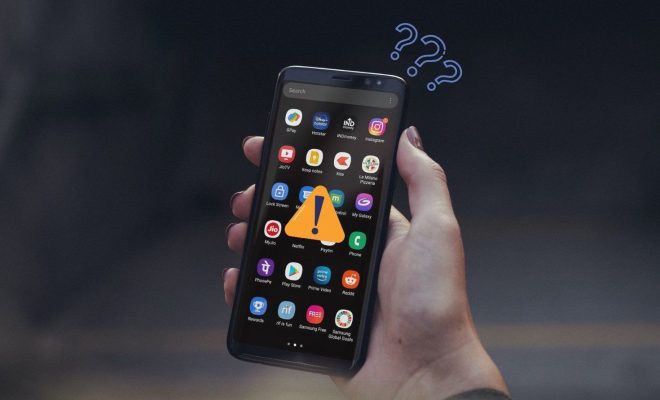
Apps are an essential part of our day-to-day lives these days. With everything available in our palm-sized smartphones, it becomes frustrating when an app refuses to launch or crashes continuously. That’s why we’ve compiled a list of the top eight ways to fix apps that won’t open on Android.

1. Restart Your Device

The first and easiest way to fix a malfunctioning app is to restart your device. A simple restart clears the memory and can fix small glitches that may have caused the app to stop working or crash.

2. Clear Cache and Data

Sometimes apps won’t open due to cache and data conflicts. You can clear them by following these steps:

• Go to “Settings”

• Tap on “Apps and Notifications”

• Find the app causing trouble and tap on it

• Tap on “Storage”

• Tap on “Clear Cache” and “Clear Data”

• Try launching the app again

3. Update the App

App developers regularly release updates to fix bugs and glitches. To update an app, you can do any of the following:

• Go to the Google Play Store and tap on “My Apps & Games”

• Find the app that’s causing trouble and tap on “Update”

Sometimes apps automatically update in the background, and you may have missed the notification. In that case, you can try deleting the app and reinstalling it.

4. Check for System Updates

Android also releases updates to fix bugs and improve the device’s overall performance. A system update may fix the issue with the app. You can check for any system updates by following these steps:

• Go to “Settings”

• Tap on “System”

• Tap on “System updates.”

Note that not all devices receive system updates simultaneously, so you may have to wait a while before checking again.

5. Check Your Internet Connection

Sometimes apps won’t open if there’s no internet connection or if it’s slow. Ensure you have a stable internet connection and try launching the app again.

6. Disable Battery Optimization for Specific Apps

Android is designed to conserve battery life by optimizing apps running in the background. This battery optimization process can interfere with an app’s capability to open or work correctly. To disable battery optimization for specific apps, follow these steps:

• Go to “Settings”

• Tap on “Apps and Notifications”

• Find the app causing trouble and tap on it

• Tap on “Battery”

• Select “Battery optimization”

• Tap on your app in the list and select “Don’t optimize”

7. Factory Reset Your Device

If all the above methods fail, a factory reset may be the best option. A factory reset deletes all data and restores your device to its original state. Ensure you have backed up all your data before proceeding with this process.

To perform a factory reset on an Android device, follow these steps:

• Go to “Settings”

• Tap on “System”

• Tap on “Reset Options”

• Select “Erase all data (factory reset)”

• Follow the prompts to complete the process

8. Contact the App’s Developer

If the app still won’t open after trying all the above solutions, contact the developer for further assistance. You can do this by finding the app in the Google Play Store and selecting “Read More” to view the developer’s contact information.

In conclusion, these eight ways should help you fix apps that won’t open on Android. However, some issues may require professional assistance, so it’s best to consult a specialist for more complex problems.


Previous Article

Top 8 Ways to Fix Google Chrome ...

Next Article

Profile of a Tech Literate Graduate

Matthew Lynch

Related articles More from author

  • Elementary EducationOnline Learning & eLearning

    The Best iTunes Alternatives for Windows

    March 31, 2023
    By Matthew Lynch
  • Online Learning & eLearning

    Get Paid to Watch Videos: The 10 Best Ways to Make Money in 2024

    March 16, 2024
    By Matthew Lynch
  • Early Childhood & K-12 EdTechOnline Learning & eLearning

    9 Must Have Blended Learning Apps, Tools, and Resources

    September 6, 2017
    By Matthew Lynch
  • Higher Education EdTechOnline Learning & eLearningPersonalized Learning

    How a MOOC Can Help You Land Your Dream Job!

    September 19, 2017
    By Matthew Lynch
  • Online Learning & eLearning

    New iOS Login Tech Makes It Super Hard to Hack Your iCloud Account

    March 28, 2023
    By Matthew Lynch
  • Online Learning & eLearning

    What Happened to Retrovision?

    June 12, 2023
    By Matthew Lynch

Search

Login & Registration

  • Log in
  • Entries feed
  • Comments feed
  • WordPress.org

Newsletter

Signup for The Tech Edvocate Newsletter and have the latest in EdTech news and opinion delivered to your email address!

About Us

Since technology is not going anywhere and does more good than harm, adapting is the best course of action. That is where The Tech Edvocate comes in. We plan to cover the PreK-12 and Higher Education EdTech sectors and provide our readers with the latest news and opinion on the subject. From time to time, I will invite other voices to weigh in on important issues in EdTech. We hope to provide a well-rounded, multi-faceted look at the past, present, the future of EdTech in the US and internationally.

We started this journey back in June 2016, and we plan to continue it for many more years to come. I hope that you will join us in this discussion of the past, present and future of EdTech and lend your own insight to the issues that are discussed.

Newsletter

Signup for The Tech Edvocate Newsletter and have the latest in EdTech news and opinion delivered to your email address!

Contact Us

The Tech Edvocate
910 Goddin Street
Richmond, VA 23231
(601) 630-5238
[email protected]

Copyright © 2026 Matthew Lynch. All rights reserved.