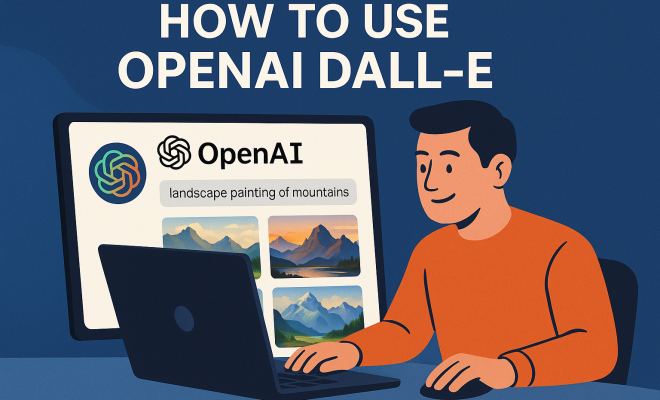
How to use OpenAI DALL-E
“`html
In today’s digital landscape, where visuals play a crucial role in storytelling, marketing, and personal expression, tools that help generate images can be a game-changer. One such groundbreaking tool is DALL-E, developed by OpenAI. If you’re asking yourself how to use DALL-E, you’re in the right place. This article will explore what DALL-E is, how it functions, and provide practical insights on leveraging its capabilities to create unique visuals.
1. Understanding DALL-E
DALL-E is a neural network-based image generation model developed by OpenAI. Its name is a fusion of the famous surrealist artist Salvador Dalí and Pixar’s lovable robot character WALL-E, reflecting its capability to create imaginative and intricate designs from simple text prompts. Launched in January 2021, DALL-E quickly gained attention for its astonishing ability to generate detailed images that often blend concepts, styles, and attributes in ways that defy traditional artistic boundaries.
The model works by interpreting textual descriptions and transforming them into corresponding visual representations. For instance, if you input a phrase like “a two-headed flamingo wearing a top hat,” DALL-E can produce an image that creatively embodies that concept. This ability to visualize abstract ideas is what sets DALL-E apart from traditional image editing or illustration tools.
2. Getting Started: Accessing DALL-E
To begin using DALL-E, your first step is to gain access to the platform. OpenAI provides a web-based interface where users can interact with DALL-E. As of now, interested users can sign up for OpenAI’s API or use platforms that have integrated DALL-E into their systems, like certain design applications or art generators.
After obtaining access, you’ll generally be greeted with a straightforward interface. In many cases, you’ll find a text box where you can input your prompts. There may also be additional settings allowing you to customize the generated outputs, such as specifying styles or formats.
3. Crafting Effective Prompts
One of the most critical aspects of how to use DALL-E effectively lies in crafting your prompts. The clearer and more descriptive you are, the better DALL-E can interpret your request. Instead of vague descriptions, opt for specific details. For example, instead of saying “cat on a roof,” you could say “a fluffy ginger cat lounging on a terracotta roof during sunset.”
This specificity not only conveys your vision more clearly but also allows DALL-E to produce results that align closely with your expectations. Experimenting with different phrasing, including adjectives and additional context, can yield diverse results, showcasing DALL-E’s flexibility and range.
4. Exploring Variations
Once you’ve submitted a prompt, DALL-E will provide you with several image variations based on your request. This is a fantastic opportunity to explore different artistic interpretations. You can examine how slight changes in your prompt can lead to drastically different visuals. For instance, changing “a serene beach at dusk” to “a vibrant beach party at sunset” can showcase the model’s versatility.
This function is particularly useful for artists and designers looking for inspiration, as it can spark new ideas or approaches you might not have considered. Don’t hesitate to iterate on your prompts to refine the images further. Each round can yield surprising and delightful results.
5. Understanding DALL-E’s Limitations
While DALL-E is an impressive tool, it’s essential to understand its limitations. For instance, the model can sometimes struggle with complex compositions or highly specific details. There may be instances where the generated images do not fully align with your expectations or contain surreal elements that seem disconnected from your prompts.
Moreover, DALL-E relies on the data it has been trained on, which means it may reflect biases present in the training data. Users should approach the results critically, especially when working with sensitive subjects or attempting to generate diverse images. Being aware of these limitations can help you manage your expectations and harness DALL-E more effectively. (See: Wikipedia page on DALL-E.)
6. Integrating DALL-E into Your Workflow
For creatives looking to incorporate DALL-E into their workflow, it can serve various purposes. Designers can use DALL-E to create concept art, visualize ideas for client projects, or generate backgrounds for illustrations. Writers and marketers might find it useful for accompanying visuals that enhance storytelling.
Furthermore, DALL-E can be a valuable tool for brainstorming sessions. By generating various interpretations of a concept, teams can collaborate more effectively, using the visuals as a springboard for discussion and further development. In this way, DALL-E isn’t just a tool for producing finished products; it can also be a catalyst for creativity and innovation.
7. Staying Updated with Features and Improvements
OpenAI continues to enhance DALL-E’s capabilities, introducing new features and improvements regularly. Users should stay informed about updates, as they can significantly affect how how to use DALL-E effectively. New functionalities, refinements in the model’s interpretation, and improvements in image quality are often announced through OpenAI’s official channels.
Engaging with the community around DALL-E can also provide insights into best practices and innovative uses. Many users share their experiences, techniques, and results on platforms like Twitter, Reddit, or dedicated forums. Connecting with others can enrich your understanding and inspire your own usage of DALL-E.
8. Ethics and Responsible Usage
As with any powerful tool, ethical considerations are crucial when using DALL-E. The ability to generate images raises questions about copyright, originality, and the potential for misuse. Users must be mindful of intellectual property rights and avoid using generated images in ways that could infringe on others’ rights or mislead audiences.
Additionally, consider the impact of the images you create. While DALL-E can produce fascinating and imaginative visuals, it’s essential to ensure that the content is respectful and does not perpetuate harmful stereotypes or misinformation. Adopting a responsible approach to using DALL-E will contribute to a healthier creative environment.
9. Real-World Applications of DALL-E
Several industries have begun harnessing the power of DALL-E for various applications. In advertising, marketers utilize it to create eye-catching visuals tailored to specific campaigns. In the gaming industry, developers experiment with DALL-E to generate unique character designs or environments, saving time in the concept phase.
Even educational institutions are exploring ways to integrate DALL-E into their curriculums. By introducing students to AI-driven art generation, educators can foster discussions about creativity, technology, and ethics in art. This crossover between technology and artistry highlights the potential of DALL-E to influence not just individual creativity but entire industries.
10. The Future of DALL-E and AI Art Generation
Looking ahead, the future of DALL-E and AI art generation is promising. As technology evolves, we can expect even more sophisticated models that can produce higher-quality images and better understand nuanced prompts. The accessibility of AI art tools is likely to increase as they become integrated into more platforms, leading to broader adoption across various fields.
This evolution could reshape how we think about creativity and artistry. While DALL-E is a remarkable innovation, it also raises essential questions about the nature of creativity and the role of AI in generating art. As the lines between human and machine creativity blur, the conversations around art, ownership, and responsibility will intensify, paving the way for new norms in the creative landscape.
In summary, mastering how to use DALL-E can unlock a world of creative potential. By understanding its capabilities, crafting effective prompts, and integrating it responsibly into your workflow, you can harness the power of this innovative tool to create stunning visuals that captivate and inspire.
11. Advanced Techniques for Using DALL-E
Once you’ve grasped the basics of using DALL-E, you might want to explore more advanced techniques that can help you get even better results. Here are some methods that can elevate your DALL-E experience:
11.1. Combining Multiple Concepts
DALL-E excels at generating images that combine multiple concepts into a single visual. If you want to create a unique piece, think outside the box and combine two or more unrelated ideas. For example, you could try a prompt like “an astronaut playing chess on the surface of Mars” or “a dragon made of clouds flying over a city skyline.” This approach can lead to intriguing and unexpected results that truly showcase the capabilities of DALL-E. (See: New York Times article on DALL-E.)
11.2. Using Style References
In addition to describing the subject of your image, you can also specify artistic styles or movements to influence the final output. For instance, you might ask for “a portrait of a dog in the style of Van Gogh” or “a futuristic cityscape inspired by cyberpunk aesthetics.” This not only guides DALL-E’s interpretation but also allows you to blend various artistic influences into your visuals.
11.3. Leveraging Color Palettes
Another way to refine your prompts is by incorporating specific color palettes. You can specify a color scheme to influence the mood and feel of the image. For example, a prompt like “a tranquil forest scene in pastel colors” versus “a vibrant jungle scene in neon colors” will yield distinctly different atmospheres. This technique can help you better align the generated images with your creative vision or branding needs.
12. Statistics on DALL-E Usage
Understanding how widely DALL-E is being adopted can provide insight into its impact on the creative landscape. Research indicates that AI-generated imagery is gaining traction across various sectors. According to a survey conducted by Art Market Research, 65% of graphic designers have started using AI-assisted tools like DALL-E in their projects, citing efficiency and inspiration as key benefits.
Furthermore, an analysis by TechCrunch revealed that 35% of marketers are utilizing AI-generated visuals in social media campaigns, leading to a significant increase in engagement rates. The ability to create tailored content quickly has transformed how brands approach visual storytelling.
13. Expert Perspectives
Industry experts have weighed in on the implications of AI-generated art. Dr. Alice Chen, an art historian specializing in digital art, argues that tools like DALL-E democratize creativity by lowering barriers to entry for aspiring artists. “With AI, anyone can experiment with visual storytelling, regardless of their artistic background,” she explains.
On the other hand, renowned graphic designer Mark Thompson warns of over-reliance on AI tools. “While DALL-E can generate stunning visuals, it’s important for artists to maintain their unique voice and creativity. AI should be a tool that complements human creativity, not replaces it,” he states. These perspectives highlight the ongoing dialogue about the role of AI in creative fields.
14. Frequently Asked Questions (FAQ)
14.1. What kind of images can DALL-E generate?
DALL-E can create a wide variety of images based on the text prompts you provide. This includes realistic images, surreal art, abstract designs, and even illustrations with a specific artistic style. The versatility of the model allows it to cater to diverse creative needs.
14.2. Are there any usage restrictions for images generated by DALL-E?
Yes, there are usage guidelines outlined by OpenAI. While you can use generated images for personal or commercial purposes, it’s important to adhere to copyright laws and ensure that the content does not violate any ethical standards. Always check OpenAI’s terms of service for the latest policies.
14.3. How does DALL-E handle inappropriate prompts?
DALL-E has built-in safety features designed to filter out inappropriate or harmful content. If a prompt is deemed unsuitable, DALL-E may refuse to generate an image or provide a warning. It’s essential to use the tool responsibly and avoid testing boundaries with controversial or offensive prompts.
14.4. Can DALL-E generate images in different resolutions?
Currently, DALL-E primarily generates images in a standard resolution. However, users often find creative ways to upscale images using external tools or software. As of now, advancements in AI might offer higher resolution outputs in future updates, so keep an eye on the latest announcements from OpenAI.
14.5. Is DALL-E accessible to everyone?
Access to DALL-E may vary based on OpenAI’s policies and availability. While anyone can sign up for the API, there may be waitlists or limitations based on usage capacity. Always check OpenAI’s official website for the most current information regarding access. (See: Scientific article on AI image generation.)
15. Tips for Maximizing Your Use of DALL-E
To make the most out of your experience with DALL-E, consider these practical tips:
15.1. Experiment with Length and Complexity
Don’t be afraid to experiment with prompt length and complexity. While some prompts work best when concise, others may require more context to yield interesting results. For example, a straightforward request might generate a basic image, while a more detailed prompt can lead to a richer and more complex output. Try varying the amount of detail in your prompts to discover what resonates best with DALL-E’s capabilities.
15.2. Combine Textual Prompts with Visual References
If possible, use textual prompts alongside reference images. This can help DALL-E better understand the visual style or elements you are aiming for. For instance, if you want an image of a “beach sunset,” you might include a photo of a sunset that captures the colors and atmosphere you prefer. This mixed-approach can enhance the quality of the generated images.
15.3. Take Advantage of Feedback
Use the images generated by DALL-E as feedback for refining your prompts. If an image doesn’t align with your expectations, analyze why and adjust your request accordingly. Fine-tuning your language and approach based on previous outputs can lead to more satisfying results in the future.
16. The Impact of DALL-E on Creative Industries
As DALL-E continues to evolve, its influence on various creative industries is becoming increasingly apparent. From advertising agencies that use DALL-E to develop unique branding visuals to game developers who incorporate generated assets into their design process, the potential applications are vast. In the world of fashion, designers might leverage DALL-E to visualize trends and styles before they hit the runway, speeding up the creative cycle significantly.
Additionally, the democratization of art through tools like DALL-E is significant. Artists from all walks of life can access powerful visual tools that previously required extensive training or high costs. This shift can lead to more diverse artistic expressions and potentially reshape the traditional art market by allowing non-traditional artists to share their work online.
17. Final Thoughts on Using DALL-E
In an era where visuals are paramount in communication, understanding how to use DALL-E can set you apart, whether you’re a marketer, an artist, or simply someone looking to explore creative avenues. By grasping its functionalities, keeping up with new features, and employing ethical practices, you can not only create stunning visuals but also engage in a broader conversation about the future of creativity in the age of AI.
As DALL-E continues to advance, the opportunity to reshape creative processes and explore new artistic territories is immense. Stay curious, keep experimenting, and enjoy the journey of creativity that DALL-E offers!
“`
Trending Now
Frequently Asked Questions
What is OpenAI DALL-E?
OpenAI DALL-E is a neural network-based image generation model that creates visuals from textual descriptions. Its name combines the surrealist artist Salvador Dalí and Pixar's character WALL-E, highlighting its capability to generate imaginative and intricate designs from simple prompts.
How does DALL-E generate images?
DALL-E generates images by interpreting textual prompts and transforming them into corresponding visual representations. It excels at creating detailed images that blend concepts, styles, and attributes, showcasing its ability to visualize abstract ideas.
How can I access DALL-E?
To access DALL-E, you can sign up for OpenAI's API or use platforms that have integrated DALL-E into their systems, such as certain design applications or art generators. After gaining access, you'll use a web-based interface to input your prompts.
What can I create with DALL-E?
With DALL-E, you can create a wide range of unique visuals based on your textual prompts, from imaginative creatures to intricate scenes. Its ability to blend various concepts allows for creative and abstract visual interpretations.
Is DALL-E easy to use?
Yes, DALL-E features a straightforward interface where users can input text prompts. The simplicity of the design makes it accessible for both beginners and experienced users looking to generate creative visuals quickly.
What's your take on this? Share your thoughts in the comments below — we read every one.