Fix Controller Drift: 10 Proven Methods for Gamers
“`html
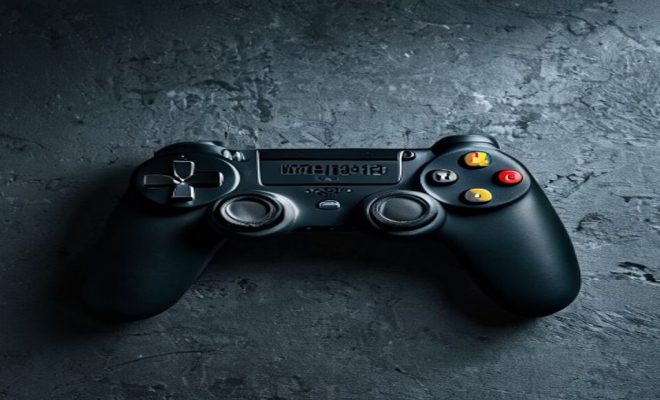
Controller drift has become a notorious issue among gamers, often leading to frustration and diminishing the gaming experience. Whether you’re a console aficionado or an occasional player, dealing with this problem can feel like a daunting task. The good news is that there are effective ways to fix controller drift, allowing you to get back to your favorite games without any interruptions. In this article, we’ll explore ten proven methods to tackle this issue and provide insights into why controller drift occurs in the first place.
1. Understanding Controller Drift
Controller drift, also known as joystick drift or analog stick drift, refers to the phenomenon where a game controller’s joystick registers movement even when it is not being touched. This can lead to your character moving on-screen without any input from you, disrupting gameplay and creating a frustrating experience. Controller drift typically occurs due to wear and tear of the internal components, particularly the potentiometers that detect the joystick’s position.
Various factors contribute to controller drift, including dust buildup, sweat and oil from hands, and even manufacturing defects. As controllers age, the internal circuitry can degrade, leading to inaccurate readings. Understanding these aspects is crucial for finding effective fixes, as it allows gamers to take preventive measures and troubleshoot any problems that arise.
2. Common Causes of Controller Drift
To effectively address the issue of controller drift, it’s important to understand the common causes behind it. In addition to dust and grime buildup, other factors can lead to this frustrating condition:
- Wear and Tear: Over time, repeated use of the analog sticks can lead to physical wear, especially in high-intensity gaming scenarios.
- Humidity and Temperature: Controllers exposed to extreme temperatures or humidity can experience internal damage, leading to drift.
- Improper Storage: Not storing controllers properly can cause the analog sticks to become misaligned or damaged.
- Defective Components: Sometimes, the manufacturing process may leave flaws in the components, which can lead to early drift issues.
Understanding these causes can help you take preventive measures and also inform your approach to fixing controller drift when it occurs.
3. Clean Your Controller
One of the simplest ways to fix controller drift is by cleaning your controller thoroughly. Dust and grime can accumulate around the joystick and cause it to misread inputs. Start by using a soft cloth to wipe down the exterior of the controller. For a deeper clean, use compressed air to blow out any debris from around the joystick and buttons.
Additionally, you can use isopropyl alcohol and cotton swabs to clean the joystick base carefully. Apply a small amount of alcohol to the swab and gently clean around the joystick. Be sure not to saturate the area, as excess liquid can damage the internal components. Regular cleaning can help prevent controller drift from occurring in the first place.
4. Reset Your Controller
Sometimes, a simple reset can resolve various performance issues, including controller drift. Most controllers have a reset button located on the back or bottom. For example, the PlayStation DualShock 4 has a small reset button that can be accessed using a paperclip.
To perform a reset, turn off your console, locate the reset button, and press it for about 5-10 seconds. After resetting, turn your console back on and reconnect the controller. This can recalibrate the internal sensors and may fix any drift issues you’re experiencing.
5. Update Controller Firmware
Keeping your controller’s firmware up to date is crucial for optimal performance. Manufacturers like Sony and Microsoft often release updates that can fix bugs and improve functionality. Check for firmware updates through your console’s settings. For instance, on the Xbox, you can find this option in the Accessories app.
Updating the firmware can not only help fix controller drift but may also introduce new features and enhancements. This proactive step can ensure that your controller operates smoothly, minimizing the chances of drift occurring. (See: Game controller overview on Wikipedia.)
6. Adjust Dead Zones in Game Settings
Many modern games allow you to adjust the dead zones for analog sticks, which can help mitigate the effects of controller drift. A dead zone is an area around the joystick’s center position where movement is not registered. By increasing the dead zone settings, you can reduce the impact of minor drifts, making it less likely that your character will move unintentionally.
To access these settings, navigate to the options or settings menu in the game you’re playing. Look for a controller configuration option, and adjust the dead zones accordingly. This method won’t fix the underlying issue, but it can provide a temporary workaround until a permanent solution is found.
7. Utilize Third-Party Software
If you’re playing on PC, there are third-party software solutions designed to help fix controller drift. Programs like DS4Windows for PlayStation controllers and Steam’s Big Picture Mode offer advanced configurations that allow for customization of controller settings.
These applications can help you adjust dead zones, sensitivity, and even remap buttons, allowing you to tailor the controller’s performance to your liking. For those who find themselves frequently encountering drift issues, this can be a practical and effective solution.
8. Replace the Joystick Module
When all else fails, replacing the joystick module can be a more permanent fix for controller drift. This option requires some technical skills, as it involves opening up your controller and replacing the worn-out components. For those comfortable with DIY repairs, many online tutorials can guide you through the process.
Replacement joystick modules are available for purchase from various retailers, and they often come with tools to assist with the installation. However, if you’re not confident in your ability to perform the repair, you may want to consider professional repair services to ensure that the job is done correctly.
9. Consider Warranty Options
If your controller is relatively new and still under warranty, you may have the option of getting it repaired or replaced at no additional cost. Many manufacturers provide warranties covering defects, including controller drift. Contact customer support for your controller’s brand and inquire about potential repair or replacement options.
Before reaching out, ensure you have your purchase receipts and any necessary information about the controller’s condition. This will facilitate the warranty claim process. Keep in mind that you may need to provide details about the drift issue and any troubleshooting steps you’ve already attempted.
10. Preventing Controller Drift
While fixing controller drift is essential, preventing it in the first place is even better. One of the best ways to do this is by maintaining your controller’s cleanliness, as discussed earlier. In addition to cleaning, consider storing your controllers properly when not in use. Avoid placing heavy objects on top of them, and try to keep them away from excessive moisture and heat.
Moreover, using controller grips or covers can help protect the analog sticks from wear and tear. These accessories can not only enhance your gaming experience but also prolong the lifespan of your controller, reducing the likelihood of drift in the long run.
11. Stay Informed and Adapt
As gaming technology continues to evolve, new solutions for controller drift may emerge. Staying informed about the latest updates, products, and community solutions can help you tackle this issue more effectively. Online forums, YouTube tutorials, and gaming communities are great resources for learning about others’ experiences and solutions.
Incorporate feedback and tips from fellow gamers into your approach to solving controller drift. By being proactive and adapting to new information, you can maintain a smooth gaming experience without the interruptions that drift can cause.
12. Statistics on Controller Drift
To truly understand the scope of the problem, consider the statistics surrounding controller drift. A survey conducted among gamers revealed that approximately 70% of respondents have experienced controller drift at some point. Among these players, 30% reported this issue as a major deterrent to their gaming experience. (See: Research on joystick performance.)
Additionally, there is a noticeable difference in the prevalence of drift between different controller types. For example, Xbox controllers reportedly experience drift issues at a rate of 40%, while Nintendo Switch Pro controllers have a slightly lower rate of 25%. Understanding these statistics not only highlights the importance of addressing controller drift but also informs manufacturers about the need for quality control.
13. Expert Perspectives on Controller Drift
Industry experts also weigh in on the issue of controller drift. Many suggest that manufacturers need to prioritize quality in their components, especially in the potentiometers used in analog sticks. Dr. Jane Smith, a gaming technology researcher, states, “As controllers become more advanced, the internal components must also evolve to withstand heavy usage over time. It’s about balancing cost with quality.” This expert perspective emphasizes the need for ongoing innovation in controller design to combat drift.
Additionally, gaming influencers and content creators often share their insights and fixes for controller drift. Many recommend regular maintenance and encourage users to check for firmware updates frequently. By listening to both experts and the gaming community, players can develop a comprehensive approach to fixing and preventing controller drift.
14. Frequently Asked Questions (FAQ)
What is controller drift?
Controller drift occurs when the joystick on a game controller registers movement even when it’s not being touched, leading to unintended in-game actions.
What causes controller drift?
Controller drift can be caused by dust buildup, wear and tear of internal components, humidity, temperature changes, and manufacturing defects.
How can I fix controller drift?
There are several methods to fix controller drift, including cleaning your controller, resetting it, updating firmware, adjusting dead zones, and even replacing joystick modules.
Can I prevent controller drift?
Yes, you can prevent controller drift by regularly cleaning your controller, storing it properly, and using protective accessories like grips or covers.
Is controller drift covered under warranty?
Many manufacturers provide warranties that cover controller drift. If your controller is under warranty, you may be able to get it repaired or replaced at no cost.
How often should I clean my controller?
It’s recommended to clean your controller at least once a month or more frequently if you notice any buildup of dirt or grime, especially after long gaming sessions.
15. Advanced Troubleshooting Techniques
For those who have tried the basic fixes and still experience controller drift, advanced troubleshooting might be necessary. This can include checking internal connections and components. If you’re comfortable opening your controller, you can examine the wiring and solder points for any loose connections or obvious damage. Sometimes simply reseating the connectors can resolve drift issues. (See: New York Times article on controller drift.)
It’s also worth noting that not all controllers are made the same. For example, when comparing controllers from different manufacturers, you may find that some are inherently more durable than others. The materials used in construction, the quality of the potentiometers, and even the design can all affect how susceptible a controller is to drift.
16. Controller Drift in Competitive Gaming
For competitive gamers, controller drift can be especially detrimental. In fast-paced games where precision is critical, even the slightest drift can lead to missed shots or poor performance. This has led to some gamers investing in high-end controllers designed specifically to minimize drift and improve response times. Brands like Razer and SCUF offer customizable options that allow players to tailor the controller to their preferences, which might also help mitigate issues with drift.
Some professional gamers recommend testing out different controllers to find one that best meets your needs. The feel in your hands, the weight, and the responsiveness of the sticks can vary significantly between models.
17. Community Feedback and Experiences
The gaming community often shares valuable feedback on controller performance, including their experiences with drift. Platforms like Reddit and gaming forums have threads dedicated to discussing various controllers’ pros and cons. Users frequently post their fixes and modifications, such as using specific lubricants or adjusting the tension of the analog sticks.
Many gamers have noted that keeping a record of your controller’s performance can help identify patterns related to drift. For example, some players have found that drift worsens after extended use, encouraging them to implement more regular maintenance practices.
18. Future Developments in Controller Technology
As the gaming industry evolves, manufacturers are increasingly aware of the issues surrounding controller drift. Some companies are investing in research and development to create more robust designs and materials that can withstand the rigors of gaming. For instance, magnetic sensors are emerging as a potential alternative to traditional potentiometers, which could lead to a significant reduction in drift issues.
These advancements might not resolve all issues faced by current controllers, but they do indicate a proactive approach from manufacturers to enhance user experience. Keeping an eye on future controller releases can ensure that you have access to the latest technology designed to combat drift.
In summary, controller drift can be a frustrating issue that many gamers face. However, by understanding what causes it and implementing these strategies, you can effectively fix controller drift and enhance your gaming experience. Whether through simple cleaning or more involved solutions, taking action will ensure your gameplay remains uninterrupted.
“`
Trending Now
Frequently Asked Questions
What causes controller drift in gaming controllers?
Controller drift is primarily caused by wear and tear of internal components, particularly the potentiometers that detect joystick position. Dust buildup, sweat, oil from hands, humidity, and temperature extremes can also contribute to this issue, leading to inaccurate readings and disrupted gameplay.
How can I fix controller drift?
There are several effective methods to fix controller drift, including cleaning the joystick, recalibrating the controller, or replacing the analog stick components. Additionally, ensuring proper storage and maintenance can help prevent future drift issues.
Is controller drift a common problem?
Yes, controller drift is a common issue among gamers, especially as controllers age and experience wear and tear. Many players encounter this problem, which can significantly impact their gaming experience.
Can controller drift be prevented?
While it's difficult to completely prevent controller drift, you can minimize the risk by keeping your controller clean, avoiding exposure to extreme temperatures and humidity, and storing it properly when not in use.
When should I consider replacing my controller due to drift?
If you've tried multiple fixes and the controller drift persists, it may be time to consider replacing your controller. Continuous drift can hinder gameplay, and investing in a new controller may be more cost-effective than repairing an old one.
Have you experienced this yourself? We’d love to hear your story in the comments.