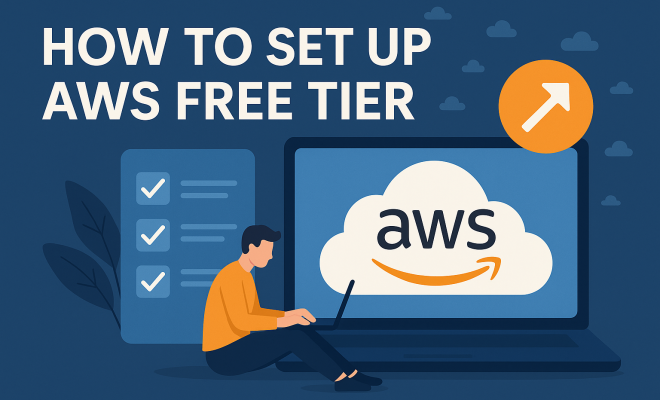
Unlock AWS Free Tier: Your Guide to Cloud Computing
“`html
Amazon Web Services (AWS) has become a cornerstone in the realm of cloud computing, providing a plethora of services that cater to businesses and individuals alike. If you’re looking to dip your toes into cloud technology without breaking the bank, the AWS free tier setup is your perfect entry point. This guide will walk you through everything you need to know to get started with AWS, from understanding what the free tier includes to setting up your first service.
1. What Is AWS Free Tier?
The AWS Free Tier is a promotional offering that allows new customers to use a selection of AWS services at no cost for a limited period. This initiative aims to help users learn about cloud computing without financial risk. The free tier generally includes three types of offers: a 12-month free tier, a short-term free trial, and always-free offers.
For instance, the 12-month free tier includes resources like Amazon EC2 (Elastic Compute Cloud) instances, Amazon S3 (Simple Storage Service) storage, and Amazon RDS (Relational Database Service), among others. Each of these services comes with specific limits, such as a certain number of hours of usage or data storage. The short-term free trial is typically for new services that AWS wants users to try out, while the always-free tier includes select services that remain free even after the 12 months are up.
2. Who Can Use the Free Tier?
The AWS free tier is primarily designed for new AWS customers. If you have never created an AWS account before, you’re eligible for the free tier. However, existing customers or those who have previously signed up for AWS services will not qualify for this offer. It’s essential to understand that while the free tier provides a great opportunity to learn and experiment, it comes with limitations and conditions.
For example, hitting the usage limits of the free tier can lead to unexpected charges. Therefore, it’s crucial to monitor your usage through the AWS Management Console. AWS provides detailed billing and usage reports to ensure you stay within the free tier limits.
3. Creating Your AWS Account
Setting up your AWS account is the first step in the AWS free tier setup. To get started, visit the AWS homepage and click on the “Create a Free Account” button. You’ll need to provide your email address, create a password, and choose an AWS account name.
After entering your details, AWS will prompt you for billing information, which includes a valid credit card. Although you won’t be charged during the free tier period, AWS requires this information for verification purposes. Once you complete the billing setup, you’ll receive a confirmation email, and your account will be activated.
4. Understanding AWS Management Console
Once your account is set up, you’ll access the AWS Management Console, which serves as the control panel for all AWS services. The console is user-friendly and provides detailed information on each service, including pricing, documentation, and setup guides.
As you navigate the console, take time to familiarize yourself with the dashboard. You’ll notice sections for your resources, billing, and various services. The management console is where most of your configuration and monitoring will take place, making it vital for effective AWS free tier setup.
5. Launching Your First EC2 Instance
One of the most popular services provided by AWS is EC2, which allows you to run virtual servers in the cloud. Launching your first EC2 instance is an essential part of your AWS free tier setup. To do this, navigate to the EC2 service in the AWS Management Console, and click on “Launch Instance.”
You will be presented with various Amazon Machine Images (AMIs) to choose from. AMIs are pre-configured templates for your instances. Select a free tier eligible AMI, like Amazon Linux or Ubuntu Server, to ensure you remain within the free tier limits. After selection, you’ll configure settings like instance type, VPC (Virtual Private Cloud) settings, and security groups. Finally, review and launch your instance, and within minutes, you’ll have a virtual server ready for use.
6. Using Amazon S3 for Storage
Amazon S3 is another essential service that many users leverage, particularly for data storage. It allows you to store and retrieve any amount of data at any time. Setting up S3 is straightforward and ideal for hosting static websites, backups, or storing application data. (See: CDC COVID-19 Resources.)
To set up S3, go to the S3 service within the AWS Management Console and click on “Create Bucket.” You’ll need to name your bucket and choose a region. Make sure to follow naming conventions, as bucket names must be globally unique. After that, you can configure permissions and settings according to your requirements. Once set up, you can upload files directly through the console or programmatically using AWS SDKs.
7. Monitoring Your Usage
As you begin using AWS services, it’s crucial to keep an eye on your resource consumption to avoid incurring charges. AWS offers several tools for monitoring your usage, including CloudWatch and the Billing Dashboard. CloudWatch provides insights into your services’ performance and can alert you when you approach your free tier limits.
The Billing Dashboard, on the other hand, provides a comprehensive view of your AWS account’s costs and usage trends. You can set up billing alarms to notify you via email when your costs exceed a specific threshold, which is a lifesaver for those new to the platform. Regular monitoring can prevent any surprises on your bill at the end of the month.
8. Scaling Your Services
One of the most significant benefits of AWS is the ability to scale your applications seamlessly. As your needs grow, you can easily adjust your services without having to invest in physical hardware. For instance, you can increase your EC2 instance size or add more S3 storage space as your application demands grow.
However, while scaling is an exciting feature, it’s essential to keep in mind the cost implications. Some services that may have been free under the free tier may incur charges as your resource usage increases. Always refer back to the AWS pricing page to understand the costs associated with scaling your services.
9. Taking Advantage of Additional Resources
AWS offers a wealth of resources to help users maximize their experience, especially those utilizing the free tier. From comprehensive documentation to tutorials and user forums, AWS provides ample support for users of all skill levels. Taking advantage of these resources can save you time and enhance your understanding of the AWS ecosystem.
Some notable resources include the AWS Training and Certification program, which offers free courses on various topics, and the AWS YouTube channel, which features tutorials and case studies. Engaging with the community through forums like AWS Developer Forums or Stack Overflow can also provide valuable insights from experienced users.
10. Common Pitfalls to Avoid
While the AWS free tier setup is a fantastic opportunity, there are some common pitfalls that users should be aware of. One major risk is the unintended overuse of resources. It’s easy to get carried away and accidentally exceed free tier limits, especially with services like EC2 and RDS.
Another pitfall is neglecting to monitor usage. As mentioned earlier, AWS provides robust tools for tracking and managing costs, so make sure to utilize them. Lastly, familiarize yourself with the terms and conditions of the free tier—this knowledge can help you avoid surprises and ensure you’re making the most of your AWS experience.
11. Advanced Services Available in the Free Tier
While many users start with basic services like EC2 and S3, AWS offers a range of advanced services that can also be explored under the free tier. For example, AWS Lambda allows you to run code in response to events without provisioning servers. It’s particularly useful for building serverless applications and managing backend processes efficiently.
Another advanced service is Amazon DynamoDB, a fully managed NoSQL database service that can store and retrieve any amount of data, serving high-traffic applications with low latency. During the free tier period, you get a specified number of read and write requests, making it a great option for testing applications that require database interactions.
Understanding how to utilize these advanced services can help you scale your learning and enhance the complexity of the applications you can build without incurring costs.
12. Statistics on AWS Free Tier Usage
The popularity of the AWS free tier is evident in its user statistics. Recent surveys show that over 40% of new AWS users begin their journey through the free tier. According to AWS, millions of accounts were created in the last year alone, with the free tier playing a crucial role in attracting new customers to the platform.
Moreover, studies indicate that users who start with the free tier are more likely to continue using AWS services beyond the first year. This demonstrates how effective the free tier is in helping users transition from experimentation to leveraging AWS for more significant projects and production workloads.
In terms of services, EC2 remains the most commonly launched service, with S3 closely following. This trend underscores the foundational role these services play in cloud computing and application development.
13. Expert Perspectives on AWS Free Tier
Industry experts often recommend the AWS free tier as an excellent starting point for both individuals and businesses interested in cloud services. According to cloud computing consultant Sarah Johnson, “The AWS free tier is not just a marketing gimmick; it offers real opportunities for users to build and test applications without a financial commitment.” This perspective is echoed by many in the tech community who see the value in AWS’s educational approach.
Furthermore, AWS Evangelist Mike DeSimone states, “The free tier effectively lowers the barrier to entry for new developers, startups, and students. It allows them to experiment with services, learn best practices, and develop skills that can lead to future career opportunities.” This sentiment highlights the educational aspect of the AWS free tier setup, encouraging knowledge and skill development.
14. Real-World Use Cases of AWS Free Tier
Many successful projects and applications have started on the AWS free tier. For instance, a small startup may use EC2 instances to run their web application during the initial development phase without incurring costs. As they attract users and grow, they can transition seamlessly to paid services.
Another example is a college student who builds a personal website using Amazon S3 for storage and Amazon RDS for managing their blog’s database—all while staying within the free tier limits. This practical application helps the student gain hands-on experience with AWS, which is incredibly valuable in today’s job market.
These cases illustrate how the AWS free tier can facilitate innovation and learning in various fields, from entrepreneurship to education.
15. Frequently Asked Questions (FAQ)
1. How long does the AWS free tier last?
The AWS free tier lasts for 12 months for new AWS customers, starting from the date you create your account. Some services, however, offer always-free features, which remain available even after the first 12 months.
2. Are there any charges during the AWS free tier period?
While the services listed under the AWS free tier are free within specified limits, exceeding those limits will result in charges. It’s important to monitor your usage to avoid unexpected costs.
3. Can I use the AWS free tier for production applications?
While you can experiment and develop applications using the free tier, it’s generally recommended to transition to paid services for production applications as they often require higher resources and reliability than the free tier can provide.
4. What happens when the free tier period ends?
Once the free tier period ends, you will be charged at standard rates for any services you continue to use. It’s a good idea to review your resource usage before the end of the free tier to plan for any adjustments you might need to make.
5. Is it possible to switch from a paid account to a free tier account?
Once you have committed to a paid account, you cannot revert to the free tier. The free tier is available only to new accounts, so careful consideration is necessary before moving to a paid service.
6. What resources are available to learn more about AWS?
AWS provides a wealth of resources, including documentation, tutorials, and webinars. The AWS Training and Certification program and the AWS YouTube channel are excellent starting points for anyone looking to deepen their knowledge.
16. Tips for Optimizing Your AWS Free Tier Experience
To truly make the most out of your AWS free tier setup, consider these helpful tips. First, familiarize yourself with the AWS Free Tier calculator to estimate your monthly usage and avoid going over limits. This tool can be invaluable in planning your architecture and resource allocation.
Second, utilize AWS Budgets to set spending limits and receive alerts, ensuring you’re always aware of your usage status. This proactive approach can help you manage resources effectively and avoid unwanted surprises.
Another tip is to engage in community forums and groups where you can share experiences and learn from others. Many users share their strategies for maximizing the free tier, and you might find tips specifically tailored to your application needs.
Lastly, consider taking small projects or challenges that encourage you to explore various AWS services. Platforms like GitHub often host projects that utilize AWS, providing a great way to learn by doing.
17. The Future of AWS Free Tier
As AWS continues to evolve, so too do the opportunities associated with the free tier. AWS has been expanding its offerings and introducing new services regularly. Future enhancements might include more extensive free tier limits for existing services or entirely new services aimed at specific developer niches, such as machine learning or data analytics.
The emphasis on education and training in the tech industry suggests that AWS will continue to bolster its free tier with learning resources. This could include more hands-on labs, guided tutorials, and perhaps certifications that can be earned during the free tier period, incentivizing users to engage deeply with the platform.
With this comprehensive guide, you’re well-equipped to tackle your AWS free tier setup. By understanding the essentials and utilizing the available resources, you can experiment with cloud computing like a pro—without spending a dime.
“`
Trending Now
Frequently Asked Questions
What is included in the AWS Free Tier?
The AWS Free Tier includes a variety of services for new customers, such as Amazon EC2, Amazon S3, and Amazon RDS. It generally offers three types of packages: a 12-month free tier, short-term free trials, and always-free offers, each with specific usage limits to help users explore cloud computing without incurring costs.
Who is eligible for the AWS Free Tier?
The AWS Free Tier is designed for new AWS customers who have never created an account before. Existing customers or those who have previously signed up for AWS services are not eligible. It’s essential to monitor your usage to avoid unexpected charges once you exceed the free tier limits.
How long does the AWS Free Tier last?
The AWS Free Tier generally lasts for 12 months for new customers. However, there are also short-term free trials for new services and always-free offers for select services that remain free indefinitely, even after the initial 12-month period.
Can I exceed the AWS Free Tier limits?
Yes, you can exceed the AWS Free Tier limits. While the service allows for a certain amount of usage at no cost, exceeding these limits can lead to unexpected charges. It's crucial to keep track of your usage through the AWS Management Console to avoid any surprises.
How do I set up my AWS Free Tier account?
To set up your AWS Free Tier account, visit the AWS website and create a new account. During the signup process, you will automatically be enrolled in the free tier, allowing you to explore various services and resources without incurring costs for the first 12 months, as long as you stay within the usage limits.
Agree or disagree? Drop a comment and tell us what you think.