How to zoom without losing quality
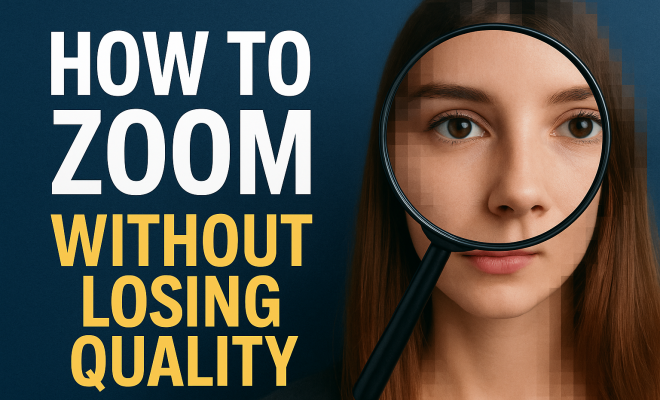
“`html
When we think of zooming in on images or videos, we often picture blurry or pixelated results — a frustrating experience that can ruin the clarity of the content. Whether you’re a photographer, designer, or simply someone who loves sharing high-quality images, learning how to zoom without losing quality is essential. In this article, we’ll explore various techniques, tools, and tips that can help you maintain image integrity while zooming in.
1. Understanding Image Resolution
To grasp the concept of zooming without losing quality, it’s crucial to understand image resolution. Resolution refers to the detail an image holds and is often measured in pixels. A higher resolution means more pixels, delivering finer details. For example, a 1920×1080 image contains 2.1 million pixels, while a 4K resolution image measures 3840×2160, totaling about 8.3 million pixels.
When you zoom in on an image, you’re essentially enlarging its pixels. If the image resolution is low, the pixels become more noticeable, leading to a blurry or pixelated appearance. Therefore, to zoom without losing quality, start with images of high resolution. Images taken from professional cameras, or those downloaded from stock photo sites are usually higher in quality and can withstand zooming better than those from social media.
2. Vector Images vs. Raster Images
One of the most effective ways to ensure you can zoom without losing quality is to utilize vector images rather than raster images. Raster images, like photographs, are made up of pixels, which limits their scalability. When you scale a raster image up, the pixels become larger, resulting in a loss of quality.
On the other hand, vector images are composed of paths defined by mathematical equations. Because of this design structure, they can be scaled infinitely without any loss of quality. Graphics created in programs like Adobe Illustrator are typically vector files. If you’re looking to maintain quality when zooming in, consider using vector graphics for logos, icons, or illustrations.
3. Using Image Editing Software
Another avenue to explore when aiming to zoom without losing quality is image editing software. Programs like Adobe Photoshop and GIMP come equipped with tools designed to enhance image clarity during zooming. One such tool is the “Smart Sharpen” function in Photoshop, which can help recover some of the sharpness lost when zooming in.
Additionally, many editing programs allow for interpolation methods like bicubic smoother, which can enhance the quality of enlarged images. By carefully adjusting the image settings, you can create a zoomed-in image that retains more detail than a standard enlargement would.
4. Utilizing AI Tools for Enhancing Quality
Advancements in artificial intelligence have opened up new possibilities for enhancing image quality. Several AI-powered tools specialize in upscaling images without significant quality loss. Software like Topaz Gigapixel AI uses machine learning algorithms to analyze images and add detail as they are enlarged, producing stunning results.
Employing these AI tools can offer a significant advantage, particularly for photographers and graphic designers who frequently work with high-resolution images. As technology continues to evolve, leveraging these AI capabilities can help you maintain image quality even when zooming in extensively.
5. Choosing the Right File Format
The file format of your images plays a key role in determining quality during zooming. Common formats like JPEG are lossy, meaning they compress image data and can lose quality each time they’re edited or saved. Alternatively, formats like TIFF or PNG are lossless, preserving the original image quality. (See: Understanding image resolution.)
If you plan on zooming into images, it’s best to use a lossless format. This ensures that each time you make adjustments or zoom in on the image, you aren’t degrading its quality. When working on images that require zooming, always consider the file format to maintain clarity.
6. Mastering Zoom Techniques on Digital Platforms
Beyond image resolution and file formats, knowing how to zoom effectively on digital platforms is equally important. Different software and applications provide various zoom functionalities that can impact the final result. For instance, many video editing programs offer options to zoom in on clips without losing clarity by keyframing the zoom effect.
In platforms like Adobe Premiere Pro, you can use the “Scale” function with a combination of “Position” adjustments to maintain the quality of video footage while zooming in. By understanding the tools and techniques available in your software, you can effectively manage the quality of your content during zooming.
7. Testing and Adjustments
One of the best practices for ensuring you zoom without losing quality is to regularly test and adjust your images and processes. After applying various techniques and tools, examine the results closely. Are the images still clear? Are the details preserved? Conducting mini-experiments will help you identify the most effective methods for your specific needs.
Consider creating a checklist of adjustments that work best for your style and content type. This could include preferred file formats, effective editing software settings, and resolution requirements. With practice and experimentation, you’ll become adept at maintaining quality during zooming.
8. Real-World Examples of High-Quality Zooming
To truly understand how to zoom without losing quality, let’s look at some real-world examples. Many famous photographers, like Ansel Adams, mastered the art of capturing high-quality images that allowed for extensive zooming. His images were often taken with large format cameras, producing prints that could be viewed at a closer range without losing the rich detail.
In contemporary settings, companies that produce high-resolution stock images, such as Shutterstock and Getty Images, invest heavily in quality control to ensure users can zoom in on their images without disappointment. By studying these examples, you can glean insights into techniques and approaches that can help you maintain quality in your own work.
9. Common Misconceptions About Zooming
There are several misconceptions surrounding the idea of zooming in on images. One prevalent myth is that simply increasing the size of an image in an editing program will yield the same result as taking a high-resolution photo. In reality, enlarging a low-resolution image will often exacerbate the issue of pixelation and blurriness.
Another misconception is that all file formats are created equal. While it may seem convenient to save everything in a JPEG format, understanding when to use a lossless format like PNG or TIFF is crucial for retaining image quality during zooming. Knowing the strengths and weaknesses of each format can save you a lot of heartache in the editing process.
10. Additional Tools for Maintaining Quality
Aside from traditional image editing software, there are numerous other tools available that help maintain quality when zooming in. Plugins like ON1 Resize or Alien Skin Blow Up are specifically designed for resizing images while preserving detail and sharpness. These tools often utilize advanced algorithms to provide superior results compared to standard image editing software.
Furthermore, mobile apps such as Remini and Snapseed offer quick solutions for enhancing image quality on the go. These apps leverage AI technology similar to desktop editing software, allowing you to improve the quality of images captured on smartphones, where resolution might not be optimal.
11. Statistics on Image Quality and Engagement
When it comes to content creation, the quality of images plays a significant role in audience engagement. A survey conducted by Adobe found that 70% of consumers said they prefer to engage with high-quality images over those that are blurry or pixelated. Furthermore, a study by MDG Advertising revealed that articles with images get 94% more views than those without, highlighting the importance of quality visuals in attracting readers. (See: Photography and image quality.)
In the world of social media, posts with high-quality images are known to receive 38% more engagement than their lower-quality counterparts. This statistic underscores the necessity of mastering how to zoom without losing quality, especially in a visually driven landscape.
12. Expert Perspectives on Image Quality
Industry experts emphasize the importance of adhering to best practices when it comes to maintaining image quality. Renowned photographer and educator, Chris Burkard, states, “Quality in photography is non-negotiable. If you want your work to stand out, you must invest in high-resolution images and the right techniques for enhancing them.” His perspective reinforces the need for creators to be meticulous about their image quality.
Graphic designer and branding expert, Jessica Walsh, adds, “In a world where visuals dominate, your images need to be compelling and sharp. Understanding the technical aspects of zooming without losing quality is vital for anyone in the creative industry.” These insights from experts serve as a reminder that quality should always be a priority in your work.
13. FAQs
What is the best way to zoom in on a photo without losing quality?
Using high-resolution images, vector graphics, and image editing software with advanced resizing tools can help you achieve a quality zoom. Always opt for lossless file formats when possible.
Can I recover quality in a low-resolution image?
While it’s challenging to recover quality in low-resolution images, using AI tools like Topaz Gigapixel AI can help enhance details and improve sharpness to some extent, though results may vary.
How does image format affect zoom quality?
The image format significantly impacts zoom quality. Lossy formats like JPEG may degrade quality upon zooming, while lossless formats like TIFF and PNG retain detail better when edited or enlarged.
Are there any online tools to enhance image quality when zooming?
Yes, several online platforms such as Fotor, Pixlr, and Canva offer image enhancement tools that allow you to adjust dimensions and improve quality while zooming. Many of these tools also incorporate AI technology for better results.
Is it better to zoom in on a digital image or a physical print?
Digital images can often be zoomed in more effectively without losing quality, especially if they are high resolution. Physical prints, on the other hand, can only be viewed at a certain size without losing detail.
14. Exploring Alternative Methods for Quality Zoom
If you’re looking to zoom without losing quality, consider techniques beyond traditional image editing or vector graphics. For instance, using specialized scanning equipment can significantly enhance the quality of images you take, particularly for documents or physical artworks. Scanners designed for high-resolution outputs can capture minute details, allowing for ample zoom without pixelation.
Additionally, there are techniques like “focus stacking” that photographers can employ. This approach involves taking multiple images at different focus distances and then merging them in post-processing. This method not only allows for a broader depth of field but also contributes to better image clarity when zoomed in. (See: Research on image quality preservation.)
15. The Impact of Compression on Image Quality
Compression is a critical factor when discussing image quality. Understanding the difference between lossy and lossless compression is essential for anyone looking to maintain high-quality images. Lossy compression reduces file sizes by removing some data, which can lead to quality loss. This is often seen in JPEGs when images are saved too many times, gradually degrading their sharpness.
On the flip side, lossless compression retains all image data, ensuring that quality remains intact even after multiple edits. Formats like PNG employ lossless compression, making them preferable for images that require frequent zooming and editing. When creating content that involves zooming, be aware of your compression settings to maintain the integrity of your images.
16. Case Studies: Successful Use of High-Quality Imagery
Several brands have effectively utilized high-quality imagery to engage their audience and enhance their brand image. For example, Apple is known for its stunning product photography. Their images showcase products in such detail that customers feel as if they can almost touch the items. This level of quality is essential for a tech company selling high-end devices where visual appeal is crucial.
Another example is National Geographic, which relies heavily on breathtaking photography to capture the beauty of nature. Their high-resolution images allow readers to zoom in on fine details, such as textures of animals’ fur or the intricacies of landscapes, creating an immersive experience that keeps readers engaged and coming back for more.
17. The Future of Image Quality and Zooming
As technology continues to advance, the tools available for maintaining image quality are becoming more sophisticated. We can expect to see more applications utilizing AI to provide real-time enhancements, making it easier for users to zoom in without worrying about quality loss. Innovations like augmented reality (AR) will also push the boundaries of how we interact with images, requiring even higher standards of quality.
Furthermore, the advent of 8K resolution displays is likely to influence content creation standards. Creators will need to adapt their techniques and tools to meet these higher resolutions, ensuring that their images can be zoomed in on without losing clarity. Being ahead of these trends will benefit anyone looking to produce high-quality content in the future.
18. Conclusion: The Importance of Quality in Zooming
Learning how to zoom without losing quality is not just a technical requirement; it’s essential for creating visually appealing and professional content. Whether you’re a photographer, graphic designer, or content creator, understanding the principles behind image resolution, file formats, and editing techniques will significantly enhance your work. By employing the right tools and methods, you can ensure that your images always look stunning, regardless of how much you decide to zoom in. Focus on quality, and your audience will appreciate the effort you put into maintaining clarity.
“`
Trending Now
Frequently Asked Questions
How can I zoom in on images without losing quality?
To zoom in on images without losing quality, use high-resolution images. Higher pixel counts ensure finer details. Additionally, consider using vector images, as they can be scaled infinitely without losing clarity, unlike raster images which can become pixelated when enlarged.
What is the difference between vector and raster images?
Raster images are made of pixels and can lose quality when scaled up, while vector images are composed of paths defined by mathematical equations, allowing them to be resized infinitely without any loss of quality. This makes vector images ideal for maintaining clarity when zooming.
Why does zooming in on images often result in blurriness?
Zooming in on images can lead to blurriness because it enlarges the pixels within low-resolution images. When an image lacks detail, the pixels become more noticeable, resulting in a pixelated or blurry appearance. Higher resolution images mitigate this effect.
What image resolution is best for zooming?
For optimal zooming, high-resolution images are best. For example, images in 4K resolution (3840×2160 pixels) provide more detail and clarity compared to lower resolutions like 1920×1080. Using high-resolution images helps maintain quality when zoomed in.
What tools can help maintain image quality when zooming?
To maintain image quality while zooming, use graphic design software like Adobe Illustrator for vector images, or photo editing tools that support high-resolution formats. Additionally, stock photo sites often provide high-quality images suitable for zooming.
What did we miss? Let us know in the comments and join the conversation.