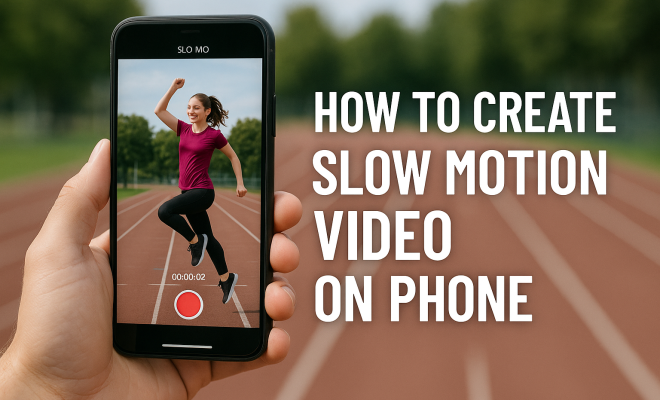
How to create slow motion video on phone
“`html
Creating slow motion video on phone has never been easier, thanks to advancements in smartphone camera technology. Whether you’re capturing your child’s first steps, a pet’s playful antics, or an epic sports moment, slow-motion videos can add a dramatic flair that regular footage just can’t match. In this guide, we’ll take you through the essential steps to shoot and edit stunning slow-motion videos on your smartphone, along with tips to elevate your video-making game.
1. Understanding Slow Motion Video
Before diving into the how-to’s, it’s important to grasp what slow motion video is and how it works. Slow motion video captures footage at a higher frame rate than the standard 24 or 30 frames per second (fps). When played back at a normal speed, this footage appears to move at a slower pace. For instance, filming at 120 fps or 240 fps can yield mesmerizing results when played back at normal speed.
The science behind slow motion is relatively straightforward: By capturing more frames in a given time, you create additional detail and fluidity in the motion of the video. This can be particularly effective for fast-moving subjects, as it allows you to scrutinize every nuance of movement.
2. Setting Up Your Phone for Slow Motion
Most modern smartphones, whether Android or iPhone, come equipped with a dedicated slow motion video feature. To get started, ensure your device’s camera settings are optimized:
- Camera Specifications: Check your camera specifications to identify the maximum frame rate available for slow motion. Many phones support 120 fps, while some high-end models can go up to 240 fps or even 960 fps.
- Resolution: Decide whether to shoot in HD or 4K, as this can impact the clarity of your slow motion video.
- Stabilization: If your phone supports it, enable image stabilization to avoid shaky footage.
With your settings adjusted, you’re ready to explore the slow motion options available on your device. Typically, this can be found in the camera app under a dedicated mode labeled “Slow-Mo” or “Slo-Mo.”
3. Lighting Conditions Matter
When creating a slow motion video on phone, lighting plays a crucial role in achieving a high-quality output. The faster the frame rate, the more light you will need to illuminate your subject effectively:
- Natural Light: Shooting outdoors on a sunny day often results in the best lighting conditions. The more light you have, the clearer and sharper your slow motion footage will be.
- Indoors: If you’re filming indoors, ensure the space is well-lit. Consider using additional lighting sources like softboxes or ring lights to enhance visibility.
- Time of Day: The golden hour—shortly after sunrise or before sunset—provides soft and beautiful lighting that can enhance the visual quality of your slow motion videos.
Good lighting not only makes your videos look more professional but also helps minimize noise and graininess in your footage.
4. Choosing Your Subject Wisely
Your choice of subject can greatly impact the effectiveness of your slow motion video. Certain actions lend themselves beautifully to slow motion. Here are some ideas:
- Sports: Capture athletes performing flips, jumps, or fast-paced movements.
- Nature: Document the fluttering wings of a bird or water splashing against rocks.
- Everyday Moments: Record small, everyday activities, like pouring a drink or someone laughing.
Think about the emotions or reactions you want to evoke in your viewers. Slow motion can enhance dramatic moments, making them even more impactful. (See: Understanding slow motion video.)
5. Filming Techniques for Stunning Slow Motion
Now that you’ve set up your phone and chosen your subject, it’s time to film! Here are some techniques to keep in mind:
- Keep it Steady: A shaky camera can ruin even the best shots. Use a tripod or stabilizer if possible.
- Frame Your Shot: Consider composition carefully. Use the rule of thirds to place your subject in a visually appealing way.
- Time Your Action: Anticipate the action for the best timing. For instance, if filming a dancer, start recording a few moments before they leap to capture the lead-up.
Practice makes perfect, so don’t hesitate to shoot multiple takes of the same action to get the best footage.
6. Editing Your Slow Motion Video
After filming, the next step is editing. There are various apps available that can help you edit your slow motion video on phone with ease. Here are a few popular options:
- iMovie (iOS): A user-friendly editing tool for iPhone users that allows you to adjust the speed of your clips effortlessly.
- Adobe Premiere Rush: Available on both iOS and Android, this app provides more advanced editing options, including speed adjustments, color correction, and transitions.
- Quik by GoPro: This app automatically creates a polished video from your footage and includes slow-motion effects.
While editing, focus on the pacing of your video. It’s best to mix slow-motion segments with normal-speed clips to keep the viewer engaged. You can add music or sound effects to enhance the overall impact.
7. Sharing Your Slow Motion Creations
Once you’ve crafted your slow motion video, it’s time to share it with the world. Social media platforms are ideal for showcasing your work:
- Instagram: Use the Reels feature to post short, captivating slow-motion clips.
- TikTok: Create engaging content using slow motion to attract viewers.
- YouTube: For longer videos, upload them on your channel, complete with descriptions and tags to reach a broader audience.
Each platform has its specifications for video formats and durations, so make sure to optimize your videos accordingly. Engaging with your audience through comments and shares can help your content reach even more viewers.
8. Exploring Advanced Techniques
For those looking to take their slow motion videos to the next level, consider exploring advanced techniques:
- High Frame Rate Filming: Experiment with higher frame rates for ultra-smooth slow-motion effects.
- Motion Tracking: Use motion tracking technology available in editing software to keep your subject in focus while blurring the background.
- Transitions and Effects: Play with transitions between slow-motion and regular speed to create a dynamic visual flow.
These advanced methods can significantly enhance the storytelling aspect of your videos, making them more captivating for viewers.
9. Staying Current with Trends
The world of video creation is constantly evolving, with new trends emerging regularly. Staying in the loop can help you keep your content fresh and engaging:
- Follow Influencers: Pay attention to popular content creators in your niche. They often set the trends that others follow.
- Participate in Challenges: Platforms like TikTok frequently host challenges that leverage unique video styles, including slow motion.
- Experiment: Don’t hesitate to try different styles, themes, and techniques. The more you experiment, the more you’ll discover what resonates with your audience.
By continually evolving your skills and staying aware of trends, you can maintain a captivating presence in the video creation community. (See: Scientific insights on slow motion video.)
10. Common Mistakes to Avoid
While creating slow motion videos can be a fun and creative process, there are some common pitfalls that can diminish the quality of your footage. Here’s what to watch out for:
- Ignoring Frame Rate: Shooting at too low a frame rate can result in choppy slow-motion footage instead of smooth playback. Always aim for the highest frame rate your phone can handle for slow-motion shots.
- Overexposing Footage: High frame rate filming often requires careful exposure management. Be mindful of how light interacts with your subject to avoid blown-out highlights.
- Neglecting Background Elements: A cluttered or distracting background can take the focus away from your subject. Ensure that the background complements your video rather than competes with it.
- Forgetting Audio Considerations: Slow-motion videos can alter the perception of sound. Be cautious about how audio fits in your editing. Sometimes adding music or sound effects may be necessary to enhance the viewer’s experience.
11. Incorporating Music and Sound Effects
Sound plays a crucial role in enhancing the emotional appeal of your slow-motion video. Here’s how you can effectively incorporate music and sound effects:
- Selecting the Right Music: Choose music that complements the mood and pacing of your video. For instance, use upbeat tracks for energetic clips and slower, more melodic pieces for emotional moments.
- Using Sound Effects: Adding subtle sound effects can emphasize the action in your video. For example, the sound of a splash when capturing water in slow motion can heighten the experience.
- Syncing Audio with Visuals: Pay attention to how well your audio syncs with the visuals, especially during slow-motion segments. Proper synchronization can make your video feel more polished and professional.
12. Examples of Creative Slow Motion Video Projects
If you’re looking for inspiration, consider these creative project ideas for your slow-motion videos:
- Food and Drink: Capture the moment a drink is poured or the slow motion of food being cut. This can create a mouthwatering effect, especially for cooking tutorials.
- Pet Antics: Pets naturally have quirky behaviors that can be highlighted in slow motion. Try filming them jumping or playing with toys for an adorable touch.
- Fashion Shoots: Slow motion can add drama to fashion videos, showcasing the flow of fabrics and the movement of models in a striking way.
- Sports Highlights: Compile a highlight reel of your favorite sports moments in slow motion. The intensity and emotion captured can turn an average highlight into a thrilling experience.
13. Exploring Different Styles
Diving into different styles of slow-motion video can help you find your unique voice as a creator. Here are some styles to consider:
- Artistic Slow Motion: Create a narrative-driven piece that emphasizes emotional storytelling through slow motion—think of a heartfelt moment that is beautifully captured over time.
- Documentary Style: Use slow motion to highlight key moments in a documentary. This can enhance the emotional weight of what’s happening, allowing viewers to connect with the subject matter.
- Experimental: Don’t shy away from experimenting with unconventional subjects and settings. Slow motion can transform everyday scenarios into something extraordinary.
14. FAQs About Slow Motion Video on Phone
What frame rate should I use for slow motion video?
For the best results, aim for at least 120 fps. Higher frame rates like 240 fps or even 960 fps (if available) can provide smoother slow-motion playback.
Can I use slow-motion video in my social media content?
Absolutely! Slow-motion videos are perfect for social media, especially on platforms like Instagram, TikTok, and YouTube. They can grab attention and make your content stand out.
How can I stabilize my slow motion videos?
To stabilize your videos, use a tripod or handheld gimbal while filming. Also, many editing apps have stabilization features that can help reduce shake.
Is lighting really that important for slow motion video?
Yes, lighting is crucial. Higher frame rates require more light to maintain clarity and quality. Good lighting minimizes graininess and enhances the visual appeal of your slow motion footage.
Can I edit slow motion video on my phone?
Yes, there are numerous apps like iMovie, Adobe Premiere Rush, and Quik that allow you to edit slow motion videos directly on your phone, making the process convenient and efficient. (See: Tips for shooting slow-motion videos.)
15. Technical Aspects of Slow Motion Video
Understanding some technical aspects can greatly enhance your slow-motion video creation. Here are a few important points to keep in mind:
- Bitrate: This refers to the amount of data processed in a given time. A higher bitrate typically results in better video quality, which is essential for capturing the finer details in slow motion.
- Codec: Different types of codecs can affect how your slow-motion video is compressed and stored. H.264 and H.265 are common for high-quality video, so check your settings to ensure optimal compression without losing too much quality.
- Frame Interpolation: Some editing software offers frame interpolation features that can enhance slow-motion footage by generating additional frames in between existing ones, creating a smoother appearance.
16. Exploring Creative Filters and Effects
Adding filters and effects can significantly change the look and feel of your slow-motion video. Here are some popular options:
- Black and White: This classic look can create a dramatic effect, highlighting emotions and actions without the distraction of color.
- Color Grading: Adjusting the colors in your video can evoke specific moods. For instance, warmer tones can create a cozy feeling, while cooler tones might add a sense of calm or melancholy.
- Speed Ramping: This technique allows you to change the speed of your video dynamically. You can start with slow motion and ramp up to normal speed for an exciting transition.
17. Using Slow Motion for Storytelling
Slow motion isn’t just a visual technique; it can be a powerful storytelling tool. By using slow motion intentionally, you can guide your viewers’ emotions and reactions:
- Building Suspense: Slow down a pivotal moment in your story to build tension, making viewers hold their breath as they anticipate what will happen next.
- Highlighting Emotion: Capture subtle facial expressions or reactions in slow motion to emphasize the emotional weight of a scene. This can resonate deeply with viewers.
- Creating Impactful Moments: Use slow motion during climactic events to allow audiences to absorb the full impact of the action, making it more memorable.
18. Slow Motion in Professional Settings
Many professionals now use slow motion as part of their video strategy. Here are some examples of how it’s utilized:
- Advertising: Brands often incorporate slow motion to highlight product features. For example, a beverage brand might film the fizz of a soda pouring into a glass in slow motion, making it look more enticing.
- Documentaries: Documentarians use slow motion to capture nature or human expressions in more detail, drawing viewers into the moment.
- Film and Television: Slow motion is frequently used in cinematic sequences to create dramatic storytelling moments, such as action scenes or emotional reveals.
19. Challenges of Shooting in Slow Motion
While creating slow-motion videos can be rewarding, there are challenges you might face. Here are a few common ones:
- Battery Consumption: Shooting at high frame rates can drain your battery quickly. It’s advisable to monitor battery levels and carry a portable charger if you plan to shoot for extended periods.
- Storage Space: Slow motion videos, especially in high resolution, can consume a lot of storage. Ensure you have sufficient space on your device or use external storage solutions to back up your files.
- Editing Complexity: Slow motion footage may require more editing finesse to achieve the desired effect, especially when syncing audio or incorporating visual effects.
Creating slow motion video on phone can be a rewarding endeavor that enhances your storytelling abilities. With a little practice and creativity, you can transform ordinary moments into extraordinary visual experiences. So grab your smartphone, get out there, and start capturing those stunning slow-motion moments today!
“`
Trending Now
Frequently Asked Questions
How do I make a slow motion video on my phone?
To create a slow motion video on your phone, first access the camera app and select the slow motion mode. Ensure your settings are optimized for frame rate and resolution. Record your footage, focusing on fast-moving subjects, and then play it back to see the slow-motion effect.
What frame rate is best for slow motion video?
The best frame rate for slow motion video typically ranges from 120 fps to 240 fps. Higher frame rates capture more detail and fluidity, enhancing the slow-motion effect when played back at normal speed.
Can I edit slow motion videos on my phone?
Yes, most smartphones come with built-in editing tools that allow you to trim, adjust speed, and add effects to your slow motion videos. You can also use third-party video editing apps for more advanced editing features.
Do I need a special app for slow motion video?
While most modern smartphones have a built-in slow motion feature in their camera app, you can enhance your videos using specialized video editing apps that offer additional slow motion effects and editing capabilities.
What should I consider when shooting slow motion video?
When shooting slow motion video, consider the lighting conditions, frame rate settings, and stabilization features. Good lighting enhances video quality, while a higher frame rate captures smoother motion. Enable stabilization to reduce shakiness.
What’s your take on this? Share your thoughts in the comments below — we read every one.