Change Your Alexa Wake Word: A Quick Guide
“`html
1. Understanding Alexa’s Wake Word
When you interact with your Amazon Alexa device, the first thing you usually do is say a specific phrase: the wake word. This is how you tell Alexa to listen to your requests. The default wake word is “Alexa,” but you might want something a bit more personal or tailored to your household. Understanding what a wake word is and how it functions is essential for customizing your experience.
The wake word activates the device’s voice recognition system, allowing it to interpret commands and queries. This technology utilizes advanced machine learning algorithms to differentiate between background noise and the wake word. Once detected, Alexa prepares itself to process voice commands. Changing this word can enhance your interaction with the device, making it feel more personalized.
2. Why Change Your Wake Word?
There are several reasons you might want to change the Alexa wake word. First, personal preference plays a significant role. If you find “Alexa” too common or want something unique that resonates more with your lifestyle, selecting a different wake word can make a difference. Secondly, in households with multiple smart devices, having an alternative can minimize confusion.
Moreover, some users have reported instances where their devices respond to other voices or sounds that mimic the wake word, resulting in unwanted activations. Changing your wake word can help mitigate this issue, ensuring that Alexa only listens when you want it to. Ultimately, adjusting this setting allows for a more tailored and efficient experience.
3. Current Options for Alexa Wake Words
As of now, Amazon allows users to choose from several wake words. Besides the original “Alexa,” you can switch to “Amazon,” “Echo,” or “Computer.” Each of these options has a distinct sound, and you might find one resonates better than the others. For instance, “Echo” has a sharper sound, which could be preferable in noisy environments.
These options provide a degree of flexibility, allowing users to select a wake word that best fits their household or personal preferences. However, it’s worth noting that the selection is limited, and users should keep an eye out for potential future updates from Amazon that may introduce more choices.
4. How to Change Your Alexa Wake Word
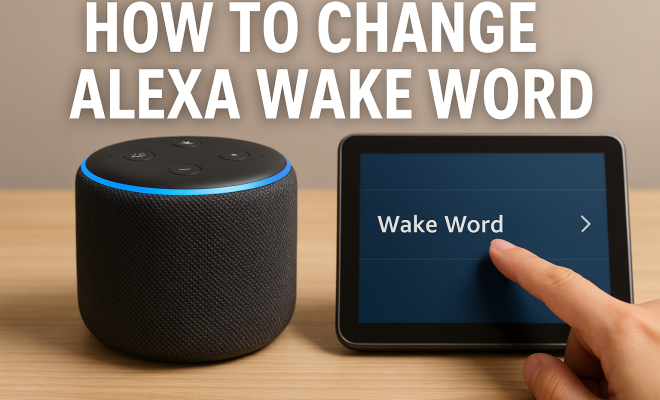
Changing your Alexa wake word is a straightforward process. To get started, make sure your Alexa device is plugged in and connected to Wi-Fi. Then, you can either use the Alexa app on your smartphone or directly speak to your Alexa device. The app is generally the more reliable method. Here’s a step-by-step guide:
- Open the Alexa app on your smartphone.
- Tap the “Devices” icon at the bottom right of the screen.
- Select your device from the list.
- Scroll down and tap on “Device Settings.”
- Find the option labeled “Wake Word” and tap it.
- Select your preferred wake word from the list.
- Tap “Save” to apply your changes.
After completing these steps, your device will respond to the new wake word. You might want to test it a few times to ensure it recognizes the new phrase properly.
5. Testing the New Wake Word
Once you’ve changed your Alexa wake word, it’s time for some testing. Speak the new wake word aloud from various distances and in different tones to see how well it’s picked up. It’s important to note that voice recognition can vary based on environmental factors like background noise, so test it in different settings within your home.
If you find that Alexa struggles to recognize the new wake word, consider adjusting your environment. Try to minimize background sounds, and ensure that the Alexa device isn’t too far away. You may also want to experiment with the positioning of the device; sometimes, simply moving it to a more central location can improve responsiveness.
6. Common Issues and Troubleshooting
While changing your Alexa wake word is generally seamless, some users might encounter issues. One common problem is that Alexa still responds to the old wake word. If this happens, first, double-check that you’ve followed all steps correctly. Sometimes, it may take a moment for the change to take effect.
If the issue persists, try resetting your Alexa device. You can do this by unplugging it for a few seconds and then plugging it back in. After the device reboots, attempt to change the wake word again. If you’re still having trouble, consider reaching out to Amazon support for assistance, as they can provide more tailored troubleshooting steps. (See: Amazon Echo on Wikipedia.)
7. Using Skills and Routines with Your New Wake Word
After you change the Alexa wake word, you might want to explore how it interacts with various skills and routines. Many Alexa skills can enhance your experience, and knowing how to integrate your new wake word into these features is key. For instance, if you use routines to automate home functions, you can set specific phrases that trigger these tasks.
Imagine saying, “Alexa, good morning” to trigger a series of events like adjusting the thermostat, turning on lights, or reading news headlines. It’s essential to ensure that your routine phrases align with your new wake word so that Alexa recognizes and responds to your commands properly.
8. Privacy Considerations
Changing your Alexa wake word isn’t solely about personalization; it also involves privacy considerations. Some users may feel uncomfortable with their device always listening for a specific phrase. By changing the wake word, you might gain a sense of control over when Alexa is actively listening.
Amazon has built-in privacy features that allow you to mute the microphone on your device, which ensures that Alexa is not listening at all. You can also review and delete your voice recordings through the Alexa app, adding another layer of control over your data. Awareness of these features can empower you to customize your experience while also safeguarding your privacy.
9. Future of Wake Words
As technology continues to evolve, so does the potential for voice recognition systems. Currently, there are discussions and research focused on creating more sophisticated and adaptable wake words. Imagine a future where Alexa recognizes individual users’ voices and adjusts wake words or commands based on who is speaking.
This would not only enhance personalization but also improve security. For now, users can only change their wake words within the limited options provided by Amazon. However, as demand grows for more customization, it wouldn’t be surprising if Amazon introduces new features that allow for even greater flexibility in the future.
10. Conclusion: Embracing Personalization
Changing your Alexa wake word is a simple yet impactful way to enhance your personal interaction with the device. It allows you to tailor your smart home experience and address any frustrations related to miscommunication. As you explore the capabilities of Alexa, remember that personalization can significantly improve functionality and user satisfaction.
With just a few steps, you can switch to a name that resonates more with you and your family, ensuring that your device feels like a true extension of your home. So, take the plunge and change your Alexa wake word — you might find it makes interacting with your smart assistant a refreshing experience!
11. Exploring Expanded Wake Word Options
Though Alexa currently offers a limited selection of wake words, there is a growing conversation around expanding this list. Users have expressed interest in unique, personalized wake words that might better reflect their personalities or preferences. Imagine if you could customize your wake word to something like “Hey Genie” or “Listen Up.” Such options could enhance user engagement, making the experience feel even more intimate.
There are also potential benefits for different languages and cultures, where a localized wake word could create a more relatable experience for users worldwide. This could involve researching common names or phrases in various languages that resonate with native speakers. As voice recognition technology advances, the ability to incorporate a wider variety of wake words might become a reality.
12. Comparing Alexa’s Wake Word Features with Competitors
When considering voice-activated smart assistants, it’s essential to compare Alexa’s wake word capabilities with those of other devices. For instance, Google Assistant primarily uses “Hey Google” or “OK Google” as its wake phrases. Apple’s Siri follows suit with the phrase “Hey Siri.” Each has a similar mechanism of activation but varies in terms of personalization.
In contrast to Alexa, which offers a minimal selection of wake words, Google Assistant and Siri have proven to be less flexible in changing wake phrases. Users have expressed the desire for greater customization across these platforms, though they currently focus on their established phrases. This indicates a unique opportunity for Amazon to capitalize on user demand by expanding their wake word options.
13. Statistical Insights on Smart Speaker Usage
Understanding the context of smart speaker usage can shed light on the importance of wake word customization. According to a report by Statista, as of 2023, approximately 37% of U.S. households own at least one smart speaker, with Amazon Alexa leading the market share at 66%. This widespread adoption highlights the significance of user experience and personalization across the board. (See: CDC on health communication tools.)
Moreover, a survey by Voicebot.ai indicated that 30% of smart speaker owners changed their wake word at least once, emphasizing the desire for personalization. This not only points to consumer engagement but also suggests a strong correlation between user satisfaction and the ability to customize device interactions.
14. Frequently Asked Questions About Changing Alexa Wake Words
Can I create my own custom wake word for Alexa?
Currently, Amazon does not allow users to create entirely custom wake words. You can only choose from the available options: “Alexa,” “Amazon,” “Echo,” or “Computer.” However, there is ongoing speculation that future updates may allow for more customization.
Will changing the wake word affect my Alexa routines?
Yes, changing the wake word can affect your routines. Make sure that any voice commands you set up in your routines match the new wake word. For example, if you’ve changed your wake word to “Computer,” you need to update your routines accordingly.
Why does Alexa respond to sounds that aren’t the wake word?
This can occur due to Alexa’s advanced voice recognition technology, which sometimes misinterprets noises or similar-sounding words as the wake word. If this happens frequently, changing the wake word can help prevent unnecessary activations.
Is it possible to disable the wake word feature altogether?
Yes, you can mute the microphone on your Alexa device, which will prevent it from listening for any wake word. This is a useful feature if you want to ensure privacy when not using the device.
How do I know if my device recognizes the new wake word?
After changing the wake word, test it by saying the new wake word from various distances and in different volumes. If Alexa responds, it has successfully recognized the change. If it doesn’t respond consistently, you may need to adjust the device’s placement or your speaking volume.
Are there any risks associated with changing the wake word?
There are generally no significant risks associated with changing your Alexa wake word. However, if you choose a word that sounds similar to common words or other commands, you might experience increased false activations. It’s best to pick something distinct to minimize these instances.
15. Real-Life Examples of Wake Word Changes
Many users have shared their experiences after changing their Alexa wake words. For instance, a family that frequently uses the term “Echo” found it more suitable for their kids, who often mispronounced “Alexa.” This change significantly reduced the number of accidental activations and improved the overall interaction with the device.
Similarly, a tech enthusiast opted for “Computer,” echoing a beloved sci-fi series. This change not only made the smart device feel more like a futuristic assistant but also sparked engaging conversations among friends and family about technology and media. Such stories highlight how the choice of wake word can play a significant role in creating a more enjoyable and personalized user experience.
16. Voice Recognition Technology and Its Evolution
Voice recognition technology has come a long way since its inception. Initially, systems required specific training and could only recognize a limited number of commands. Today, platforms like Alexa utilize deep learning algorithms and vast amounts of data to understand and respond to a diverse range of speech patterns and accents.
As this technology continues to evolve, the accuracy of recognizing wake words will likely improve. Future advancements may allow devices to understand context better, potentially enabling users to say commands without needing a wake word at all. This could lead to a more seamless interaction with smart home devices, making them even easier and more intuitive to use. (See: New York Times on personalized voice assistants.)
17. Community Feedback and Feature Requests
The Alexa user community is quite vocal about desired features, including the need for wider wake word options. Platforms like Reddit and various tech forums often have threads where users discuss their wish for a more extensive selection. Some users propose names that are whimsical or culturally relevant, suggesting that personalization could be a strong selling point for Amazon.
This feedback could serve as valuable data for Amazon as they consider their next steps in product development. By listening to user experiences and suggestions, they can better understand market demands and potentially implement more customizable features in future updates.
18. Global Perspectives on Smart Assistants
Different cultures interact with smart assistants in various ways, and this includes how they perceive and use wake words. For instance, in countries where certain names or phrases carry cultural significance, having the option to choose a localized wake word can enhance user connectivity and loyalty to the product.
Consider a scenario where Alexa could be set to respond to regional dialects or languages, creating a more immersive and relatable experience. This would not only boost user satisfaction but also expand Amazon’s reach in global markets, making smart home technology accessible and appealing to diverse demographics.
19. Preparing for Future Wake Word Customization
As the demand for customization grows, Amazon may look into enabling users to create their own wake words. This might involve setting specific parameters to ensure that the wake words are unique enough to avoid misinterpretation. If implemented, this feature could revolutionize how users interact with their devices.
Imagine setting your Alexa wake word to a family nickname or a phrase that brings back cherished memories. This level of personalization could deepen the emotional connection users have with their devices, fostering loyalty and enhancing overall user experience.
20. Final Thoughts on Personalizing Your Alexa Experience
In a world where technology increasingly integrates into our daily lives, personalizing your interactions with devices like Alexa can significantly enhance your experience. Changing your wake word is just one way to achieve this, but as technology advances, the possibilities for customization will only expand. Embracing these personalization options can lead to a more enjoyable and fulfilling interaction with your smart home environment.
So, whether you’re simply looking for a change or seeking to forge a deeper connection with your Alexa device, consider taking the steps to change your wake word. After all, your smart assistant should feel like it truly belongs in your home and reflects your unique personality.
“`
Trending Now
Frequently Asked Questions
How do I change the wake word for Alexa?
To change the Alexa wake word, open the Alexa app on your smartphone, go to 'Devices,' select your Echo device, and tap on 'Wake Word.' Choose your preferred wake word from the available options, such as 'Amazon,' 'Echo,' or 'Computer,' and save your changes.
What are the available wake words for Alexa?
Currently, Amazon allows users to choose from several wake words for their Alexa devices: 'Alexa,' 'Amazon,' 'Echo,' and 'Computer.' Each option has a unique sound, allowing you to select one that best fits your environment or personal preference.
Why would I want to change my Alexa wake word?
Changing your Alexa wake word can enhance personalization and reduce confusion, especially in households with multiple smart devices. It can also minimize unwanted activations caused by similar-sounding words or noises, ensuring Alexa responds only when you intend.
Can I customize my Alexa wake word?
While you cannot create a completely custom wake word for Alexa, you can choose from the predefined options: 'Alexa,' 'Amazon,' 'Echo,' or 'Computer.' This allows for a degree of personalization to better fit your household's needs.
Does changing the wake word improve Alexa's responsiveness?
Changing the wake word can improve Alexa's responsiveness by reducing instances of false activations. Selecting a wake word that is less likely to be triggered by background noise or similar-sounding phrases can lead to a more efficient interaction with the device.
What’s your take on this? Share your thoughts in the comments below — we read every one.