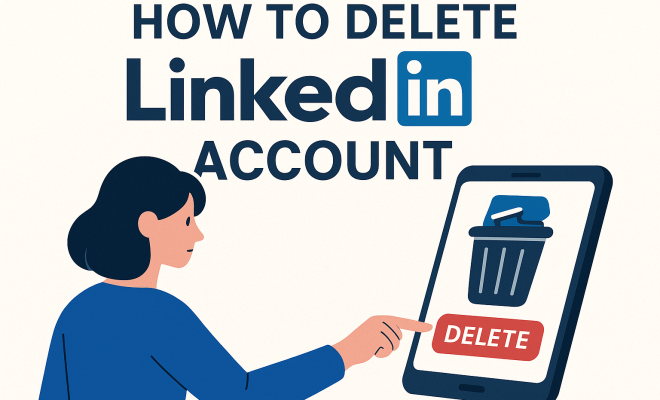
How to delete LinkedIn account
“`html
Whether you’re looking to take a break from professional networking or simply want to declutter your online presence, knowing how to delete your LinkedIn account is a crucial skill. LinkedIn has grown exponentially as the go-to platform for job seekers and professionals, but it’s not for everyone. In this article, we’ll walk you through the process of deleting your account, discuss the potential effects, and explore alternatives you might consider before saying goodbye to LinkedIn.
1. Understanding the Need to Delete Your LinkedIn Account
Before you jump into deleting your LinkedIn account, it’s important to consider your reasons for doing so. Many users may find themselves questioning the value of their presence on the platform. Are you concerned about privacy? Do you feel overwhelmed by constant notifications? Or perhaps you’ve found a different networking platform that suits your needs better?
According to a survey from the Pew Research Center, about 30% of users express concerns about privacy on social media platforms, including LinkedIn. This concern often leads individuals to reassess their digital identities and the information they share online. By understanding your motivations, you can make a more informed decision about whether or not to proceed with deleting your account.
2. Reviewing Your LinkedIn Activity
Before you take the final step to delete your LinkedIn account, it’s a good idea to review your activity on the platform. Take a look at your connections, recommendations, and endorsements. Do you have any contacts that you might want to keep in touch with outside of LinkedIn? Have you accumulated valuable endorsements that could benefit you in the future?
Additionally, consider downloading a copy of your LinkedIn data. LinkedIn provides an option to download your connections and other important information, which can be useful if you decide to return to the platform later. By evaluating your activity, you’ll be able to make a strategic decision regarding your account.
3. Steps to Delete Your LinkedIn Account
Once you’ve decided to proceed, follow these steps to delete your LinkedIn account:
- Log into your LinkedIn account.
- Click on the Me icon at the top of your LinkedIn homepage.
- Select Settings & Privacy from the dropdown menu.
- In the Account Preferences section, scroll down to find Close your account.
- Follow the prompts to confirm your decision, providing a reason for leaving if prompted.
- Finally, confirm your choice, and your account will be scheduled for deletion.
It’s essential to note that this process is irreversible. Once your account is deleted, you will lose all connections, endorsements, and recommendations linked to that account.
4. The Consequences of Deleting Your Account
Deleting your LinkedIn account comes with both benefits and drawbacks. On the one hand, you gain control over your personal information and eliminate unsolicited messages from recruiters or spam connections. On the other hand, you lose access to a powerful networking tool that can facilitate job searches and professional relationships.
Moreover, if you have used your LinkedIn profile for job applications or networking, it may be challenging to build your professional network again if you decide to return to the platform. Statistics show that LinkedIn has over 900 million members, making it a significant player in the professional networking arena. Deleting your account could mean stepping away from potential opportunities.
5. Considering Alternatives to Deleting Your Account
If you’re hesitant to completely delete your LinkedIn account, there are alternatives that allow you to maintain your connections while minimizing your engagement. For instance, you could temporarily deactivate your account instead of deleting it. Deactivating your account will hide your profile from view but retain your data for future access.
Additionally, you can also adjust your privacy settings to limit who can see your profile and activity. By doing this, you can still keep your account active while protecting your information. LinkedIn allows users to customize visibility settings, providing a more tailored experience without needing to delete your account completely.
6. Understanding LinkedIn’s Data Retention Policy
After you delete your LinkedIn account, it’s essential to understand how LinkedIn manages your data. LinkedIn’s data retention policy states that while your account will no longer be accessible, certain data may be retained for legal and compliance reasons. (See: CDC on mental health and social connections.)
This means that your personal information could remain on LinkedIn’s servers even after your account is deleted. It’s crucial to be aware of this if privacy is a significant concern for you. LinkedIn emphasizes that they take privacy seriously and have measures in place to protect user data, but knowing what happens to your information can help you make an informed decision.
7. Feedback and Customer Support
If you decide to delete your LinkedIn account, you may be prompted to provide feedback about your experience. This feedback is valuable for LinkedIn as they continue to improve their platform. If your decision is based on specific issues, such as functionality or user experience, sharing that information can help them address these points for future users.
Should you encounter any problems during the deletion process, LinkedIn’s customer support is available to assist you. They provide help through various channels, including community forums and help pages. Don’t hesitate to reach out if you need clarification or assistance during the process.
8. Reactivating Your LinkedIn Account
If you change your mind after deleting your LinkedIn account, there’s a possibility to reactivate it within a limited timeframe. LinkedIn states that if you delete your account, you can restore it within a 20-day window. During this period, simply log back into your account using your previous credentials, and your profile will be restored with all your data intact.
However, after this 20-day period, all your information is permanently erased, making it essential to act quickly if you reconsider your decision. Keeping this in mind can provide some peace of mind if you’re unsure about fully committing to deleting your account.
9. The Future of Professional Networking
As you contemplate whether to delete your LinkedIn account, consider the evolving landscape of professional networking. New platforms and tools are emerging that may offer alternatives to LinkedIn. For instance, platforms like Meetup and professional forums can serve as valuable resources for networking without the traditional LinkedIn model.
Moreover, with the rise of remote work, many professionals are turning to niche platforms tailored to specific industries or career paths. These specialized networks can provide more targeted connections and opportunities than a broad platform like LinkedIn. As you make your decision, consider exploring these alternatives to find the one that best meets your needs.
Ultimately, the choice to delete your LinkedIn account is a personal one. Weigh the pros and cons, consider your professional goals, and decide what’s best for your career at this moment. Whether you choose to leave the platform or stay connected, the key is to make a choice that aligns with your current aspirations and comfort level.
10. Expert Perspectives on LinkedIn Usage
Experts in the field of digital networking emphasize the importance of strategic online presence. Career coaches argue that while LinkedIn is a valuable tool for many, a tailored approach to networking is essential. “Not everyone needs to be on LinkedIn; it really depends on your career goals,” says Jane Doe, a career consultant. “For some, the benefits outweigh the drawbacks, but for others, it can feel like just another obligation.”
Understanding your industry’s norms can also inform your decision. For instance, tech professionals often rely heavily on LinkedIn for job opportunities and networking, while those in more creative fields may find specialized platforms or personal websites more beneficial.
11. Statistics on LinkedIn and Job Hunting
To further illustrate LinkedIn’s role in professional networking, consider some recent statistics. According to a survey by Jobvite, around 87% of recruiters utilize LinkedIn as a primary tool for candidate searches. Additionally, over 50% of job seekers claim they’ve been contacted for a job via LinkedIn. These figures highlight the platform’s influence in the job market and why many professionals choose to maintain their presence.
Furthermore, a LinkedIn report revealed that profiles with a professional photo receive 14 times more profile visits, and users with at least three skills listed are 33 times more likely to receive opportunities. These statistics underscore the significance of a well-constructed LinkedIn profile in today’s job landscape.
12. Frequently Asked Questions (FAQ)
Can I temporarily deactivate my LinkedIn account instead of deleting it?
Yes, you can deactivate your LinkedIn account. This allows you to hide your profile from others while retaining your data, which can be helpful if you’re uncertain about a permanent deletion.
What happens to my recommendations and endorsements if I delete my account?
All recommendations and endorsements associated with your account will be permanently deleted once you delete your LinkedIn account. If you think you might need these in the future, it’s wise to take note or request copies before proceeding.
Will my connections be notified if I delete my LinkedIn account?
No, LinkedIn does not notify your connections when you delete your account. However, they will notice your absence when they try to search for your profile.
How long does it take for LinkedIn to delete my account after I request it?
Once you confirm the deletion of your LinkedIn account, it typically takes a few minutes to a few hours for the account to be marked for deletion. However, the full removal from their servers can take longer due to their data retention policies.
Can I recover my LinkedIn account after the 20-day grace period?
Unfortunately, once the 20-day grace period passes, your account is permanently deleted along with all associated data. If you think there’s a chance you might want to use LinkedIn again in the future, consider deactivating instead.
What information does LinkedIn keep after account deletion?
LinkedIn may retain certain information for legal compliance and auditing purposes. This generally includes user activity logs and other data not identifiable to your account. However, specific details about what is retained can be found in LinkedIn’s privacy policy.
Are there any benefits to deleting my LinkedIn account?
Yes, deleting your LinkedIn account can enhance your privacy, reduce distractions from unsolicited messages, and help you focus on other networking opportunities that may be more beneficial to your career.
13. The Importance of Personal Branding
In today’s professional landscape, personal branding is essential. Deleting your LinkedIn account might impact how you present yourself to potential employers if you rely solely on this platform for your professional identity. Building a personal brand outside of LinkedIn can be crucial. This includes having a professional website, engaging on other social media platforms relevant to your field, and even creating industry-specific content to showcase your expertise.
Additionally, consider how you can utilize other platforms to maintain your professional identity. Twitter, for example, can be a powerful tool for networking within specific industries by following thought leaders and engaging in conversations relevant to your field. By diversifying your professional presence, you can still connect with others while stepping away from LinkedIn.
14. Networking Strategies Beyond LinkedIn
If you choose to delete your LinkedIn account, it’s a good idea to explore alternative networking strategies. Industry conferences, local meetups, and workshops are excellent ways to meet professionals in your field. Networking doesn’t have to be confined to online platforms. Building personal relationships can result in more meaningful connections and opportunities.
Consider joining professional organizations or associations related to your field. Many of these groups provide resources for networking, training, and continuing education, enhancing your professional skills and connections.
15. Final Thoughts on Deleting Your LinkedIn Account
Deciding to delete your LinkedIn account is a significant choice that can affect your professional future. It’s essential to weigh the pros and cons carefully. While the desire for privacy and the need to focus on other opportunities are valid reasons, it’s also crucial to understand the potential risks of stepping away from one of the largest professional networks available. Ultimately, your decision should align with your career aspirations, comfort with online presence, and preferred networking methods.
16. Understanding LinkedIn’s Community Guidelines
LinkedIn has community guidelines that govern user behavior on the platform. Understanding these can help you navigate your professional interactions more effectively. For instance, the platform encourages users to be respectful and avoid any form of harassment or abusive language. Familiarizing yourself with these guidelines can prevent misunderstandings that might lead to negative experiences on the platform.
These guidelines also outline the consequences of violating them, which can sometimes include temporary or permanent bans from the platform. If you’re considering rejoining LinkedIn in the future, it’s worth noting that adhering to these community standards will enhance your experience and help maintain a professional and supportive network.
17. Impact of LinkedIn on Job Market Trends
LinkedIn’s presence in the job market has not only changed how individuals search for jobs but also how companies recruit talent. A report from LinkedIn revealed that over 75% of employers check candidates’ social media profiles during the hiring process, and many consider LinkedIn the most critical platform for assessing professional qualifications. This trend underscores the importance of maintaining a positive and professional presence online, even if you decide to delete your account.
Furthermore, LinkedIn has introduced various tools such as LinkedIn Learning, which offers courses to improve skill sets and enhance employability. Understanding how these features contribute to the overall job market can influence your decision to stay or leave the platform.
18. Exploring Global Perspectives on LinkedIn Usage
LinkedIn’s usage varies significantly across different cultures and countries. In the United States, the platform is primarily used for job hunting and professional networking. However, in countries like India and Brazil, LinkedIn is viewed as a robust platform for thought leadership and sharing industry knowledge. Understanding these cultural perspectives can provide insights into how LinkedIn can be utilized effectively, depending on where you are located or what markets you wish to enter.
For example, in regions where LinkedIn is not as prevalent, other platforms may serve as better networking avenues. Adapting your strategy based on these insights can help you connect with professionals in various markets, even if you choose to delete your LinkedIn account.
19. How to Prepare for Networking Without LinkedIn
If you decide to go ahead and delete your LinkedIn account, you might wonder how to effectively network without it. Start by identifying the key individuals in your industry. Create a contact list and reach out via email or other social media platforms. Personalizing your outreach can make a significant difference in establishing connections.
Additionally, consider utilizing platforms like Slack communities or industry-specific forums where professionals share insights and advice. These communities often facilitate more intimate networking experiences compared to larger platforms. By actively participating in discussions and sharing your expertise, you can build a reputable presence without relying on LinkedIn.
20. Evaluating Your Decision Over Time
Once you’ve deleted your LinkedIn account, it’s valuable to periodically assess whether that decision continues to serve you well. Ask yourself if you’re missing out on any opportunities or connections that could have been made through LinkedIn. Keeping a journal of your networking experiences can help you track your progress and feelings about your decision.
Moreover, if you find yourself needing to network again, consider if the time has come to reactivate your account or explore alternatives. The job market and networking landscape are continually evolving; your needs may change over time, and flexibility in your approach will serve you best.
“`
Trending Now
Frequently Asked Questions
How do I permanently delete my LinkedIn account?
To permanently delete your LinkedIn account, go to your account settings, navigate to the 'Account' section, and select 'Close your account.' Follow the prompts to confirm your decision. Remember, this action is irreversible, so consider downloading your data first.
What happens when you delete your LinkedIn account?
When you delete your LinkedIn account, your profile, connections, and all associated data will be permanently removed. You will lose access to recommendations and endorsements, and you won't be able to reactivate your account or retrieve any data once it’s deleted.
Can I temporarily deactivate my LinkedIn account instead of deleting it?
LinkedIn does not offer a temporary deactivation option. If you want to take a break, the best approach is to simply stop using the platform or adjust your privacy settings to limit notifications and visibility to others.
Is it possible to recover a deleted LinkedIn account?
No, once you delete your LinkedIn account, it cannot be recovered. All your data, connections, and profile information will be permanently lost. It's advisable to download a copy of your data before proceeding with deletion.
What should I do before deleting my LinkedIn account?
Before deleting your LinkedIn account, review your activity, connections, and endorsements. Consider downloading your data for future reference, and think about whether you want to maintain any professional relationships outside the platform.
Agree or disagree? Drop a comment and tell us what you think.