How to report phishing email
“`html
In today’s digital age, phishing emails are a common threat that can lead to significant financial loss and data breaches. Understanding how to report phishing emails is crucial for protecting yourself and others from becoming victims of cybercrime. This guide will walk you through the essentials of identifying, documenting, and reporting phishing attempts effectively to help keep the internet safer for everyone.
1. Understanding Phishing
Phishing is a form of cybercrime where attackers impersonate legitimate organizations or individuals to deceive people into revealing sensitive information, such as passwords, credit card numbers, or personal details. These fraudulent messages often come through email but can also appear in text messages, social media, and other communication platforms.
Phishing attacks have evolved over the years. While earlier versions were often poorly crafted and easy to identify, modern phishing attempts can be sophisticated and highly convincing. With the rise of targeted spear phishing campaigns, even the most tech-savvy individuals can fall prey to these scams.
2. Identifying Phishing Emails
Before you can report phishing emails, it’s essential to know how to identify them. Here are some common signs to look out for:
- Suspicious Sender Address: Phishing emails often come from email addresses that mimic legitimate accounts but have slight variations in spelling.
- Generic Greetings: Unlike legitimate emails that often use your name, phishing attempts frequently use generic terms like “Dear Customer” or “Dear User.”
- Urgent Calls to Action: Phishing emails often create a sense of urgency, pressing you to act quickly and often providing links to websites designed to steal your information.
- Spelling and Grammar Errors: Many phishing emails are poorly written, with typos and awkward phrasing.
- Unusual Attachments: Be wary of any attachments from unknown senders, as they may contain malicious software.
Recognizing these signs can be the first step in protecting yourself from falling victim to a phishing scam.
3. Documenting the Phishing Attempt
Once you suspect an email is a phishing attempt, take the time to document it before reporting. Screenshot the email and take note of any suspicious links or attachments. This evidence can be invaluable when reporting the scam.
Moreover, pay attention to the full header of the email, which contains information about its origin. This data can help cybersecurity experts trace the source of the phishing attempt. Instructions for finding the email header vary depending on your email provider, but they generally involve selecting the email options or settings.
4. How to Report Phishing Emails
Reporting phishing emails is vital for preventing future attacks. Follow these steps to report phishing emails effectively:
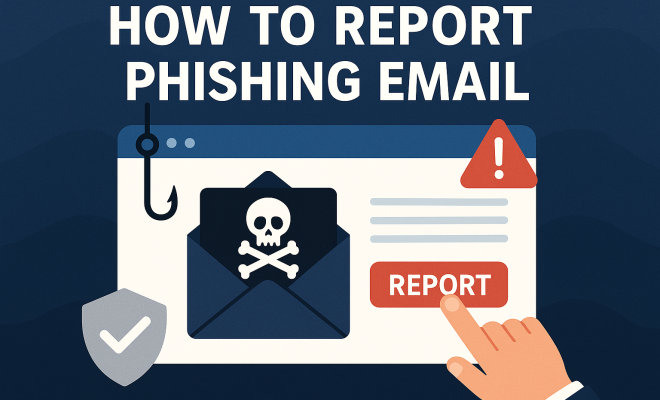
- Report to Your Email Provider: Most email services, such as Gmail, Outlook, and Yahoo, have built-in options to report phishing. Simply click on the “Report Phishing” option in the email interface.
- Notify the Organization Being Impersonated: If the phishing email pretends to be from a legitimate company, inform that organization. They often have dedicated teams to handle phishing reports and can take action to warn other customers.
- Report to Cybersecurity Authorities: In the U.S., you can report phishing emails to the Federal Trade Commission (FTC) at reportfraud.ftc.gov. Similarly, organizations like the Anti-Phishing Working Group (APWG) collect reports to combat phishing.
- Alert Your IT Department: If you’re using a work email, it’s crucial to inform your IT department. They may have protocols and resources to address such threats.
Taking these steps not only helps protect you but also contributes to the overall fight against online fraud.
5. Understanding the Impact of Reporting
When you report phishing emails, you’re playing a crucial role in cybersecurity. Each report helps organizations and authorities to analyze phishing trends, create protective measures, and educate the public. The more reports they receive, the better equipped they are to combat these threats.
For instance, the Anti-Phishing Working Group reported that they received over 200,000 phishing reports in a single month, highlighting the importance of community involvement in reporting such scams. Each report helps in building a database that can be used to track and shut down phishing operations.
6. Using Technology to Combat Phishing
There are numerous tools and technologies designed to help combat phishing attempts. These often include email filters, security software, and browser extensions that alert users to potential phishing threats. (See: CDC on phishing and cybersecurity.)
For example, many email providers automatically filter out potential phishing emails using algorithmic detection and user reports. Additionally, security tools like antivirus programs often include features that identify and warn you about suspicious emails and websites. It’s a good idea to keep these tools updated to ensure you have the best protection against evolving phishing tactics.
7. Educating Yourself and Others
Education is your best defense against phishing. Take the time to educate yourself about the latest phishing trends and techniques. Organizations, both large and small, should also consider implementing regular training sessions for employees to recognize phishing attempts.
By hosting workshops or sending out educational materials, you can empower yourself and your team to recognize and report phishing emails effectively. Remember, the more informed everyone is, the harder it becomes for attackers to succeed.
8. What to Do If You’ve Fallen Victim
If you’ve already fallen for a phishing attempt, act quickly. Change your passwords immediately for any accounts that may have been compromised. Enable two-factor authentication (2FA) wherever possible to add an additional layer of security.
It’s also advisable to monitor your financial accounts for any unauthorized transactions and to report any suspicious activity to your bank. Additionally, consider placing a fraud alert on your credit report to prevent identity theft, and be vigilant for any signs of fraud in the coming months.
9. Staying Informed About Phishing Trends
Phishing tactics are continuously evolving, making it essential to stay informed about the latest trends. Subscribe to cybersecurity newsletters, follow experts in the field on social media, and keep an eye on reputable news sources reporting on cyber threats.
By staying informed, you’ll be better prepared to recognize emerging phishing scams and understand how to report phishing emails effectively. Knowledge truly is power in the fight against cybercrime.
10. Common Phishing Techniques
Understanding the various phishing techniques can help you identify threats more effectively. Here are some of the most common methods used by cybercriminals:
- Email Phishing: The classic method where attackers send emails that appear to be from trusted sources. They often include links to fraudulent websites or attachments that contain malware.
- Spear Phishing: A targeted form of phishing where attackers customize their messages based on personal information about the victim. This makes it easier to trick individuals into providing sensitive information.
- Whaling: A type of spear phishing that specifically targets high-profile individuals like executives or government officials. The stakes are higher here, as successful attacks can lead to large-scale data breaches.
- Smishing: Phishing through SMS messages. Cybercriminals send text messages that mimic legitimate companies, often including links to malicious sites.
- Vishing: Voice phishing, where attackers use phone calls to impersonate legitimate entities and solicit sensitive information from victims.
By familiarizing yourself with these techniques, you can better prepare yourself to spot potential threats before they escalate.
11. Statistics on Phishing Attacks
Understanding the scale of phishing attacks can paint a clearer picture of the risks. Here are some eye-opening statistics:
- According to a report by Proofpoint, 83% of organizations experienced some form of phishing attack in 2020.
- The Anti-Phishing Working Group reported a 220% increase in phishing attacks from 2019 to 2020.
- Verizon’s 2021 Data Breach Investigations Report found that phishing was involved in 36% of data breaches.
- In a report by Barracuda Networks, 30% of phishing emails bypassed traditional security measures, highlighting the need for increased vigilance.
These statistics demonstrate the prevalence and evolving nature of phishing attacks, emphasizing the importance of reporting and education.
12. Expert Perspectives on Phishing
Experts in cybersecurity stress the importance of vigilance against phishing attempts. Dr. Jessica Barker, a cybersecurity expert, highlights that “the human factor is often the weakest link in security.” She emphasizes that education and awareness are key to reducing the risk of successful phishing attacks.
Similarly, James Lyne, a global head of security research at Sophie, notes that “phishing attacks are becoming more sophisticated, mimicking legitimate messages more closely than ever.” He urges individuals to take a proactive approach to scrutinize suspicious emails.
These perspectives underline the constant battle between cybercriminals and those trying to protect against them, stressing the need for ongoing education and adaptation. (See: WHO fact sheet on cybersecurity.)
13. FAQ: Reporting Phishing Emails
What should I do if I accidentally clicked a link in a phishing email?
If you clicked a link in a phishing email, it’s crucial to act quickly. Disconnect from the internet, scan your device for malware, and change any passwords that may be affected. It’s also wise to monitor your accounts for unusual activity.
Can I report phishing emails anonymously?
Yes, most phishing reporting platforms allow users to report suspicious emails anonymously. While you may be required to provide some information for context, your identity is generally not disclosed.
How long does it take for reported phishing emails to be addressed?
The response time can vary significantly based on the organization you report to. Some may take immediate action, while others may require time to investigate. Reporting promptly increases the likelihood of a quicker response.
Are there any tools to help identify phishing emails?
Yes, several browser extensions and security software tools can assist in identifying phishing attempts. Tools like PhishTank, Netcraft, and various email security solutions can help flag suspicious emails before they reach your inbox.
What are the long-term effects of phishing attacks on victims?
Victims of phishing attacks can face long-term consequences, including identity theft, financial loss, and damage to their credit scores. The emotional toll can also be significant, often resulting in feelings of vulnerability and mistrust online.
14. Future of Phishing and Cybersecurity
As technology evolves, so do phishing techniques and cybersecurity measures. The future may see an increase in artificial intelligence (AI) being used by cybercriminals to create more convincing phishing scams. Conversely, cybersecurity experts are also leveraging AI to improve detection and response to threats.
As more businesses shift to remote work, the attack surface for phishing scams broadens, making it even more crucial for individuals and organizations to stay alert and educated. The integration of advanced security measures like machine learning will be essential in combating the ever-changing landscape of cyber threats.
15. Your Role in Cybersecurity
In the ongoing battle against phishing scams, each individual plays a vital role. By learning how to report phishing emails, you not only protect yourself but also contribute to the broader effort to make the internet a safer place. The fight against cybercrime requires vigilance and cooperation among all internet users.
So, the next time you encounter a suspicious email, remember the importance of reporting it. Together, we can create a safer online environment for everyone.
16. Advanced Phishing Tactics
As the phishing landscape evolves, attackers are adopting more advanced tactics to deceive victims. Here are some notable tactics that you should be aware of:
- Lookalike Domains: Cybercriminals often register domains that closely resemble legitimate businesses. For example, they might use “paypaI.com” instead of “paypal.com.” Always double-check URLs before clicking.
- Business Email Compromise (BEC): This sophisticated scam targets companies by compromising the email accounts of executives to trick employees into wiring money or sharing sensitive data.
- Credential Harvesting: Attackers create fake login pages that mimic legitimate websites to collect usernames and passwords from unsuspecting users.
- Multi-Channel Phishing: Attackers may combine various channels—emails, texts, and phone calls—to create a more convincing phishing scenario to prey on victims.
Being aware of these advanced tactics can help you remain vigilant and safeguard your information.
17. International Phishing Regulations
Phishing is a global issue, leading many countries to adopt regulations aimed at combating cybercrime. Understanding these regulations can help organizations navigate legal requirements when dealing with phishing. (See: New York Times on phishing scams.)
For instance, the General Data Protection Regulation (GDPR) in the European Union emphasizes the importance of protecting personal data, which includes reporting phishing incidents that may compromise that data. Similarly, the Cybersecurity Information Sharing Act (CISA) in the United States encourages sharing information about cyber threats, including phishing attempts.
Organizations should familiarize themselves with relevant cybersecurity laws and regulations in their region to ensure compliance while also enhancing their phishing incident response strategies.
18. Building a Phishing Response Plan
Creating a phishing response plan can significantly enhance your organization’s ability to respond to phishing attacks. Here are some key elements to consider:
- Incident Response Team: Designate a specific team responsible for handling phishing incidents, ensuring they have clear roles and responsibilities.
- Training and Awareness: Regular training sessions should be conducted to keep employees informed about the latest phishing threats and how to respond.
- Reporting Procedures: Establish clear procedures for how employees should report suspected phishing emails within the organization.
- Regular Updates: The phishing landscape is constantly changing. Regularly update the phishing response plan to incorporate new threats and response strategies.
By having a structured response plan in place, organizations can minimize damage and recover more quickly from phishing incidents.
19. Phishing Simulation Exercises
One effective way to educate employees about phishing is through simulation exercises. These exercises involve sending simulated phishing emails to employees to test their ability to recognize and respond appropriately to phishing attempts.
Organizations can measure the success of these simulations by tracking how many employees clicked on the links and reported the emails. This feedback helps refine training programs and improve overall awareness.
Phishing simulations also create a culture of cybersecurity within the organization, encouraging openness about potential threats and making employees feel more responsible for their online safety.
20. Conclusion: The Collective Responsibility
Phishing remains one of the most prevalent cyber threats today, but through education, awareness, and proactive reporting, we can significantly reduce the risks. Every individual has a role to play in the fight against phishing. By understanding how to report phishing emails and educating yourself on the methods used by attackers, you contribute to a safer online community.
As technology advances, so must our vigilance and response strategies. Stay informed, stay alert, and remember that your actions can help protect not just yourself but also countless others navigating the digital landscape.
“`
Trending Now
Frequently Asked Questions
What should I do if I receive a phishing email?
If you receive a phishing email, do not click on any links or download attachments. Instead, report the email to your email provider and follow their guidelines for reporting phishing. Additionally, you can forward the email to organizations like the Anti-Phishing Working Group at [email protected] to help combat cybercrime.
How can I identify a phishing email?
To identify a phishing email, look for suspicious sender addresses, generic greetings, urgent calls to action, spelling and grammar errors, and unusual attachments. These signs often indicate that the email is fraudulent and should be treated with caution.
Is it safe to click links in emails from unknown senders?
No, it is not safe to click links in emails from unknown senders. These links may lead to malicious websites designed to steal your personal information. Always verify the sender's identity before interacting with any links or attachments.
What information should I report when reporting phishing emails?
When reporting phishing emails, include the email address of the sender, the subject line, and the full content of the email. This information helps authorities investigate the phishing attempt and take necessary actions to prevent further scams.
Can I protect myself from phishing attacks?
Yes, you can protect yourself from phishing attacks by being cautious with emails, using strong passwords, enabling two-factor authentication, and keeping your software up to date. Additionally, educating yourself about the latest phishing techniques can help you recognize and avoid potential scams.
What’s your take on this? Share your thoughts in the comments below — we read every one.