How to cover webcam securely
“`html
The rise of remote work and virtual communication has spurred an increased focus on privacy and security, particularly regarding webcams. The concept of webcam cover security has never been more relevant, and understanding how to protect your privacy has become essential. With a plethora of devices equipped with cameras, the need to safeguard against unauthorized access is paramount. In this article, we’ll explore eight effective strategies to secure your webcam and maintain your privacy in a digital world.
1. Understanding Webcam Vulnerabilities
To effectively secure your webcam, it’s crucial to understand the vulnerabilities associated with it. Many webcams can be accessed remotely if malware infiltrates your device. Once a hacker gains access, they can observe you without your knowledge. This scenario is not as rare as it might seem; numerous reports have surfaced detailing breaches where individuals unknowingly recorded intimate moments.
Webcams can also be exploited through software vulnerabilities. Cybercriminals often use exploits that take advantage of outdated software or operating systems. Regular updates can mitigate these risks significantly, making it essential to stay current with your software updates. Additionally, while many cameras come with built-in privacy features, relying solely on these features without additional security measures is risky.
Another area of concern is the rise of malware specifically designed to target webcam functionalities. Programs like RATs (Remote Access Trojans) can give hackers control over your webcam, leading to potential privacy violations. Keeping an eye on emerging threats can help you stay ahead of these dangers.
2. Physical Webcam Covers
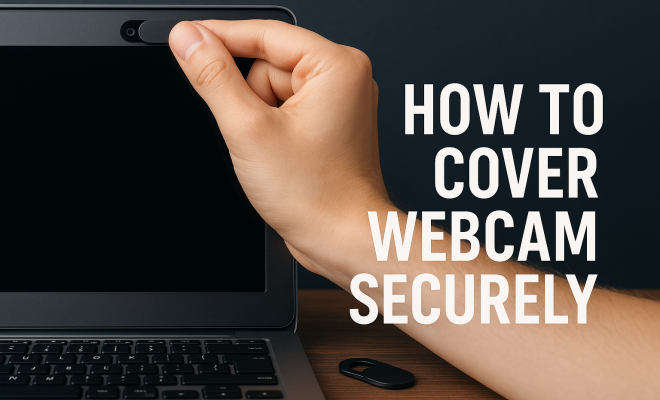
One of the simplest and most effective methods of enhancing webcam cover security is to use physical covers. These can be as basic as adhesive stickers or purpose-built sliding covers designed specifically for webcams. A physical barrier can provide peace of mind by ensuring there’s no accidental activation.
When choosing a physical cover, consider durability and ease of use. A sliding cover allows you to open and close the webcam quickly, while a sticker may require more effort to remove. Some users might opt for innovative products like webcam covers that attach magnetically to the device, allowing for easy removal and reinstatement without leaving residue.
Interestingly, some high-tech solutions even incorporate design elements that match the aesthetics of your device. Look for webcam covers that blend seamlessly with your laptop or desktop to enhance both security and style.
3. Software Solutions
Beyond physical barriers, software solutions can play a significant role in webcam cover security. Utilizing firewall software is vital in blocking unauthorized access to your webcam. Firewalls act as barriers between your internal network and external threats, ensuring that incoming connections are legitimate.
Additionally, using antivirus software can offer another layer of protection. Many antivirus programs now include webcam protection features that alert you if any applications attempt to access your camera. By being vigilant and responsive to alerts, you can mitigate risks associated with webcam vulnerabilities.
Moreover, consider employing anti-malware tools that are specifically designed to detect and block spyware and other malicious software that could infiltrate your device’s camera. Keeping your software up to date and running regular scans can help maintain your security posture.
4. Regular Security Audits
Conducting regular security audits on your devices is a proactive way to maintain webcam cover security. This involves reviewing your settings and installed applications to ensure nothing suspicious has been added without your knowledge. It’s also wise to uninstall applications that you no longer use, as these can be potential entry points for hackers. (See: Understanding webcam vulnerabilities.)
Check camera settings to ensure they are configured correctly. For instance, ensure that your camera is not set to start automatically with certain applications. You can also keep track of which apps have permission to access your camera and revoke access when necessary. Regular audits can help you stay aware of your digital environment and proactively protect your webcam.
Consider scheduling these audits at least quarterly or whenever a significant software update occurs. This ensures that your security measures are always in sync with the latest updates and vulnerabilities.
5. Educating Yourself on Phishing Scams
Phishing scams are a prevalent method for cybercriminals to gain access to personal information, and they often target webcam users. These scams lure individuals into providing sensitive information or downloading malware that can compromise their devices. To enhance webcam cover security, you must educate yourself on how to recognize and avoid phishing attempts.
Common signs of phishing include unsolicited emails asking for personal information, poorly written messages, and suspicious links. Always double-check the sender’s email address, and when in doubt, do not click on any links. By being cautious and informed, you can significantly reduce the risk of falling victim to phishing scams that could lead to unauthorized webcam access.
Additionally, consider participating in cybersecurity awareness training sessions if available. Learning about the latest phishing tactics can help you spot potential threats more effectively.
6. Token-Based Authentication
Implementing token-based authentication can add an extra layer of security to your webcam cover security. This method requires a user to present something they have (like a security token or key fob) in addition to their password, making unauthorized access much more difficult. For webcams used in professional settings, utilizing devices that support two-factor authentication can prevent unauthorized access even if passwords are compromised.
Many applications and services now offer this feature, and it’s worth enabling when available. Strong passwords should always be your first line of defense, but combining them with token-based authentication enhances safety further. This practice makes it significantly harder for hackers to gain control of your webcam, even if they have your password.
For added convenience, consider using authentication apps that generate time-limited codes. These codes change every 30 seconds, adding an additional layer of security to your login attempts.
7. Staying Informed About Security Breaches
The tech landscape is ever-changing, and being aware of recent security breaches can help you stay one step ahead. Cybersecurity experts regularly publish reports on vulnerabilities, malware, and emerging threats. Following these publications can provide insights into new tactics employed by cybercriminals, allowing you to adjust your webcam cover security measures accordingly.
Subscribe to cybersecurity newsletters, follow trustworthy tech blogs, and engage with forums discussing security issues. By staying informed, you can better prepare yourself for any potential threats that might compromise your webcam and overall privacy.
Additionally, consider setting up alerts for specific keywords related to webcam security. This way, you can receive timely updates on new vulnerabilities or hacks as they arise.
8. Having a Digital Security Plan
Finally, creating a comprehensive digital security plan is an essential step in ensuring webcam cover security. This plan should outline all the measures you’ve taken to protect your devices, including the use of physical covers, software solutions, and regular audits. Additionally, consider how you’ll respond if you suspect a breach has occurred. This plan can guide you in maintaining vigilance and preparedness.
Include steps for software updates, regular security audits, and educational resources for yourself and your family. Engaging everyone in your household about these practices promotes a culture of security that extends beyond just webcam cover security. By taking these measures, you can foster a safer digital environment for everyone. (See: Telework and cybersecurity risks.)
Don’t forget to create an incident response plan detailing whom to contact and what steps to take in case of a suspected breach. This proactive approach can help minimize panic and confusion during a security scare.
9. Understanding the Importance of Privacy
Why is webcam cover security so essential? In our increasingly connected world, personal privacy is often at risk. Research indicates that nearly 70% of individuals are concerned about their online privacy, with webcams being a significant focus of these concerns. High-profile cases of webcam hacking, like those reported in the media where people were filmed without their consent, highlight the chilling potential consequences of neglecting webcam security.
In addition, as more people work from home and rely on video conferencing tools, the risks associated with unsecured webcams have escalated. In 2020 alone, there was a reported 500% increase in webcam hacking incidents. By prioritizing webcam cover security, individuals can take substantial steps to protect their privacy and rest easier knowing that they control their online presence.
Understanding these privacy issues helps individuals appreciate the value of their personal space and the need for protective measures. Building a sense of personal responsibility toward digital self-defense can empower users to take charge of their online safety.
10. Examples of Webcam Hacking Incidents
Real-world incidents serve as cautionary tales when discussing webcam vulnerabilities. For instance, in 2017, a group of hackers accessed the webcams of several individuals in the United States using malware. The hackers were able to capture video feeds and take screenshots without the users’ knowledge. This incident not only highlighted the vulnerabilities inherent in webcam technology but also the need for users to take proactive measures to secure their devices.
Another notable case occurred when a sophisticated hacking ring exploited a popular video conferencing application. They gained unauthorized access to millions of users’ webcams, leading to significant privacy violations. These examples underscore how easily personal privacy can be compromised when such measures are not in place.
Furthermore, the infamous case involving the webcam of a Yahoo employee being hacked showcases how even large companies are not immune to these threats. While working remotely, the employee discovered that a hacker had gained access to their webcam, further underscoring the need for stringent security protocols.
11. Statistics on Cybersecurity and Webcam Vulnerabilities
Statistics paint a stark picture of the cybersecurity landscape, especially regarding webcam vulnerabilities. According to a recent study by the Cybersecurity and Infrastructure Security Agency (CISA), over 1,800,000 malware samples specifically designed to exploit webcams were identified in 2022 alone. Furthermore, a survey by Pew Research Center found that 54% of Americans feel they have little to no control over the data collected by devices with cameras.
Compounding these issues, the FBI reported that video conferencing platforms became prime targets for cybercriminals during the COVID-19 pandemic, with a 200% increase in reported incidents of “Zoom-bombing” and other unauthorized access attempts. With such alarming statistics, it becomes clear that implementing effective webcam cover security is not just advisable; it’s essential.
In light of these findings, security experts recommend that individuals and businesses alike conduct frequent vulnerability assessments to identify weaknesses in their webcam security measures. Proactively addressing these vulnerabilities can save significant headaches down the line.
12. Best Practices for Webcam Use in Professional Environments
In professional settings, webcam security takes on additional importance. Businesses must ensure that sensitive information is not exposed through unsecured cameras. Here are some best practices to consider: (See: Cybersecurity in remote work environments.)
- Regular Training: Employees should receive training on security protocols regarding webcam usage. This includes understanding the risks and how to secure their devices.
- Company-Wide Policies: Establish clear policies on the use of webcams during work hours, including guidelines on when cameras should be covered and how to handle external software.
- Secure Networks: Ensure that all devices are connected to secure networks with strong passwords and encryption. Using a VPN can also add an extra layer of security.
- Incident Management: Develop an incident response plan to address potential breaches quickly and efficiently, ensuring that employees know the protocols to follow.
Additionally, consider investing in technology solutions that monitor webcam activity within the corporate environment. This can help catch unauthorized access attempts before they escalate into more significant issues.
FAQ: Webcam Cover Security
What is a webcam cover?
A webcam cover is a physical barrier that can be placed over the camera lens to prevent unauthorized access and spying. They can come in various forms, including sliding covers, magnetic covers, or adhesive stickers.
Why should I use a webcam cover?
Using a webcam cover prevents unauthorized access to your camera, ensuring that your privacy is maintained. It acts as a physical barrier that can deter hackers from spying on you.
Can software protect my webcam?
Yes, software solutions like antivirus programs and firewalls can help secure your webcam by blocking unauthorized access attempts and alerting you to potential threats.
How often should I update my software for webcam security?
It’s recommended to update your software regularly, at least once a month, or whenever new updates are released. Keeping your operating system and applications current helps protect against vulnerabilities.
Is it safe to use public Wi-Fi with a webcam?
Using public Wi-Fi can pose significant security risks. If you must use public networks, ensure you use a VPN to encrypt your data and help secure your webcam against unauthorized access.
What should I do if I suspect my webcam has been hacked?
If you suspect that your webcam has been compromised, immediately disconnect it from your device, cover it with a physical barrier, and run a thorough malware scan using your antivirus software. Additionally, change your passwords and enable two-factor authentication on any accounts that may be at risk.
In a world that increasingly prioritizes digital communication, understanding and implementing webcam cover security measures is critical. By adopting a combination of physical and digital practices, you can protect your privacy and feel secure in your online communications.
“`
Trending Now
Frequently Asked Questions
How can I secure my webcam from hackers?
To secure your webcam from hackers, regularly update your software and operating systems, use strong and unique passwords, and install reliable antivirus software. Additionally, consider using physical webcam covers to block the camera when not in use, and be cautious about the permissions you grant to applications.
What are the risks of leaving a webcam uncovered?
Leaving a webcam uncovered poses significant privacy risks, as hackers can potentially gain unauthorized access through malware or software vulnerabilities. This can lead to unauthorized surveillance, where individuals may be recorded without their consent, resulting in severe privacy violations.
Are physical webcam covers effective?
Yes, physical webcam covers are highly effective in enhancing your webcam security. They provide a tangible barrier that prevents unauthorized access when the camera is not in use. Using simple adhesive stickers or sliding covers can significantly reduce the risk of being observed without your knowledge.
What types of malware target webcams?
Malware that targets webcams often includes Remote Access Trojans (RATs), which allow hackers to gain control over your device's camera. These malicious programs exploit software vulnerabilities, enabling unauthorized surveillance and potential privacy breaches.
How often should I update my webcam software?
You should update your webcam software regularly, ideally as soon as updates are available. Keeping your software current helps protect against vulnerabilities that hackers may exploit. Regular updates enhance your overall security and reduce the risk of unauthorized access.
Have you experienced this yourself? We’d love to hear your story in the comments.