Master Your Webcam: How to Flip Image Settings for Perfect Video
“`html
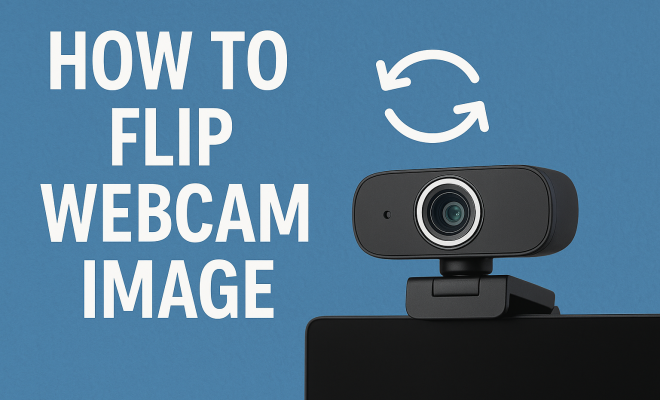
Whether you’re a seasoned streamer, a remote worker, or just someone who loves video calls, you’ll know that having the right webcam setup can make all the difference. One essential aspect is how to flip webcam image settings, which can enhance your overall presentation and ensure your viewers see you the way you intend. In this comprehensive guide, we will explore the ins and outs of flipping your webcam image, covering various platforms, applications, and reasons why you might want to adjust this crucial setting.
1. Understanding the Need to Flip Your Webcam Image
The need to flip your webcam image arises from how your camera processes and displays video. Most webcams mirror your image by default, which can be disorienting, especially when you’re trying to show something to your audience. For instance, if you raise your right hand, it appears on the left side of the screen, making it difficult for viewers to follow along. Flipping the image can provide a more intuitive viewing experience.
Beyond personal preference, flipping your webcam image may be crucial in professional settings. For educators or presenters, ensuring that text and graphics are displayed correctly can prevent misunderstandings. In gaming streams or content creation, seamless visuals contribute to a more polished presentation. In essence, flipping the webcam image can enhance clarity and improve viewer engagement.
2. How Webcams Work: A Brief Overview
To fully grasp the concept of flipping a webcam image, it’s helpful to understand how webcams function. A webcam captures images and transmits them as video streams. However, many webcams use a mirroring effect to replicate how we see ourselves in a mirror. This means you might not see the image as others do, which can be quite different from reality.
Most webcam settings provide users the option to change this mirroring effect, flipping the image horizontally. This adjustment is crucial for ensuring accurate representation, especially when displaying items or text. Understanding this fundamental technology enables you to take full advantage of your webcam’s capabilities.
3. Flipping Webcam Image on Windows: Step-by-Step
If you’re a Windows user, flipping your webcam image is straightforward. Here’s how you can do it: Open your webcam application, which could be the built-in Camera app or third-party software like OBS Studio. For the Camera app, locate settings in the top right corner and toggle the mirror image option. This simple adjustment allows you to flip your webcam image quickly.
For advanced users utilizing software like OBS Studio, the process is slightly more involved. Add your webcam as a source, right-click on the source in the layers panel, and select Transform > Flip Horizontal. This flexibility allows for real-time adjustments, perfect for live streaming or video calls.
4. Flipping Webcam Image on Mac: A Comprehensive Guide
Mac users are not left out when it comes to flipping their webcam images. Using applications like FaceTime, the process is fairly simple. Open the app, go to Preferences, and look for video settings. Here, you should find an option to flip or mirror your webcam image.
Another popular method is using software like OBS or Zoom. In OBS, you can follow similar steps as on Windows, while in Zoom, go to Settings > Video and check the box for ‘Mirror my video.’ This ensures that your video displays correctly during calls and meetings, giving you the professional edge.
5. Using Third-Party Software to Flip Webcam Images
Sometimes, your default webcam settings may not provide enough flexibility. In such cases, third-party software can be a lifesaver. Programs like ManyCam, Snap Camera, and XSplit Broadcaster offer robust features that allow you to flip your webcam image with ease. These tools not only let you mirror images but also customize video effects and overlays, enhancing your streaming and video conferencing experience.
For example, ManyCam lets you switch between webcams and adjust image settings in real-time, making it easier to create dynamic video content. The interface is user-friendly, catering to both beginners and tech-savvy individuals looking to add flair to their broadcasts.
6. Common Issues When Flipping Webcam Images
While flipping your webcam image is generally straightforward, users may encounter some common issues. A frequent problem is the software not recognizing the changes you’ve made. This can happen if the application doesn’t support real-time image adjustments. In such cases, restarting the application or checking for updates might resolve the issue. (See: Understanding how webcams work.)
Another common issue is the inconsistency between different applications. For example, an image might appear flipped in Zoom but not in Skype. This discrepancy can confuse users, making it essential to double-check settings before important calls or streams. Always test your setup prior to going live or important meetings to ensure everything looks as expected.
7. Impact of Flipping Webcam Images on Streaming and Presentations
Flipping your webcam image can significantly impact how your content is received by your audience. When your image reflects reality, it allows for a more natural interaction, especially in live-streaming scenarios. Viewers appreciate clarity and professionalism, and a flipped image can convey confidence and control over your presentation.
From educational settings to casual streaming, the right webcam setup fosters better engagement. Whether you’re pointing to a diagram on your screen or holding up a product, how you present can make all the difference. It’s not just about aesthetics; it’s about ensuring your audience understands your message without confusion.
8. Tips for Enhancing Your Webcam Quality
While flipping your webcam image is essential, there are more aspects to consider for a polished appearance. Lighting is crucial; natural light is your best friend, but ring lights can help enhance your features for video calls. Additionally, positioning your camera at eye level can prevent awkward angles, making your interactions feel more personal and engaging.
Don’t forget about your background! A clean, uncluttered backdrop keeps the focus on you. Virtual backgrounds are also an option, but ensure they are not too distracting. Lastly, investing in a decent microphone can improve audio quality, which is just as important as video in creating a professional atmosphere.
9. The Future of Webcam Technology and Flipping Images
As technology advances, webcams are becoming more sophisticated, with better image quality and additional features. Innovations like AI-enhanced video processing are making it easier to achieve the perfect image without manual adjustments. Future webcams may incorporate automatic flipping features, adjusting in real-time based on user preferences.
For now, mastering the art of flipping your webcam image ensures you’re ahead of the curve. Understanding both the technology and the techniques behind flipping webcam images will prepare you for upcoming trends in video communication. So, whether you’re a professional or a casual user, don’t underestimate the impact of a well-presented webcam image.
10. Frequently Asked Questions About Flipping Webcam Images
What does it mean to flip a webcam image?
Flipping a webcam image refers to changing the orientation of the video feed so that it appears as it does to others. This often involves mirroring the feed horizontally, making it easier for viewers to understand what you’re showing when you point or hold items up to the camera.
Why do webcams default to a mirrored image?
Most webcams default to a mirrored image to replicate the experience of looking in a mirror. This setup is intuitive for users, as it reflects our natural perception. However, for presentations and demonstrations, it can lead to confusion unless adjusted.
Can I flip my webcam image in any video conferencing app?
Not all video conferencing apps have the option to flip your webcam image. Popular platforms like Zoom and Microsoft Teams provide this feature in their settings, but it’s best to check the specific app’s user guide or settings menu to confirm.
How can I test if my webcam image is flipped correctly?
A quick way to test your webcam image is to hold up text or objects. If you can read the text correctly on your screen as others would see it, then your webcam is flipped correctly. You can also ask a friend to check your appearance during a call.
Are there any benefits to keeping the webcam image unflipped?
In some cases, keeping the webcam image unflipped allows for a more personal and relatable presentation style. For instance, if you are familiar with your mirrored image, it might make you feel more comfortable. However, for demonstrations, flipping is usually preferred for clarity.
11. Advanced Techniques for Webcam Setup
For those looking to take their webcam setup to the next level, there are several advanced techniques to consider. First, utilize green screen technology to create immersive backgrounds that enhance your content without distraction. This can be particularly effective for gamers and content creators. (See: Webcam usage in professional settings.)
Additionally, exploring different framing techniques can significantly impact viewer engagement. The Rule of Thirds is a principle from photography that can be applied to your video framing. Positioning yourself off-center can create a more dynamic viewing experience. Using software like OBS, you can create multiple scenes and switch between them for varied presentations.
12. Comparing Webcam Brands and Models
When selecting a webcam, it’s essential to consider the brand and model, as they all come with unique features and capabilities. Logitech webcams, for example, are renowned for their excellent performance in various lighting conditions and user-friendly software. The Logitech C920 is popular among streamers for its high resolution and automatic light correction.
In contrast, Razer offers webcams like the Razer Kiyo, specifically designed for gamers with built-in ring lights for optimal lighting. Meanwhile, the Microsoft LifeCam series provides an excellent choice for professionals, offering solid video quality and noise-canceling microphones. When choosing your webcam, evaluate your needs, such as streaming, video conferencing, or content creation, and select a model that aligns with those requirements.
13. Leveraging Webcam Features for Enhanced Streaming
Modern webcams are equipped with an array of features that can enhance your streaming experience. Many models come with autofocus and low-light correction, ensuring that your image remains crisp and clear even in less-than-ideal lighting conditions. Some webcams also support resolutions up to 4K, providing exceptional video quality for professional-grade streams.
Consider using features like facial recognition and background removal to make your streams more engaging. Facial recognition can ensure your image remains centered, while background removal can help maintain focus on you, even in a cluttered home office. These features can significantly elevate the professionalism of your streams and presentations.
14. Final Thoughts on Webcam Image Flipping
Flipping your webcam image is more than just a minor adjustment; it’s a crucial step in presenting yourself authentically and professionally in the ever-evolving landscape of digital communication. By understanding the technology behind webcams and leveraging available tools and settings, you can create impactful video content whether you’re streaming, presenting, or attending virtual meetings. Embrace the power of a well-flipped webcam image, and you’ll notice the difference in how your audience engages with your content.
15. Exploring the Psychology of Webcam Presence
The way you appear on camera can affect not just how others perceive you, but also how you feel about yourself during meetings or streams. Research in psychology suggests that visual perception plays a crucial role in interactions, especially in virtual environments where body language can be harder to read. When you flip your webcam image, it can create a sense of authenticity, making you feel more connected to your audience. This connection is key in virtual communication, as it fosters trust and engagement.
Being aware of your webcam positioning and how you present yourself can significantly affect your confidence levels. When you see yourself in a way that aligns with how others see you, it can reduce anxiety and improve your performance during presentations or live streams.
16. Webcam Use in Education: A Growing Trend
As online learning becomes more prevalent, the use of webcams in education has surged. Teachers and students alike are relying on video communication tools to stay connected and engaged in learning. The ability to flip webcam images is particularly beneficial in these settings, as it allows educators to provide clear demonstrations and maintain student attention.
Research indicates that students are more likely to stay focused during lessons when they can see their teacher presenting materials in a straightforward manner. This emphasizes the importance of flipping your webcam image for clarity, especially when demonstrating complex concepts or showing physical objects.
Furthermore, flipped images can help in collaborative projects where students work together virtually. Clear visuals can enhance understanding and improve teamwork, making the learning experience more effective and enjoyable. (See: Impact of video quality on communication.)
17. Real-World Examples of Webcam Use in Different Industries
Many industries are embracing webcam technology for various applications, demonstrating the versatility of this tool. In the healthcare sector, telemedicine has grown exponentially, allowing doctors to conduct virtual consultations. Proper webcam setup, including flipping the image, is crucial for clear communication during these sessions, as doctors may need to show patients their own symptoms or follow along with documents.
In the corporate world, video interviews have become more common. Candidates and interviewers alike benefit from a flipped webcam image that provides a more natural interaction. Companies that invest in proper webcam technology often report better hiring outcomes due to enhanced communication and candidate comfort.
Gaming and content creation industries also leverage webcams for streaming. High-quality visuals, coupled with the ability to flip images, contribute to a more engaging viewing experience. Streamers who take the time to set up their webcams correctly often see increased viewer retention and interaction during their broadcasts.
18. Future Trends in Webcam Technology
Looking ahead, trends in webcam technology are likely to revolve around increased integration with AI and machine learning. Imagine a webcam that automatically adjusts its settings based on the lighting conditions in your room, or one that can intelligently frame you in the shot without needing manual adjustments. These advancements could further enhance the streaming and video conferencing experiences, making it easier to present oneself professionally.
Additionally, as augmented and virtual reality technologies develop, webcams may play a role in creating more immersive experiences. This could mean new features for flipping images or integrating 3D visuals into webcam feeds, taking interactions to a whole new level.
19. The Importance of Regularly Updating Your Webcam
Just like any other technology, keeping your webcam and its software updated is vital for optimal performance. Regular updates can bring new features, fix bugs, and improve security, ensuring that you have the best experience possible. This is especially important for software used in video calls, as outdated applications may not support current video formats or settings, including flipping your webcam image.
To stay updated, check the manufacturer’s website or the app store for your software regularly. Many applications also have automatic update features, which can make this process seamless. By investing the time to keep your webcam up-to-date, you’ll be setting yourself up for success in all your video interactions.
20. Final Considerations for Webcam Setup
As you perfect your webcam setup, remember that flipping your webcam image is just one piece of the puzzle. The combination of a well-flipped image, appropriate lighting, background choice, and sound quality can significantly enhance your virtual presence. Take the time to experiment with different setups, get feedback from peers, and adjust as necessary. Your audience will appreciate the effort, and you’ll feel more confident in your digital interactions.
“`
Trending Now
Frequently Asked Questions
How do I flip my webcam image on Windows 10?
To flip your webcam image on Windows 10, open the camera app, click on the settings gear icon, and look for the 'Mirror image' option. Toggle it to flip your webcam feed horizontally, ensuring your viewers see you as intended.
Why does my webcam image appear mirrored?
Your webcam image appears mirrored because most webcams use a mirroring effect to simulate how we see ourselves in a mirror. This can be disorienting, especially when trying to show objects or text, which is why flipping the image can be beneficial.
Can I flip my webcam image in Zoom?
Yes, you can flip your webcam image in Zoom. Go to 'Settings', then 'Video', and check the 'Mirror my video' option. This will flip your webcam feed horizontally, allowing for a more intuitive viewing experience.
How can I flip my webcam image on Mac?
To flip your webcam image on a Mac, open the FaceTime app, go to 'Preferences', and select the 'Flip horizontally' option. This will adjust the webcam feed to display correctly for your viewers.
Is it necessary to flip my webcam image for streaming?
Flipping your webcam image can enhance clarity and viewer engagement during streaming. It ensures that text and graphics are displayed correctly, making it particularly important for educators, presenters, and content creators.
What’s your take on this? Share your thoughts in the comments below — we read every one.