How to enable twofactor authentication
“`html
In an age where data breaches and cyberattacks are increasingly common, securing your online accounts has never been more critical. One of the most effective ways to enhance your account security is through two factor authentication (2FA). This guide will walk you through everything you need to know about enabling 2FA, its importance, and practical steps to set it up on various platforms.
1. Understanding Two Factor Authentication
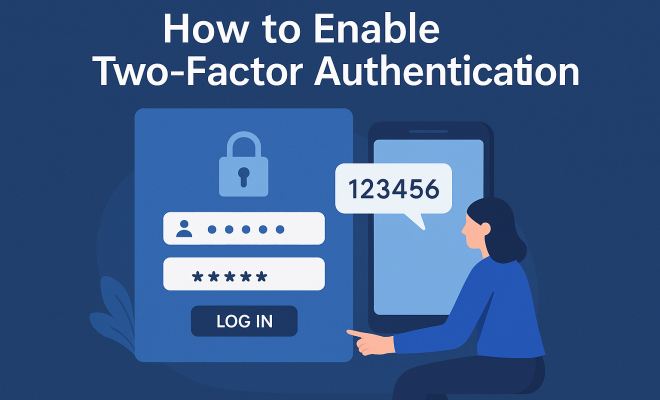
Two factor authentication is a security protocol that requires two separate forms of identification before granting access to an account. This typically includes something you know (like a password) and something you have (like a mobile device). By implementing 2FA, you add an additional layer of security that can prevent unauthorized access.
The concept of 2FA isn’t new; it has been a part of security practices for decades. However, with the rise of digital threats, it has gained renewed attention. The National Institute of Standards and Technology (NIST) recommends 2FA as a best practice for safeguarding sensitive information. In essence, even if your password is compromised, an attacker would still need the second factor to gain access, significantly reducing the risk of unauthorized entry.
2. Why You Should Enable Two Factor Authentication
The importance of two factor authentication cannot be overstated. According to a study by Google, 2FA can block 100% of automated bots and phishing attacks, demonstrating its effectiveness. In 2021 alone, data breaches exposed over 22 billion records, highlighting the urgent need for robust security measures.
Additionally, many online services are increasingly adopting 2FA as a standard feature. By enabling it, you not only protect your own data but also contribute to a more secure online environment. Cybersecurity experts unanimously agree that implementing 2FA is one of the simplest yet most effective strategies for protecting personal and organizational data.
3. Common Methods of Two Factor Authentication
There are several methods to implement two factor authentication, each with its own strengths and weaknesses. The most common methods include:
- SMS Codes: A one-time code is sent to your registered phone number, which you must enter to log in.
- Authenticator Apps: Apps like Google Authenticator or Authy generate time-sensitive codes that you enter during the login process.
- Email Verification: A verification link or code is sent to your email address, which you must click or enter.
- Hardware Tokens: Physical devices that generate codes or connect to your computer via USB.
- Biometric Verification: Uses your fingerprint or facial recognition to verify your identity.
Each method has its pros and cons. While SMS codes are easy to use, they can be intercepted. Authenticator apps, on the other hand, provide a more secure option as they are not reliant on mobile networks. Biometric verification offers convenience but may encounter issues if your device fails.
4. How to Enable Two Factor Authentication on Major Platforms
Enabling two factor authentication might seem daunting, but most platforms make it relatively straightforward. Here’s a quick guide on how to enable 2FA on some of the most popular services:
4.1 Google
1. Go to your Google Account settings.
2. In the ‘Security’ section, select ‘2-Step Verification.’
3. Click ‘Get Started’ and follow the prompts to set up your phone number or an authenticator app.
4.2 Facebook
1. Open your Facebook settings and navigate to ‘Security and Login.’
2. Under ‘Two-Factor Authentication,’ click ‘Edit.’ (See: NIST Cybersecurity Framework.)
3. Choose your preferred method (text message or authentication app) and follow the instructions to complete the setup.
4.3 Twitter
1. Go to ‘Settings and Privacy’ from your Twitter profile.
2. Select ‘Security and account access,’ then ‘Security.’
3. Toggle on ‘Two-Factor Authentication’ and choose your preferred verification method.
4.4 Microsoft
1. Visit your Microsoft account security page.
2. Under ‘Security basics,’ choose ‘More security options.’
3. Look for ‘Two-step verification’ and follow the instructions to enable it.
5. Best Practices for Using Two Factor Authentication
While enabling two factor authentication is a significant step towards securing your accounts, following best practices can further enhance your safety. Here are some tips:
- Use Authenticator Apps: Whenever possible, opt for an authenticator app over SMS, as it provides a more secure method of generating codes.
- Backup Codes: Many services offer backup codes for recovery if you lose access to your second factor. Store these codes securely.
- Regular Updates: Keep your phone and apps updated to ensure you’re protected against vulnerabilities.
- Be Wary of Phishing: Always double-check the URL of sites asking for your 2FA codes to avoid phishing attacks.
By adhering to these practices, you’ll maximize the effectiveness of two factor authentication in safeguarding your accounts.
6. Challenges and Limitations of Two Factor Authentication
While two factor authentication is a powerful security tool, it’s not without its challenges. Some users find 2FA to be an inconvenience, as it requires additional steps during login, which can be frustrating, especially if you’re in a hurry. This inconvenience can lead to users disabling the feature altogether.
Moreover, there are still potential vulnerabilities. For instance, if someone gains access to your phone, they could easily intercept SMS codes. Additionally, sophisticated phishing attacks have evolved to trick users into providing their second factor, including codes from authenticator apps. Understanding these limitations is crucial in reinforcing your security approach.
7. The Future of Two Factor Authentication
As cyber threats continue to evolve, so too will the methods of two factor authentication. Many organizations are now exploring biometric solutions, such as facial recognition and fingerprint scanning, as a more secure and user-friendly alternative. Additionally, advancements in hardware-based security keys, like YubiKey, offer robust protection against phishing and malware attacks.
Furthermore, the industry is moving towards a passwordless future. Emerging technologies like WebAuthn allow users to authenticate without traditional passwords, relying instead on hardware-based keys or biometric data, which could make two factor authentication as we know it obsolete. However, for now, 2FA remains a critical component of any comprehensive security strategy.
8. Real-Life Examples of Two Factor Authentication in Action
Look at the recent high-profile security breaches, and you’ll see the impact of not using two factor authentication. For example, in 2020, Twitter experienced a massive breach that targeted high-profile accounts. The attackers used social engineering techniques to gain access without 2FA enabled, leading to unauthorized tweets and significant reputational damage.
In contrast, organizations that have implemented robust 2FA measures have seen a significant reduction in breaches. A report from Microsoft indicates that accounts protected with 2FA are 99.9% less likely to be compromised. This staggering statistic underscores the necessity of adopting two factor authentication.
9. Types of Two Factor Authentication: A Detailed Overview
Understanding the different types of two factor authentication can help you choose the right one for your needs. Here’s a deeper look at each method: (See: CDC on phishing attacks.)
9.1 SMS Authentication
SMS authentication sends a one-time code via text message. It’s simple and doesn’t require special apps. However, it’s vulnerable to SIM swapping attacks, where a hacker convinces your mobile carrier to transfer your number to their device.
9.2 Email Authentication
Email authentication sends codes to your email address. While it’s better than no 2FA, it’s still susceptible to phishing attacks and unauthorized access if your email is compromised.
9.3 Authenticator Apps
Authenticator apps generate time-limited codes and do not rely on the internet or cellular networks, making them more secure than SMS. They can also work offline, adding an extra layer of convenience.
9.4 Hardware Tokens
Hardware tokens are physical devices that generate codes. They offer a high level of security but can be less convenient since you must carry the device with you.
9.5 Biometric Authentication
Biometric methods, such as facial recognition and fingerprint scanning, are becoming increasingly common. They provide a seamless user experience, but concerns about data privacy and the potential for false acceptance remain.
10. Statistics on Two Factor Authentication Efficacy
Statistics underscore the effectiveness of two factor authentication:
- According to the 2021 Cyber Security Insights Report, 60% of organizations that implemented 2FA reported a significant decrease in security incidents.
- A study by the University of California found that 2FA can reduce unauthorized access attempts by 98%.
- In 2020, 80% of hacking-related breaches involved compromised passwords, highlighting the crucial role that 2FA plays in preventing unauthorized access.
11. FAQs About Two Factor Authentication
11.1 What happens if I lose my phone with 2FA enabled?
If you lose your phone, you can usually use backup codes provided during the 2FA setup to regain access. It’s crucial to store these codes securely in a place you can access even if your phone is lost.
11.2 Can two factor authentication be bypassed?
While it’s designed to enhance security, 2FA can be bypassed through sophisticated phishing attacks or if the second factor is compromised (like your SMS code). Always stay vigilant against phishing attempts and be cautious about where you input your codes.
11.3 Is two factor authentication necessary for all my accounts?
While it’s not strictly necessary for every account, it’s highly recommended for any account that holds sensitive information, like banking, email, or social media. The added security can prevent unauthorized access and potential data breaches.
11.4 What should I do if I can’t access my 2FA method?
If you’re unable to access your 2FA method, look for account recovery options provided by the service. Many services allow you to verify your identity through alternative means, such as answering security questions or using a backup email.
11.5 Will two factor authentication slow down my login process?
While it does add a step to the login process, many users find that the security benefits far outweigh this minor inconvenience. Additionally, once you get used to it, entering codes becomes a quick habit.
12. Your Next Steps Towards Enhanced Security
Enabling two factor authentication is one of the best steps you can take to secure your online accounts. As we’ve explored in this guide, it not only provides an added layer of security but also represents a proactive approach to safeguarding your sensitive information. Whether you’re a casual user or a business owner, understanding and implementing 2FA should be a priority. (See: Study on two-factor authentication effectiveness.)
Start by enabling two factor authentication on your most critical accounts today. Don’t wait for a data breach to occur before recognizing the importance of securing your information. In a world where cyber threats are ever-present, taking these simple steps could save you from significant loss and distress in the future.
13. Understanding the Technicalities of Two Factor Authentication
To get a better grasp of how two factor authentication functions, it’s helpful to understand the underlying technology. Most 2FA systems employ one of two main protocols: TOTP (Time-based One-Time Password) and HOTP (HMAC-based One-Time Password). These methods generate a unique code that is valid for a short period (in the case of TOTP) or until it is used (in the case of HOTP).
TOTP codes are generated based on the current time and a shared secret key, making them dynamic and time-sensitive. This ensures that even if a code is intercepted, it becomes useless after a short period. HOTP, on the other hand, uses a counter that increments every time a code is generated, allowing users to produce a new code without time constraints. Understanding these technical aspects can help users appreciate the security of 2FA and encourage them to implement it across all their accounts.
14. Two Factor Authentication vs. Multi-Factor Authentication
While two factor authentication is a form of multi-factor authentication (MFA), it’s important to distinguish the two concepts. MFA involves using two or more verification methods to secure an account, which can include something you know, something you have, and something you are. This might mean combining a password with a fingerprint or facial recognition, in addition to a time-sensitive code.
The key difference is that while 2FA specifically requires two factors, MFA can involve multiple factors for even higher security. For instance, a bank might require a password, a one-time SMS code, and a biometric scan for secure transactions. As cyber threats grow more sophisticated, utilizing MFA can provide a more comprehensive security solution.
15. The Cost of Not Implementing Two Factor Authentication
The potential costs of not implementing two factor authentication can be staggering. A report by IBM Security found that the average cost of a data breach in 2021 was $4.24 million, a figure that has steadily increased over the years. The fallout from a breach doesn’t only include financial losses but also damage to a company’s reputation, loss of customer trust, and legal liabilities.
For individuals, the risks can be equally severe. Identity theft, financial fraud, and other criminal activities can stem from compromised accounts. By enabling 2FA, you’re not just protecting yourself or your organization; you’re investing in your peace of mind and protecting your assets from potential cybercriminals.
16. How Businesses Can Implement Two Factor Authentication
For businesses, implementing two factor authentication is a crucial step in protecting sensitive data. Here are some strategies businesses can use:
- Conduct a Risk Assessment: Determine which accounts and data are most critical and prioritize implementing 2FA for those areas.
- Provide Training: Educate employees on the importance of 2FA and how to use it effectively. Conduct regular training sessions about the latest phishing techniques and security measures.
- Use Centralized Management Tools: Utilize tools that allow for centralized management of 2FA across the organization, making it easier to enforce policies and track compliance.
- Encourage Strong Password Policies: Reinforce the need for strong, unique passwords in conjunction with 2FA to bolster overall security.
17. Conclusion: The Bottom Line on Two Factor Authentication
As we navigate an increasingly digital world, the importance of safeguarding our online accounts cannot be understated. Two factor authentication stands out as a critical measure that can significantly reduce the risk of unauthorized access. While it may require a bit of effort to set up, the added security it offers is invaluable. For both individuals and businesses, implementing 2FA is a smart, proactive choice that can protect against the rising tide of cyber threats.
Take action now—evaluate your current accounts, enable two factor authentication, and educate yourself and your team on best practices. The benefits of enhanced security far outweigh the minor inconveniences, making 2FA a non-negotiable aspect of modern online safety.
“`
Trending Now
Frequently Asked Questions
What is two factor authentication and how does it work?
Two factor authentication (2FA) is a security measure that requires two forms of identification to access an account. Typically, this involves a password (something you know) and a second factor, like a mobile device or a hardware token (something you have). This added layer of security makes it significantly harder for unauthorized users to gain access even if they have your password.
Why should I enable two factor authentication?
Enabling two factor authentication is crucial for enhancing your online security. It can block 100% of automated bots and phishing attacks, according to a Google study. With increasing data breaches, implementing 2FA protects your sensitive information and contributes to a more secure online environment for everyone.
How do I enable two factor authentication on my accounts?
To enable two factor authentication, go to your account settings on the service you’re using. Look for security settings, then select the option to enable 2FA. You may need to provide a phone number or use an authentication app to receive the second factor. Follow the prompts to complete the setup.
Is two factor authentication really effective?
Yes, two factor authentication is highly effective in preventing unauthorized access to accounts. It significantly reduces the risk of breaches, as attackers need both your password and the second factor to gain entry. Cybersecurity experts recommend 2FA as a best practice for safeguarding sensitive information.
What are the different methods of two factor authentication?
There are several methods of two factor authentication, including SMS codes sent to your mobile phone, authentication apps like Google Authenticator, email verification, and hardware tokens. Each method provides a unique second factor that enhances account security beyond just a password.
Have you experienced this yourself? We’d love to hear your story in the comments.