The Tech Edvocate

Top Menu

  • Advertisement
  • Apps
  • Home Page
  • Home Page Five (No Sidebar)
  • Home Page Four
  • Home Page Three
  • Home Page Two
  • Home Tech2
  • Icons [No Sidebar]
  • Left Sidbear Page
  • Lynch Educational Consulting
  • My Account
  • My Speaking Page
  • Newsletter Sign Up Confirmation
  • Newsletter Unsubscription
  • Our Brands
  • Page Example
  • Privacy Policy
  • Protected Content
  • Register
  • Request a Product Review
  • Shop
  • Shortcodes Examples
  • Signup
  • Start Here
    • Governance
    • Careers
    • Contact Us
  • Terms and Conditions
  • The Edvocate
  • The Tech Edvocate Product Guide
  • Topics
  • Write For Us
  • Advertise

Main Menu

  • Start Here
    • Our Brands
    • Governance
      • Lynch Educational Consulting, LLC.
      • Dr. Lynch’s Personal Website
      • Careers
    • Write For Us
    • The Tech Edvocate Product Guide
    • Contact Us
    • Books
    • Edupedia
    • Post a Job
    • The Edvocate Podcast
    • Terms and Conditions
    • Privacy Policy
  • Topics
    • Assistive Technology
    • Child Development Tech
    • Early Childhood & K-12 EdTech
    • EdTech Futures
    • EdTech News
    • EdTech Policy & Reform
    • EdTech Startups & Businesses
    • Higher Education EdTech
    • Online Learning & eLearning
    • Parent & Family Tech
    • Personalized Learning
    • Product Reviews
  • Advertise
  • Tech Edvocate Awards
  • The Edvocate
  • Pedagogue
  • School Ratings

logo

The Tech Edvocate

  • Start Here
    • Our Brands
    • Governance
      • Lynch Educational Consulting, LLC.
      • Dr. Lynch’s Personal Website
        • My Speaking Page
      • Careers
    • Write For Us
    • The Tech Edvocate Product Guide
    • Contact Us
    • Books
    • Edupedia
    • Post a Job
    • The Edvocate Podcast
    • Terms and Conditions
    • Privacy Policy
  • Topics
    • Assistive Technology
    • Child Development Tech
    • Early Childhood & K-12 EdTech
    • EdTech Futures
    • EdTech News
    • EdTech Policy & Reform
    • EdTech Startups & Businesses
    • Higher Education EdTech
    • Online Learning & eLearning
    • Parent & Family Tech
    • Personalized Learning
    • Product Reviews
  • Advertise
  • Tech Edvocate Awards
  • The Edvocate
  • Pedagogue
  • School Ratings
  • A Visitors Guide to Long Beach (CA), United States

  • A Visitor’s Guide to Fresno (CA), United States

  • A Visitors Guide to New Orleans (LA), United States

  • A Visitors Guide to Sacramento (CA), United States

  • A Visitors Guide to Lyon, France

  • JisuLife Ultra2 Portable Fan: A Powerful Multi-Function Cooling Solution

  • A Visitors Guide to Viña del Mar, Chile

  • A Visitors Guide to Århus, Denmark

  • A Visitors Guide to Bakersfield (CA), United States

  • A Visitors Guide to Aurora (CO), United States

Digital & Mobile Technology
Home›Digital & Mobile Technology›6 Android Apps That You’d Actually Want to Install on Windows 11

6 Android Apps That You’d Actually Want to Install on Windows 11
By Matthew Lynch
July 31, 2023
0
Spread the love

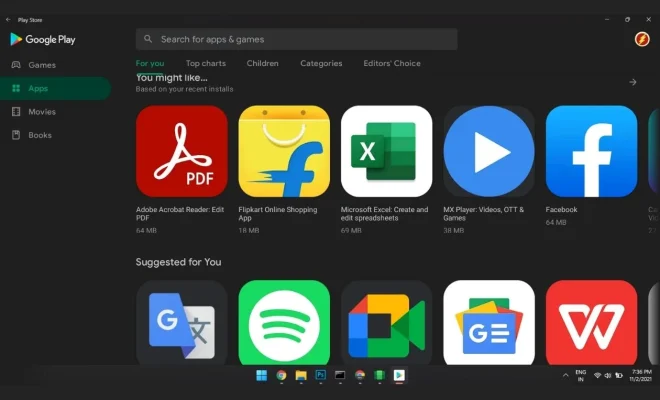
As the popularity of Android apps continues to grow, it’s no surprise that many Windows users are eager to install their favorite apps on their Windows 11 computer. Thankfully, there are several Android apps that work well on Windows 11; here are 6 apps that you’d actually want to install.

1. Microsoft Launcher: If you use your Windows 11 computer alongside an Android phone, you might find it helpful to use a launcher that syncs information between your devices. Microsoft Launcher is a popular choice, as it allows you to access your calendar, emails, and documents across both platforms.

2. BlueStacks: BlueStacks is an Android emulator that allows you to run Android apps directly on your Windows 11 computer. This app is great if you want to use gaming apps that aren’t available on Windows, or if you just prefer the interface of an Android app.

3. AirDroid: AirDroid is a handy app that lets you manage your Android phone directly from your Windows 11 computer. With AirDroid, you can transfer files, send text messages, and even control your phone’s camera from your computer.

4. Pushbullet: Pushbullet is a great app for seamless device communication. By installing it on both your Android phone and your Windows 11 computer, you can easily send links, files, and messages between your devices.

5. Microsoft Office: If you’re a Microsoft Office user, you’ll be happy to know that Microsoft offers Android versions of their popular office apps. This means that you can use Word, Excel, and PowerPoint on your Windows 11 computer just like you would on your Android device.

6. Google Drive: If you use Google Drive to store your files, you’ll be pleased to know that the Android app works well on Windows 11. By installing the Google Drive app on your computer, you can easily access your files and edit documents without having to switch between devices.

In conclusion, there are plenty of Android apps that work well on Windows 11. Whether you’re looking for a launcher to sync your devices or an emulator to run gaming apps, there’s an app out there that will meet your needs. By installing these apps, you can enjoy the best of both worlds and make the most of your devices.


Previous Article

How to Connect Your iPhone to an ...

Next Article

Common Windows 11 22H2 Issues and Their ...

Matthew Lynch

Related articles More from author

  • Digital & Mobile Technology

    apt update vs. apt upgrade: What Are the Differences?

    August 5, 2023
    By Matthew Lynch
  • Digital & Mobile Technology

    Best Sites to Keep an Online Journal

    June 23, 2023
    By Matthew Lynch
  • Digital & Mobile Technology

    Surface Go 2 vs iPad: What’s the Difference?

    July 14, 2023
    By Matthew Lynch
  • Digital & Mobile Technology

    How to Post a Story on Instagram

    July 4, 2023
    By Matthew Lynch
  • Digital & Mobile Technology

    How to Fix Facebook Notifications Not Loading

    June 23, 2023
    By Matthew Lynch
  • Digital & Mobile Technology

    13-Inch vs. 14-Inch MacBook Pro: Is the M1 Pro Chip Worth the Extra Cost?

    August 3, 2023
    By Matthew Lynch

Search

Login & Registration

  • Register
  • Log in
  • Entries feed
  • Comments feed
  • WordPress.org

Newsletter

Signup for The Tech Edvocate Newsletter and have the latest in EdTech news and opinion delivered to your email address!

About Us

Since technology is not going anywhere and does more good than harm, adapting is the best course of action. That is where The Tech Edvocate comes in. We plan to cover the PreK-12 and Higher Education EdTech sectors and provide our readers with the latest news and opinion on the subject. From time to time, I will invite other voices to weigh in on important issues in EdTech. We hope to provide a well-rounded, multi-faceted look at the past, present, the future of EdTech in the US and internationally.

We started this journey back in June 2016, and we plan to continue it for many more years to come. I hope that you will join us in this discussion of the past, present and future of EdTech and lend your own insight to the issues that are discussed.

Newsletter

Signup for The Tech Edvocate Newsletter and have the latest in EdTech news and opinion delivered to your email address!

Contact Us

The Tech Edvocate
910 Goddin Street
Richmond, VA 23231
(601) 630-5238
[email protected]

Copyright © 2025 Matthew Lynch. All rights reserved.