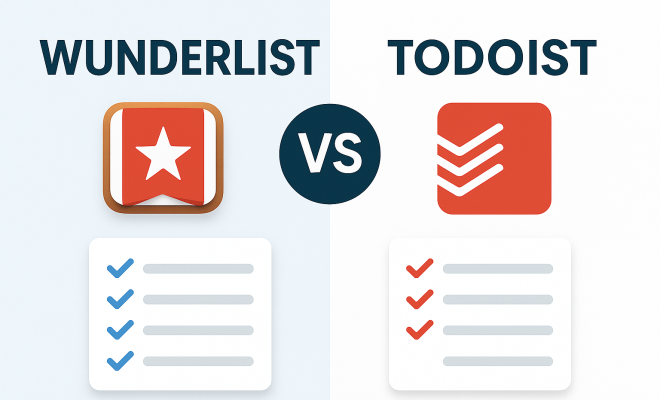
Wunderlist vs Todoist comparison
“`html
Remember Wunderlist? For many of us, it was more than just a task manager; it was the digital bedrock of our daily lives, a simple, elegant tool that made keeping track of everything feel, well, wonderful. Its clean interface, collaborative features, and satisfying ‘ding’ upon task completion made it a beloved staple for personal and professional productivity alike. Then, in 2015, Microsoft acquired it, and the writing was on the wall. Despite initial reassurances, the inevitable happened: Wunderlist was sunsetted in 2020, replaced by Microsoft To Do. This left a gaping hole in the hearts (and workflows) of millions.
Enter Todoist. For years, it had been a strong contender in the productivity app space, often cited alongside Wunderlist as a top-tier option. With Wunderlist’s demise, Todoist naturally became the go-to alternative for many dispossessed users. But is it truly a worthy successor? Can Todoist fill those big, beautiful Wunderlist-shaped shoes? That’s the core question we’re going to explore today in this deep dive into the Wunderlist vs Todoist debate, examining where Todoist excels, where it falls short, and why the legacy of Wunderlist still looms large.
1. The Aesthetic Appeal and User Experience: A Tale of Two Philosophies
One of the most immediate and impactful differences between Wunderlist and Todoist, especially for former Wunderlist users, lies in their fundamental design philosophies. Wunderlist was renowned for its minimalist, almost whimsical aesthetic. It featured playful backgrounds, intuitive drag-and-drop functionality, and a general sense of approachability. It felt light, friendly, and inviting, making the often-daunting task of task management feel a little less intimidating. Its user experience was built around simplicity and immediate gratification, making it incredibly easy for anyone, regardless of technical prowess, to jump in and start organizing their life.
Todoist, on the other hand, embraces a more utilitarian, productivity-focused design. While clean and uncluttered, its interface is primarily text-based, emphasizing functionality and efficiency over visual flair. It’s designed for power users who want to quickly add, organize, and manage tasks without distraction. The default theme is often starker, and while customizable, it never quite reaches the same level of visual warmth that Wunderlist effortlessly exuded. This isn’t necessarily a flaw, but it represents a significant divergence in user experience – one prioritizing ease and delight, the other, raw productive power.
2. Task Creation and Natural Language Processing: Where Todoist Shines
When it comes to the sheer speed and efficiency of adding tasks, Todoist has long been an industry leader, particularly thanks to its superb natural language processing (NLP). You can type something like “Call Sarah tomorrow at 3 PM about the report #work p2” and Todoist will intelligently parse it, setting the due date for tomorrow, the time for 3 PM, assigning it to a “work” project, and marking it as priority 2. This capability is a massive time-saver and significantly reduces friction in the task capture process, ensuring that fleeting thoughts and commitments are logged before they’re forgotten.
Wunderlist, while perfectly capable of quick task entry, didn’t possess the same sophisticated NLP. You’d typically add a task and then manually set the date, reminder, or assign it to a list. This was fine for many, but once you experience the fluidity of Todoist’s smart add feature, it’s hard to go back. For anyone dealing with a high volume of tasks or needing to quickly capture details on the go, Todoist’s NLP is a clear advantage, making the act of getting things out of your head and into your system incredibly efficient.
3. Collaboration and Sharing Capabilities: A Closer Look at Teamwork
Both Wunderlist and Todoist understood the importance of collaboration, albeit with slightly different approaches. Wunderlist made sharing lists incredibly simple. You could invite people to a list, and they could add tasks, complete them, and comment. It was straightforward and effective for small teams, families, or even just sharing a grocery list with a partner. Its ease of use in collaborative settings was one of its most celebrated features, fostering a sense of shared responsibility without overcomplicating things.
Todoist also offers robust collaboration features, allowing you to share projects, assign tasks to team members, set due dates, and add comments. The ability to assign tasks directly to specific individuals within a shared project is particularly powerful for team management. While Todoist’s collaboration tools are arguably more comprehensive for complex projects and larger teams, Wunderlist’s simpler, more direct sharing often felt more accessible for casual use. For a small team or a household looking to coordinate, Wunderlist’s approach was often perfectly sufficient and less daunting. The Wunderlist vs Todoist comparison here often boils down to casual vs. corporate use cases.
4. Subtasks, Notes, and Attachments: Depth of Detail
When it comes to fleshing out tasks with additional detail, both applications offered capabilities, but Todoist generally provides more depth. Wunderlist allowed for subtasks and notes, which were great for breaking down larger projects or adding context. You could also attach files, which was handy for keeping relevant documents alongside your tasks. It was sufficient for most personal and many professional needs, keeping the interface clean while still providing necessary functionality.
Todoist takes this a step further. Its subtask hierarchy can be more deeply nested, allowing for complex project breakdowns. The comment section within tasks is very versatile, supporting file uploads, rich text formatting, and even integration with third-party tools like Google Drive or Dropbox. This makes Todoist a more powerful tool for managing projects that require extensive documentation, multiple attachments, and detailed discussions within the task itself. For users who need to meticulously plan and document every step of a project, Todoist offers a more robust framework. (See: Wunderlist on Wikipedia.)
5. Reminders, Due Dates, and Recurring Tasks: Never Miss a Beat
Effective task management hinges on reliable reminders and flexible scheduling. Wunderlist offered straightforward due dates and reminders, allowing you to set specific times for alerts. Its recurring task options were also solid, letting you set tasks to repeat daily, weekly, monthly, or even custom intervals. It was intuitive and worked reliably, ensuring you were prompted when necessary without being overwhelmed.
Todoist’s scheduling features are incredibly powerful, leveraging its NLP to great effect. You can type “every Monday and Friday at 9 AM” or “every 3rd Tuesday of the month” and Todoist understands. It offers multiple reminder types, including location-based reminders (a premium feature), which can be incredibly useful for tasks tied to specific places. For those who need highly granular control over their schedule and complex recurring patterns, Todoist’s advanced scheduling and reminder capabilities are a significant advantage. The nuance in this aspect of Wunderlist vs Todoist often dictates who prefers which platform.
6. Integrations and Ecosystem: Extending Functionality
In today’s interconnected digital world, how well a productivity app plays with others is crucial. Wunderlist had a decent, though not extensive, set of integrations. It connected with popular calendar apps and offered email-to-task functionality, which was helpful for many. Its focus was more on being a self-contained, excellent task manager rather than a hub for a vast ecosystem of tools.
Todoist, on the other hand, boasts a truly impressive array of integrations. It connects with hundreds of apps across various categories: calendars (Google Calendar, Outlook Calendar), notes (Evernote, OneNote), communication (Slack, Microsoft Teams), automation (Zapier, IFTTT), time tracking (Toggl, RescueTime), and many more. This extensive ecosystem allows Todoist to become a central hub in a much broader productivity workflow, enabling users to automate tasks, sync information, and leverage their task manager in conjunction with nearly every other tool they use. For power users and businesses, this robust integration capability is a major selling point.
7. Pricing Models and Platform Availability: Free vs. Premium
Wunderlist offered a very generous free tier that met the needs of most individual users, with premium features primarily aimed at advanced collaboration and file uploads. This accessibility was a huge part of its appeal, allowing millions to benefit without a subscription. It was available across virtually all major platforms: iOS, Android, macOS, Windows, web, and even Linux.
Todoist also offers a free tier, which is quite capable for basic task management, allowing users to create projects, add tasks, and set due dates. However, many of its more powerful features – like reminders, filters, labels, and extensive integrations – are locked behind its premium subscription, Todoist Pro. This can be a point of contention for users accustomed to Wunderlist’s more inclusive free offering. That said, Todoist Pro is reasonably priced and provides immense value for its cost. Like Wunderlist, Todoist is available on almost every platform imaginable, ensuring your tasks are accessible wherever you are, from your Apple Watch to your Linux desktop. Understanding the free offerings is key in any Wunderlist vs Todoist decision.
8. Gamification and Motivation: Staying Engaged
This is an area where Todoist introduces a unique element that Wunderlist didn’t really touch upon: gamification. Todoist includes a feature called “Karma.” As you complete tasks on time, use advanced features, and maintain streaks, your Karma score increases. You can earn points for creating tasks, setting due dates, and completing tasks on schedule, with bonus points for completing recurring tasks. Conversely, missing deadlines can cause your Karma to drop. This system provides a subtle, yet effective, psychological boost, turning task management into a bit of a game and encouraging consistent engagement.
Wunderlist, while providing the satisfying ‘ding,’ relied more on the intrinsic motivation of a clean, organized list. It didn’t actively track your productivity in a quantified way. For some users, especially those who thrive on progress tracking and achievement badges, Todoist’s Karma system can be a powerful motivator. It adds an extra layer of engagement that pushes you to not just complete tasks, but to complete them efficiently and consistently, reinforcing good productivity habits. This difference highlights a shift from simple utility to a more interactive, motivating user experience in the Wunderlist vs Todoist landscape.
9. Search and Filtering Capabilities: Finding What You Need
As your task list grows, the ability to quickly find specific items becomes paramount. Wunderlist offered basic search functionality, allowing you to find tasks by keyword. It was generally sufficient for most users, especially given its simpler list structure. You could scroll through lists, and the visual organization often made it easy to spot what you needed.
Todoist, however, truly excels in this domain with its advanced search queries and powerful filtering options (a premium feature). You can use natural language to search for tasks like “tasks due next week assigned to me” or “p1 tasks in #work project created last month.” You can create custom filters based on a multitude of criteria: due date, priority, project, label, assignee, creation date, and more. These filters can then be saved and accessed quickly from your sidebar, essentially creating dynamic custom views of your tasks. This level of granular control over how you view and interact with your tasks is a game-changer for managing complex workflows and large numbers of tasks, making Todoist a much more robust information retrieval system in the Wunderlist vs Todoist comparison.
10. Project Management Features: Beyond Simple To-Dos
While both apps are fundamentally task managers, Todoist leans much more heavily into project management. Wunderlist allowed you to create lists, which could function as simple projects. You could break them down with subtasks, and collaborate. It was effective for personal projects or small, straightforward team efforts.
Todoist, with its more structured approach, offers features that are explicitly designed for project management. Projects themselves can be nested, creating a clear hierarchy. The ability to add sections within projects helps organize tasks further. Labels provide a flexible way to categorize tasks across projects (e.g., “waiting,” “email,” “urgent”). Filters allow you to slice and dice your project data in countless ways, giving you a comprehensive overview of progress, bottlenecks, and priorities. Assigning tasks to team members with specific due dates and commenting threads means you can manage entire workflows within Todoist. For anyone juggling multiple complex projects, or managing a team, Todoist scales significantly better, positioning it as a lightweight project management tool rather than just an advanced to-do list, which is a major differentiator in the Wunderlist vs Todoist battle. (See: CDC Youth Risk Behavior Survey.)
The Ghost of Wunderlist: What We Miss Most
Beyond the feature comparisons, there’s an undeniable emotional component to Wunderlist. Many users felt a genuine affection for the app. Its satisfying ‘ding’ upon task completion, the customizable backgrounds, and the sheer joy of using it created a loyalty that few other productivity apps have matched. It had a ‘spark’ that made mundane tasks feel a little more engaging. Microsoft To Do, while functional and steadily improving, hasn’t quite captured that same magic.
The simplicity of Wunderlist was its superpower. It managed to be powerful enough for most, yet never felt overwhelming. For many, Todoist, with its myriad features and emphasis on advanced organization, can feel a bit more like work. It’s incredibly effective, yes, but it often lacks that effortless charm that drew so many to Wunderlist in the first place. The transition for many was less about finding a superior tool and more about finding a suitable replacement that could at least get the job done.
Why Todoist Endures: A Powerhouse for Productivity
Despite the nostalgia for Wunderlist, Todoist has undeniably carved out its own powerful niche and continues to be one of the most highly-regarded task managers available today. Its commitment to continuous improvement, robust feature set, and cross-platform availability make it a formidable tool for individuals and teams alike. For those who prioritize efficiency, deep organizational capabilities, and a highly customizable workflow, Todoist is often the undisputed champion.
The app’s dedication to the Getting Things Done (GTD) methodology, with features like filters, labels, and priorities, appeals strongly to users who want to implement structured productivity systems. Its ability to handle complex projects, integrate with a vast ecosystem of tools, and provide intelligent insights into your productivity makes it much more than just a simple to-do list. It’s a comprehensive task and project management system designed to keep you on top of everything.
Expert Perspectives on Task Management Evolution
The evolution from Wunderlist to Todoist reflects a broader trend in productivity software: a shift from simple list-making to comprehensive personal and team project hubs. Productivity experts often point to this transition as a necessary adaptation to the increasing complexity of modern work and life. For more on this, see apps you'll enjoy.
For example, David Allen’s Getting Things Done (GTD) methodology, which emphasizes capturing all commitments and organizing them into actionable steps, finds a much more robust home in an application like Todoist. Its features like projects, subtasks, labels, and filters align perfectly with GTD principles, allowing users to create elaborate systems for managing their ‘inbox’ and ensuring nothing falls through the cracks. Experts like Tiago Forte, known for his “Building a Second Brain” approach, also highlight the importance of interconnected tools and robust search capabilities – areas where Todoist significantly outperforms Wunderlist’s more isolated functionality.
Conversely, some user experience designers argue that the very “simplicity” Wunderlist embodied is often lost in the pursuit of “power.” They suggest that while features are important, the cognitive load introduced by too many options can sometimes deter casual users. This perspective suggests that while Todoist wins on features, Wunderlist’s inherent ease of use made it a gateway drug to productivity for many who might otherwise have been overwhelmed. The ongoing debate in the productivity space isn’t just about what an app can do, but how effortlessly it allows you to do it.
The Verdict: Is Todoist the True Successor?
So, after this deep dive into Wunderlist vs Todoist, can we declare Todoist the true successor? In terms of raw features, power, and extensibility, absolutely. Todoist surpasses Wunderlist in almost every technical category, offering a more robust and versatile platform for serious task and project management. Its natural language processing, extensive integrations, and advanced filtering capabilities are simply superior.
However, if ‘successor’ implies capturing the exact spirit and user experience, then the answer is more nuanced. Todoist doesn’t quite replicate the whimsical charm and approachable simplicity that made Wunderlist so beloved. It’s a different beast, a more serious, more powerful productivity engine. For many, the transition was a pragmatic choice rather than an enthusiastic embrace of a better alternative. They needed a task manager, and Todoist was the best fit for their professional needs, even if it didn’t quite warm their hearts in the same way Wunderlist once did.
Ultimately, the choice between what Wunderlist represented and what Todoist offers comes down to individual priorities. If you crave an incredibly powerful, flexible, and integrated task management system that can handle anything you throw at it, Todoist is an outstanding choice. If you miss the effortless joy and simple elegance of a task manager that felt more like a helpful friend than a sophisticated tool, then the ghost of Wunderlist might still linger, reminding us that sometimes, less truly is more, even in the world of productivity. (See: New York Times on Wunderlist's transition.)
Frequently Asked Questions about Wunderlist vs Todoist
Q1: I loved Wunderlist’s visual appeal. Does Todoist offer anything similar?
While Todoist’s default aesthetic is more utilitarian, it does offer some customization. You can choose from a variety of themes, including dark modes and custom color palettes, if you’re a premium subscriber. However, it won’t have the same playful, customizable background images that Wunderlist was famous for. Todoist prioritizes functional clarity over whimsical design.
Q2: Can I import my old Wunderlist tasks into Todoist?
Unfortunately, there’s no direct, official import tool from Wunderlist to Todoist. When Wunderlist shut down, Microsoft provided an export tool to migrate tasks to Microsoft To Do. If you have your Wunderlist data in a compatible format (like a CSV or plain text file), you might be able to manually import it into Todoist, but it would likely require some formatting and manual adjustment. Most users who switched had to manually recreate their core lists and tasks.
Q3: What’s the biggest benefit of Todoist’s Natural Language Processing (NLP)?
The biggest benefit is speed and efficiency. Instead of clicking through multiple menus to set a due date, time, project, and priority, you can type it all out in one fluid sentence. This drastically cuts down on the time it takes to capture a task, especially when you’re on the go or have a lot on your mind. It makes getting tasks out of your head and into your system almost instantaneous.
Q4: Is Todoist’s free tier enough for most casual users?
For basic task management – creating tasks, setting due dates, and organizing into projects – Todoist’s free tier is quite capable. You can manage up to 5 active projects, collaborate on 5 projects, and have up to 5MB file uploads per task. However, key features like reminders, labels, filters, and location-based reminders are premium. If you need anything beyond a simple to-do list, you’ll likely want the Pro subscription.
Q5: How does Todoist’s ‘Karma’ system actually work to motivate you?
The Karma system is designed to create a positive feedback loop. You earn Karma points for completing tasks, especially on time, and for using advanced features. This visual representation of your productivity progress can be very motivating. It gamifies the process of staying organized, giving you a tangible reward (points and levels) for developing good habits. It’s a subtle nudge to keep you engaged and consistent with your task management.
Q6: What if I need more visual project management, like a Kanban board?
Todoist primarily uses a list-based view for tasks and projects. While you can organize tasks with sections and priorities, it doesn’t natively offer Kanban boards (like Trello or Asana). However, Todoist integrates with several third-party tools that do offer Kanban views, allowing you to sync your tasks and visualize them differently. For example, apps like Pleexy or Zapier can bridge Todoist with Kanban-style tools if that’s a critical workflow for you.
Q7: With Microsoft To Do being the official successor to Wunderlist, how does it compare to Todoist?
Microsoft To Do has significantly improved since its initial launch and has incorporated many features that Wunderlist users loved, including a similar visual style and cross-platform availability. It’s tightly integrated with the Microsoft ecosystem (Outlook, Microsoft 365). While it offers a great free experience and is excellent for personal task management, Todoist generally offers more advanced features for power users, deeper customization, more robust filtering, and a broader range of third-party integrations, making it a more powerful tool for complex project management or GTD enthusiasts.
“`
Trending Now
Frequently Asked Questions
What happened to Wunderlist?
Wunderlist was acquired by Microsoft in 2015 and was officially sunsetted in 2020. Users were transitioned to Microsoft To Do, which replaced the beloved task management app, leaving many loyal users searching for alternatives.
Is Todoist a good alternative to Wunderlist?
Yes, Todoist emerged as a popular alternative after Wunderlist's discontinuation. It offers robust task management features, but users may find differences in design philosophy and user experience compared to the simplicity of Wunderlist.
What are the main differences between Wunderlist and Todoist?
Wunderlist was known for its minimalist design and user-friendly interface, while Todoist adopts a more utilitarian approach. Wunderlist emphasized simplicity and immediate gratification, whereas Todoist focuses on advanced task management features and organization.
Why did Microsoft replace Wunderlist with To Do?
Microsoft replaced Wunderlist with To Do to consolidate its productivity apps and improve integration with other Microsoft services. The move aimed to provide users with a more streamlined experience, although it left many fans of Wunderlist disappointed.
Can Todoist replicate the features of Wunderlist?
While Todoist offers many features similar to Wunderlist, such as task organization and collaboration, some users may miss the whimsical design and intuitive simplicity that made Wunderlist a favorite. Todoist excels in task management but has a different aesthetic.
Have you experienced this yourself? We'd love to hear your story in the comments.