The Tech Edvocate

Top Menu

  • Advertisement
  • Apps
  • Home Page
  • Home Page Five (No Sidebar)
  • Home Page Four
  • Home Page Three
  • Home Page Two
  • Home Tech2
  • Icons [No Sidebar]
  • Left Sidbear Page
  • Lynch Educational Consulting
  • My Account
  • My Speaking Page
  • Newsletter Sign Up Confirmation
  • Newsletter Unsubscription
  • Our Brands
  • Page Example
  • Privacy Policy
  • Protected Content
  • Register
  • Request a Product Review
  • Shop
  • Shortcodes Examples
  • Signup
  • Start Here
    • Governance
    • Careers
    • Contact Us
  • Terms and Conditions
  • The Edvocate
  • The Tech Edvocate Product Guide
  • Topics
  • Write For Us
  • Advertise

Main Menu

  • Start Here
    • Our Brands
    • Governance
      • Lynch Educational Consulting, LLC.
      • Dr. Lynch’s Personal Website
      • Careers
    • Write For Us
    • The Tech Edvocate Product Guide
    • Contact Us
    • Books
    • Edupedia
    • Post a Job
    • The Edvocate Podcast
    • Terms and Conditions
    • Privacy Policy
  • Topics
    • Assistive Technology
    • Child Development Tech
    • Early Childhood & K-12 EdTech
    • EdTech Futures
    • EdTech News
    • EdTech Policy & Reform
    • EdTech Startups & Businesses
    • Higher Education EdTech
    • Online Learning & eLearning
    • Parent & Family Tech
    • Personalized Learning
    • Product Reviews
  • Advertise
  • Tech Edvocate Awards
  • The Edvocate
  • Pedagogue
  • School Ratings

logo

The Tech Edvocate

  • Start Here
    • Our Brands
    • Governance
      • Lynch Educational Consulting, LLC.
      • Dr. Lynch’s Personal Website
        • My Speaking Page
      • Careers
    • Write For Us
    • The Tech Edvocate Product Guide
    • Contact Us
    • Books
    • Edupedia
    • Post a Job
    • The Edvocate Podcast
    • Terms and Conditions
    • Privacy Policy
  • Topics
    • Assistive Technology
    • Child Development Tech
    • Early Childhood & K-12 EdTech
    • EdTech Futures
    • EdTech News
    • EdTech Policy & Reform
    • EdTech Startups & Businesses
    • Higher Education EdTech
    • Online Learning & eLearning
    • Parent & Family Tech
    • Personalized Learning
    • Product Reviews
  • Advertise
  • Tech Edvocate Awards
  • The Edvocate
  • Pedagogue
  • School Ratings
  • The Brutal Truth About CogniGuard’s Data Debacle — And 7 AI Compliance Software Alternatives You Can Trust

  • The Glaring Flaw in CogniGuard’s AI Compliance: Is Your Data at Risk?

  • This Crucial AI Compliance Tool Just Failed a Basic Privacy Test

  • One Company Just Made a Move That Could Reshape Space Solar Forever

  • This Hidden Tech Could Power Earth from Orbit — And Slash Your Energy Bills

  • This Brooklyn Startup Just Unleashed a Power Revolution for Space

  • The Untapped Goldmine: Why Smart Investors Are Rushing to Space ETFs Before 2026

  • The Next Trillion-Dollar Frontier: 9 Space Stocks Primed for Beginners by 2026

  • SpaceX IPO Reshapes Space Economy Investment: Here’s What You Need To Know

  • Why Asmongold’s ‘Hate Crime’ Claim in the Sodapoppin vs Asmongold Controversy Sparked an Uproar

Assistive Technology
Home›Assistive Technology›Windows 10 GPU Hardware Scheduling: Is It Worth Turning On?

Windows 10 GPU Hardware Scheduling: Is It Worth Turning On?
By Matthew Lynch
June 6, 2023
0
Spread the love

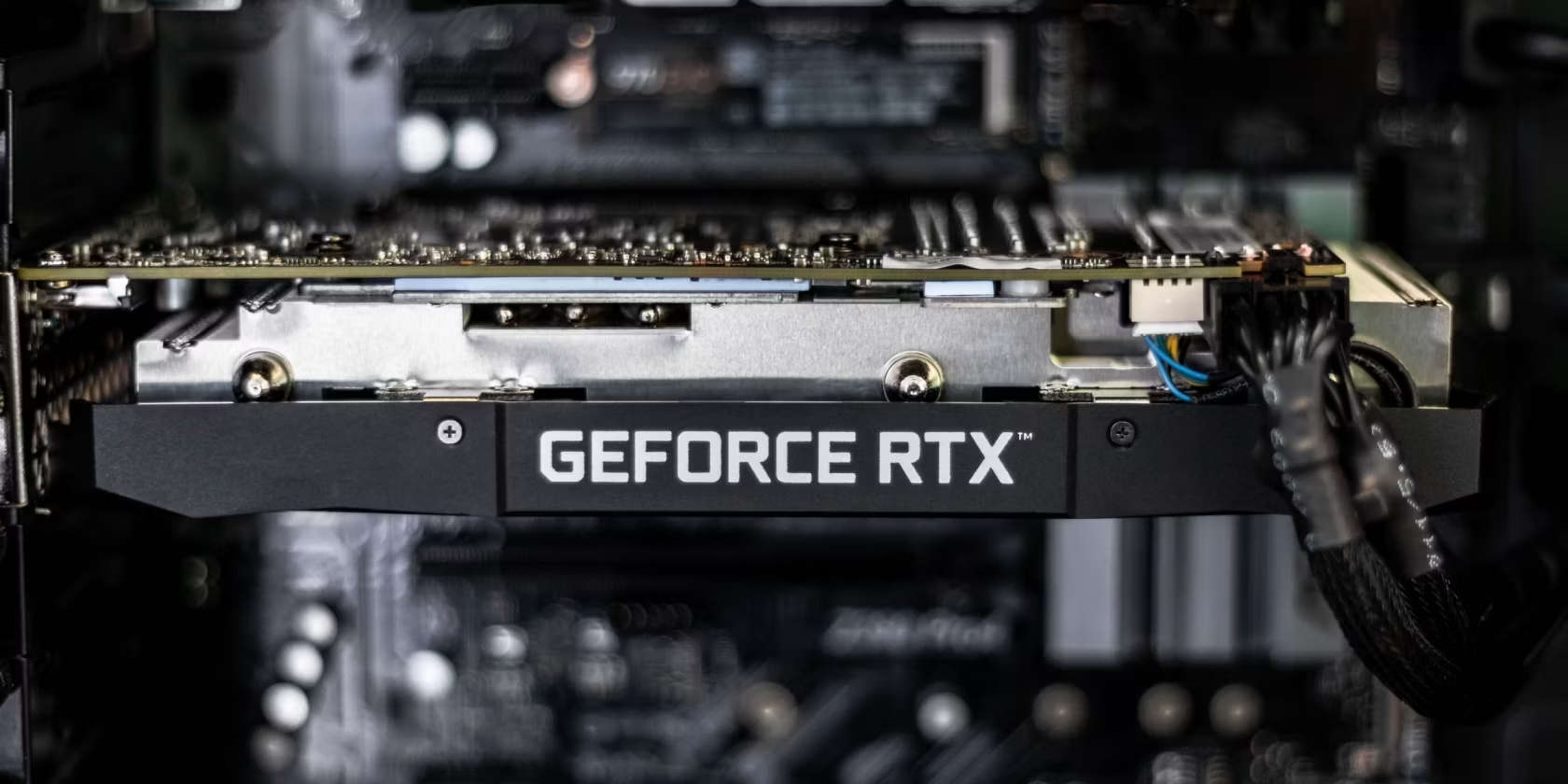
Windows 10 GPU hardware scheduling is a relatively new feature that was introduced by Microsoft in its latest operating system update. The feature aims to significantly improve the performance and efficiency of Graphics Processor Units (GPUs) in Windows devices by enabling them to directly access the hardware scheduler that manages and assigns tasks to the GPU.

Although GPU hardware scheduling was initially introduced with Windows 10 version 2004, it wasn’t enabled by default. However, with the latest Windows 10 update, it’s being turned on by default for compatible hardware. So, the question that arises now is, is it worth enabling GPU hardware scheduling on Windows 10?

The answer is that it depends on the type of hardware you’re using. If you have a newer GPU with support for DirectX 12 Ultimate, then enabling hardware scheduling will likely provide a significant performance boost. This is because DirectX 12 Ultimate has been designed to fully utilize the hardware scheduler, and so enabling GPU hardware scheduling can improve the performance of games and apps that use the API.

If you have an older GPU, however, it may not support DirectX 12 Ultimate, and therefore enabling hardware scheduling may not make much of a difference. In some cases, enabling the feature could even cause performance issues or compatibility problems.

It’s also worth noting that enabling GPU hardware scheduling may not provide a noticeable difference for everyday tasks, such as web browsing, video playback, or office work. Therefore, if you’re not a gamer or a graphic designer, you may not find any significant benefits of enabling this feature on your Windows 10 device.

Enabling GPU hardware scheduling on Windows 10 can be done through the Graphics settings in Windows settings. To enable it, open the Settings app, click on System, and then click on Display. Next, click on Graphics settings, and then toggle on the “Hardware-accelerated GPU scheduling” option.


Previous Article

What Is the OBD-II Port and What ...

Next Article

Best Sites to Find Halfway Points Between ...

Matthew Lynch

Related articles More from author

  • Assistive Technology

    How to Delete an Epic Games Account

    June 11, 2023
    By Matthew Lynch
  • Assistive Technology

    How to Fix “Event ID 2505: Server Could Not Bind to Transport” Error on Windows

    June 23, 2023
    By Matthew Lynch
  • Assistive Technology

    How to Fix a Disabled iPad by Connecting to iTunes

    June 8, 2023
    By Matthew Lynch
  • Assistive Technology

    How to Block a Website on Safari

    June 15, 2023
    By Matthew Lynch
  • Assistive Technology

    How to Save Text Messages on iPhone

    June 6, 2023
    By Matthew Lynch
  • Assistive Technology

    How to Adjust the Backlight for DS Games on 3DS

    June 9, 2023
    By Matthew Lynch

Search

Login & Registration

  • Log in
  • Entries feed
  • Comments feed
  • WordPress.org

Newsletter

Signup for The Tech Edvocate Newsletter and have the latest in EdTech news and opinion delivered to your email address!

About Us

Since technology is not going anywhere and does more good than harm, adapting is the best course of action. That is where The Tech Edvocate comes in. We plan to cover the PreK-12 and Higher Education EdTech sectors and provide our readers with the latest news and opinion on the subject. From time to time, I will invite other voices to weigh in on important issues in EdTech. We hope to provide a well-rounded, multi-faceted look at the past, present, the future of EdTech in the US and internationally.

We started this journey back in June 2016, and we plan to continue it for many more years to come. I hope that you will join us in this discussion of the past, present and future of EdTech and lend your own insight to the issues that are discussed.

Newsletter

Signup for The Tech Edvocate Newsletter and have the latest in EdTech news and opinion delivered to your email address!

Contact Us

The Tech Edvocate
910 Goddin Street
Richmond, VA 23231
(601) 630-5238
[email protected]

Copyright © 2026 Matthew Lynch. All rights reserved.