The Tech Edvocate

Top Menu

  • Advertisement
  • Apps
  • Home Page
  • Home Page Five (No Sidebar)
  • Home Page Four
  • Home Page Three
  • Home Page Two
  • Home Tech2
  • Icons [No Sidebar]
  • Left Sidbear Page
  • Lynch Educational Consulting
  • My Account
  • My Speaking Page
  • Newsletter Sign Up Confirmation
  • Newsletter Unsubscription
  • Our Brands
  • Page Example
  • Privacy Policy
  • Protected Content
  • Register
  • Request a Product Review
  • Shop
  • Shortcodes Examples
  • Signup
  • Start Here
    • Governance
    • Careers
    • Contact Us
  • Terms and Conditions
  • The Edvocate
  • The Tech Edvocate Product Guide
  • Topics
  • Write For Us
  • Advertise

Main Menu

  • Start Here
    • Our Brands
    • Governance
      • Lynch Educational Consulting, LLC.
      • Dr. Lynch’s Personal Website
      • Careers
    • Write For Us
    • The Tech Edvocate Product Guide
    • Contact Us
    • Books
    • Edupedia
    • Post a Job
    • The Edvocate Podcast
    • Terms and Conditions
    • Privacy Policy
  • Topics
    • Assistive Technology
    • Child Development Tech
    • Early Childhood & K-12 EdTech
    • EdTech Futures
    • EdTech News
    • EdTech Policy & Reform
    • EdTech Startups & Businesses
    • Higher Education EdTech
    • Online Learning & eLearning
    • Parent & Family Tech
    • Personalized Learning
    • Product Reviews
  • Advertise
  • Tech Edvocate Awards
  • The Edvocate
  • Pedagogue
  • School Ratings

logo

The Tech Edvocate

  • Start Here
    • Our Brands
    • Governance
      • Lynch Educational Consulting, LLC.
      • Dr. Lynch’s Personal Website
        • My Speaking Page
      • Careers
    • Write For Us
    • The Tech Edvocate Product Guide
    • Contact Us
    • Books
    • Edupedia
    • Post a Job
    • The Edvocate Podcast
    • Terms and Conditions
    • Privacy Policy
  • Topics
    • Assistive Technology
    • Child Development Tech
    • Early Childhood & K-12 EdTech
    • EdTech Futures
    • EdTech News
    • EdTech Policy & Reform
    • EdTech Startups & Businesses
    • Higher Education EdTech
    • Online Learning & eLearning
    • Parent & Family Tech
    • Personalized Learning
    • Product Reviews
  • Advertise
  • Tech Edvocate Awards
  • The Edvocate
  • Pedagogue
  • School Ratings
  • RayNeo iO Smart Glasses: A Comprehensive Review

  • Glo Skin Beauty: The Aesthetician-Backed Brand Taking 25% Off for October Prime Day

  • The Shocking Truth: ESG Training Programs Are Quietly Reshaping Your Career Path

  • Why Millions of People Are Switching to These Green Energy Certifications Right Now

  • The green skills gap in 2026: How to address this growing problem

  • The Shocking Truth: Your Degree Won’t Land You the Best IT Jobs in 2026

  • The Brutal Truth About Degrees: Why Micro-Credentials Are Quietly Dominating Careers by 2026

  • Why 96% of Employers Now Prefer Skills Over Degrees: The Micro-Credential Revolution

  • This Crucial Mistake With AI Is Stunting Student Minds: Here’s How to Fix It

  • The AI ‘Cognitive Surrender’ Crisis: 7 Tools Every Educator Needs NOW

Digital & Mobile Technology
Home›Digital & Mobile Technology›Why You Should Blur Your House on Google Street View (and How)

Why You Should Blur Your House on Google Street View (and How)
By Matthew Lynch
June 9, 2023
0
Spread the love

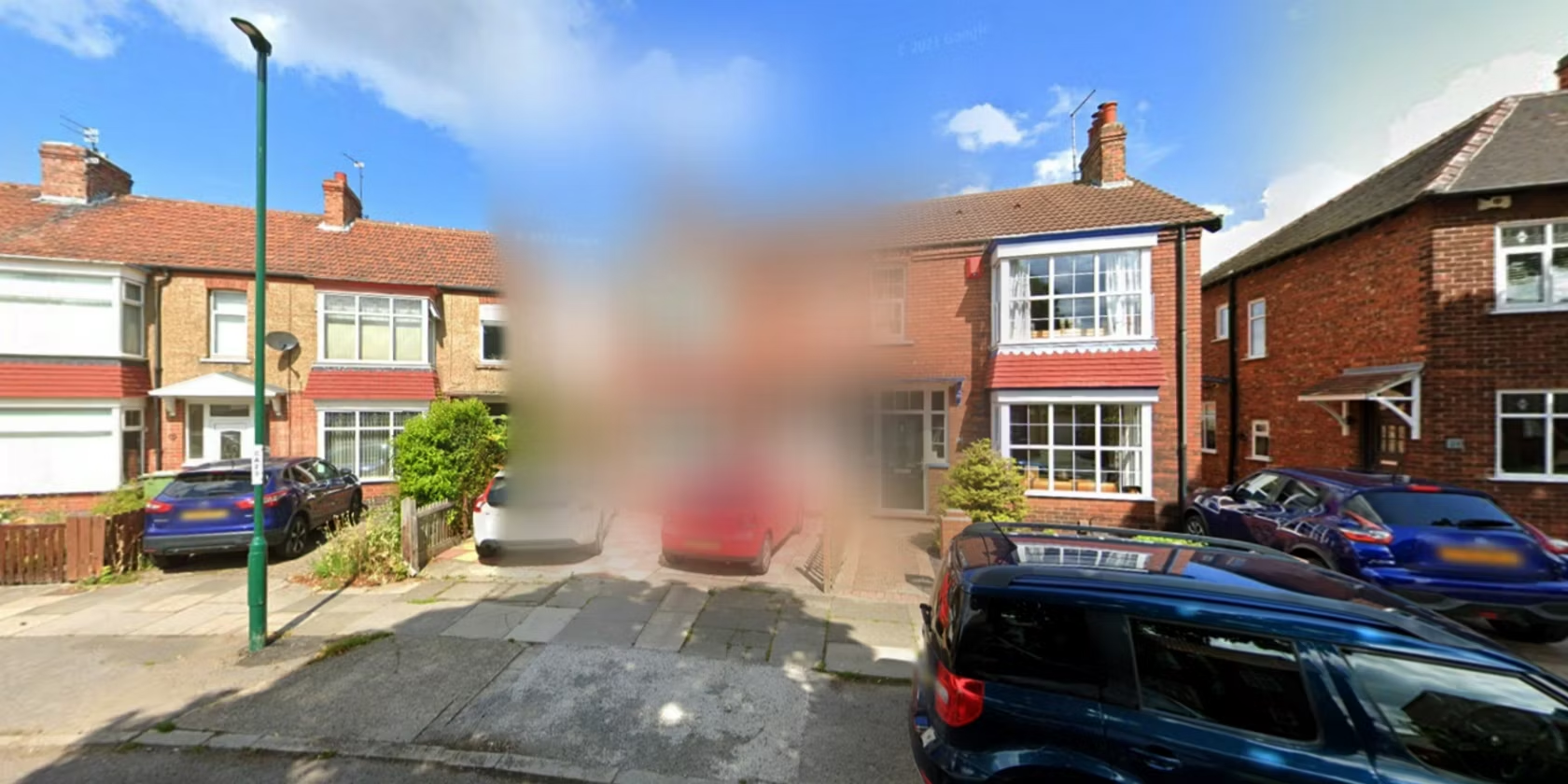
Google Street View is a fantastic tool that allows us to virtually explore neighborhoods and cities from the comfort of our homes. However, it’s important to be aware of the fact that our privacy can be compromised through these images. An example of this is when people are able to see the inside of our homes, the number of cars parked in our driveway or our license plates. To avoid this issue, we can simply blur out our houses on Google Street View.
Blurring your home on Google Street View provides the following benefits:

1. Protects your home and privacy: Blurring your house on Google Street View means that your home address, license plate, or any identifiable feature outside or inside the house stays private. This helps to keep you, your home and your family safe from any potential threats.

2. Makes your neighborhood safer: By blurring out your house, you’re not only protecting yourself but also your neighbors. In instances such as robbery or burglary, criminals can easily identify potential targets by going through Google Maps. By blurring your house, you reduce the likelihood of criminals scouting your neighborhood.

3. Maintains your property’s value: Sometimes, the images on Google Maps might not represent your property correctly or showcase it in the best possible light, especially if there are any construction or renovation works happening at the time. Blurring out your house ensures that it maintains its privacy, and you can easily control property pictures and protect its value.

So, how do you go about blurring your house on Google Street View?

1. Visit Google Maps and search for your home address.

2. Once your home appears on the map, switch to Street View mode by dragging and dropping the yellow person icon on the map.

3. Move the Street View camera towards your home address and center it on the house.

4. Click on the “Report a Problem” button located in the bottom-right corner of the screen.

5. Select the “Privacy Concerns” option and then select “My Home.”

6. Follow the instructions to complete the process.

7. Google might verify the request to ensure that the property owner initiated it.

Previous Article

Ways to Fix a Cursor When It ...

Next Article

How to Connect an iPhone to a ...

Matthew Lynch

Related articles More from author

  • Digital & Mobile Technology

    TV Buying Guide: What You Need to Know

    April 14, 2023
    By Matthew Lynch
  • Digital & Mobile Technology

    How to Use the PI Function in Excel

    June 15, 2023
    By Matthew Lynch
  • Digital & Mobile Technology

    How to Change the Wallpaper on an Unactivated Windows 11 PC

    August 3, 2023
    By Matthew Lynch
  • Digital & Mobile Technology

    What is an Optical Disk?

    May 5, 2023
    By Matthew Lynch
  • Digital & Mobile Technology

    How to Use tree to Show a Directory Tree in the Linux Terminal

    August 3, 2023
    By Matthew Lynch
  • Digital & Mobile Technology

    The Best Cinematic Video Games You Can Play

    June 11, 2023
    By Matthew Lynch

Search

Login & Registration

  • Log in
  • Entries feed
  • Comments feed
  • WordPress.org

Newsletter

Signup for The Tech Edvocate Newsletter and have the latest in EdTech news and opinion delivered to your email address!

About Us

Since technology is not going anywhere and does more good than harm, adapting is the best course of action. That is where The Tech Edvocate comes in. We plan to cover the PreK-12 and Higher Education EdTech sectors and provide our readers with the latest news and opinion on the subject. From time to time, I will invite other voices to weigh in on important issues in EdTech. We hope to provide a well-rounded, multi-faceted look at the past, present, the future of EdTech in the US and internationally.

We started this journey back in June 2016, and we plan to continue it for many more years to come. I hope that you will join us in this discussion of the past, present and future of EdTech and lend your own insight to the issues that are discussed.

Newsletter

Signup for The Tech Edvocate Newsletter and have the latest in EdTech news and opinion delivered to your email address!

Contact Us

The Tech Edvocate
910 Goddin Street
Richmond, VA 23231
(601) 630-5238
[email protected]

Copyright © 2026 Matthew Lynch. All rights reserved.