The Tech Edvocate

Top Menu

  • Advertisement
  • Apps
  • Home Page
  • Home Page Five (No Sidebar)
  • Home Page Four
  • Home Page Three
  • Home Page Two
  • Home Tech2
  • Icons [No Sidebar]
  • Left Sidbear Page
  • Lynch Educational Consulting
  • My Account
  • My Speaking Page
  • Newsletter Sign Up Confirmation
  • Newsletter Unsubscription
  • Our Brands
  • Page Example
  • Privacy Policy
  • Protected Content
  • Register
  • Request a Product Review
  • Shop
  • Shortcodes Examples
  • Signup
  • Start Here
    • Governance
    • Careers
    • Contact Us
  • Terms and Conditions
  • The Edvocate
  • The Tech Edvocate Product Guide
  • Topics
  • Write For Us
  • Advertise

Main Menu

  • Start Here
    • Our Brands
    • Governance
      • Lynch Educational Consulting, LLC.
      • Dr. Lynch’s Personal Website
      • Careers
    • Write For Us
    • The Tech Edvocate Product Guide
    • Contact Us
    • Books
    • Edupedia
    • Post a Job
    • The Edvocate Podcast
    • Terms and Conditions
    • Privacy Policy
  • Topics
    • Assistive Technology
    • Child Development Tech
    • Early Childhood & K-12 EdTech
    • EdTech Futures
    • EdTech News
    • EdTech Policy & Reform
    • EdTech Startups & Businesses
    • Higher Education EdTech
    • Online Learning & eLearning
    • Parent & Family Tech
    • Personalized Learning
    • Product Reviews
  • Advertise
  • Tech Edvocate Awards
  • The Edvocate
  • Pedagogue
  • School Ratings

logo

The Tech Edvocate

  • Start Here
    • Our Brands
    • Governance
      • Lynch Educational Consulting, LLC.
      • Dr. Lynch’s Personal Website
        • My Speaking Page
      • Careers
    • Write For Us
    • The Tech Edvocate Product Guide
    • Contact Us
    • Books
    • Edupedia
    • Post a Job
    • The Edvocate Podcast
    • Terms and Conditions
    • Privacy Policy
  • Topics
    • Assistive Technology
    • Child Development Tech
    • Early Childhood & K-12 EdTech
    • EdTech Futures
    • EdTech News
    • EdTech Policy & Reform
    • EdTech Startups & Businesses
    • Higher Education EdTech
    • Online Learning & eLearning
    • Parent & Family Tech
    • Personalized Learning
    • Product Reviews
  • Advertise
  • Tech Edvocate Awards
  • The Edvocate
  • Pedagogue
  • School Ratings
  • How to use ClickUp goals feature

  • Trello for Business

  • Can Smartsheet do automation

  • How to use Microsoft Planner boards

  • How many transactions in Kashoo

  • Sage

  • Is Sage worth it for accountants

  • How to use Smartsheet templates

  • How many users in Zoho Books free plan

  • Can Wrike integrate with Adobe Creative Cloud

Digital & Mobile Technology
Home›Digital & Mobile Technology›Why Does Windows Crash? The 9 Most Common Reasons

Why Does Windows Crash? The 9 Most Common Reasons
By Matthew Lynch
July 31, 2023
0
Spread the love

As an AI language model, I do not have personal experiences or emotions like human beings. However, I can provide valuable insights on why Windows crashes and the nine most common reasons that contribute to the problem.

Windows crashing is an all-too-common occurrence that can be frustrating, time-consuming, and disruptive to your workflow. The good news is that there are usually underlying reasons why your operating system is crashing, and by identifying these causes, you can resolve or even prevent future crashes.

1. Driver issues

One of the most frequent reasons why your system might crash is due to incorrect or outdated device drivers. Drivers are software components that allow your computer to communicate with hardware devices such as printers, scanners, sound cards, and graphics cards. Make sure that you keep your drivers up-to-date by installing the latest version available from the manufacturer’s website.

2. Malware attacks

Malware is malicious software that can cause a lot of headaches for your system. It can cause applications to crash, slow your computer down, and even steal your personal data. Make sure that you have antivirus software installed and that you update it regularly.

3. Overheating

If you notice that your computer is getting hot, it might be due to poor cooling. Overheating can cause your system to shut down to prevent damage. Make sure that your system’s fans are clean and clear of any dust or debris. You can also invest in a cooling pad to help keep your computer cool even during intensive tasks.

4. Hardware failure

Hardware failure is another common reason why Windows crashes. If you notice that your computer is restarting unexpectedly or shutting down randomly, it might be a sign of hardware failure such as a failing hard drive or RAM. Consider taking your system to a professional for diagnostics.

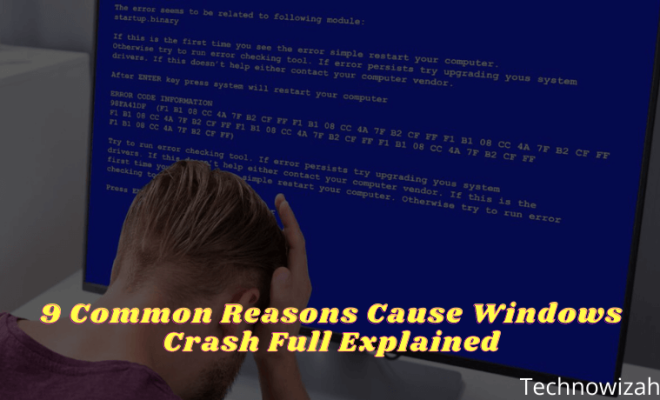
5. Blue Screen of Death (BSOD)

The infamous Blue Screen of Death error can be caused by multiple reasons such as hardware failure, driver issues, malware, or even corrupted system files. If you encounter a BSOD error, try starting Windows in Safe Mode and running a system scan to identify the source of the problem.

6. Corrupted system files

System files are critical components of the operating system, and if they become corrupted, it can cause your system to crash. The good news is that Windows has built-in tools such as System File Checker that allow you to scan and repair corrupted system files.

7. Insufficient memory

If your computer doesn’t have enough memory, it can cause applications to crash or your system to freeze. Consider upgrading your computer’s RAM or closing any unnecessary applications to free up memory.

8. Power failure

Power outages or surges can cause your computer to shut down unexpectedly, which can cause data loss or even hardware damage. Consider investing in an uninterrupted power supply (UPS) to help protect your computer from power-related issues.

9. Software conflicts

Installing multiple software programs that have conflicting dependencies can cause your system to crash. Make sure that you research any software program you install to ensure compatibility with your system and other installed applications.

In conclusion, while Windows crashes can be frustrating, identifying the underlying causes of the problem can help you fix or even prevent future crashes. Make sure that you keep your system updated, have antivirus software installed, and perform regular maintenance such as cleaning your system’s fans and keeping your hardware drivers up-to-date.


Previous Article

How do I use format painting in ...

Next Article

Low RAM on Your Phone? 7 Android ...

Matthew Lynch

Related articles More from author

  • Digital & Mobile Technology

    Ways to Tell If Your Phone Is Being Tapped

    May 31, 2023
    By Matthew Lynch
  • Digital & Mobile Technology

    5 Best Free Presentation Software Programs

    June 10, 2023
    By Matthew Lynch
  • Digital & Mobile Technology

    How to Fix An Xbox One Mic That Isn’t Working

    June 26, 2023
    By Matthew Lynch
  • Digital & Mobile Technology

    How to Reduce Your Idle Chromecast’s Data Usage

    May 3, 2023
    By Matthew Lynch
  • Digital & Mobile Technology

    Things You Can Do With Your Chromebook Camera

    June 15, 2023
    By Matthew Lynch
  • Digital & Mobile Technology

    Easy Ways to Search in Google Sheets (With Examples)

    September 8, 2023
    By Matthew Lynch

Search

Login & Registration

  • Log in
  • Entries feed
  • Comments feed
  • WordPress.org

Newsletter

Signup for The Tech Edvocate Newsletter and have the latest in EdTech news and opinion delivered to your email address!

About Us

Since technology is not going anywhere and does more good than harm, adapting is the best course of action. That is where The Tech Edvocate comes in. We plan to cover the PreK-12 and Higher Education EdTech sectors and provide our readers with the latest news and opinion on the subject. From time to time, I will invite other voices to weigh in on important issues in EdTech. We hope to provide a well-rounded, multi-faceted look at the past, present, the future of EdTech in the US and internationally.

We started this journey back in June 2016, and we plan to continue it for many more years to come. I hope that you will join us in this discussion of the past, present and future of EdTech and lend your own insight to the issues that are discussed.

Newsletter

Signup for The Tech Edvocate Newsletter and have the latest in EdTech news and opinion delivered to your email address!

Contact Us

The Tech Edvocate
910 Goddin Street
Richmond, VA 23231
(601) 630-5238
[email protected]

Copyright © 2026 Matthew Lynch. All rights reserved.