The Tech Edvocate

Top Menu

  • Advertisement
  • Apps
  • Home Page
  • Home Page Five (No Sidebar)
  • Home Page Four
  • Home Page Three
  • Home Page Two
  • Home Tech2
  • Icons [No Sidebar]
  • Left Sidbear Page
  • Lynch Educational Consulting
  • My Account
  • My Speaking Page
  • Newsletter Sign Up Confirmation
  • Newsletter Unsubscription
  • Our Brands
  • Page Example
  • Privacy Policy
  • Protected Content
  • Register
  • Request a Product Review
  • Shop
  • Shortcodes Examples
  • Signup
  • Start Here
    • Governance
    • Careers
    • Contact Us
  • Terms and Conditions
  • The Edvocate
  • The Tech Edvocate Product Guide
  • Topics
  • Write For Us
  • Advertise

Main Menu

  • Start Here
    • Our Brands
    • Governance
      • Lynch Educational Consulting, LLC.
      • Dr. Lynch’s Personal Website
      • Careers
    • Write For Us
    • The Tech Edvocate Product Guide
    • Contact Us
    • Books
    • Edupedia
    • Post a Job
    • The Edvocate Podcast
    • Terms and Conditions
    • Privacy Policy
  • Topics
    • Assistive Technology
    • Child Development Tech
    • Early Childhood & K-12 EdTech
    • EdTech Futures
    • EdTech News
    • EdTech Policy & Reform
    • EdTech Startups & Businesses
    • Higher Education EdTech
    • Online Learning & eLearning
    • Parent & Family Tech
    • Personalized Learning
    • Product Reviews
  • Advertise
  • Tech Edvocate Awards
  • The Edvocate
  • Pedagogue
  • School Ratings

logo

The Tech Edvocate

  • Start Here
    • Our Brands
    • Governance
      • Lynch Educational Consulting, LLC.
      • Dr. Lynch’s Personal Website
        • My Speaking Page
      • Careers
    • Write For Us
    • The Tech Edvocate Product Guide
    • Contact Us
    • Books
    • Edupedia
    • Post a Job
    • The Edvocate Podcast
    • Terms and Conditions
    • Privacy Policy
  • Topics
    • Assistive Technology
    • Child Development Tech
    • Early Childhood & K-12 EdTech
    • EdTech Futures
    • EdTech News
    • EdTech Policy & Reform
    • EdTech Startups & Businesses
    • Higher Education EdTech
    • Online Learning & eLearning
    • Parent & Family Tech
    • Personalized Learning
    • Product Reviews
  • Advertise
  • Tech Edvocate Awards
  • The Edvocate
  • Pedagogue
  • School Ratings
  • This Nordstrom Fall Beauty Product Delivers a ‘Filter Effect’ — Without the Filter

  • Your Smart Devices ARE Listening: The Multi-Million Dollar Deception Revealed

  • The Shocking Truth About AquaHarvest’s Water Footprint in Our Deserts

  • MindLink’s BCI Scandal: 10 Urgent Questions About Your Brain Data

  • Level-5’s AI Apology: Why Fans Are Furious Over One Small Detail

  • This Crucial New Law Just Changed Everything for Kids Online

  • Humanity’s Reckoning? This Viral AI Extinction Warning Ignited a Firestorm

  • Unveiling the Battle: Why Teachers Unions in New York Are Fighting This Federal Program

  • Unbelievable: This Private School Twitter Challenge Is Sparking Outrage

  • Two Tankers Hacked: The Disturbing Truth About Cyberattacks on Oil Tankers

Digital & Mobile Technology
Home›Digital & Mobile Technology›Why Do Local Drives on Windows Start From C?

Why Do Local Drives on Windows Start From C?
By Matthew Lynch
June 12, 2023
0
Spread the love

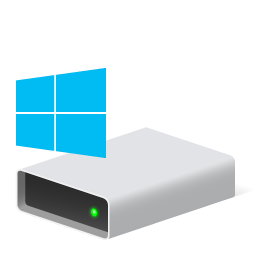
Computer users who use Windows as their primary operating system will notice that when they first open their file explorer, the local drives have assigned the letter ‘C’ as their identifier. This naming convention might seem random or unimportant, but it is actually crucial in the world of computers. But why do local drives on Windows start from C? In this article, we will explore the history and logic behind this convention.

Firstly, it is essential to know that the tradition of assigning drives a letter rather than a name had its roots in 1980s operating systems from Microsoft, such as DOS (Disk Operating System). After that, it was carried over to the contemporary Windows operating system. During the early days, there was no hard disk, and the primary storage devices were removable floppy disks. These disks were incapable of holding, even the smallest of a modern-day file, and thus a single disk was not capable of meeting the storage requirements of contemporary computer applications.

To solve the issue of limited storage capacity, users needed to be able to store data over multiple disks. But, since floppy disks had removable media that were assigned lettered drive labels, users needed a method of distinguishing between the various disks. To address this, as well as make it easier for users to manage the hard drive and other storage devices, the developers of the DOS operating system created a drive letter hierarchy.

The first disk found by the system would be assigned the letter ‘A,’ the second one would be assigned ‘B,’ and so forth. This arrangement made it easy for users to locate and access the data that was saved on their various storage devices.

However, with the introduction of hard disks, there were a few more things to consider. The early versions of DOS allowed users to have two floppy drives, which led to assigning the drive letter A and B to floppy disks. When the hard disk was first introduced, it was assigned the letter C to differentiate it from the floppy disks which had already been assigned letters. Today, the tradition of assigning the hard drive to letter C is still being used.

In conclusion, we can see that the decisions made at the beginning of software development can have long-lasting consequences. While the idea of a drive letter hierarchy may no longer be relevant to modern computing systems, it has become a defining aspect of how computer users interact and manage files on their devices. The letter C of the local drive of Windows may seem irrelevant, but its history reveals the practicality of this convention and how it has been passed down throughout the years.


Previous Article

How to Change Your Origin Account’s Automatic ...

Next Article

How the Five-Minute Rule Could Stop You ...

Matthew Lynch

Related articles More from author

  • Digital & Mobile Technology

    How to Turn On or Off Autocorrect for Android and Samsung Devices

    August 5, 2023
    By Matthew Lynch
  • Digital & Mobile Technology

    All the Ways to Change How Your iPhone Lock Screen Behaves

    June 6, 2023
    By Matthew Lynch
  • Digital & Mobile Technology

    What Is an IP Address?

    June 6, 2023
    By Matthew Lynch
  • Digital & Mobile Technology

    What is the Open Internet (OI)?

    May 13, 2023
    By Matthew Lynch
  • Digital & Mobile Technology

    How to Install and Configure the Microsoft PC Manager on Windows 11

    June 14, 2023
    By Matthew Lynch
  • Digital & Mobile Technology

    Use Scarlet as a Power Color in Publications

    July 6, 2023
    By Matthew Lynch

Search

Login & Registration

  • Log in
  • Entries feed
  • Comments feed
  • WordPress.org

Newsletter

Signup for The Tech Edvocate Newsletter and have the latest in EdTech news and opinion delivered to your email address!

About Us

Since technology is not going anywhere and does more good than harm, adapting is the best course of action. That is where The Tech Edvocate comes in. We plan to cover the PreK-12 and Higher Education EdTech sectors and provide our readers with the latest news and opinion on the subject. From time to time, I will invite other voices to weigh in on important issues in EdTech. We hope to provide a well-rounded, multi-faceted look at the past, present, the future of EdTech in the US and internationally.

We started this journey back in June 2016, and we plan to continue it for many more years to come. I hope that you will join us in this discussion of the past, present and future of EdTech and lend your own insight to the issues that are discussed.

Newsletter

Signup for The Tech Edvocate Newsletter and have the latest in EdTech news and opinion delivered to your email address!

Contact Us

The Tech Edvocate
910 Goddin Street
Richmond, VA 23231
(601) 630-5238
[email protected]

Copyright © 2026 Matthew Lynch. All rights reserved.