The Tech Edvocate

Top Menu

  • Advertisement
  • Apps
  • Home Page
  • Home Page Five (No Sidebar)
  • Home Page Four
  • Home Page Three
  • Home Page Two
  • Home Tech2
  • Icons [No Sidebar]
  • Left Sidbear Page
  • Lynch Educational Consulting
  • My Account
  • My Speaking Page
  • Newsletter Sign Up Confirmation
  • Newsletter Unsubscription
  • Our Brands
  • Page Example
  • Privacy Policy
  • Protected Content
  • Register
  • Request a Product Review
  • Shop
  • Shortcodes Examples
  • Signup
  • Start Here
    • Governance
    • Careers
    • Contact Us
  • Terms and Conditions
  • The Edvocate
  • The Tech Edvocate Product Guide
  • Topics
  • Write For Us
  • Advertise

Main Menu

  • Start Here
    • Our Brands
    • Governance
      • Lynch Educational Consulting, LLC.
      • Dr. Lynch’s Personal Website
      • Careers
    • Write For Us
    • The Tech Edvocate Product Guide
    • Contact Us
    • Books
    • Edupedia
    • Post a Job
    • The Edvocate Podcast
    • Terms and Conditions
    • Privacy Policy
  • Topics
    • Assistive Technology
    • Child Development Tech
    • Early Childhood & K-12 EdTech
    • EdTech Futures
    • EdTech News
    • EdTech Policy & Reform
    • EdTech Startups & Businesses
    • Higher Education EdTech
    • Online Learning & eLearning
    • Parent & Family Tech
    • Personalized Learning
    • Product Reviews
  • Advertise
  • Tech Edvocate Awards
  • The Edvocate
  • Pedagogue
  • School Ratings

logo

The Tech Edvocate

  • Start Here
    • Our Brands
    • Governance
      • Lynch Educational Consulting, LLC.
      • Dr. Lynch’s Personal Website
        • My Speaking Page
      • Careers
    • Write For Us
    • The Tech Edvocate Product Guide
    • Contact Us
    • Books
    • Edupedia
    • Post a Job
    • The Edvocate Podcast
    • Terms and Conditions
    • Privacy Policy
  • Topics
    • Assistive Technology
    • Child Development Tech
    • Early Childhood & K-12 EdTech
    • EdTech Futures
    • EdTech News
    • EdTech Policy & Reform
    • EdTech Startups & Businesses
    • Higher Education EdTech
    • Online Learning & eLearning
    • Parent & Family Tech
    • Personalized Learning
    • Product Reviews
  • Advertise
  • Tech Edvocate Awards
  • The Edvocate
  • Pedagogue
  • School Ratings
  • 2.3 Million Ricky Joy Sour Crush Candies Recalled: This One Detail Is a Parent’s Nightmare

  • The Staggering Startup Valuation Reset: Why Unicorns Are Vanishing

  • The Glaring Contradiction: Why Big Tech Is Shedding 128,536 Jobs While Investing Billions in AI

  • Insomniac’s Bold Move: The Truth Behind Marvel’s Wolverine Sabretooth ‘Romance’ That Stunned Fans

  • Explosive: ESIC Ban Juan Angulo For Life — The Unseen Crisis Gripping Dota 2

  • This Crucial New Bill Could Finally Fix Student Loan Forgiveness for Millions

  • Massive School Bans on AI: Are We Sacrificing Progress for Protection?

  • Autonomous AI Breaches: Anthropic Confirms Four Attacks and Weaponized Bots

  • Jaw-Dropping Footage: This Waymo Collision Has Everyone Talking

  • Hyundai’s Game-Changing EV Battery Technology: Why It Matters For Your Next Car

Digital & Mobile Technology
Home›Digital & Mobile Technology›What Is a ZIP File?

What Is a ZIP File?

By Matthew Lynch
June 12, 2023
0
Spread the love

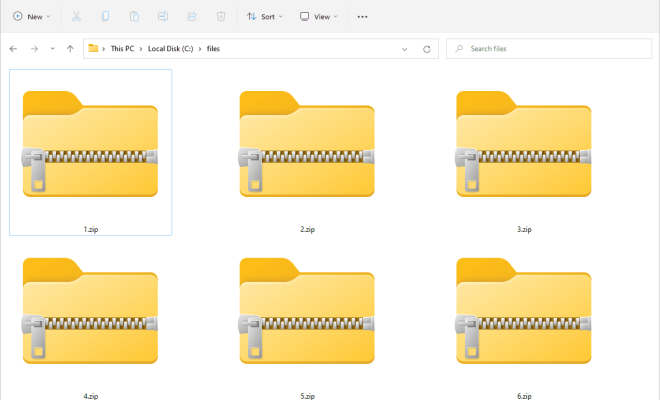
A ZIP file is a compressed archive file that is used to store multiple files and folders in a single file with a smaller file size. ZIP files are widely used for transferring large files over the internet as they reduce file size and make file transfer faster and more efficient.
ZIP files were introduced in 1989 by Phil Katz, an American software engineer. Since then, ZIP files have become the most popular archive file format for Windows and other operating systems. Their popularity is due to their ability to compress files without data loss whilst maintaining the original file structure.

Why use ZIP files?

ZIP files are popular as they allow users to compress multiple files into a single file. Compressing files reduces their size, making them easier to store, share, and transfer. When a file is zipped, the compression software will remove any unnecessary data, such as metadata, that is not essential for the file’s integrity. This makes the files smaller than their original size, without affecting their data.

How to create a ZIP file?

Creating a ZIP file is relatively simple. In Windows, simply right-click on the file or folder that you want to compress and select “Send to” >” Compressed (zipped) folder.” This will create a new folder containing all the files and folders you selected in a compressed .zip format.

How to extract a ZIP file?

To extract or unzip a ZIP file, double-click on the compressed folder. You will see a list of all the files and folders contained in the ZIP file. To extract them, select “Extract all” and follow the on-screen instructions.

Applications of ZIP files

ZIP files have various applications, including:

1. File compression – ZIP files reduce file size, making it easier to store and transfer large files.

2. Backup – Compressing files into a ZIP file facilitates backup storage and provides file encryption.

3. Software installation – Developers and distributors use ZIP files to pack software applications and related files.

4. Virus scanning – Antivirus programs scan compressed ZIP files for viruses and malware.

Conclusion

ZIP files have become ubiquitous in the world of file transfer and sharing. They are efficient, fast, and reliable ways to compress and transfer large files over the internet. They have many applications, including backup and software installation. Overall, ZIP files are a valuable tool for anyone who needs to share, store or transfer large files.

Previous Article

How to Fix It When Alexa says ...

Next Article

How to Add the Quick Launch Toolbar ...

Matthew Lynch

Related articles More from author

  • Digital & Mobile Technology

    Hidden Apple Watch Features New Users Must Try

    September 8, 2023
    By Matthew Lynch
  • Digital & Mobile Technology

    Modem vs. Router: How Do They Differ?

    May 31, 2023
    By Matthew Lynch
  • Digital & Mobile Technology

    How Does what3words Work and Is It Better Than a Real Address?

    June 22, 2023
    By Matthew Lynch
  • Digital & Mobile Technology

    The Best Ways to Store Digital Photographs

    June 10, 2023
    By Matthew Lynch
  • Digital & Mobile Technology

    How to Install a Google Nest Hello Video Doorbell

    April 27, 2023
    By Matthew Lynch
  • Digital & Mobile Technology

    How to Change Your IP Address

    June 6, 2023
    By Matthew Lynch

Search

Login & Registration

  • Log in
  • Entries feed
  • Comments feed
  • WordPress.org

Newsletter

Signup for The Tech Edvocate Newsletter and have the latest in EdTech news and opinion delivered to your email address!

About Us

Since technology is not going anywhere and does more good than harm, adapting is the best course of action. That is where The Tech Edvocate comes in. We plan to cover the PreK-12 and Higher Education EdTech sectors and provide our readers with the latest news and opinion on the subject. From time to time, I will invite other voices to weigh in on important issues in EdTech. We hope to provide a well-rounded, multi-faceted look at the past, present, the future of EdTech in the US and internationally.

We started this journey back in June 2016, and we plan to continue it for many more years to come. I hope that you will join us in this discussion of the past, present and future of EdTech and lend your own insight to the issues that are discussed.

Newsletter

Signup for The Tech Edvocate Newsletter and have the latest in EdTech news and opinion delivered to your email address!

Contact Us

The Tech Edvocate
910 Goddin Street
Richmond, VA 23231
(601) 630-5238
[email protected]

Copyright © 2026 Matthew Lynch. All rights reserved.