The Tech Edvocate

Top Menu

  • Advertisement
  • Apps
  • Home Page
  • Home Page Five (No Sidebar)
  • Home Page Four
  • Home Page Three
  • Home Page Two
  • Home Tech2
  • Icons [No Sidebar]
  • Left Sidbear Page
  • Lynch Educational Consulting
  • My Account
  • My Speaking Page
  • Newsletter Sign Up Confirmation
  • Newsletter Unsubscription
  • Our Brands
  • Page Example
  • Privacy Policy
  • Protected Content
  • Register
  • Request a Product Review
  • Shop
  • Shortcodes Examples
  • Signup
  • Start Here
    • Governance
    • Careers
    • Contact Us
  • Terms and Conditions
  • The Edvocate
  • The Tech Edvocate Product Guide
  • Topics
  • Write For Us
  • Advertise

Main Menu

  • Start Here
    • Our Brands
    • Governance
      • Lynch Educational Consulting, LLC.
      • Dr. Lynch’s Personal Website
      • Careers
    • Write For Us
    • The Tech Edvocate Product Guide
    • Contact Us
    • Books
    • Edupedia
    • Post a Job
    • The Edvocate Podcast
    • Terms and Conditions
    • Privacy Policy
  • Topics
    • Assistive Technology
    • Child Development Tech
    • Early Childhood & K-12 EdTech
    • EdTech Futures
    • EdTech News
    • EdTech Policy & Reform
    • EdTech Startups & Businesses
    • Higher Education EdTech
    • Online Learning & eLearning
    • Parent & Family Tech
    • Personalized Learning
    • Product Reviews
  • Advertise
  • Tech Edvocate Awards
  • The Edvocate
  • Pedagogue
  • School Ratings

logo

The Tech Edvocate

  • Start Here
    • Our Brands
    • Governance
      • Lynch Educational Consulting, LLC.
      • Dr. Lynch’s Personal Website
        • My Speaking Page
      • Careers
    • Write For Us
    • The Tech Edvocate Product Guide
    • Contact Us
    • Books
    • Edupedia
    • Post a Job
    • The Edvocate Podcast
    • Terms and Conditions
    • Privacy Policy
  • Topics
    • Assistive Technology
    • Child Development Tech
    • Early Childhood & K-12 EdTech
    • EdTech Futures
    • EdTech News
    • EdTech Policy & Reform
    • EdTech Startups & Businesses
    • Higher Education EdTech
    • Online Learning & eLearning
    • Parent & Family Tech
    • Personalized Learning
    • Product Reviews
  • Advertise
  • Tech Edvocate Awards
  • The Edvocate
  • Pedagogue
  • School Ratings
  • A Visitors Guide to Long Beach (CA), United States

  • A Visitor’s Guide to Fresno (CA), United States

  • A Visitors Guide to New Orleans (LA), United States

  • A Visitors Guide to Sacramento (CA), United States

  • A Visitors Guide to Lyon, France

  • JisuLife Ultra2 Portable Fan: A Powerful Multi-Function Cooling Solution

  • A Visitors Guide to Viña del Mar, Chile

  • A Visitors Guide to Århus, Denmark

  • A Visitors Guide to Bakersfield (CA), United States

  • A Visitors Guide to Aurora (CO), United States

Digital & Mobile Technology
Home›Digital & Mobile Technology›What Is a PC?

What Is a PC?

By Matthew Lynch
July 6, 2023
0
Spread the love

A PC, or personal computer, is a type of computer that is designed for personal use. It is typically used for general-purpose computing tasks such as word processing, browsing the internet, email, and gaming. PCs are designed to be versatile and customizable with the ability to add or remove hardware components to suit individual needs.
The first personal computer was the IBM PC, which was introduced in August 1981. It was designed to be more affordable and accessible than previous mainframe computers, making it popular among individuals and small businesses. The IBM PC ran on a 16-bit processor and had 64 kilobytes of memory, a floppy disk drive, and a keyboard.

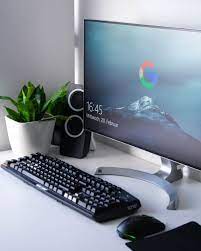
Today, PCs are much more powerful and require more advanced hardware components to handle modern-day tasks. Most PCs are built with a motherboard, which houses the CPU, memory, and other important components. A typical PC includes a monitor, keyboard, and mouse for input and output, while other peripherals such as webcams, printers, and speakers can be added for additional functionality.

There are two main types of PCs: desktops and laptops. Desktops are stationary and typically have a larger screen and more storage space for components such as hard drives and graphics cards. Laptop computers, on the other hand, are portable and come in various sizes and configurations. They typically have built-in batteries, making them ideal for on-the-go use.

One of the key benefits of a PC is its versatility. PCs can be customized with hardware components such as additional memory or a dedicated graphics card, making them ideal for gaming, graphic design, and other demanding applications. Additionally, PCs can be upgraded over time, allowing users to extend the lifespan of their systems.
Another advantage of PCs is their affordability. While high-end PCs can be expensive, there are many budget-friendly options available that can handle basic computing tasks such as web browsing and email. In addition, PCs are more affordable to repair and maintain than other devices such as tablets or smartphones.

In conclusion, a PC is a powerful and versatile computer that can be customized to suit individual needs. Whether for personal or professional use, a PC is an essential tool for anyone who needs to perform basic or advanced computing tasks. With the ability to upgrade hardware components over time, a PC offers a cost-effective solution for long-term computing needs.

Previous Article

How to Turn On Automatic App Updates ...

Next Article

Administrative Tools

Matthew Lynch

Related articles More from author

  • Digital & Mobile Technology

    Can You Watch Netflix on Switch?

    July 14, 2023
    By Matthew Lynch
  • Digital & Mobile Technology

    How to Report Someone on Discord

    June 3, 2023
    By Matthew Lynch
  • Digital & Mobile Technology

    Dual Boot vs. Virtual Machine: Which One Is Right for You?

    June 23, 2023
    By Matthew Lynch
  • Digital & Mobile Technology

    What Is an MSI File?

    June 6, 2023
    By Matthew Lynch
  • Digital & Mobile Technology

    Best Apps to Use to Fax From a Phone

    June 2, 2023
    By Matthew Lynch
  • Digital & Mobile Technology

    Best Free Antivirus Apps for Android Phones

    June 1, 2023
    By Matthew Lynch

Search

Login & Registration

  • Register
  • Log in
  • Entries feed
  • Comments feed
  • WordPress.org

Newsletter

Signup for The Tech Edvocate Newsletter and have the latest in EdTech news and opinion delivered to your email address!

About Us

Since technology is not going anywhere and does more good than harm, adapting is the best course of action. That is where The Tech Edvocate comes in. We plan to cover the PreK-12 and Higher Education EdTech sectors and provide our readers with the latest news and opinion on the subject. From time to time, I will invite other voices to weigh in on important issues in EdTech. We hope to provide a well-rounded, multi-faceted look at the past, present, the future of EdTech in the US and internationally.

We started this journey back in June 2016, and we plan to continue it for many more years to come. I hope that you will join us in this discussion of the past, present and future of EdTech and lend your own insight to the issues that are discussed.

Newsletter

Signup for The Tech Edvocate Newsletter and have the latest in EdTech news and opinion delivered to your email address!

Contact Us

The Tech Edvocate
910 Goddin Street
Richmond, VA 23231
(601) 630-5238
[email protected]

Copyright © 2025 Matthew Lynch. All rights reserved.