The Tech Edvocate

Top Menu

  • Advertisement
  • Apps
  • Home Page
  • Home Page Five (No Sidebar)
  • Home Page Four
  • Home Page Three
  • Home Page Two
  • Home Tech2
  • Icons [No Sidebar]
  • Left Sidbear Page
  • Lynch Educational Consulting
  • My Account
  • My Speaking Page
  • Newsletter Sign Up Confirmation
  • Newsletter Unsubscription
  • Our Brands
  • Page Example
  • Privacy Policy
  • Protected Content
  • Register
  • Request a Product Review
  • Shop
  • Shortcodes Examples
  • Signup
  • Start Here
    • Governance
    • Careers
    • Contact Us
  • Terms and Conditions
  • The Edvocate
  • The Tech Edvocate Product Guide
  • Topics
  • Write For Us
  • Advertise

Main Menu

  • Start Here
    • Our Brands
    • Governance
      • Lynch Educational Consulting, LLC.
      • Dr. Lynch’s Personal Website
      • Careers
    • Write For Us
    • The Tech Edvocate Product Guide
    • Contact Us
    • Books
    • Edupedia
    • Post a Job
    • The Edvocate Podcast
    • Terms and Conditions
    • Privacy Policy
  • Topics
    • Assistive Technology
    • Child Development Tech
    • Early Childhood & K-12 EdTech
    • EdTech Futures
    • EdTech News
    • EdTech Policy & Reform
    • EdTech Startups & Businesses
    • Higher Education EdTech
    • Online Learning & eLearning
    • Parent & Family Tech
    • Personalized Learning
    • Product Reviews
  • Advertise
  • Tech Edvocate Awards
  • The Edvocate
  • Pedagogue
  • School Ratings

logo

The Tech Edvocate

  • Start Here
    • Our Brands
    • Governance
      • Lynch Educational Consulting, LLC.
      • Dr. Lynch’s Personal Website
        • My Speaking Page
      • Careers
    • Write For Us
    • The Tech Edvocate Product Guide
    • Contact Us
    • Books
    • Edupedia
    • Post a Job
    • The Edvocate Podcast
    • Terms and Conditions
    • Privacy Policy
  • Topics
    • Assistive Technology
    • Child Development Tech
    • Early Childhood & K-12 EdTech
    • EdTech Futures
    • EdTech News
    • EdTech Policy & Reform
    • EdTech Startups & Businesses
    • Higher Education EdTech
    • Online Learning & eLearning
    • Parent & Family Tech
    • Personalized Learning
    • Product Reviews
  • Advertise
  • Tech Edvocate Awards
  • The Edvocate
  • Pedagogue
  • School Ratings
  • Is AuraCam Pro’s Emotional AI a Privacy Nightmare or Security Breakthrough?

  • Unprecedented: N-able’s Global Shutdown After 30+ Zero-Days Revealed

  • The Urgent Truth: Your AI Tools for Financial Advisors Could Be a Compliance Nightmare

  • Unmasking the Troubling Truth About EU’s Digital Omnibus and Your Data

  • Outrageous: Your US Car Insurance 2026 Bill Is About to Explode – Here’s Why

  • Uncovering the Truth: Are AI Spending Concerns About to Tank Your Portfolio?

  • The Silent Revolution: How AI Property Valuation Is Quietly Reshaping Real Estate

  • The Astonishing Truth: Why Your Dream Car Is Now a $52,000 Illusion

  • Toxic Algorithms: Why Your Bank’s AI Could Cost You Everything

  • OpenAI’s GPT-6 Cyber: A Dangerous New AI Threat or Our Ultimate Digital Guardian?

Digital & Mobile Technology
Home›Digital & Mobile Technology›What Is a Mini PC and Should You Buy One?

What Is a Mini PC and Should You Buy One?
By Matthew Lynch
April 18, 2023
0
Spread the love

With the advancement of technology, mini PCs have become increasingly popular in recent years. These tiny computers offer the convenience and portability that traditional desktops cannot match. But, what exactly is a mini PC, and should you buy one?

A mini PC, also known as a small form factor (SFF) PC or a miniature desktop computer, is a small-sized computer that is designed to fit in tight spaces. These computers come in various shapes and sizes and are usually no larger than a paperback book. They often feature a reduced number of ports and internal components, but offer enough power to perform basic computing needs.

One of the most significant advantages of mini PCs is their portability. They are incredibly lightweight and can easily fit in a bag or even a pocket, making them an excellent choice for those who need to work on the go. They also make great alternatives to bulky desktops for students who require a space-saving device for their dorm room or apartment.

Another advantage of mini PCs is their low power consumption. Due to their reduced size and simplified design, they consume less power and generate less heat than conventional computers. This means that they are more energy-efficient and thus more eco-friendly. Moreover, the lower power consumption results in lower electricity bills, making them an attractive choice for budget-minded individuals.

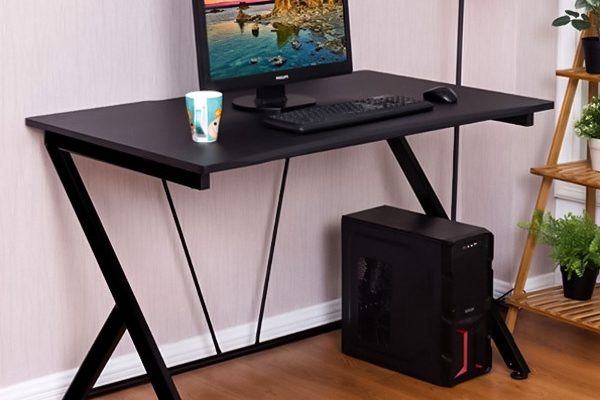
Mini PCs also offer the flexibility of being able to connect to a variety of peripherals, including a monitor, keyboard, and mouse. Some models even come with various ports such as HDMI, USB, and Thunderbolt that allow you to extend their functionality. This opens up more usage options, such as connecting to a larger screen for more comfortable viewing or attaching a printer or scanner.

In terms of performance, mini PCs can be anywhere from basic to high-end. Basic models often come with low-power processors and limited RAM, suitable for simple tasks like web browsing, email, and document editing. On the other hand, more high-end models can handle more demanding tasks such as video editing, gaming, and even virtual reality.

Despite the many advantages of mini PCs, there are some potential drawbacks to consider. Firstly, due to their smaller size, they don’t have the same upgrade potential as traditional desktops. If you want to upgrade individual components such as the processor or graphics card, you may need to replace the entire device. Secondly, some mini PCs may lack sufficient storage space or have a slower hard drive. However, external storage solutions such as a USB drive or external hard drive can be used to alleviate this issue.

In conclusion, mini PCs are an excellent choice for anyone looking for a compact and portable computer that can perform basic tasks effectively. They offer many advantages such as low power consumption, portability, and flexibility, while also being eco-friendly and budget-friendly. However, they may not be suitable for users who require more advanced features and upgradability. Consider your needs and budget carefully before deciding whether to purchase a mini PC.

Previous Article

What is a Microsoft Technology Associate (MTA) ...

Next Article

What is a Minimum Viable Product (MVP)?

Matthew Lynch

Related articles More from author

  • Digital & Mobile Technology

    DPI vs. PPI: What Is the Difference?

    June 15, 2023
    By Matthew Lynch
  • Digital & Mobile Technology

    How to Restore an iPhone Without iTunes

    June 26, 2023
    By Matthew Lynch
  • Digital & Mobile Technology

    What’s the Difference Between Google Chromecast and Apple TV?

    June 14, 2023
    By Matthew Lynch
  • Digital & Mobile Technology

    What Is a PCD File?

    June 21, 2023
    By Matthew Lynch
  • Digital & Mobile Technology

    What Is a Serial ATA (SATA) Cable?

    June 12, 2023
    By Matthew Lynch
  • Digital & Mobile Technology

    What You Need to Know About the “Kill Switch Law”

    August 4, 2023
    By Matthew Lynch

Search

Login & Registration

  • Log in
  • Entries feed
  • Comments feed
  • WordPress.org

Newsletter

Signup for The Tech Edvocate Newsletter and have the latest in EdTech news and opinion delivered to your email address!

About Us

Since technology is not going anywhere and does more good than harm, adapting is the best course of action. That is where The Tech Edvocate comes in. We plan to cover the PreK-12 and Higher Education EdTech sectors and provide our readers with the latest news and opinion on the subject. From time to time, I will invite other voices to weigh in on important issues in EdTech. We hope to provide a well-rounded, multi-faceted look at the past, present, the future of EdTech in the US and internationally.

We started this journey back in June 2016, and we plan to continue it for many more years to come. I hope that you will join us in this discussion of the past, present and future of EdTech and lend your own insight to the issues that are discussed.

Newsletter

Signup for The Tech Edvocate Newsletter and have the latest in EdTech news and opinion delivered to your email address!

Contact Us

The Tech Edvocate
910 Goddin Street
Richmond, VA 23231
(601) 630-5238
[email protected]

Copyright © 2026 Matthew Lynch. All rights reserved.