The Tech Edvocate

Top Menu

  • Advertisement
  • Apps
  • Home Page
  • Home Page Five (No Sidebar)
  • Home Page Four
  • Home Page Three
  • Home Page Two
  • Home Tech2
  • Icons [No Sidebar]
  • Left Sidbear Page
  • Lynch Educational Consulting
  • My Account
  • My Speaking Page
  • Newsletter Sign Up Confirmation
  • Newsletter Unsubscription
  • Our Brands
  • Page Example
  • Privacy Policy
  • Protected Content
  • Register
  • Request a Product Review
  • Shop
  • Shortcodes Examples
  • Signup
  • Start Here
    • Governance
    • Careers
    • Contact Us
  • Terms and Conditions
  • The Edvocate
  • The Tech Edvocate Product Guide
  • Topics
  • Write For Us
  • Advertise

Main Menu

  • Start Here
    • Our Brands
    • Governance
      • Lynch Educational Consulting, LLC.
      • Dr. Lynch’s Personal Website
      • Careers
    • Write For Us
    • The Tech Edvocate Product Guide
    • Contact Us
    • Books
    • Edupedia
    • Post a Job
    • The Edvocate Podcast
    • Terms and Conditions
    • Privacy Policy
  • Topics
    • Assistive Technology
    • Child Development Tech
    • Early Childhood & K-12 EdTech
    • EdTech Futures
    • EdTech News
    • EdTech Policy & Reform
    • EdTech Startups & Businesses
    • Higher Education EdTech
    • Online Learning & eLearning
    • Parent & Family Tech
    • Personalized Learning
    • Product Reviews
  • Advertise
  • Tech Edvocate Awards
  • The Edvocate
  • Pedagogue
  • School Ratings

logo

The Tech Edvocate

  • Start Here
    • Our Brands
    • Governance
      • Lynch Educational Consulting, LLC.
      • Dr. Lynch’s Personal Website
        • My Speaking Page
      • Careers
    • Write For Us
    • The Tech Edvocate Product Guide
    • Contact Us
    • Books
    • Edupedia
    • Post a Job
    • The Edvocate Podcast
    • Terms and Conditions
    • Privacy Policy
  • Topics
    • Assistive Technology
    • Child Development Tech
    • Early Childhood & K-12 EdTech
    • EdTech Futures
    • EdTech News
    • EdTech Policy & Reform
    • EdTech Startups & Businesses
    • Higher Education EdTech
    • Online Learning & eLearning
    • Parent & Family Tech
    • Personalized Learning
    • Product Reviews
  • Advertise
  • Tech Edvocate Awards
  • The Edvocate
  • Pedagogue
  • School Ratings
  • Viaim Opennote Review: The AI Note-Taker That Disappears Into Your Daily Routine

  • A Visitors Guide to Long Beach (CA), United States

  • A Visitor’s Guide to Fresno (CA), United States

  • A Visitors Guide to New Orleans (LA), United States

  • A Visitors Guide to Sacramento (CA), United States

  • A Visitors Guide to Lyon, France

  • JisuLife Ultra2 Portable Fan: A Powerful Multi-Function Cooling Solution

  • A Visitors Guide to Viña del Mar, Chile

  • A Visitors Guide to Århus, Denmark

  • A Visitors Guide to Bakersfield (CA), United States

Digital & Mobile Technology
Home›Digital & Mobile Technology›What Do All the Colors on Google Maps Mean?

What Do All the Colors on Google Maps Mean?
By Matthew Lynch
June 15, 2023
0
Spread the love

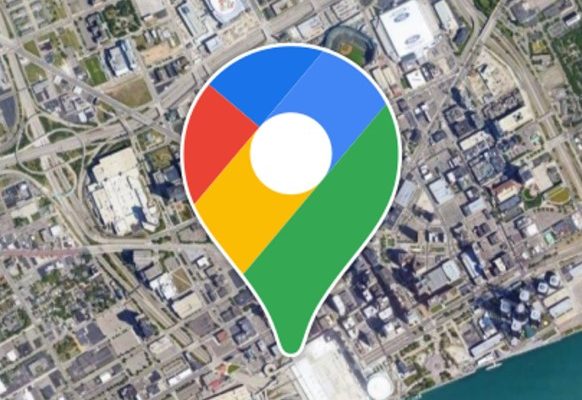
Google Maps is a powerful tool for navigation and exploration, but have you ever wondered what all the colors on the map mean? Whether you’re using it for directions, finding new places to explore, or simply tracking your own location, understanding the various colors on the map can help you get the most out of this versatile tool.

The colors on Google Maps can help you identify a wide range of features and landmarks, from highways and streets to parks and water bodies. Here’s a guide to what all those colors mean:

Green: Areas shaded in green typically indicate parks, golf courses, or other open spaces where vegetation and trees are abundant. This color can also indicate nature preserves, wildlife refuges, and other protected areas where you can explore and enjoy nature.

Blue: Blue areas on the map usually represent water bodies such as rivers, lakes, and oceans. This color can also show swimming pools, fountains, and other features related to water.

Yellow: Typically, yellow on Google Maps indicates a commercial area such as a retail shopping center or business district. This color can also identify tourist attractions and other places of interest.

Purple: Purple on Google Maps represent historical landmarks, museums, and other cultural attractions. This color can also indicate universities and other places of higher education.

Orange: When you see areas shaded in orange on a Google Map, these are typically places where traffic is slow or congested. This color can also indicate construction sites or road closures due to accidents, maintenance work, or other disruptions.

Red: Red on Google Maps indicates major highways and other major roads, as well as busy intersections and traffic lights. This color can also show areas with high traffic density and potential delays.

Gray: Sometimes, you’ll see grayed out areas on a Google Map, which typically represent areas where data cannot be displayed. These can be private locations or areas where Google has not yet collected data.


Previous Article

How to Remove Content From Continue Watching ...

Next Article

How to Block a Website on Safari

Matthew Lynch

Related articles More from author

  • Digital & Mobile Technology

    My Mouse Won’t Work! How Do I Fix It?

    June 6, 2023
    By Matthew Lynch
  • Digital & Mobile Technology

    What Are Audiobooks?

    June 8, 2023
    By Matthew Lynch
  • Digital & Mobile Technology

    How to Speed Up Xbox One Downloads

    May 31, 2023
    By Matthew Lynch
  • Digital & Mobile Technology

    What Is a CATDRAWING File?

    June 9, 2023
    By Matthew Lynch
  • Digital & Mobile Technology

    Soundbar vs. Speakers: What’s Best for Your Home?

    June 15, 2023
    By Matthew Lynch
  • Digital & Mobile Technology

    How to Erase Everything on an SD Card

    June 23, 2023
    By Matthew Lynch

Search

Login & Registration

  • Register
  • Log in
  • Entries feed
  • Comments feed
  • WordPress.org

Newsletter

Signup for The Tech Edvocate Newsletter and have the latest in EdTech news and opinion delivered to your email address!

About Us

Since technology is not going anywhere and does more good than harm, adapting is the best course of action. That is where The Tech Edvocate comes in. We plan to cover the PreK-12 and Higher Education EdTech sectors and provide our readers with the latest news and opinion on the subject. From time to time, I will invite other voices to weigh in on important issues in EdTech. We hope to provide a well-rounded, multi-faceted look at the past, present, the future of EdTech in the US and internationally.

We started this journey back in June 2016, and we plan to continue it for many more years to come. I hope that you will join us in this discussion of the past, present and future of EdTech and lend your own insight to the issues that are discussed.

Newsletter

Signup for The Tech Edvocate Newsletter and have the latest in EdTech news and opinion delivered to your email address!

Contact Us

The Tech Edvocate
910 Goddin Street
Richmond, VA 23231
(601) 630-5238
[email protected]

Copyright © 2025 Matthew Lynch. All rights reserved.