The Tech Edvocate

Top Menu

  • Advertisement
  • Apps
  • Home Page
  • Home Page Five (No Sidebar)
  • Home Page Four
  • Home Page Three
  • Home Page Two
  • Home Tech2
  • Icons [No Sidebar]
  • Left Sidbear Page
  • Lynch Educational Consulting
  • My Account
  • My Speaking Page
  • Newsletter Sign Up Confirmation
  • Newsletter Unsubscription
  • Our Brands
  • Page Example
  • Privacy Policy
  • Protected Content
  • Register
  • Request a Product Review
  • Shop
  • Shortcodes Examples
  • Signup
  • Start Here
    • Governance
    • Careers
    • Contact Us
  • Terms and Conditions
  • The Edvocate
  • The Tech Edvocate Product Guide
  • Topics
  • Write For Us
  • Advertise

Main Menu

  • Start Here
    • Our Brands
    • Governance
      • Lynch Educational Consulting, LLC.
      • Dr. Lynch’s Personal Website
      • Careers
    • Write For Us
    • The Tech Edvocate Product Guide
    • Contact Us
    • Books
    • Edupedia
    • Post a Job
    • The Edvocate Podcast
    • Terms and Conditions
    • Privacy Policy
  • Topics
    • Assistive Technology
    • Child Development Tech
    • Early Childhood & K-12 EdTech
    • EdTech Futures
    • EdTech News
    • EdTech Policy & Reform
    • EdTech Startups & Businesses
    • Higher Education EdTech
    • Online Learning & eLearning
    • Parent & Family Tech
    • Personalized Learning
    • Product Reviews
  • Advertise
  • Tech Edvocate Awards
  • The Edvocate
  • Pedagogue
  • School Ratings

logo

The Tech Edvocate

  • Start Here
    • Our Brands
    • Governance
      • Lynch Educational Consulting, LLC.
      • Dr. Lynch’s Personal Website
        • My Speaking Page
      • Careers
    • Write For Us
    • The Tech Edvocate Product Guide
    • Contact Us
    • Books
    • Edupedia
    • Post a Job
    • The Edvocate Podcast
    • Terms and Conditions
    • Privacy Policy
  • Topics
    • Assistive Technology
    • Child Development Tech
    • Early Childhood & K-12 EdTech
    • EdTech Futures
    • EdTech News
    • EdTech Policy & Reform
    • EdTech Startups & Businesses
    • Higher Education EdTech
    • Online Learning & eLearning
    • Parent & Family Tech
    • Personalized Learning
    • Product Reviews
  • Advertise
  • Tech Edvocate Awards
  • The Edvocate
  • Pedagogue
  • School Ratings
  • The Brutal Truth: Why K-12 Cybersecurity Needs More Than Just Awareness

  • The Unseen Threat: How K-12 Cybersecurity Training Is Quietly Reshaping Education

  • The Staggering Truth: K-12 Cybersecurity Education Is Failing – Here’s How to Fix It

  • Why Millions Are Ditching Degrees For This Career-Boosting Secret

  • 7 Crucial Micro-Credentials Boosting Recent Grads’ Salaries by 15%

  • The Brutal Truth: Why Your College Degree Isn’t Enough Anymore

  • The Ethical AI Auditor Boom: Why Salaries Are Skyrocketing Globally

  • This Crucial Skill Now Pays $150,000 Starting — Here’s How to Get Certified in 2024

  • This Unforeseen Tech Job Pays Six Figures — And You Can Start Today

  • One Stunning Reason Why Quantum Certifications Trump Traditional IT

Digital & Mobile Technology
Home›Digital & Mobile Technology›Ways to Convert a Wired Printer into a Wireless One

Ways to Convert a Wired Printer into a Wireless One
By Matthew Lynch
June 6, 2023
0
Spread the love

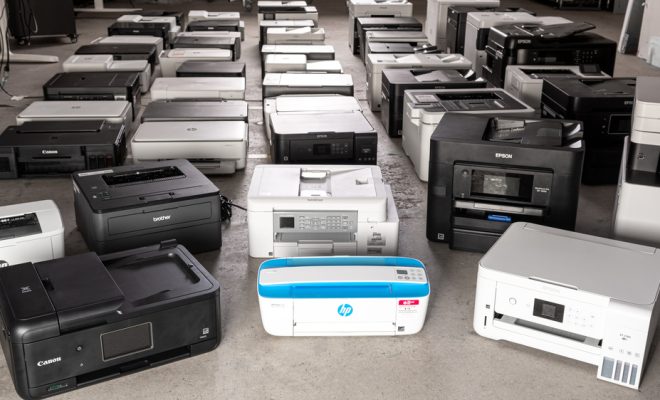
As technology advances, it has become increasingly convenient to work with wireless gadgets. Wireless printers have become increasingly popular, which means that many people have been looking to convert their wired printers to wireless. If you’re one of these people, read on to discover ways to convert a wired printer into a wireless one.

1. Use a Wireless Adapter

Wireless adapters are small devices that can be plugged into the USB port of your printer, essentially turning it into a wireless printer. Once connected, the adapter will create a wireless network where users can sign up and start connecting to the printer. You can always purchase a wireless adapter online or from your local store.

2. Connect Your Printer to Your Wireless Network

Many printers already have Ethernet ports, which makes connecting the printer to the Wi-Fi network a simple process. The Ethernet port can be found at the back of the printer. With a network cable, connect the printer to the network router or switch. Once the printer is in the network, it automatically becomes a wireless printer.

3. Use the Print Server Method

In this method, a print server is installed onto your network. You will connect your printer to the print server so it can be accessed through your network. This method works well because users can access the printer from any device connected to the network. You can purchase a print server online or from your local store.

4. Share the Printer over Your Network

If you have a computer connected to the printer and you want to share it with others, you can use your computer to make the printer available to other devices. Once you activate the printer sharing option on your computer, all gadgets connected to the same network can print wirelessly.

5. Use the Bluetooth Method

Bluetooth technology has become increasingly popular, and printers are not left out. Several printers already have Bluetooth capabilities, making it easy to connect with devices that have Bluetooth connections. Check if your printer has Bluetooth and if it does, turn on Bluetooth on your phone, tablet, or laptop and begin printing wirelessly.

In conclusion, these methods are effective in making your wired printer wireless. It is essential to know that not all printers are convertible, and some may require a combination of the above methods to achieve the desired result. With these methods, you can enjoy the convenience that comes with wireless printing without having to spend a lot of money on a wireless printer. 

Previous Article

Dance Workout Videos for a Seriously Fun ...

Next Article

Reasons You Should Use Chrome Over Safari ...

Matthew Lynch

Related articles More from author

  • Digital & Mobile Technology

    What Is an MSE File?

    June 21, 2023
    By Matthew Lynch
  • Digital & Mobile Technology

    What Is a PDD File?

    June 11, 2023
    By Matthew Lynch
  • Digital & Mobile Technology

    How to Fix It When Google Chrome Is Not Responding

    June 12, 2023
    By Matthew Lynch
  • Digital & Mobile Technology

    What Is the Upside App and Can It Really Save You Money?

    August 5, 2023
    By Matthew Lynch
  • Digital & Mobile Technology

    How to Turn Off a Nest Thermostat

    July 6, 2023
    By Matthew Lynch
  • Digital & Mobile Technology

    How to Make Your Mac Boot From a USB Drive

    June 23, 2023
    By Matthew Lynch

Search

Login & Registration

  • Log in
  • Entries feed
  • Comments feed
  • WordPress.org

Newsletter

Signup for The Tech Edvocate Newsletter and have the latest in EdTech news and opinion delivered to your email address!

About Us

Since technology is not going anywhere and does more good than harm, adapting is the best course of action. That is where The Tech Edvocate comes in. We plan to cover the PreK-12 and Higher Education EdTech sectors and provide our readers with the latest news and opinion on the subject. From time to time, I will invite other voices to weigh in on important issues in EdTech. We hope to provide a well-rounded, multi-faceted look at the past, present, the future of EdTech in the US and internationally.

We started this journey back in June 2016, and we plan to continue it for many more years to come. I hope that you will join us in this discussion of the past, present and future of EdTech and lend your own insight to the issues that are discussed.

Newsletter

Signup for The Tech Edvocate Newsletter and have the latest in EdTech news and opinion delivered to your email address!

Contact Us

The Tech Edvocate
910 Goddin Street
Richmond, VA 23231
(601) 630-5238
[email protected]

Copyright © 2026 Matthew Lynch. All rights reserved.