The Tech Edvocate

Top Menu

  • Advertisement
  • Apps
  • Home Page
  • Home Page Five (No Sidebar)
  • Home Page Four
  • Home Page Three
  • Home Page Two
  • Home Tech2
  • Icons [No Sidebar]
  • Left Sidbear Page
  • Lynch Educational Consulting
  • My Account
  • My Speaking Page
  • Newsletter Sign Up Confirmation
  • Newsletter Unsubscription
  • Our Brands
  • Page Example
  • Privacy Policy
  • Protected Content
  • Register
  • Request a Product Review
  • Shop
  • Shortcodes Examples
  • Signup
  • Start Here
    • Governance
    • Careers
    • Contact Us
  • Terms and Conditions
  • The Edvocate
  • The Tech Edvocate Product Guide
  • Topics
  • Write For Us
  • Advertise

Main Menu

  • Start Here
    • Our Brands
    • Governance
      • Lynch Educational Consulting, LLC.
      • Dr. Lynch’s Personal Website
      • Careers
    • Write For Us
    • The Tech Edvocate Product Guide
    • Contact Us
    • Books
    • Edupedia
    • Post a Job
    • The Edvocate Podcast
    • Terms and Conditions
    • Privacy Policy
  • Topics
    • Assistive Technology
    • Child Development Tech
    • Early Childhood & K-12 EdTech
    • EdTech Futures
    • EdTech News
    • EdTech Policy & Reform
    • EdTech Startups & Businesses
    • Higher Education EdTech
    • Online Learning & eLearning
    • Parent & Family Tech
    • Personalized Learning
    • Product Reviews
  • Advertise
  • Tech Edvocate Awards
  • The Edvocate
  • Pedagogue
  • School Ratings

logo

The Tech Edvocate

  • Start Here
    • Our Brands
    • Governance
      • Lynch Educational Consulting, LLC.
      • Dr. Lynch’s Personal Website
        • My Speaking Page
      • Careers
    • Write For Us
    • The Tech Edvocate Product Guide
    • Contact Us
    • Books
    • Edupedia
    • Post a Job
    • The Edvocate Podcast
    • Terms and Conditions
    • Privacy Policy
  • Topics
    • Assistive Technology
    • Child Development Tech
    • Early Childhood & K-12 EdTech
    • EdTech Futures
    • EdTech News
    • EdTech Policy & Reform
    • EdTech Startups & Businesses
    • Higher Education EdTech
    • Online Learning & eLearning
    • Parent & Family Tech
    • Personalized Learning
    • Product Reviews
  • Advertise
  • Tech Edvocate Awards
  • The Edvocate
  • Pedagogue
  • School Ratings
  • A Visitors Guide to Long Beach (CA), United States

  • A Visitor’s Guide to Fresno (CA), United States

  • A Visitors Guide to New Orleans (LA), United States

  • A Visitors Guide to Sacramento (CA), United States

  • A Visitors Guide to Lyon, France

  • JisuLife Ultra2 Portable Fan: A Powerful Multi-Function Cooling Solution

  • A Visitors Guide to Viña del Mar, Chile

  • A Visitors Guide to Århus, Denmark

  • A Visitors Guide to Bakersfield (CA), United States

  • A Visitors Guide to Aurora (CO), United States

Digital & Mobile Technology
Home›Digital & Mobile Technology›Understanding Smartphone Storage

Understanding Smartphone Storage

By Matthew Lynch
June 4, 2023
0
Spread the love

Smartphones have come a long way since their inception. They have evolved from simple communication devices to pocket-sized personal computers. With the rise of social media and various apps, smartphones have become a crucial part of our daily lives. However, the more apps we install, photos we take, and files we save, the more storage space we need.

Understanding smartphone storage is crucial, especially when buying a new phone or trying to troubleshoot storage-related issues. In this article, we’ll break down the different types of smartphone storage and provide tips on how to manage it effectively.

Internal Storage

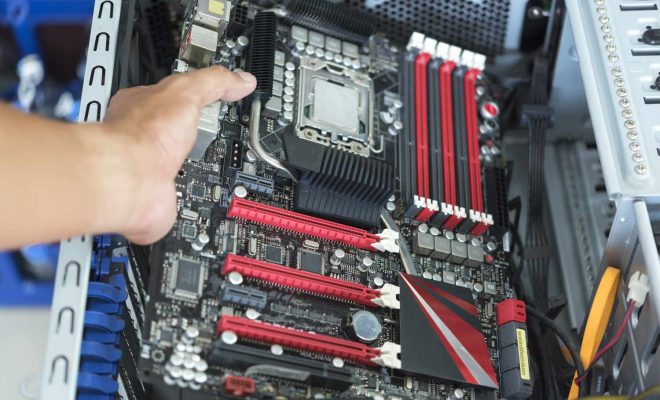
The internal storage, also known as the built-in or onboard storage, refers to the memory chips integrated into the smartphone’s motherboard. These chips are not removable or replaceable, which means you can’t upgrade the storage capacity of your phone. The internal storage capacity varies from phone to phone, usually starting from 16GB up to 512GB or even 1TB for some high-end models.

Apps, media files, and the operating system all take up space on the phone’s internal storage. The operating system requires a significant portion of this storage, so the available space for the user can be limited. Therefore, if you’re into taking high-quality photos and videos or downloading multiple apps, it’s best to go for a phone with a larger internal storage capacity.

External Storage

Generally speaking, external storage on smartphones comes in two forms: microSD cards and cloud storage.

MicroSD Cards:

Some smartphones have a microSD card slot that enables you to add extra storage capacity. These cards vary in size and capacity but can typically hold up to 2TB. They are an affordable solution for those who want to add storage without having to upgrade their phones.

Cloud Storage: Cloud storage refers to storing data on remote servers accessed via an internet connection. Many apps, such as Google Drive and Dropbox, offer cloud storage to users to store their data. This storage method is useful as it eliminates the need to store files locally and can be accessed from anywhere with an internet connection. However, it does require a stable internet connection, and large files can take time to upload and download.

Tips for Managing Smartphone Storage

As mentioned, managing smartphone storage is crucial to keep your phone running smoothly. Here are some tips to help you manage your smartphone storage efficiently:

1. Uninstall Unused Apps:

Go through your phone and delete any apps you haven’t used in a while. These apps take up storage space and may affect the phone’s performance.

2. Clear Cache:

Clearing the cache of apps can reduce the amount of storage they use. Go to Settings > Apps > [App Name] > Storage > Clear Cache.

3. Use Cloud Storage:

Upload your photos and videos to cloud storage apps like Google Drive, Dropbox, or iCloud to reduce the amount of local storage space they use.

4. Transfer Files:

Transfer media files to your computer or an external hard drive to free up storage space.

5. Avoid Large File Downloads:

Large files, such as movies and TV shows, can take up a considerable amount of storage space. Try to avoid downloading them on your phone.

In conclusion, understanding smartphone storage is crucial since it affects the phone’s performance and user experience. By following the tips mentioned in this article, you can manage your smartphone storage efficiently and keep your phone running smoothly.


Previous Article

How to Fix D3dx9_43.dll Not Found or ...

Next Article

What Is an XLM File?

Matthew Lynch

Related articles More from author

  • Digital & Mobile Technology

    How to Log into Your Router and Change its Password

    April 28, 2023
    By Matthew Lynch
  • Digital & Mobile Technology

    Google Drive vs. OneDrive: Which Is the Best Cloud Storage App for Android?

    June 12, 2023
    By Matthew Lynch
  • Digital & Mobile Technology

    What is Bunny Hopping?

    May 5, 2023
    By Matthew Lynch
  • Digital & Mobile Technology

    How to Change Your Password on Any Desktop or Mobile Device

    June 12, 2023
    By Matthew Lynch
  • Digital & Mobile Technology

    How to Remove a File from Commit in Git

    June 23, 2023
    By Matthew Lynch
  • Digital & Mobile Technology

    How to Do a Boolean Search in Google

    July 5, 2023
    By Matthew Lynch

Search

Login & Registration

  • Register
  • Log in
  • Entries feed
  • Comments feed
  • WordPress.org

Newsletter

Signup for The Tech Edvocate Newsletter and have the latest in EdTech news and opinion delivered to your email address!

About Us

Since technology is not going anywhere and does more good than harm, adapting is the best course of action. That is where The Tech Edvocate comes in. We plan to cover the PreK-12 and Higher Education EdTech sectors and provide our readers with the latest news and opinion on the subject. From time to time, I will invite other voices to weigh in on important issues in EdTech. We hope to provide a well-rounded, multi-faceted look at the past, present, the future of EdTech in the US and internationally.

We started this journey back in June 2016, and we plan to continue it for many more years to come. I hope that you will join us in this discussion of the past, present and future of EdTech and lend your own insight to the issues that are discussed.

Newsletter

Signup for The Tech Edvocate Newsletter and have the latest in EdTech news and opinion delivered to your email address!

Contact Us

The Tech Edvocate
910 Goddin Street
Richmond, VA 23231
(601) 630-5238
[email protected]

Copyright © 2025 Matthew Lynch. All rights reserved.