Todoist vs Things 3 which is better
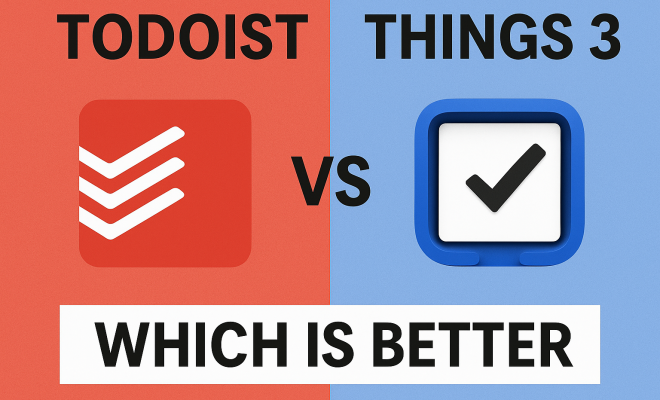
When it comes to digital task management, the debate of Todoist vs Things 3 often sparks fervent discussion among productivity enthusiasts. Both applications have carved out significant niches, each boasting a loyal user base that swears by its particular approach to taming the chaos of daily life. But for those just stepping into the arena, or even long-time users pondering a switch, the choice can feel overwhelming. It’s not just about features; it’s about workflow, philosophy, and how a tool integrates into your personal and professional rhythm. Let’s really dig into what makes these two so compelling, and where they truly diverge.
On one side, you have Todoist, a widely accessible, cross-platform powerhouse that emphasizes flexibility, collaboration, and robust natural language processing. It’s the workhorse, designed to be everywhere you are, whether you’re on a Windows PC, an Android phone, a Mac, or even a Linux machine. On the other, Things 3 offers a meticulously crafted, design-first experience, deeply integrated into the Apple ecosystem. It’s renowned for its elegant interface, thoughtful design, and a workflow that aligns beautifully with the Getting Things Done (GTD) methodology. This isn’t just a battle of features; it’s a clash of ecosystems and productivity philosophies. So, which one is right for you? Let’s break it down.
1. Platform Availability: A Fundamental Divide
The first, and perhaps most crucial, differentiator in the Todoist vs Things 3 showdown is platform availability. Todoist is the undisputed champion here, offering a truly ubiquitous experience. You’ll find it on virtually every major operating system and device: Windows, macOS, Android, iOS, web browsers (Chrome, Firefox, Safari, Edge), and even Linux. This extensive reach means you can capture tasks, manage projects, and stay on top of your commitments regardless of the device you have in hand. For teams, or individuals who juggle multiple operating systems, Todoist’s cross-platform nature isn’t just a convenience; it’s a necessity.
Things 3, by contrast, is an Apple-exclusive affair. It’s available only on macOS, iOS, and watchOS. This isn’t a flaw; it’s a deliberate design choice that allows Cultured Code, the developers, to leverage Apple’s native APIs and design principles to their fullest. The result is an application that feels incredibly polished, fast, and deeply integrated into the Apple ecosystem. For dedicated Apple users, this exclusivity is a benefit, ensuring a consistent and high-quality experience. However, if you own an Android phone, a Windows PC, or work in a mixed-OS environment, Things 3 is simply not an option. This makes the decision relatively straightforward for many right off the bat.
2. Pricing Structure: Subscription vs. One-Time Purchase
The financial commitment for these two task managers also presents a significant contrast. Todoist operates on a freemium model. Its free tier is quite generous, offering basic task creation, projects, and reminders, which can be sufficient for many individual users. However, to unlock its full potential, including features like unlimited active projects, reminders, labels, filters, and collaboration, you’ll need a Todoist Premium subscription, typically around $4-$5 per month or $48-$60 annually. This recurring cost provides continuous updates, cloud sync, and access to all features across all platforms.
Things 3 takes a different approach: a one-time purchase for each platform. You buy the macOS app (around $49.99), the iOS app (around $9.99), and the iPad app (around $19.99) separately. While the initial outlay can seem higher, especially if you want it on all your Apple devices, it’s a one-time fee. There are no recurring subscriptions for core features. This model appeals to users who prefer to own their software outright and dislike subscription fatigue. For some, the upfront cost might be a hurdle, but over several years, it could potentially be more cost-effective than Todoist’s subscription, especially if you’re a long-term user.
3. Design and User Experience: Aesthetics Meet Functionality
When you open Things 3, you’re immediately struck by its elegant, minimalist design. It’s clean, uncluttered, and focuses on making your tasks feel manageable, not overwhelming. The interface is intuitive, leveraging smooth animations and thoughtful visual cues that make interacting with your tasks a genuinely pleasant experience. Drag-and-drop functionality is seamless, and the overall aesthetic aligns perfectly with Apple’s design guidelines, making it feel like a native extension of your operating system. This attention to detail contributes significantly to its reputation as a beautifully crafted application.
Todoist, while certainly functional and aesthetically pleasing in its own right, adopts a more utilitarian design. Its interface is clean and modern, but it prioritizes efficiency and information density over the refined elegance of Things 3. Because it needs to function well across so many different platforms, its design tends to be more universal, adhering to web and cross-platform standards rather than deeply leveraging specific OS features. While perfectly usable and easy to navigate, it might not offer the same ‘delight’ factor as Things 3 for those who prioritize visual polish and a highly integrated native feel.
4. Task Creation and Natural Language Processing (NLP)
One of Todoist’s standout features is its robust natural language processing (NLP) for task creation. You can type something like “Call John tomorrow at 3 PM about project X #work p1” and Todoist will automatically parse “tomorrow at 3 PM” into a due date and time, “#work” into a label, and “p1” into a priority level. This makes capturing tasks incredibly fast and fluid, minimizing the need to click through menus or manually set parameters. It’s a huge time-saver and a major reason why many users stick with Todoist. (See: Task management software overview.)
Things 3 offers a more structured approach to task creation. While it has quick entry options, you typically add details like due dates, tags, and projects through dedicated fields rather than an all-in-one natural language input. It’s efficient, but it requires a few more clicks or taps than Todoist’s NLP. Things 3 does have a ‘When’ field that suggests dates, and it’s smart about recognizing dates in your input, but it doesn’t offer the same comprehensive, single-line parsing as Todoist. This difference highlights their divergent philosophies: Todoist prioritizes speed and flexibility in capture, while Things 3 emphasizes clear structure and dedicated input fields.
5. Project Management and Organization
Todoist excels in project management, especially for collaborative efforts. It allows for hierarchical projects (sub-projects within projects), sections, and tasks with sub-tasks, offering a flexible structure. You can share projects with others, assign tasks, add comments, and attach files, making it a powerful tool for teams or families. Its robust filtering system lets you create custom views based on labels, priorities, due dates, and more, offering immense flexibility in how you organize and view your work. This makes it highly adaptable to various project methodologies.
Things 3, while excellent for personal project management, has a different organizational hierarchy. It uses Areas (major life categories like ‘Work,’ ‘Personal,’ ‘Family’), Projects (collections of tasks to achieve a goal), and Headings (to break down projects into smaller sections). Tasks can have sub-checklists, but not true sub-tasks in the same way Todoist offers. Things 3 also lacks built-in collaboration features. While you can share tasks via the share sheet, it’s not designed for real-time team collaboration. Its focus is firmly on individual productivity, providing a clear, structured path through your personal goals and projects, often aligning well with GTD principles.
6. Reminders and Scheduling: Granularity vs. Simplicity
When it comes to reminders, Todoist offers a highly granular and flexible system. You can set multiple reminders for a single task, choose specific times, and even integrate with location-based reminders (e.g., remind me when I arrive at the office). The natural language input makes setting recurring tasks incredibly easy, whether it’s “every Monday” or “every 3rd Tuesday of the month.” This level of detail ensures you never miss a beat and can tailor reminders precisely to your needs, which is a major point in the Todoist vs Things 3 discussion for many users.
Things 3’s approach to scheduling is more streamlined. It focuses on due dates and ‘When’ dates (for planning when you’ll start a task). Reminders are tied to the due date, and while you can set them, they aren’t as customizable as Todoist’s. Things 3’s strength lies in its ‘Today’ view, which intelligently surfaces tasks that are due, scheduled for today, or have recently arrived in your inbox. It also has a ‘This Evening’ section, a thoughtful addition for tasks you plan to tackle after work. While its scheduling isn’t as feature-rich as Todoist’s, its simplicity and intelligent surfacing often lead to a less cluttered and more focused daily plan for many users.
7. Integrations and Ecosystem: Openness vs. Native Focus
Todoist is a champion of integrations, connecting with hundreds of other apps and services. Think calendars (Google Calendar, Outlook Calendar), note-taking apps (Evernote, Notion), communication tools (Slack, Microsoft Teams), and automation platforms (Zapier, IFTTT). This openness allows Todoist to fit seamlessly into virtually any existing digital workflow, acting as a central hub for your tasks across different applications. Its API is also publicly available, fostering a vibrant ecosystem of third-party tools and extensions. This makes it incredibly powerful for those who rely on a suite of different applications for their work.
Things 3, true to its Apple-centric nature, prioritizes deep native integrations within the Apple ecosystem. It syncs beautifully with Apple Calendar and Reminders, supports Apple Shortcuts for advanced automation, and leverages features like sharing sheets, Handoff, and widgets perfectly. While it doesn’t boast the sheer number of third-party integrations that Todoist does, the integrations it does have are incredibly polished and feel like an intrinsic part of the OS. For users who live entirely within the Apple world, these native integrations are often more valuable than a wide array of less integrated third-party options.
8. Collaboration Features: A Clear Winner
For anyone needing to work with others, Todoist is the clear winner. It was designed with collaboration in mind from the ground up. You can easily share entire projects with team members, clients, or family. Within shared projects, you can assign tasks to specific individuals, add comments to tasks for ongoing discussions, upload files, and receive notifications when tasks are completed or updated. This makes it an excellent choice for small teams, project managers, or even just coordinating household chores with a partner. Its collaboration features are robust and intuitive, making it a truly effective shared workspace.
Things 3, on the other hand, simply doesn’t offer built-in collaboration. It’s strictly a single-user application. While you can share a task via the standard iOS/macOS share sheet, this only sends a copy of the task’s text, not a live, collaborative item. If your productivity system absolutely requires shared projects, assigned tasks, and real-time communication within the task manager itself, Things 3 won’t meet your needs. This is a crucial distinction that often dictates the choice between Todoist vs Things 3 for many professionals and teams.
9. Search and Filtering Capabilities: Finding What You Need
Todoist’s search and filtering capabilities are incredibly powerful and flexible. You can create highly specific filters using natural language queries to show tasks based on virtually any combination of criteria: due date, label, project, priority, assignee, creation date, and more. For example, you could create a filter to show “tasks due next 7 days & #work & p1 & assigned to me.” These custom filters can be saved and accessed quickly, allowing you to create personalized views of your workload that are tailored to your immediate focus. It’s a level of granularity that power users often crave. (See: Impact of technology on productivity.)
Things 3 offers a robust search functionality that quickly sifts through your tasks, projects, and areas. It’s fast and effective for finding specific items. Its filtering capabilities are more limited than Todoist’s, relying primarily on its ‘Today,’ ‘Upcoming,’ and ‘Anytime’ views, along with tag-based filtering. While you can search for tags, there isn’t the same level of complex, combinatory filtering as in Todoist. Things 3’s strength lies in its structured views and the ‘Magic Plus’ button, which allows for quick additions to various sections. For most personal users, its search and organizational structure are more than sufficient, but those who require intricate custom views might find Todoist more accommodating.
10. Expert Perspectives and User Demographics
When you look at expert reviews and user testimonials, a pattern emerges that reinforces these distinctions. Productivity coaches and tech reviewers often praise Todoist for its sheer power and adaptability. Many recommend it for students managing diverse coursework, remote teams coordinating complex projects, or entrepreneurs juggling multiple hats. Its ability to integrate with almost anything makes it a central command center for busy individuals and small businesses alike. We’re talking about a tool that handles literally millions of tasks daily for users worldwide. Its popularity isn’t just because of its features, but because it truly meets people where they are, device-wise.
Things 3, on the other hand, frequently receives accolades for its “joy of use” and “frictionless” experience. It’s often highlighted by those who appreciate meticulous design and a thoughtful, focused workflow. Creative professionals, designers, writers, and anyone who values a calm, elegant interface tend to gravitate towards Things 3. Its alignment with the GTD methodology means it appeals to users who want a structured system without feeling bogged down by complexity. The Apple-only nature isn’t seen as a limitation by these users, but rather as a guarantee of quality and a consistent experience that blends perfectly with their other Apple devices. It’s a testament to the idea that sometimes, less is more, especially when that “less” is incredibly well-executed.
11. Long-Term Vision and Development Philosophy
Understanding the long-term vision of a software company can shed light on where their product is headed. Doist, the company behind Todoist, has a philosophy centered on “async work” and empowering individuals and teams to be productive from anywhere. This drives their continuous development towards more robust collaboration features, deeper integrations, and expanding platform support. They are constantly iterating, adding new features, and responding to a broad user base across various operating systems. This means Todoist often feels like a living, evolving product, always aiming to push the boundaries of what a task manager can do for a diverse audience.
Cultured Code, the developers of Things 3, maintain a more focused and deliberate pace. Their philosophy appears to prioritize refinement, stability, and a consistent, high-quality user experience within the Apple ecosystem. They tend to release fewer, but more impactful, updates, ensuring each new feature is meticulously crafted and seamlessly integrated. This approach leads to a product that feels incredibly stable and polished, a true “set it and forget it” tool once you’ve learned its ropes. While they might not add features as rapidly as Todoist, the features they do add are typically exceptionally well-implemented and thoughtfully designed, reinforcing their commitment to a premium, native Apple experience.
12. Accessibility and Language Support
Another often-overlooked aspect is accessibility and language support. Todoist, given its global reach and cross-platform nature, offers extensive language support, catering to users in dozens of languages. It also provides various accessibility features, understanding that a wide user base means diverse needs. This commitment to inclusivity is a core part of its mission to help everyone organize their life, no matter where they are or what their specific requirements might be. For more on this, see must-have productivity apps.
Things 3, while offering multiple language options, has a slightly narrower focus, primarily serving major global languages. Its accessibility features are strong within the Apple ecosystem, leveraging native macOS and iOS accessibility tools like VoiceOver and keyboard navigation. For dedicated Apple users, this is excellent, as it means Things 3 benefits directly from Apple’s robust accessibility framework. However, it doesn’t necessarily extend the same broad, independent accessibility toolkit that a cross-platform app like Todoist might need to develop from scratch.
So, who wins the battle of Todoist vs Things 3? The answer, as is often the case with productivity tools, isn’t a simple ‘better’ or ‘worse.’ It’s about ‘better for whom’ and ‘better for what.’ If you need cross-platform access, robust collaboration, powerful NLP for task creation, and extensive integrations with other services, Todoist is probably your go-to. It’s the flexible, adaptable workhorse that can scale from individual tasks to team projects across any device. But if you’re an exclusive Apple user who prioritizes elegant design, a seamless native experience, a structured GTD-friendly workflow, and a one-time purchase model, then Things 3 will likely bring you immense satisfaction. It’s a beautifully crafted tool designed to make personal productivity a joy. Ultimately, the best task manager is the one you’ll actually use consistently, so consider your ecosystem, your workflow, and your priorities carefully before making your choice. (See: Personal productivity tools analysis.)
Frequently Asked Questions About Todoist vs Things 3
Q1: Can I migrate my tasks from Todoist to Things 3 (or vice versa)?
Direct, one-click migration isn’t usually available between these two apps because their underlying data structures and feature sets are quite different. You’ll typically need to use an intermediate method. For instance, you could export your tasks from Todoist as a CSV file and then manually import them into Things 3, if Things 3 supports CSV import for specific fields, or copy-paste. Some third-party automation tools or scripts might exist for more complex migrations, but they often require technical know-how. Expect some manual cleanup regardless of the method you choose.
Q2: Which app is better for students?
For students, the choice depends on their ecosystem and collaboration needs. Todoist is often preferred because it’s cross-platform (great for mixed-device classrooms), has strong collaboration features for group projects, and its natural language processing makes quickly adding assignments with due dates super easy. Things 3 is excellent for individual study planning if you’re an all-Apple student and appreciate its clean, focused interface, but it lacks the built-in group work capabilities.
Q3: What if I use an Apple computer but an Android phone?
This is a clear-cut scenario: Todoist is your only viable option. Things 3 is strictly Apple-only, so it won’t be available on your Android phone. Todoist offers full functionality across macOS, iOS, and Android, ensuring a consistent experience no matter which device you’re using. You can capture tasks on your Android phone and manage projects from your Mac without any issues.
Q4: Is one app more secure than the other?
Both Todoist and Things 3 employ robust security measures to protect user data. Todoist uses end-to-end encryption for data in transit and at rest, and is transparent about its security practices. Things 3, being deeply integrated into the Apple ecosystem, benefits from Apple’s platform security features and its data is stored and synced via Things Cloud, which is also built with strong security protocols. Both are generally considered secure for personal and professional task management, but always practice good digital hygiene (strong passwords, etc.).
Q5: Can I use GTD (Getting Things Done) methodology with both apps?
Absolutely, both applications can be adapted for GTD. Things 3 is often cited as being almost tailor-made for GTD, with its ‘Inbox,’ ‘Today,’ ‘Upcoming,’ ‘Anytime,’ and ‘Someday’ sections, along with Areas and Projects, aligning very naturally with GTD principles. Todoist is also highly flexible and can be configured for GTD using projects for areas, labels for contexts, and filters for custom views like ‘Next Actions’ or ‘Waiting For.’ It requires a bit more setup and discipline in Todoist, but it’s entirely achievable.
Q6: Do either of these apps offer a calendar view?
Todoist offers a built-in calendar view (available on Premium) that shows your tasks with due dates directly within the app. It also integrates seamlessly with external calendars like Google Calendar or Outlook Calendar, allowing you to see your tasks alongside your appointments. Things 3 does not have a native calendar view within the app itself, but it integrates well with Apple Calendar, so you can see your scheduled tasks there. Its ‘Upcoming’ view provides a chronological list of tasks, which serves a similar planning purpose.
Trending Now
Frequently Asked Questions
What are the main differences between Todoist and Things 3?
The main differences between Todoist and Things 3 lie in platform availability and design philosophy. Todoist is a cross-platform tool accessible on various operating systems, emphasizing flexibility and collaboration. In contrast, Things 3 is designed primarily for Apple users, offering a sleek interface and a workflow that aligns with the Getting Things Done (GTD) methodology.
Is Todoist better for team collaboration than Things 3?
Yes, Todoist is generally considered better for team collaboration due to its cross-platform accessibility and robust sharing features. It allows multiple users to collaborate on tasks and projects seamlessly across different devices, making it ideal for teams that use various operating systems.
Which app is more user-friendly, Todoist or Things 3?
User-friendliness can depend on personal preference. Todoist offers a straightforward, accessible interface suitable for all users, while Things 3 provides a more polished, design-centric experience that some Apple users may find more intuitive. Ultimately, the best choice depends on your specific workflow and device usage.
Can I use Todoist on multiple devices?
Absolutely! Todoist is designed for multi-device use, supporting Windows, macOS, Android, iOS, and web browsers. This cross-platform functionality allows users to manage tasks seamlessly across different devices, ensuring that you can stay organized no matter where you are.
What productivity philosophy does Things 3 follow?
Things 3 is closely aligned with the Getting Things Done (GTD) methodology, which emphasizes organizing tasks in a way that enhances productivity. Its design and workflow are tailored to help users capture, organize, and complete tasks efficiently, making it particularly appealing to those who appreciate structured productivity methods.
What did we miss? Let us know in the comments and join the conversation.