The Tech Edvocate

Top Menu

  • Advertisement
  • Apps
  • Home Page
  • Home Page Five (No Sidebar)
  • Home Page Four
  • Home Page Three
  • Home Page Two
  • Home Tech2
  • Icons [No Sidebar]
  • Left Sidbear Page
  • Lynch Educational Consulting
  • My Account
  • My Speaking Page
  • Newsletter Sign Up Confirmation
  • Newsletter Unsubscription
  • Our Brands
  • Page Example
  • Privacy Policy
  • Protected Content
  • Register
  • Request a Product Review
  • Shop
  • Shortcodes Examples
  • Signup
  • Start Here
    • Governance
    • Careers
    • Contact Us
  • Terms and Conditions
  • The Edvocate
  • The Tech Edvocate Product Guide
  • Topics
  • Write For Us
  • Advertise

Main Menu

  • Start Here
    • Our Brands
    • Governance
      • Lynch Educational Consulting, LLC.
      • Dr. Lynch’s Personal Website
      • Careers
    • Write For Us
    • The Tech Edvocate Product Guide
    • Contact Us
    • Books
    • Edupedia
    • Post a Job
    • The Edvocate Podcast
    • Terms and Conditions
    • Privacy Policy
  • Topics
    • Assistive Technology
    • Child Development Tech
    • Early Childhood & K-12 EdTech
    • EdTech Futures
    • EdTech News
    • EdTech Policy & Reform
    • EdTech Startups & Businesses
    • Higher Education EdTech
    • Online Learning & eLearning
    • Parent & Family Tech
    • Personalized Learning
    • Product Reviews
  • Advertise
  • Tech Edvocate Awards
  • The Edvocate
  • Pedagogue
  • School Ratings

logo

The Tech Edvocate

  • Start Here
    • Our Brands
    • Governance
      • Lynch Educational Consulting, LLC.
      • Dr. Lynch’s Personal Website
        • My Speaking Page
      • Careers
    • Write For Us
    • The Tech Edvocate Product Guide
    • Contact Us
    • Books
    • Edupedia
    • Post a Job
    • The Edvocate Podcast
    • Terms and Conditions
    • Privacy Policy
  • Topics
    • Assistive Technology
    • Child Development Tech
    • Early Childhood & K-12 EdTech
    • EdTech Futures
    • EdTech News
    • EdTech Policy & Reform
    • EdTech Startups & Businesses
    • Higher Education EdTech
    • Online Learning & eLearning
    • Parent & Family Tech
    • Personalized Learning
    • Product Reviews
  • Advertise
  • Tech Edvocate Awards
  • The Edvocate
  • Pedagogue
  • School Ratings
  • A Visitor’s Guide to Fresno (CA), United States

  • A Visitors Guide to New Orleans (LA), United States

  • A Visitors Guide to Sacramento (CA), United States

  • A Visitors Guide to Lyon, France

  • JisuLife Ultra2 Portable Fan: A Powerful Multi-Function Cooling Solution

  • A Visitors Guide to Viña del Mar, Chile

  • A Visitors Guide to Århus, Denmark

  • A Visitors Guide to Bakersfield (CA), United States

  • A Visitors Guide to Aurora (CO), United States

  • A Visitor’s Guide to Toledo (OH), United States

Online Learning & eLearning
Home›Online Learning & eLearning›Tips on Publishing a Book in Microsoft Publisher

Tips on Publishing a Book in Microsoft Publisher
By Matthew Lynch
April 1, 2023
0
Spread the love

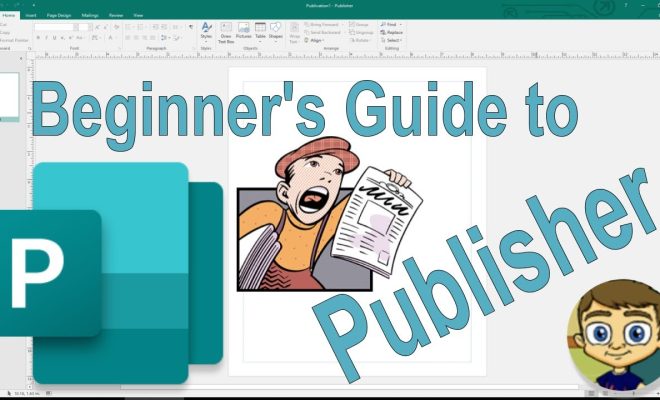
If you’re planning to publish a book, you can use Microsoft Publisher to create a professional-looking layout. Publisher is a user-friendly tool that allows you to design appealing covers, illustrations, and formatting for your book. With these tips, you can learn how to use the features of Microsoft Publisher to create a top-quality book.

1. Determine the book size and format

Before getting started, decide on the size and format for your book. If you are writing a novel or non-fiction book, the most common format is 6×9 inches. However, if you are designing a cookbook or a children’s book, you might need a different size or shape. Be mindful of your target audience when selecting a book size and format.

2. Use the right template

You can find numerous templates in Microsoft Publisher that will help you create a book. Select the template that most closely matches your book’s format and genre. Once you open Publisher, you can see a list of templates in the “Available Templates” section. Click on “Books” to view the different book design options.

3. Add your content

The most important aspect of your book is your content. Once you have selected your template, you can start adding your text and images. Click on “Insert” to add a new page or section and continue adding the content. When adding images, ensure they are high-quality and relevant to the text on that page.

4. Format the text

To format your text, you can use the “Fonts” and “Paragraph” sections of the ribbon. Ensure that your text is easy to read by selecting an appropriate font size and style. For headings, you might want to use a different font or color to make them stand out. Also, consider the line spacing, paragraph alignment, and bullet points to make your text visually appealing.

5. Add page numbers and headers

Page numbers and headers help the reader navigate through your book easily. To insert these, go to the “Insert” tab and select “Page Number” or “Header.” You can choose the placement and format of these elements in your book.

6. Design the cover

The cover is crucial when designing a book as it represents the content. To create a professional-looking cover, use high-quality images, and consider the title and author’s name placement. You can also use the “Shape” tool to add unique shapes to your cover.

7. Save and export

Before you print or upload your book, ensure that you save it. Go to “File” and select “Save As” to name the file and choose the location to save it. Once you have saved the book, you can export it as a PDF or a print-ready file.

In conclusion, Microsoft Publisher is an excellent tool to help you create a professional-looking book. By using these tips, you can design a layout that is appealing to your target audience and sets your book apart from others. Remember to focus on the content and design, and your book will be ready for publication in no time. 

Previous Article

T-Mobile has merged with Sprint. Here’s what ...

Next Article

Top 10 Benefits of Blockchain Technology for ...

Matthew Lynch

Related articles More from author

  • Elementary EducationOnline Learning & eLearning

    Technology alliance and channel partner marketing strategy

    March 30, 2023
    By Matthew Lynch
  • Higher EducationOnline Learning & eLearning

    The Ever-Expanding List of Online Degree Options

    June 21, 2017
    By Matthew Lynch
  • Online Learning & eLearning

    Best Christmas Projector Lights

    September 7, 2023
    By Matthew Lynch
  • FeaturedFreshHigher EducationHigher Education EdTechOnline Learning & eLearning

    How to Ensure Online Course Quality at Your University

    December 21, 2018
    By Matthew Lynch
  • Early Childhood & K-12 EdTechGoogle ClassroomOnline Learning & eLearning

    7 Things You Need to Know About the New Google Classroom

    August 27, 2018
    By Matthew Lynch
  • Online Learning & eLearning

    Online Research Tools Every Online Learner Should Know About

    March 9, 2023
    By Matthew Lynch

Search

Login & Registration

  • Register
  • Log in
  • Entries feed
  • Comments feed
  • WordPress.org

Newsletter

Signup for The Tech Edvocate Newsletter and have the latest in EdTech news and opinion delivered to your email address!

About Us

Since technology is not going anywhere and does more good than harm, adapting is the best course of action. That is where The Tech Edvocate comes in. We plan to cover the PreK-12 and Higher Education EdTech sectors and provide our readers with the latest news and opinion on the subject. From time to time, I will invite other voices to weigh in on important issues in EdTech. We hope to provide a well-rounded, multi-faceted look at the past, present, the future of EdTech in the US and internationally.

We started this journey back in June 2016, and we plan to continue it for many more years to come. I hope that you will join us in this discussion of the past, present and future of EdTech and lend your own insight to the issues that are discussed.

Newsletter

Signup for The Tech Edvocate Newsletter and have the latest in EdTech news and opinion delivered to your email address!

Contact Us

The Tech Edvocate
910 Goddin Street
Richmond, VA 23231
(601) 630-5238
[email protected]

Copyright © 2025 Matthew Lynch. All rights reserved.