The Tech Edvocate

Top Menu

  • Advertisement
  • Apps
  • Home Page
  • Home Page Five (No Sidebar)
  • Home Page Four
  • Home Page Three
  • Home Page Two
  • Home Tech2
  • Icons [No Sidebar]
  • Left Sidbear Page
  • Lynch Educational Consulting
  • My Account
  • My Speaking Page
  • Newsletter Sign Up Confirmation
  • Newsletter Unsubscription
  • Our Brands
  • Page Example
  • Privacy Policy
  • Protected Content
  • Register
  • Request a Product Review
  • Shop
  • Shortcodes Examples
  • Signup
  • Start Here
    • Governance
    • Careers
    • Contact Us
  • Terms and Conditions
  • The Edvocate
  • The Tech Edvocate Product Guide
  • Topics
  • Write For Us
  • Advertise

Main Menu

  • Start Here
    • Our Brands
    • Governance
      • Lynch Educational Consulting, LLC.
      • Dr. Lynch’s Personal Website
      • Careers
    • Write For Us
    • The Tech Edvocate Product Guide
    • Contact Us
    • Books
    • Edupedia
    • Post a Job
    • The Edvocate Podcast
    • Terms and Conditions
    • Privacy Policy
  • Topics
    • Assistive Technology
    • Child Development Tech
    • Early Childhood & K-12 EdTech
    • EdTech Futures
    • EdTech News
    • EdTech Policy & Reform
    • EdTech Startups & Businesses
    • Higher Education EdTech
    • Online Learning & eLearning
    • Parent & Family Tech
    • Personalized Learning
    • Product Reviews
  • Advertise
  • Tech Edvocate Awards
  • The Edvocate
  • Pedagogue
  • School Ratings

logo

The Tech Edvocate

  • Start Here
    • Our Brands
    • Governance
      • Lynch Educational Consulting, LLC.
      • Dr. Lynch’s Personal Website
        • My Speaking Page
      • Careers
    • Write For Us
    • The Tech Edvocate Product Guide
    • Contact Us
    • Books
    • Edupedia
    • Post a Job
    • The Edvocate Podcast
    • Terms and Conditions
    • Privacy Policy
  • Topics
    • Assistive Technology
    • Child Development Tech
    • Early Childhood & K-12 EdTech
    • EdTech Futures
    • EdTech News
    • EdTech Policy & Reform
    • EdTech Startups & Businesses
    • Higher Education EdTech
    • Online Learning & eLearning
    • Parent & Family Tech
    • Personalized Learning
    • Product Reviews
  • Advertise
  • Tech Edvocate Awards
  • The Edvocate
  • Pedagogue
  • School Ratings
  • A Visitors Guide to Pittsburgh (PA), United States

  • A Visitors Guide to Colorado Springs (CO), United States

  • 5 Pairs of Shoes That Will Instantly Step Your Shoe Game Up

  • Radiant Youthful Skin is the Perfect Christmas Gift

  • Give Your Loved One the Gift of Youthful, Radiant Skin this Christmas

  • Give Your Loved One the Gift of a Restful Night Sleep this Christmas

  • Nex Playground’s Holiday Sales Bring Active Play Indoors This Seaso

  • A Visitors Guide to Louisville (KY), United States

  • A Visitor’s Guide to Nashville-Davidson (TN), United States

  • A Visitors Guide to Portland (OR), United States

Digital & Mobile Technology
Home›Digital & Mobile Technology›The Best Windows XP Software That Still Works

The Best Windows XP Software That Still Works
By Matthew Lynch
June 14, 2023
0
Spread the love

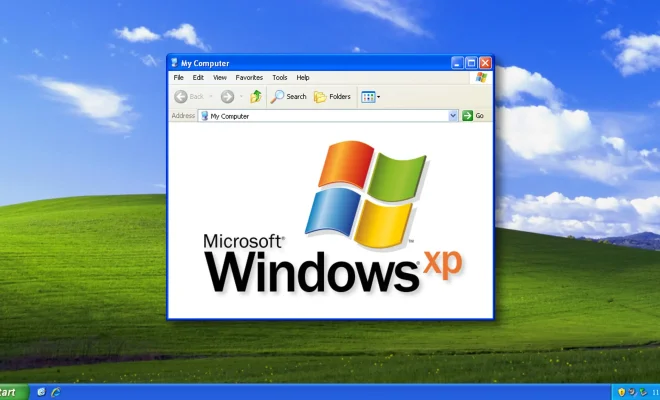
As the years go by, more and more users are making the switch to modern operating systems, leaving behind older platforms such as Windows XP. However, for those who still use this reliable and efficient OS, it is essential to have software that can still run on it. In this article, we will explore some of the best Windows XP software that still works, ensuring that you can get the most out of your aging system.

1. Microsoft Office 2003

If you need to create word processing documents, spreadsheets or presentations, look no further than Microsoft Office 2003. This software suite includes Word, Excel, PowerPoint, and Outlook, and is perfect for both personal and business use. While newer versions of Office have more features, Office 2003 is still highly functional and works great on Windows XP.

2. VLC Media Player

When it comes to video and audio playback, VLC Media Player is one of the best. It can play almost any media file format imaginable, including DVDs and streaming media. Plus, it is lightweight and easy to use, making it a go-to for Windows XP users who want a reliable media player.

3. Mozilla Firefox

If you need a reliable and secure web browser for Windows XP, look no further than Mozilla Firefox. This browser was designed with privacy and security in mind and has been updated regularly to keep up with the latest threats. You can expect fast and stable performance when browsing with Firefox on Windows XP.

4. GIMP

Need a powerful yet free image editing software? Look no further than GIMP – the GNU Image Manipulation Program. GIMP is a popular alternative to Adobe Photoshop and offers a wide range of features for editing photos and creating graphics.

5. IrfanView

For many Windows XP users, IrfanView is the go-to image viewer and editor. It is incredibly lightweight and can handle a wide range of file formats, making it a very versatile tool. IrfanView also has basic editing tools built-in, including cropping, resizing, and color correction.

6. CCleaner

One of the biggest challenges with Windows XP is keeping it running smoothly and efficiently, especially with limited disk space. This is where CCleaner comes in handy – it helps to clean up unnecessary files and registry entries, freeing up disk space and improving system performance.

7. WinRAR

WinRAR is a popular file compression tool that can be used to zip, unzip, and extract files. It supports a wide range of compression formats and is easy to use, making it a reliable tool for Windows XP users who need to compress and share large files.

Conclusion

While many computer users have moved on from Windows XP, it is still a capable and reliable operating system that can tackle many tasks. By using these best Windows XP software options, you can continue to get the most out of your aging computer, even as technology continues to advance. From media players to productivity suites, these software programs work great on Windows XP and provide excellent value for your money.

Previous Article

How to Block Ads in Safari on ...

Next Article

Best Contact Management Apps to Organize Your ...

Matthew Lynch

Related articles More from author

  • Digital & Mobile Technology

    Free PCB Design Software Packages: A Comprehensive Guide

    June 30, 2023
    By Matthew Lynch
  • Digital & Mobile Technology

    What is the Macintosh Operating System (Mac OS)?

    May 13, 2023
    By Matthew Lynch
  • Digital & Mobile Technology

    iWork for iPad: A Powerful Productivity Suite

    June 23, 2023
    By Matthew Lynch
  • Digital & Mobile Technology

    Sony State of Play 2023: Announcements, News, and More

    June 3, 2023
    By Matthew Lynch
  • Digital & Mobile Technology

    How to Troubleshoot Comcast Email

    May 29, 2023
    By Matthew Lynch
  • Digital & Mobile Technology

    What Is Virtual Network Computing (VNC)?

    June 12, 2023
    By Matthew Lynch

Search

Login & Registration

  • Register
  • Log in
  • Entries feed
  • Comments feed
  • WordPress.org

Newsletter

Signup for The Tech Edvocate Newsletter and have the latest in EdTech news and opinion delivered to your email address!

About Us

Since technology is not going anywhere and does more good than harm, adapting is the best course of action. That is where The Tech Edvocate comes in. We plan to cover the PreK-12 and Higher Education EdTech sectors and provide our readers with the latest news and opinion on the subject. From time to time, I will invite other voices to weigh in on important issues in EdTech. We hope to provide a well-rounded, multi-faceted look at the past, present, the future of EdTech in the US and internationally.

We started this journey back in June 2016, and we plan to continue it for many more years to come. I hope that you will join us in this discussion of the past, present and future of EdTech and lend your own insight to the issues that are discussed.

Newsletter

Signup for The Tech Edvocate Newsletter and have the latest in EdTech news and opinion delivered to your email address!

Contact Us

The Tech Edvocate
910 Goddin Street
Richmond, VA 23231
(601) 630-5238
[email protected]

Copyright © 2025 Matthew Lynch. All rights reserved.