The Tech Edvocate

Top Menu

  • Advertisement
  • Apps
  • Home Page
  • Home Page Five (No Sidebar)
  • Home Page Four
  • Home Page Three
  • Home Page Two
  • Home Tech2
  • Icons [No Sidebar]
  • Left Sidbear Page
  • Lynch Educational Consulting
  • My Account
  • My Speaking Page
  • Newsletter Sign Up Confirmation
  • Newsletter Unsubscription
  • Our Brands
  • Page Example
  • Privacy Policy
  • Protected Content
  • Register
  • Request a Product Review
  • Shop
  • Shortcodes Examples
  • Signup
  • Start Here
    • Governance
    • Careers
    • Contact Us
  • Terms and Conditions
  • The Edvocate
  • The Tech Edvocate Product Guide
  • Topics
  • Write For Us
  • Advertise

Main Menu

  • Start Here
    • Our Brands
    • Governance
      • Lynch Educational Consulting, LLC.
      • Dr. Lynch’s Personal Website
      • Careers
    • Write For Us
    • The Tech Edvocate Product Guide
    • Contact Us
    • Books
    • Edupedia
    • Post a Job
    • The Edvocate Podcast
    • Terms and Conditions
    • Privacy Policy
  • Topics
    • Assistive Technology
    • Child Development Tech
    • Early Childhood & K-12 EdTech
    • EdTech Futures
    • EdTech News
    • EdTech Policy & Reform
    • EdTech Startups & Businesses
    • Higher Education EdTech
    • Online Learning & eLearning
    • Parent & Family Tech
    • Personalized Learning
    • Product Reviews
  • Advertise
  • Tech Edvocate Awards
  • The Edvocate
  • Pedagogue
  • School Ratings

logo

The Tech Edvocate

  • Start Here
    • Our Brands
    • Governance
      • Lynch Educational Consulting, LLC.
      • Dr. Lynch’s Personal Website
        • My Speaking Page
      • Careers
    • Write For Us
    • The Tech Edvocate Product Guide
    • Contact Us
    • Books
    • Edupedia
    • Post a Job
    • The Edvocate Podcast
    • Terms and Conditions
    • Privacy Policy
  • Topics
    • Assistive Technology
    • Child Development Tech
    • Early Childhood & K-12 EdTech
    • EdTech Futures
    • EdTech News
    • EdTech Policy & Reform
    • EdTech Startups & Businesses
    • Higher Education EdTech
    • Online Learning & eLearning
    • Parent & Family Tech
    • Personalized Learning
    • Product Reviews
  • Advertise
  • Tech Edvocate Awards
  • The Edvocate
  • Pedagogue
  • School Ratings
  • A Visitors Guide to Portland (OR), United States

  • 7 Men’s Bruno Marc Shoes That Are the Perfect Christmas Gift

  • A Visitors Guide to Oklahoma City (OK), United States

  • A Visitor’s Guide to Tucson, Arizona, United States

  • A Visitor’s Guide to Hamilton, Canada

  • Beware of Fiverr: You Might Get Scammed

  • The Future of Artificial Intelligence: Navigating the Next Frontier

  • Best Home Backup Generators for 2026

  • Online Learning Platforms: Transforming Education in the Digital Age

  • Fastest Growing Sectors of the EdTech Market: Exploring Emerging Trends

Digital & Mobile Technology
Home›Digital & Mobile Technology›The Best PDF Readers for Windows

The Best PDF Readers for Windows
By Matthew Lynch
June 11, 2023
0
Spread the love

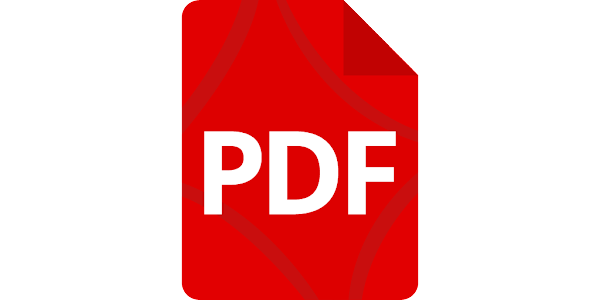
PDF or Portable Document Format has become an essential part of our digital life. Whether it is for work, study or leisure, we all need to view and read PDF files regularly. While Windows has its own PDF reader called Microsoft Edge, it lacks many advanced features that are needed for efficient reading and editing of PDFs. That’s where third-party PDF readers come in handy. In this article, we will discuss some of the best PDF readers for Windows.

1. Adobe Acrobat Reader DC: Adobe Acrobat has been the go-to PDF reader for many years, and its free version called Acrobat Reader DC is one of the most popular PDF readers of all time. It has a clean and user-friendly interface with features like annotation and commenting, support for fillable forms, e-signature support, and much more. It also has a cloud sync feature that lets you access your PDFs across devices seamlessly.

2. Foxit Reader: Foxit Reader is a lightweight PDF reader that offers many advanced features like ConnectedPDF, which lets you collaborate and share PDFs securely, and provides Enterprise-level support. It also has a multi-tab interface, annotation and commenting tools, and an OCR feature to extract text from images. Its free version is ad-supported, but you can get rid of ads with a paid version.

3. Nitro Reader: Nitro Reader is another free PDF reader that offers advanced features like text and image extraction from PDFs, form filling, commenting, and annotation tools. It also lets you convert PDF files to MS Office and other formats. Its paid version, Nitro Pro, is more advanced and offers additional features like PDF creation and editing.

4. Sumatra PDF: Sumatra PDF is a minimalist PDF viewer that is perfect for users who just need to read PDFs without any complicated features. It is an open-source software that is free to use and offers a clean and simple interface. It has a quick loading time and supports various formats like EPUB, MOBI, and CBZ, making it a versatile PDF reader.

5. PDF-XChange Editor: PDF-XChange Editor is a full-featured PDF editor that lets you create, view, and edit PDF files with ease. It has advanced features like OCR to convert scanned documents into editable text, comment and markup tools, and form-filling capabilities. Its free version has all the basic features, but you need to buy a license to unlock advanced features.

In conclusion, these are some of the best PDF readers for Windows that offer a range of features to meet the needs of different users. While Adobe Acrobat Reader DC is the most popular one, other options like Foxit Reader and Nitro Reader offer more advanced features, making them a great choice for power users. Sumatra PDF is perfect for users looking for a lightweight and minimalistic PDF reader, while PDF-XChange Editor is an excellent choice for users who need a full-featured PDF editor. Ultimately, the choice of PDF reader depends on your specific needs and preferences.

Previous Article

How to Find Archived Emails in Gmail

Next Article

How to Delete Albums on Facebook

Matthew Lynch

Related articles More from author

  • Digital & Mobile Technology

    How to Reset a Fitbit Alta Activity Tracker

    June 6, 2023
    By Matthew Lynch
  • Digital & Mobile Technology

    What Are Portable Devices?

    June 10, 2023
    By Matthew Lynch
  • Digital & Mobile Technology

    The Best Photo Blender Apps for Android

    June 23, 2023
    By Matthew Lynch
  • Digital & Mobile Technology

    How to Visit Japan’s Pokémon Fossil Museum Online

    July 31, 2023
    By Matthew Lynch
  • Digital & Mobile Technology

    How to Sync Your Christmas Lights to Music

    June 3, 2023
    By Matthew Lynch
  • Digital & Mobile Technology

    8 Tips on Basic Computer Safety

    June 10, 2023
    By Matthew Lynch

Search

Login & Registration

  • Register
  • Log in
  • Entries feed
  • Comments feed
  • WordPress.org

Newsletter

Signup for The Tech Edvocate Newsletter and have the latest in EdTech news and opinion delivered to your email address!

About Us

Since technology is not going anywhere and does more good than harm, adapting is the best course of action. That is where The Tech Edvocate comes in. We plan to cover the PreK-12 and Higher Education EdTech sectors and provide our readers with the latest news and opinion on the subject. From time to time, I will invite other voices to weigh in on important issues in EdTech. We hope to provide a well-rounded, multi-faceted look at the past, present, the future of EdTech in the US and internationally.

We started this journey back in June 2016, and we plan to continue it for many more years to come. I hope that you will join us in this discussion of the past, present and future of EdTech and lend your own insight to the issues that are discussed.

Newsletter

Signup for The Tech Edvocate Newsletter and have the latest in EdTech news and opinion delivered to your email address!

Contact Us

The Tech Edvocate
910 Goddin Street
Richmond, VA 23231
(601) 630-5238
[email protected]

Copyright © 2025 Matthew Lynch. All rights reserved.