The Tech Edvocate

Top Menu

  • Advertisement
  • Apps
  • Home Page
  • Home Page Five (No Sidebar)
  • Home Page Four
  • Home Page Three
  • Home Page Two
  • Home Tech2
  • Icons [No Sidebar]
  • Left Sidbear Page
  • Lynch Educational Consulting
  • My Account
  • My Speaking Page
  • Newsletter Sign Up Confirmation
  • Newsletter Unsubscription
  • Our Brands
  • Page Example
  • Privacy Policy
  • Protected Content
  • Register
  • Request a Product Review
  • Shop
  • Shortcodes Examples
  • Signup
  • Start Here
    • Governance
    • Careers
    • Contact Us
  • Terms and Conditions
  • The Edvocate
  • The Tech Edvocate Product Guide
  • Topics
  • Write For Us
  • Advertise

Main Menu

  • Start Here
    • Our Brands
    • Governance
      • Lynch Educational Consulting, LLC.
      • Dr. Lynch’s Personal Website
      • Careers
    • Write For Us
    • The Tech Edvocate Product Guide
    • Contact Us
    • Books
    • Edupedia
    • Post a Job
    • The Edvocate Podcast
    • Terms and Conditions
    • Privacy Policy
  • Topics
    • Assistive Technology
    • Child Development Tech
    • Early Childhood & K-12 EdTech
    • EdTech Futures
    • EdTech News
    • EdTech Policy & Reform
    • EdTech Startups & Businesses
    • Higher Education EdTech
    • Online Learning & eLearning
    • Parent & Family Tech
    • Personalized Learning
    • Product Reviews
  • Advertise
  • Tech Edvocate Awards
  • The Edvocate
  • Pedagogue
  • School Ratings

logo

The Tech Edvocate

  • Start Here
    • Our Brands
    • Governance
      • Lynch Educational Consulting, LLC.
      • Dr. Lynch’s Personal Website
        • My Speaking Page
      • Careers
    • Write For Us
    • The Tech Edvocate Product Guide
    • Contact Us
    • Books
    • Edupedia
    • Post a Job
    • The Edvocate Podcast
    • Terms and Conditions
    • Privacy Policy
  • Topics
    • Assistive Technology
    • Child Development Tech
    • Early Childhood & K-12 EdTech
    • EdTech Futures
    • EdTech News
    • EdTech Policy & Reform
    • EdTech Startups & Businesses
    • Higher Education EdTech
    • Online Learning & eLearning
    • Parent & Family Tech
    • Personalized Learning
    • Product Reviews
  • Advertise
  • Tech Edvocate Awards
  • The Edvocate
  • Pedagogue
  • School Ratings
  • A Visitor’s Guide to Fresno (CA), United States

  • A Visitors Guide to New Orleans (LA), United States

  • A Visitors Guide to Sacramento (CA), United States

  • A Visitors Guide to Lyon, France

  • JisuLife Ultra2 Portable Fan: A Powerful Multi-Function Cooling Solution

  • A Visitors Guide to Viña del Mar, Chile

  • A Visitors Guide to Århus, Denmark

  • A Visitors Guide to Bakersfield (CA), United States

  • A Visitors Guide to Aurora (CO), United States

  • A Visitor’s Guide to Toledo (OH), United States

Digital & Mobile Technology
Home›Digital & Mobile Technology›The Best Free Repair Tools for Windows 11

The Best Free Repair Tools for Windows 11
By Matthew Lynch
June 12, 2023
0
Spread the love

Windows 11 has been recently released, and if you have installed the latest version of this operating system on your computer, you may be wondering about the best free repair tools to keep your PC running smoothly. In this article, we will discuss some of the top-rated free repair tools for Windows 11 that you can use to fix common issues and optimize your PC’s performance.

1. Advanced SystemCare Free

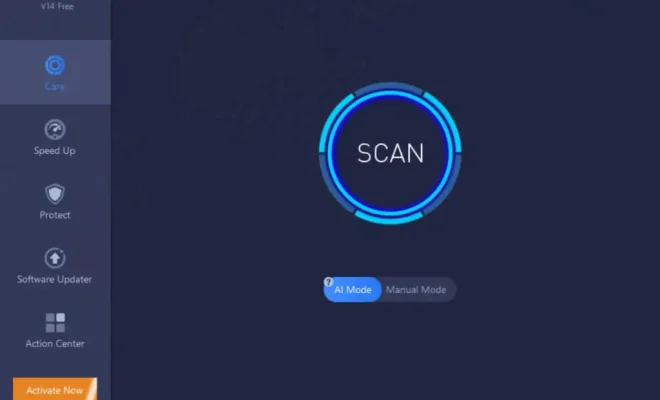
Advanced SystemCare Free is a popular free repair tool that is designed to optimize your PC’s performance by cleaning up junk files, fixing registry errors, speeding up the system startup, and protecting your computer from malware infections. It comes with a user-friendly interface that allows you to perform one-click maintenance to keep your PC in top shape.

2. CCleaner Free

CCleaner Free is another popular free repair tool that is widely used to clean up junk files, fix registry errors, and optimize your PC’s performance. It comes with several advanced features, such as a registry cleaner, a built-in uninstaller, and a tool to manage installed programs. CCleaner Free is also available in a portable version that can be run from a USB drive without installation.

3. Glary Utilities Free

Glary Utilities Free is a comprehensive free repair tool that comes with a wide range of features to fix common issues and optimize your PC’s performance. It includes a registry cleaner, a disk cleaner, a startup manager, a file shredder, and a shortcut fixer. Glary Utilities Free also includes a memory optimizer to improve your PC’s performance by freeing up system resources.

4. Malwarebytes Anti-Malware Free

Malwarebytes Anti-Malware Free is a popular free repair tool designed to remove malware infections from your PC. It comes with a powerful scanning engine that can detect and remove all types of malware, including spyware, adware, and Trojans. Malwarebytes Anti-Malware Free also includes a real-time protection module that can prevent malware infections in the future.

5. Open Hardware Monitor

Open Hardware Monitor is a free repair tool that monitors your PC’s hardware components, such as CPU temperature, fan speed, and voltage. It comes with a simple interface that displays real-time data on your hardware components, allowing you to identify potential issues that may cause system instability or crashes.

6. Defraggler Free

Defraggler Free is a free repair tool that is designed to defragment your hard drive, thus improving your PC’s performance. It comes with a user-friendly interface that allows you to analyze your hard drive and defragment individual files or folders. Defraggler Free can also defragment your entire hard drive with just one click.

Conclusion

These are some of the best free repair tools for Windows 11 that can help you optimize your PC’s performance, fix common issues, and keep your system running smoothly. Whether you need to clean up junk files, fix registry errors, or remove malware infections, these tools can help you maintain your PC’s performance and stability. So, go ahead and give them a try to see the difference in your PC’s performance!


Previous Article

How to Build a Simple Calculator Using ...

Next Article

How to Remove Stickers From Your Computer

Matthew Lynch

Related articles More from author

  • Digital & Mobile Technology

    Most Common Tricks Used to Hack Passwords

    June 8, 2023
    By Matthew Lynch
  • Digital & Mobile Technology

    How to Use Tile to Track Your Belongings

    June 23, 2023
    By Matthew Lynch
  • Digital & Mobile Technology

    Children’s Coloring Apps for the iPad and iPhone

    June 9, 2023
    By Matthew Lynch
  • Digital & Mobile Technology

    SOHO Routers and Networks Explained

    June 8, 2023
    By Matthew Lynch
  • Digital & Mobile Technology

    What Is the Newest Samsung Galaxy Phone?

    August 3, 2023
    By Matthew Lynch
  • Digital & Mobile Technology

    What is Data Administration?

    May 6, 2023
    By Matthew Lynch

Search

Login & Registration

  • Register
  • Log in
  • Entries feed
  • Comments feed
  • WordPress.org

Newsletter

Signup for The Tech Edvocate Newsletter and have the latest in EdTech news and opinion delivered to your email address!

About Us

Since technology is not going anywhere and does more good than harm, adapting is the best course of action. That is where The Tech Edvocate comes in. We plan to cover the PreK-12 and Higher Education EdTech sectors and provide our readers with the latest news and opinion on the subject. From time to time, I will invite other voices to weigh in on important issues in EdTech. We hope to provide a well-rounded, multi-faceted look at the past, present, the future of EdTech in the US and internationally.

We started this journey back in June 2016, and we plan to continue it for many more years to come. I hope that you will join us in this discussion of the past, present and future of EdTech and lend your own insight to the issues that are discussed.

Newsletter

Signup for The Tech Edvocate Newsletter and have the latest in EdTech news and opinion delivered to your email address!

Contact Us

The Tech Edvocate
910 Goddin Street
Richmond, VA 23231
(601) 630-5238
[email protected]

Copyright © 2025 Matthew Lynch. All rights reserved.