Microsoft Copilot Updates: The AI PC Revolution for 2024
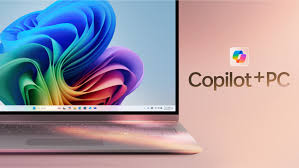
Microsoft is transforming the personal computer landscape with its latest Copilot updates, bringing us closer than ever to the true vision of an AI-powered PC The company aims to create a computer that’s not just a tool, but a true partner in your daily computing experience.
The Vision of an AI PC
Microsoft defines an AI PC as capable of three key things:
- Natural interaction through text or voice
- Ability to see and offer guided support
- Taking actions on your behalf
All of this is built on the security foundation of Windows 11
Copilot’s Multimodal Capabilities
Copilot Voice
With 68% of consumers using AI to support decision-making, voice interaction is making AI more accessible. The new “Hey Copilot” wake word allows for easy, conversational interactions.
Copilot Vision
A groundbreaking feature that allows the AI to:
- Analyze what’s on your screen
- Provide suggestions and directions
- Offer summaries and feedback
Key security features include:
- Manual app selection
- Limited to two apps at once
- Initially voice-based, with text support coming soon
Practical Applications
Microsoft is showcasing impressive capabilities beyond basic assistance:
- Shopping assistance by comparing browser tabs
- Musical inspiration generation
- Providing creative suggestions
Accessibility and Availability
Importantly, these features are not limited to high-end devices. Microsoft is making Copilot capabilities available across Windows 11 PCs, not just specialized Copilot+ PCs.
Recommended AI PC Options
Microsoft suggests several AI-ready PCs:
- Acer Aspire 14 AI (Starting at $699.99)
- ASUS Vivobook 16 (Starting at $799.99)
- Dell 14 Plus Laptop (Starting at $799.99)
Security and Privacy
Microsoft is taking a cautious approach to AI integration:
- Built-in security guardrails
- User-controlled access
- Optional features to address user concerns
Conclusion
The AI PC is no longer a distant dream but an emerging reality. Microsoft’s Copilot updates represent a significant step towards making computers more intuitive, helpful, and personalized.
Hyperlinks
- Microsoft Official Website
- The Tech Edvocate
- Matt Lynch Technology Insights
- Watch This TV Tech Reviews
- Latest Tech Ratings